
Customer support & Service
Most Customer Complaints Start as Missed Messages
Helpmate automates how service conversations are assigned, answered, and followed up across all channels.
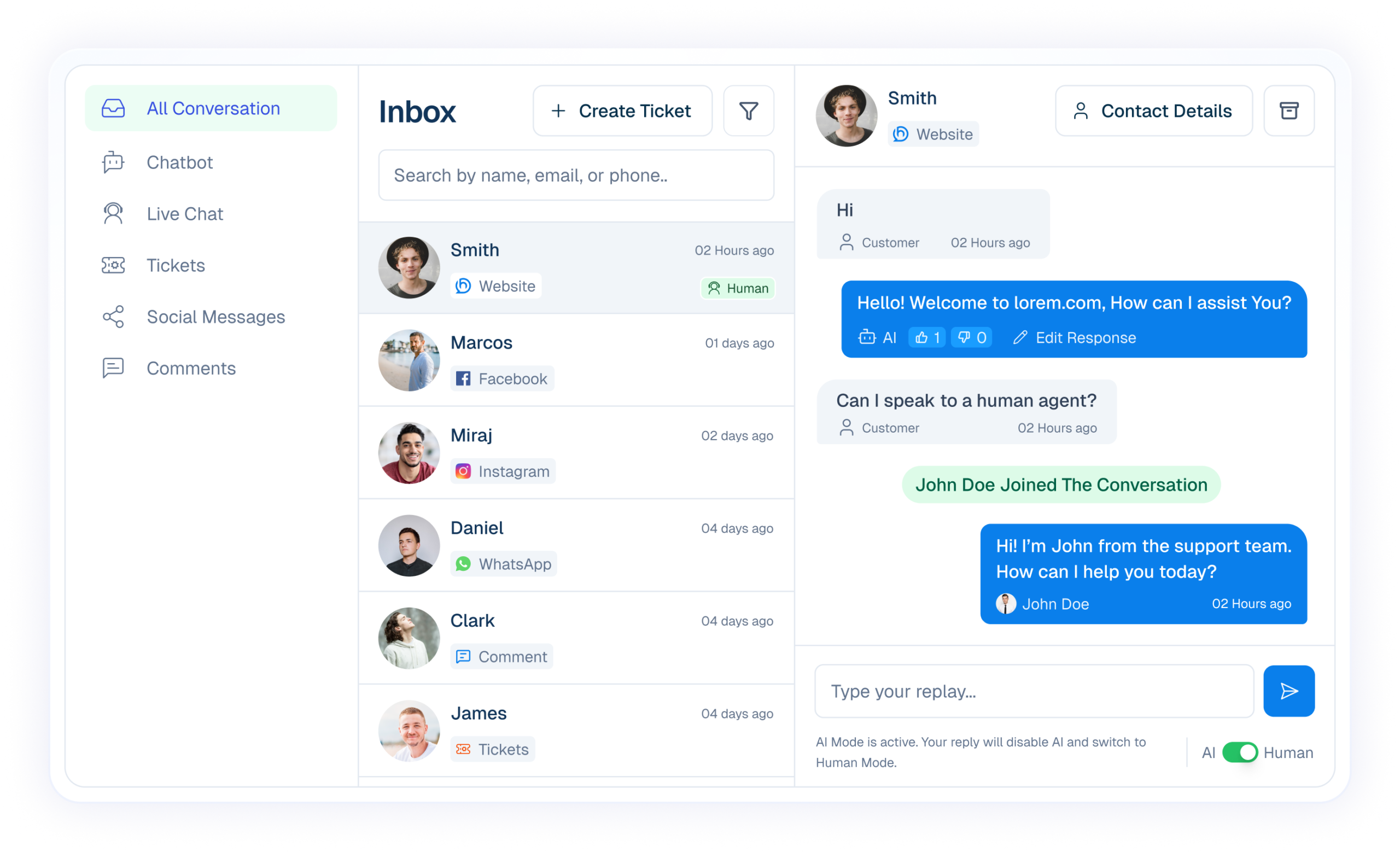
Fast Replies Build Trust, Context Builds Loyalty

Speed Reduces Frustration
Fast first responses set the tone for the entire customer experience.

Context Prevents Repeats
When agents know the history, customers don’t have to repeat themselves.

Human Touch at Right Time
AI handles routine questions. Humans step in when empathy matters.
Unified yet simplified for Customer support & Service
Each system plays a clear role, together forming one connected communication platform.

The Brain
Helpmate AI
Provides consistent intent responses using your trained business or service Knowledge.

The Engine
Automation
Ensures nothing is forgotten, delayed, or manual. Used across support, marketing, sales and Conversion.

Execution Engine
Chatbot
Instantly replies to guide and support customers, and reduce manual work.

Omnichannel
Social Chat & Comments
Manage Facebook, Instagram, WhatsApp, and website messages in one inbox.

Human Touch
Live Chat
Allows Support team to step in seamlessly whenever conversations require attention or care.

The Hub
CRM
Organize contacts, leads, tasks, bookings, and conversation history for clear action.
everything Built for Seamless Customer Experience
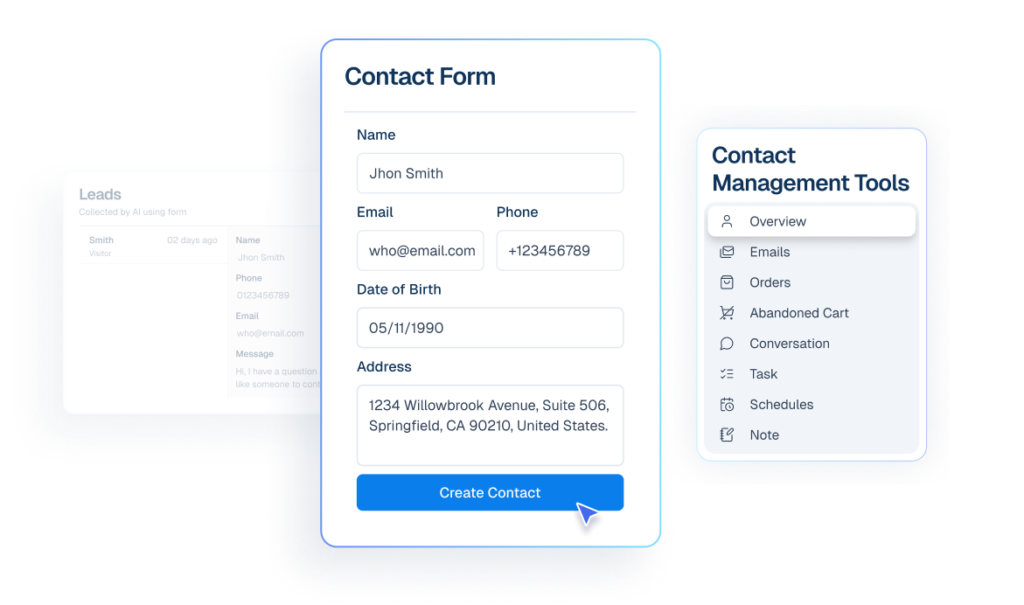
Contact
All support conversations from every channel stay organized in one shared workspace.
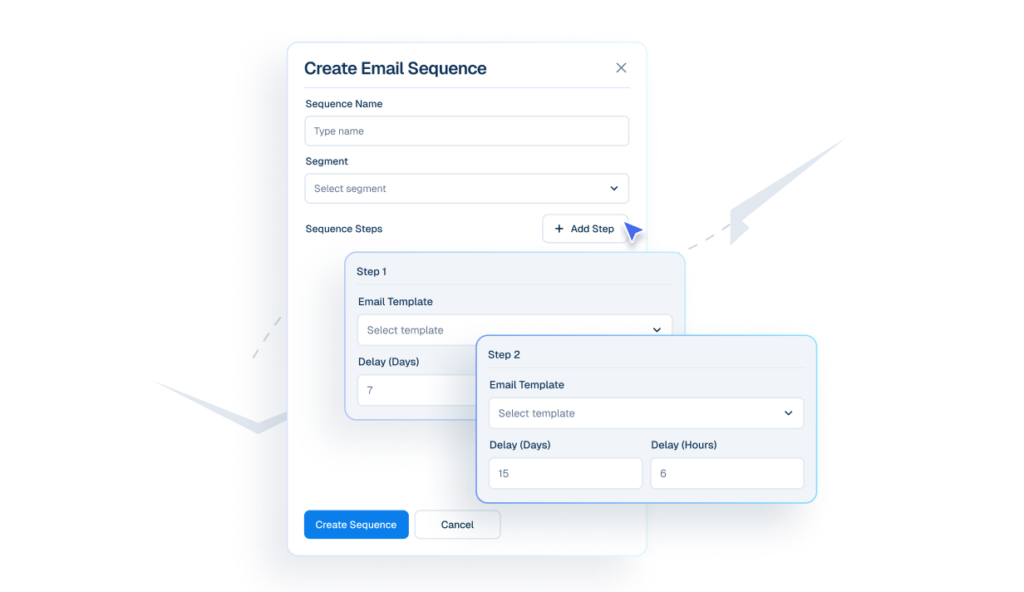
Email Follow-ups
Send support updates, resolutions, or follow-ups directly from customer history.
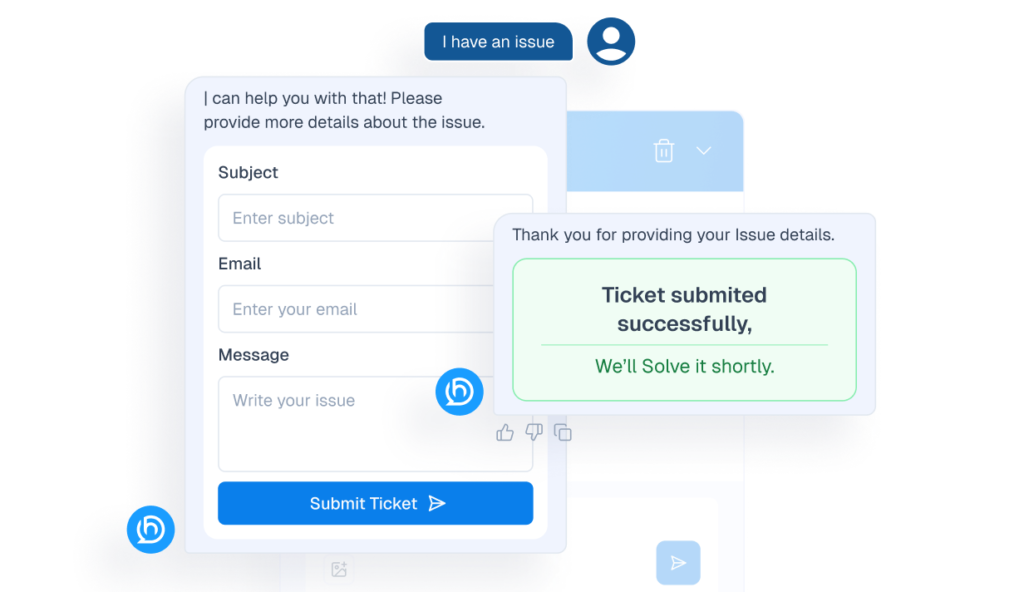
Tickets
prioritize, and resolve complex support issues across multiple conversations in one unified workflow.
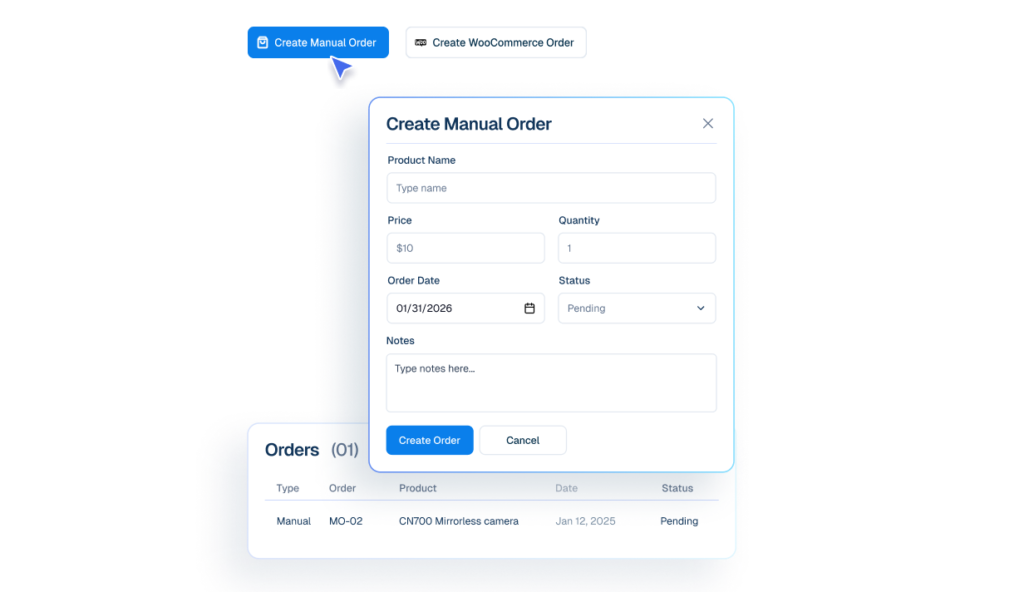
Order Management
Access customer order details instantly to resolve delivery, refund, or status issues faster.
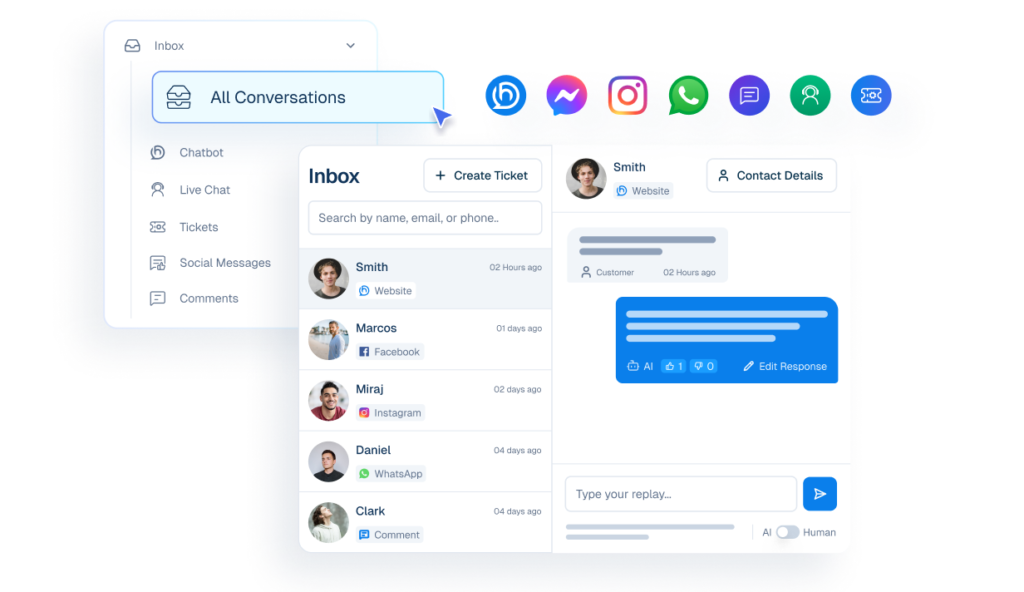
Unified Inbox
All support conversations from every channel stay organized in one shared workspace.
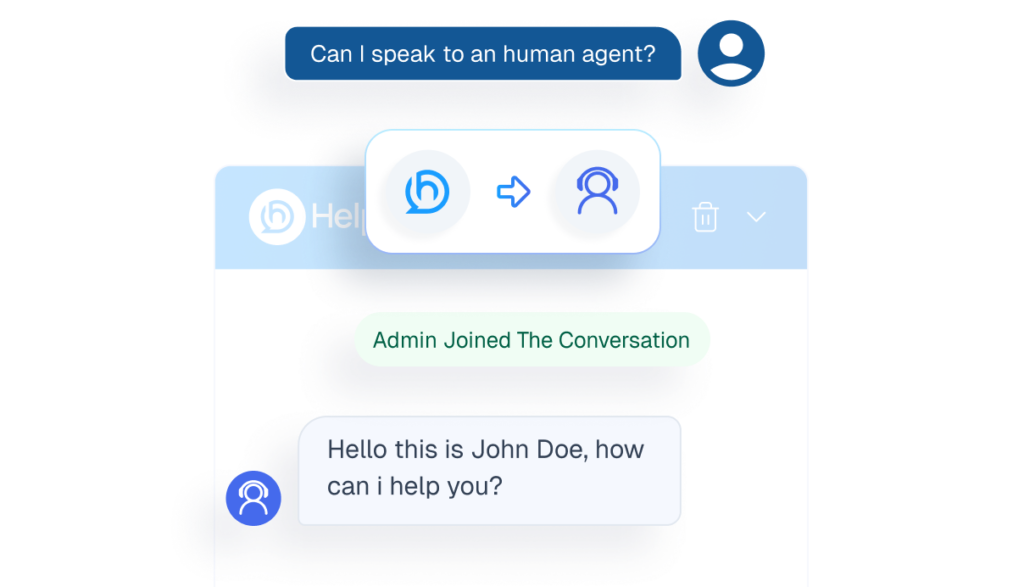
Human handover
Handle return requests smoothly with full conversation and order context in one place.
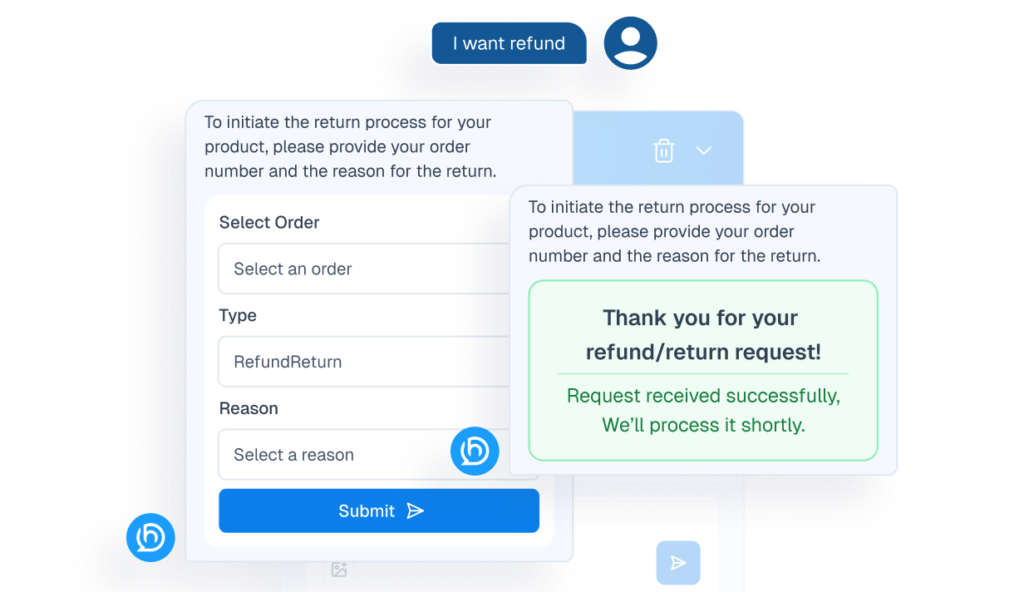
Refund & Return
Handle return requests smoothly with full conversation and order context in one place.
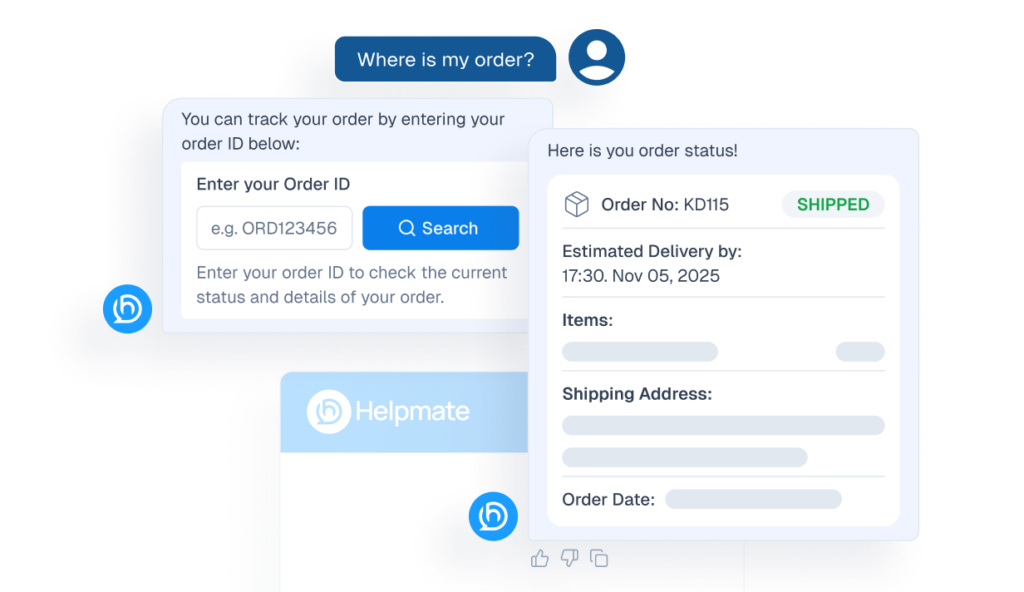
Order Status Tracking
Let customers check order updates instantly inside chat conversations.
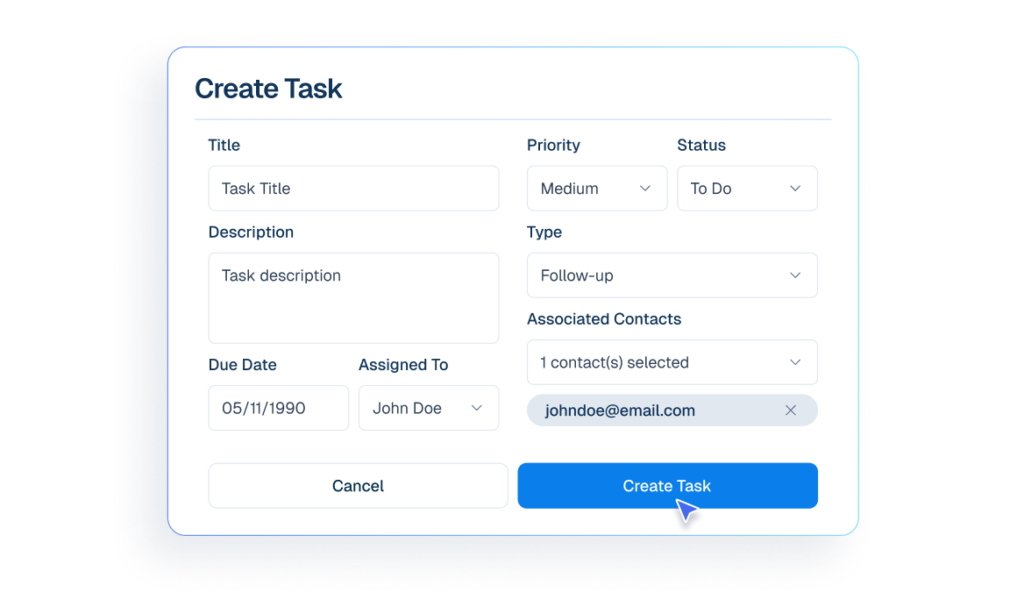
Tasks
Create follow-ups from conversations so no customer request is forgotten or delayed.
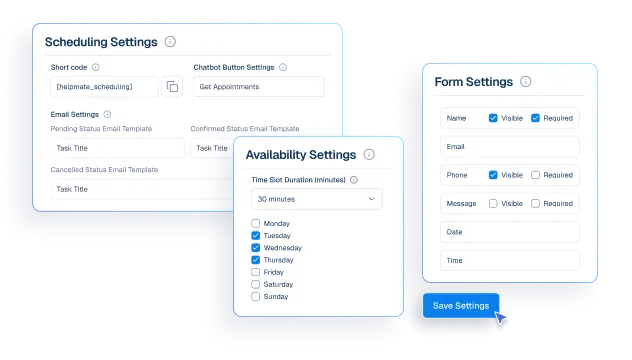
Appointments & Bookings
manage Appointment, Booking and Reservation directly from chat without leaving the inbox.
Make My Support Effortless


Finally, an Al Chatbot That Actually Helps
Adhoy R.


Works Amazingly Well After a Bit of Training!
Ritzh A.


Practical, feature-rich Al chatbot for WooCommerce
Kazi Shafriad l.


Great Chatbot Plugin That Keeps Getting Smarter!
Annoon
Support That Never Falls Behind
Before Helpmate
- Agents answer the same questions daily
- Hours to respond
- Frustrated customers
- Burnout & turnover
After Helpmate
- AI handles FAQs automatically
- Seconds to respond
- Delighted customers
- Engaged & productive
Frequently asked questions
How does Helpmate improve customer support?
Is Helpmate a helpdesk or ticketing system?
Can Helpmate reduce support volume?
Does Helpmate support omnichannel customer service?
Can customers get help when we’re offline?
Can multiple agents handle the same customer?
Does Helpmate support internal notes and handoffs?
Is Helpmate suitable for small support teams?
Can Helpmate handle social support requests?
Is Helpmate easy to train new support staff on?
Will Helpmate make support feel less personal?
What’s the real benefit for customer support?

