retail 1
Retail

Stop Losing Sales Across DMs, Chat, and WhatsApp

Helpmate brings all customer messages into one retail-ready support system with chat, chatbot, and CRM.

The go-to option for

Marketing Teams

megaphonebig
Support Teams
headphonesbig
Sales Teams
salesbig
Social Media Managers
Shareitbig
Growing Brands
calculator

Supports customer communication and order coordination, not pricing decisions or fulfillment logic.

How Retail Communication Is Managed with Helpmate

01

Customer Inquiry

Customers ask about products, sizing, availability, and delivery across chat and social.

helpmate
Website
messenger
Messenger
instagram
Instagram
whatsapp
WhatsApp
short line gray
02

Information

Provide accurate product details and policy information using your knowledge base.

image search
Image Search
order status tracker
Order Tracking
coupon delivery
Coupon Delivery
proactive sales
Proactive Sales
long line gray
03

Order Management

Support order tracking, discounts, and checkout questions without interrupting the purchase flow.

short line gray
lead 1
Leads
contacts
Contact
tasks
Task
abandoned cart
Abandoned Cart
04

Follow-Up & Support

Handle post-purchase questions, returns, and feedback with full conversation context.

email campaigns icon
Email Champaings
refund return
Refund and Return
tickets
Ticket System
review
Review

Consistency Is What Builds Trust in Retail

From the first question to post-purchase support, consistency shapes how customers perceive your brand. Helpmate gives retail teams a structured way to deliver it.
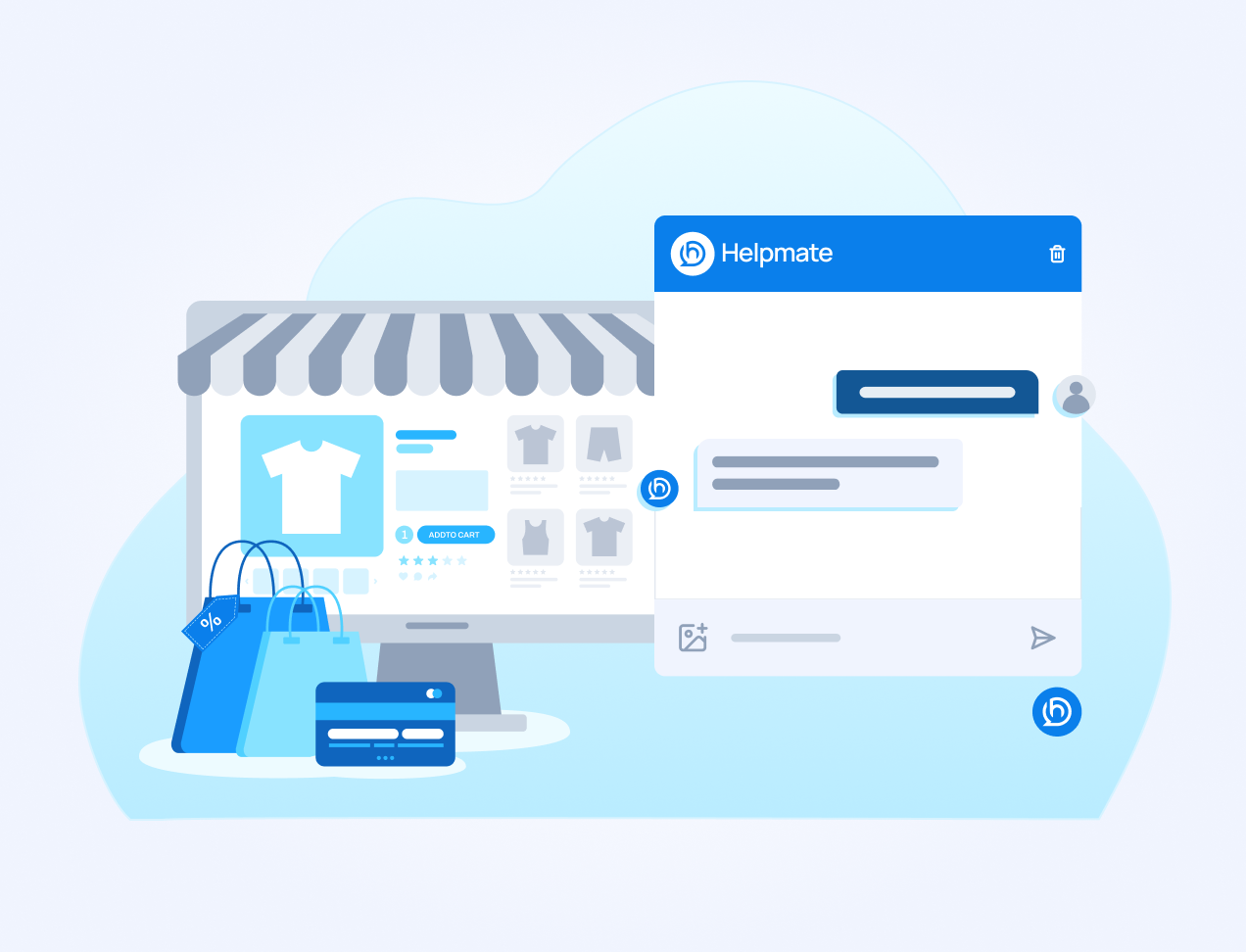
Illustration of an online storefront on a monitor with shopping bags and a credit card, positioned next to a Helpmate chat interface mockup.

Helpmate AI

Built for instant & Accurate answer

url
URL
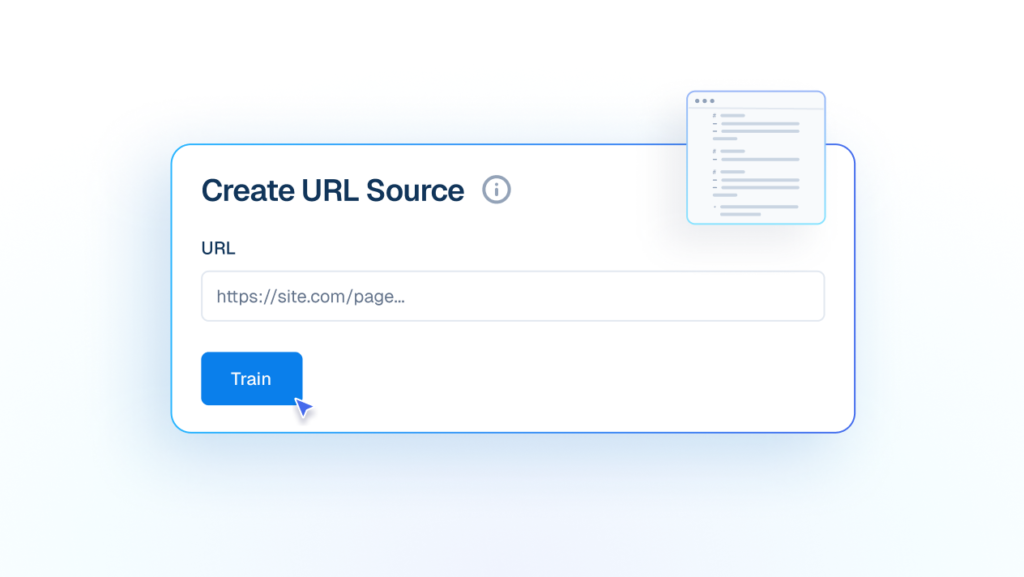
Train AI from live URLs to keep answers updated with your latest public information.
Interface mockup of a "Create URL Source" form showing a cursor clicking a "Train" button to add a live website link to the AI knowledge base.
products
Products
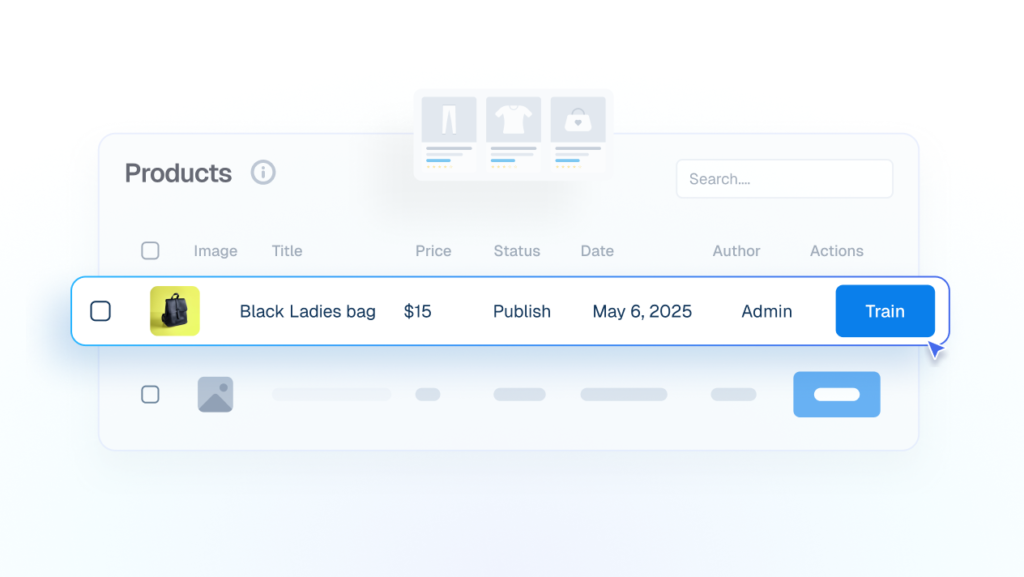
Trained on product/service details, to answer pricing, availability and basic store policies.
Interface mockup showing a products data table where a cursor is clicking a blue "Train" button to integrate details of a "Black Ladies bag" into the AI.
file
File
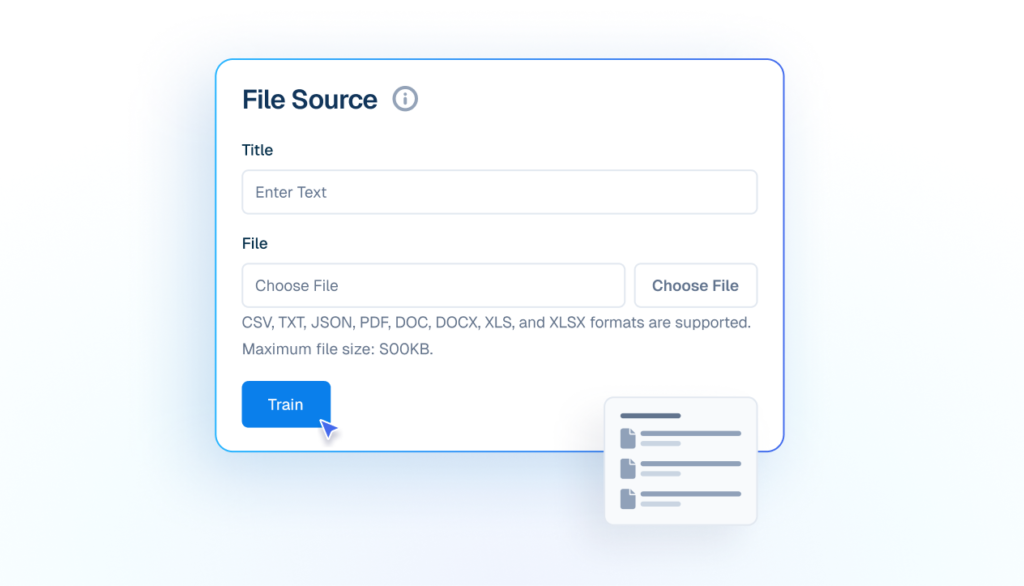
Uses manuals, catalogs, and documents to support customer conversations.
Mockup of a 'File Source' upload interface showing fields for Title and File selection, with a cursor clicking a blue 'Train' button to upload documents.
qna
Q&A
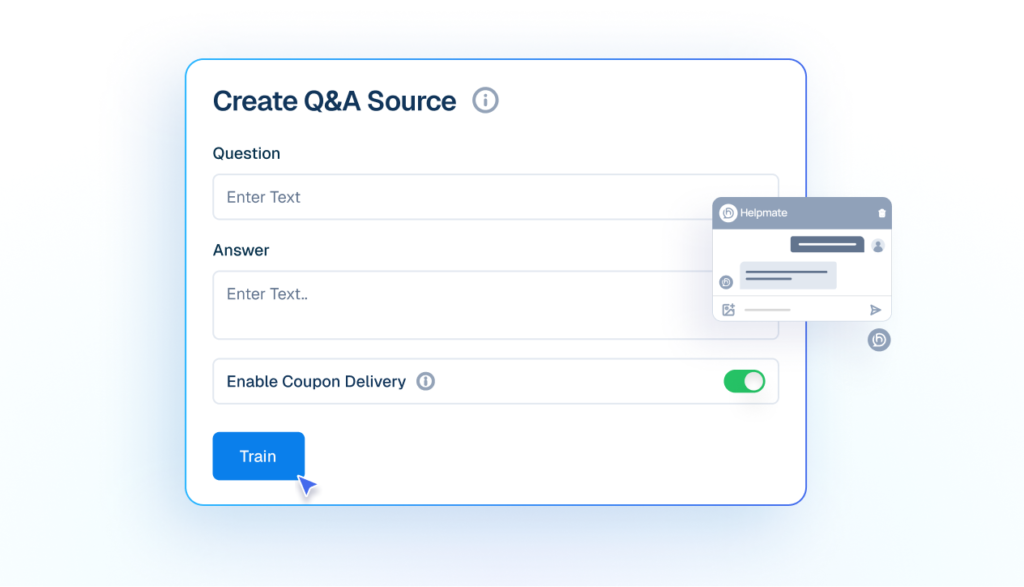
Add your own questions and answers so the AI responds exactly how your business would.
Mockup of a 'Create Q&A Source' interface showing input fields for a custom question and answer, a toggle for coupon delivery, and a cursor clicking a blue 'Train' button.
Text
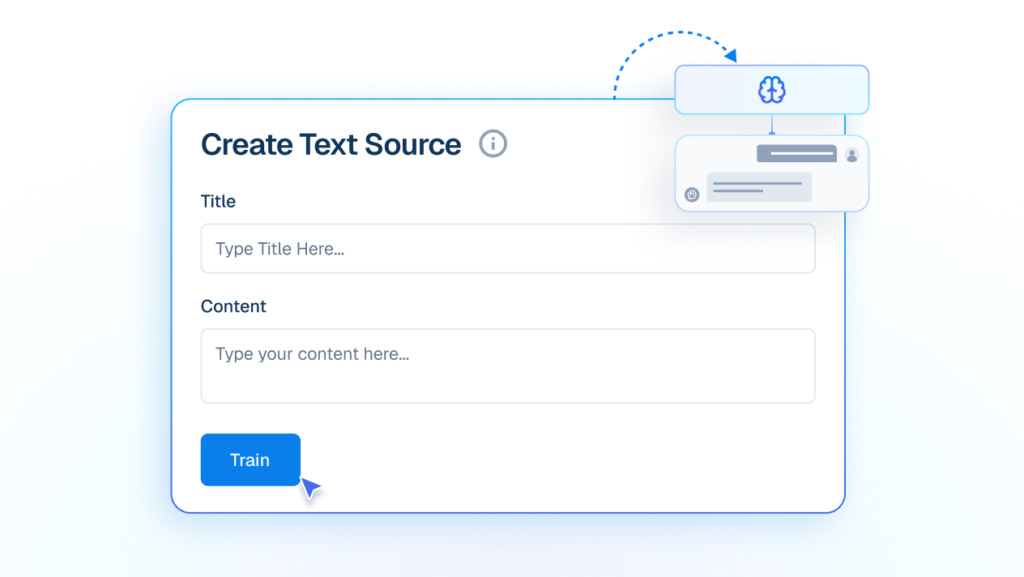
Train your Own custom written content into instant AI knowledge.
Mockup of a 'Create Text Source' interface with input fields for Title and Content, showing a cursor clicking a blue 'Train' button to feed text into an AI brain graphic.
wp posts
WP Posts
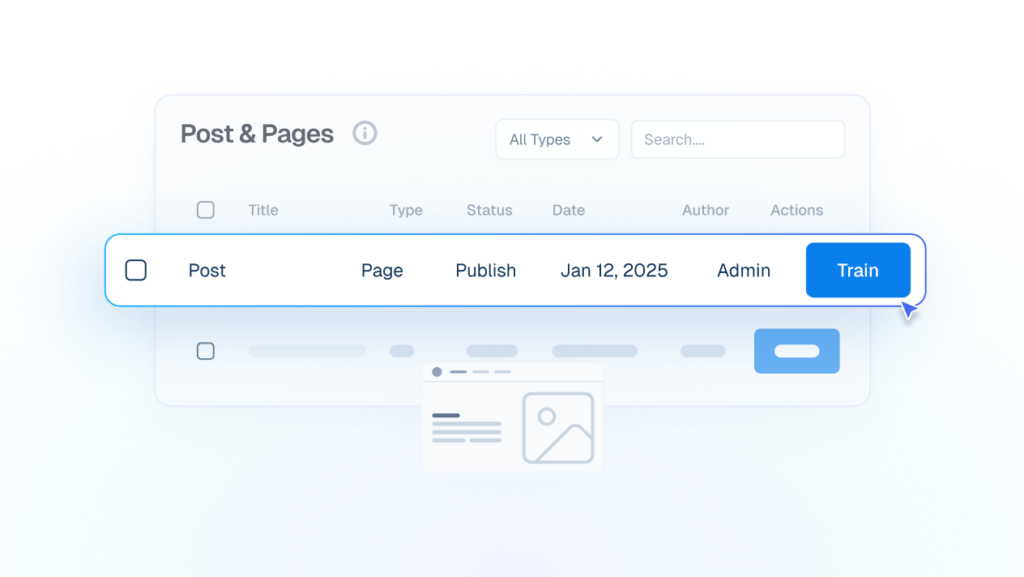
Blog posts and pages become reliable answers without rewriting or duplicating content.
Interface mockup showing a data table for "Post & Pages" where a cursor is clicking a blue "Train" button to use existing blog content for the AI.

Automation

Conversations Move Automatically
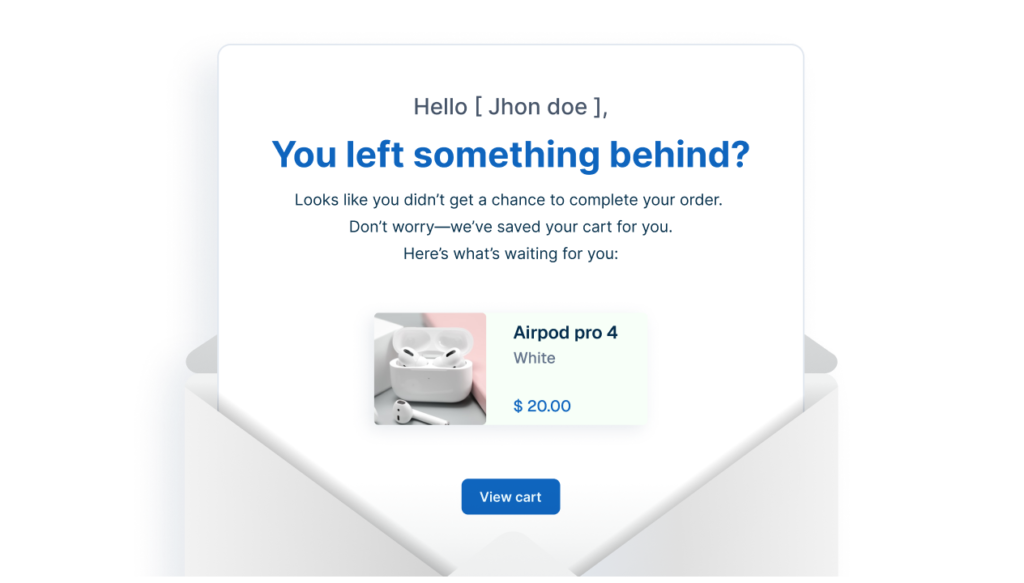
Mockup of an abandoned cart recovery email emerging from an open envelope showing a forgotten product.
abandoned cart 1
Abandoned Cart
Automatically Send an email when a user leaves without buying.
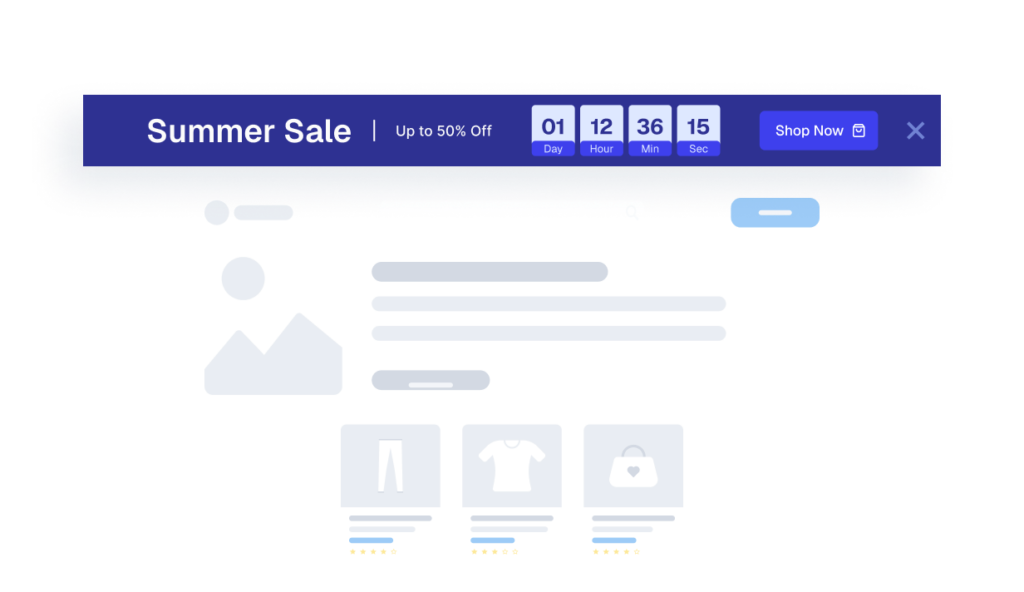
Mockup of a website interface featuring a dark blue Promobar banner advertising a Summer Sale with a countdown timer.
leads 1
Promobar
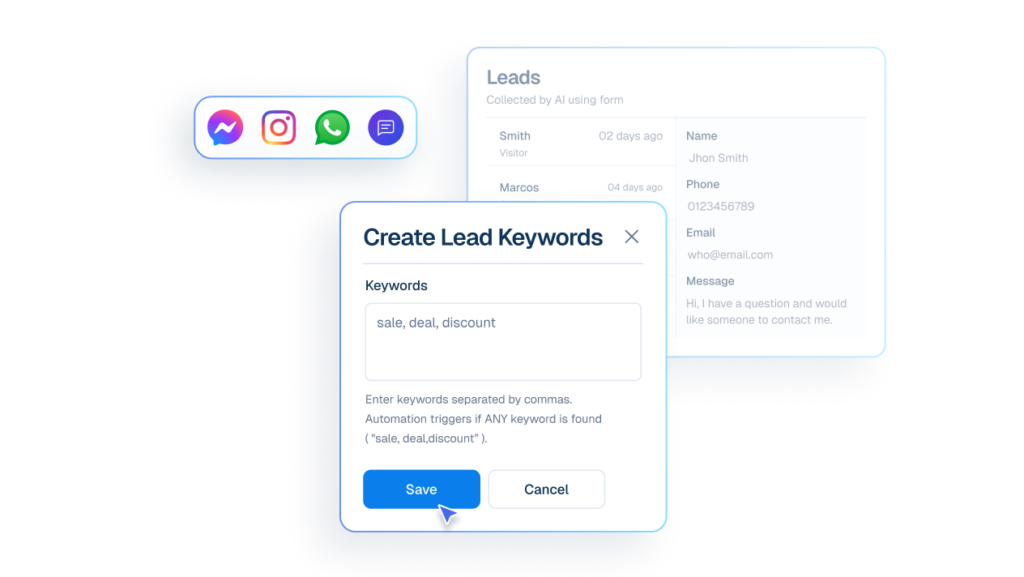
Capture leads when users trigger specific keywords in chats or comments across channels.
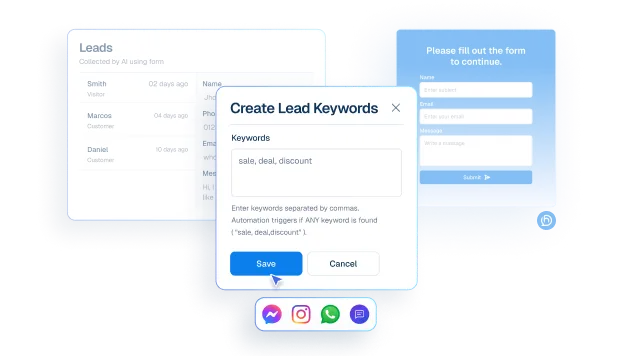
Interface mockup of a "Create Lead Keywords" form showing a cursor clicking a "Save" button to set up automated lead capture using words like "sale, deal, discount" from various chat apps.
lead
Lead Capture
Capture interested customers using keywords from chat and social messages.
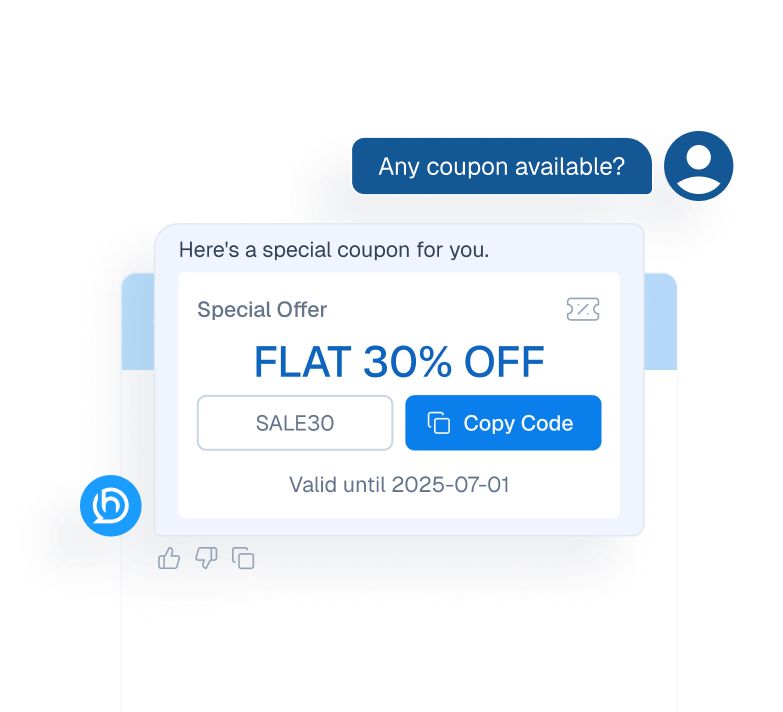
Mockup of a chatbot interface automatically providing a 30% discount coupon code in response to a customer's request.
coupon delivery
Coupon Delivery
Share promo codes instantly inside conversations to boost engagement and conversions.
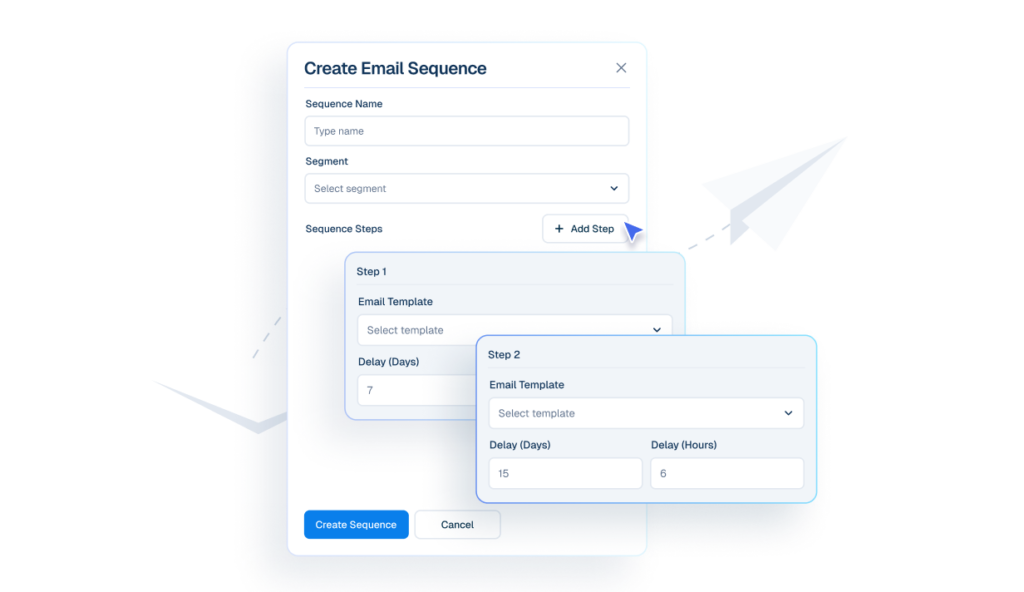
Interface mockup of a "Create Email Sequence" builder showing a cursor clicking an "+ Add Step" button to configure automated follow-up emails with specific day and hour delays.
emails
Email Sequences
Create email sequences that send automatically at defined intervals.
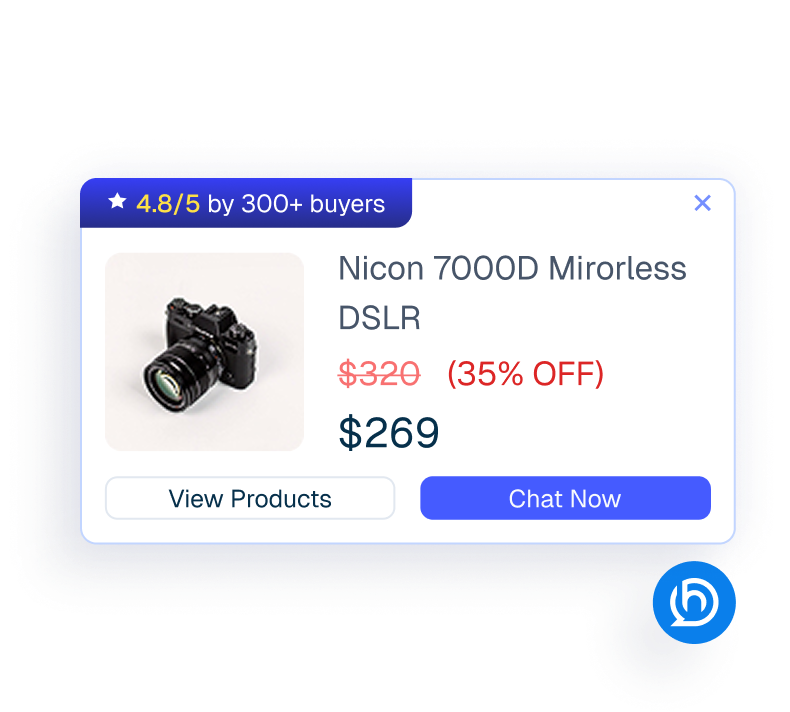
Mockup of a proactive sales chatbot pop-up displaying a discounted camera product card.
proactive sales
Proactive Sales
Engage visitors at the right moment product promotions.
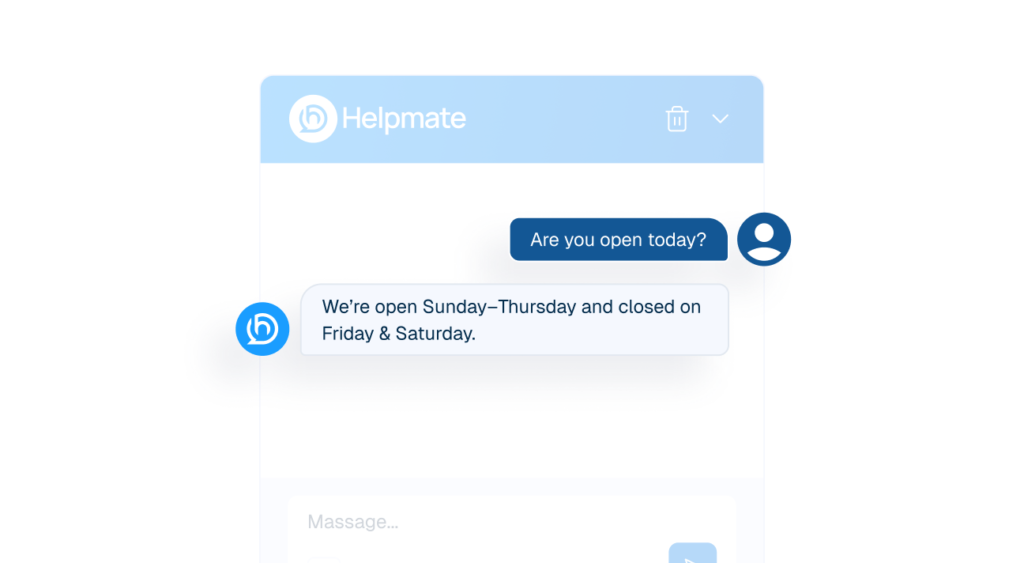
Interface mockup of a chat window showing a customer asking about business hours and the Helpmate AI bot replying instantly with the schedule.
auto response
Auto DM & Comments
Trigger accurate responses the moment customers message or comment.
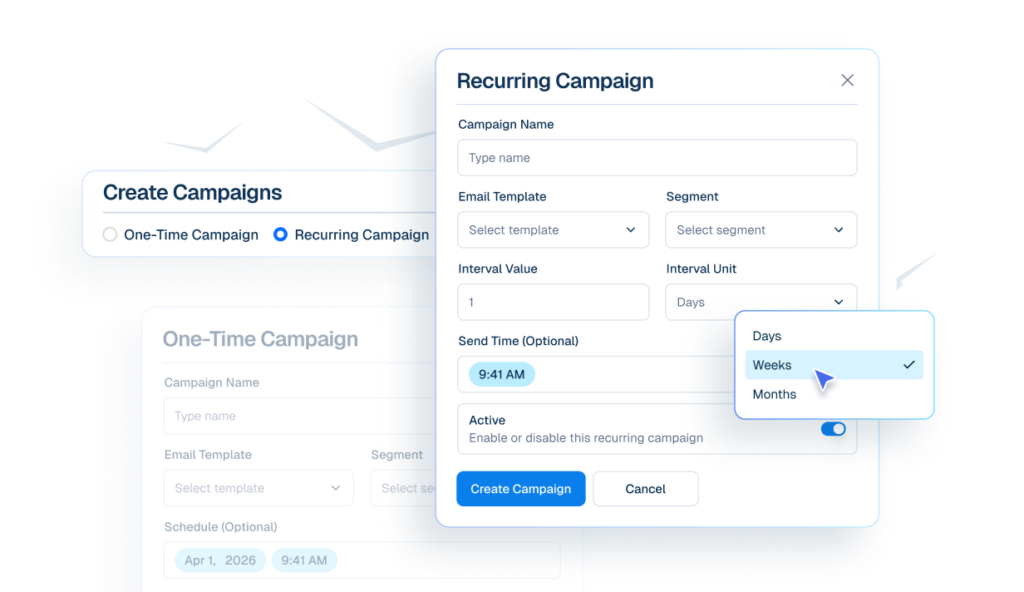
Interface mockup of an email campaign builder showing options to create one-time or recurring campaigns, with a cursor selecting "Weeks" from a dropdown menu for interval units.
email campaigns icon
Email Campaigns
Send emails to selected segments immediately, or schedule them for later automatically.
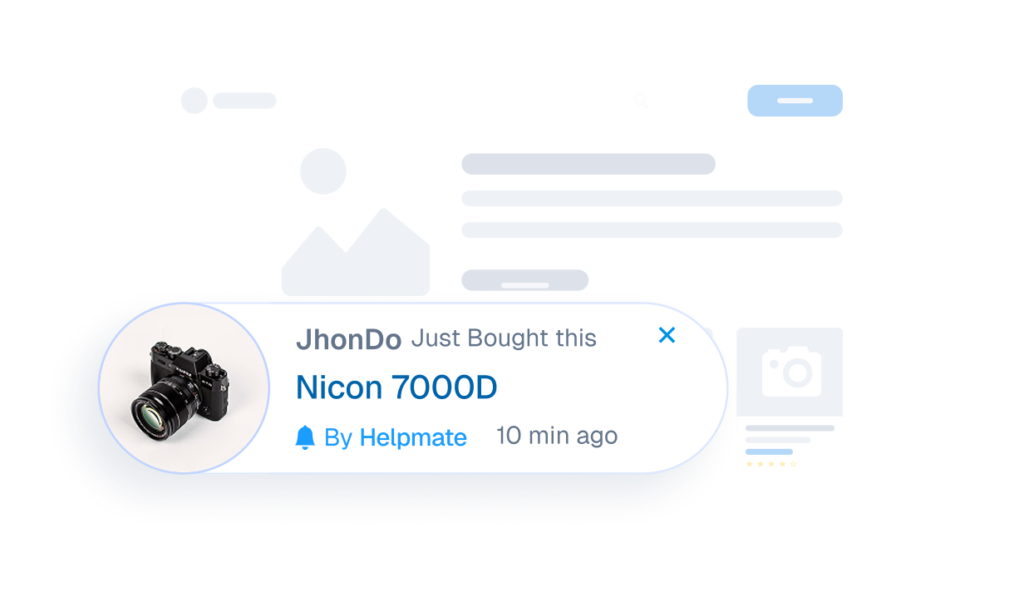
Interface mockup of a live sales notification showing a recent purchase of a Nicon 7000D camera by a user named JhonDo.
leads 1
Sales Notification
Capture leads when users trigger specific keywords in chats or comments across channels.

Chatbot

The First Line Of Support

thumbsub icon
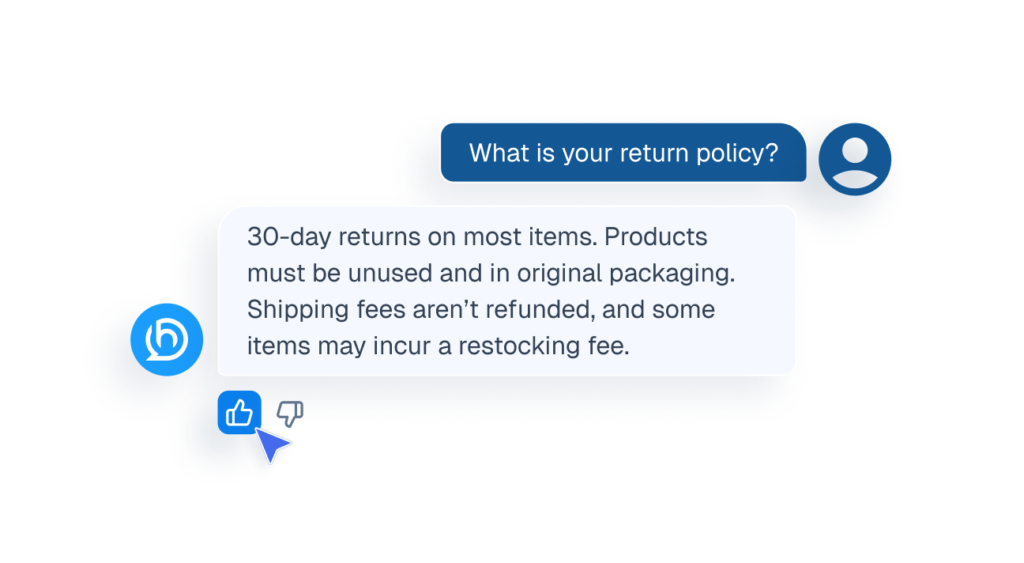
Ai Feedback
Visitor can like or dislike AI replies to improve future responses.
Mockup of a chat interface showing a cursor clicking a thumbs-up icon to provide feedback on an AI response about a return policy.
qna
FAQ’s
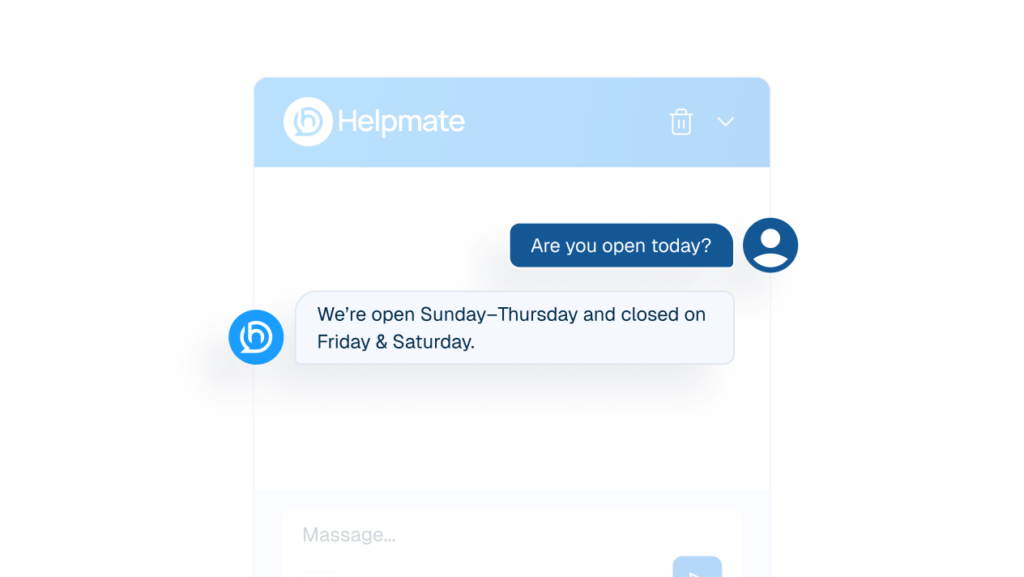
Answers common Cusotomer questions before human involvement.
An AI chatbot interface window labeled "Helpmate" showing an automated instant response to a customer's business hours inquiry.
order status tracker
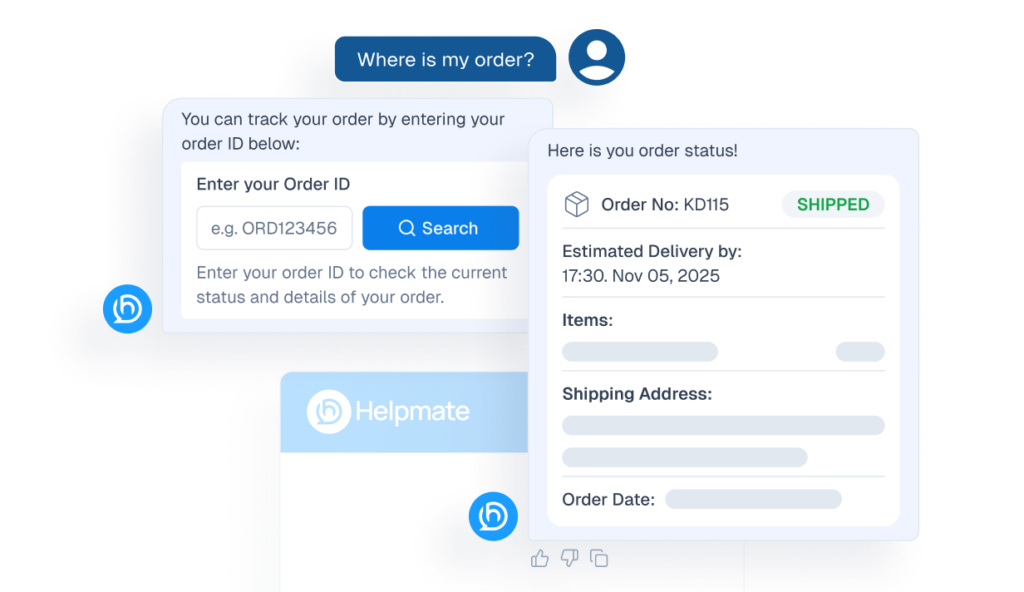
Order Status Tracking
Understands product details, variants, pricing, availability, and basic store policies.
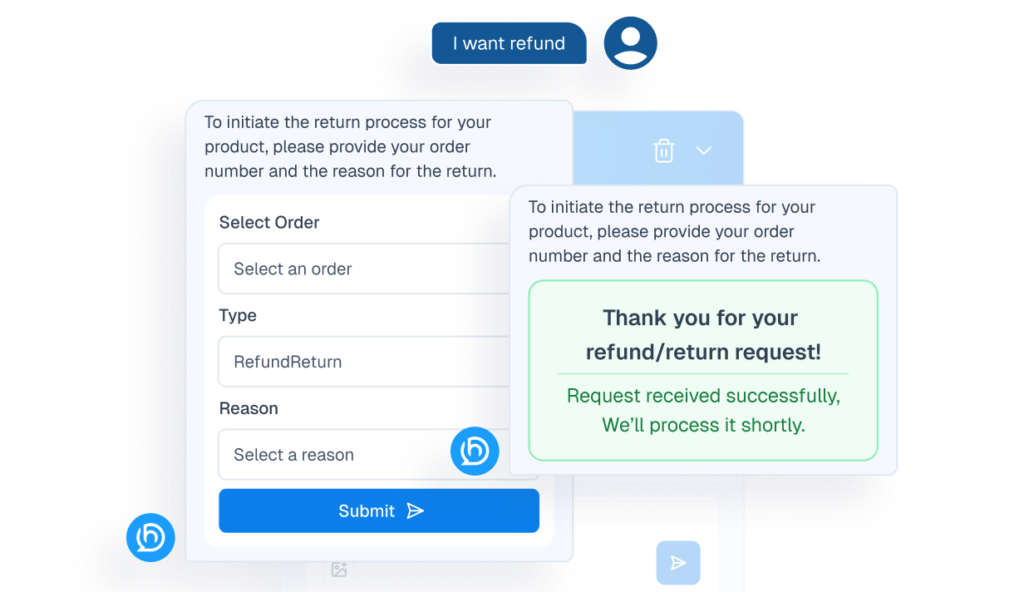
Interface mockup of a chatbot handling a refund request, showing a user prompt "I want refund" and the bot displaying a return process form and a success notification.
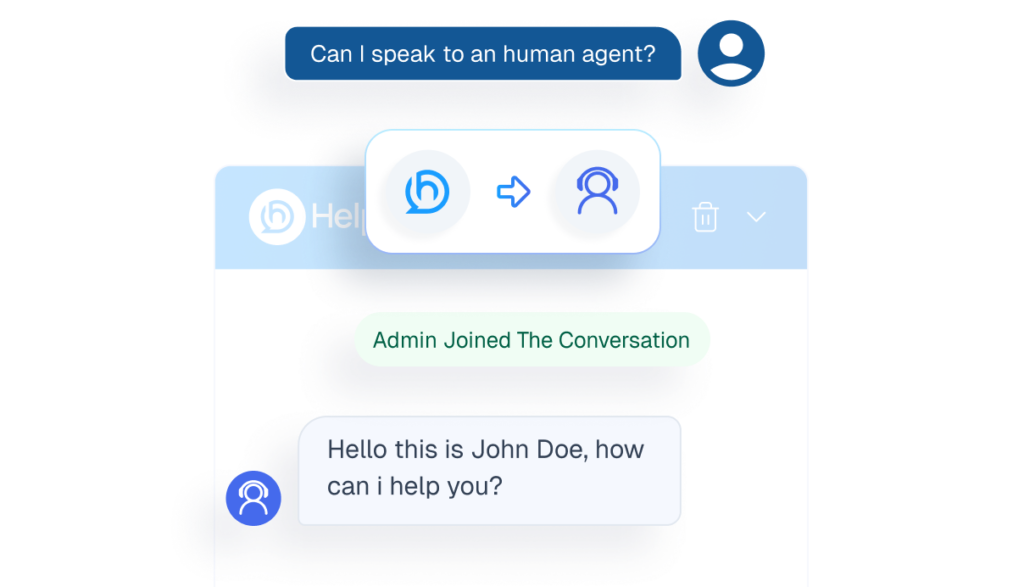
Mockup of a chatbot interface demonstrating the human handover feature, showing a user requesting an agent and a live admin joining the chat.
human agents
Human handover
Transfers conversations to staff when matters require personal attention.
Review icon
Review
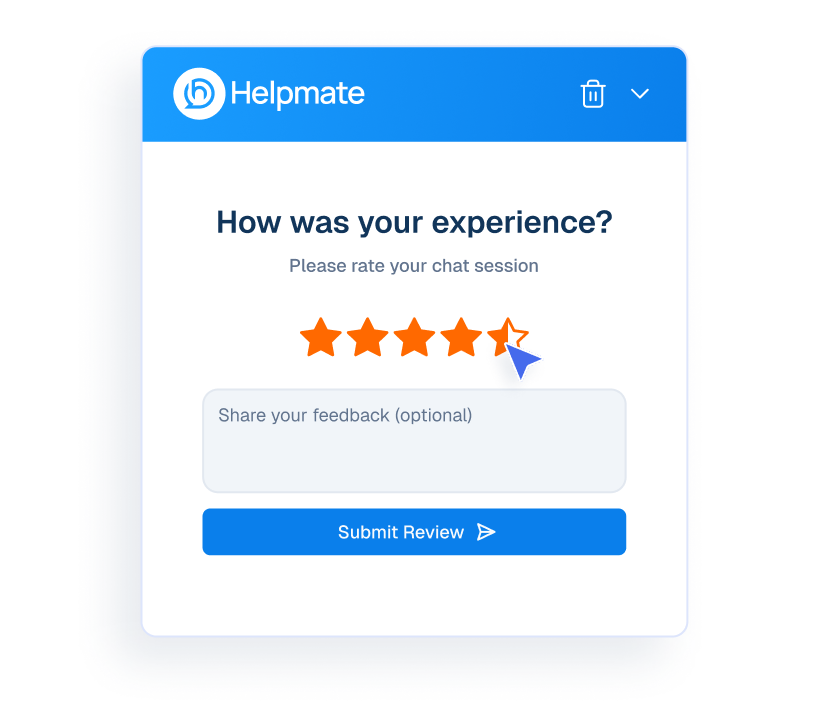
Collect customer reviews at end of the conversation.
Mockup of a Helpmate chat interface showing a user rating their experience with five stars.
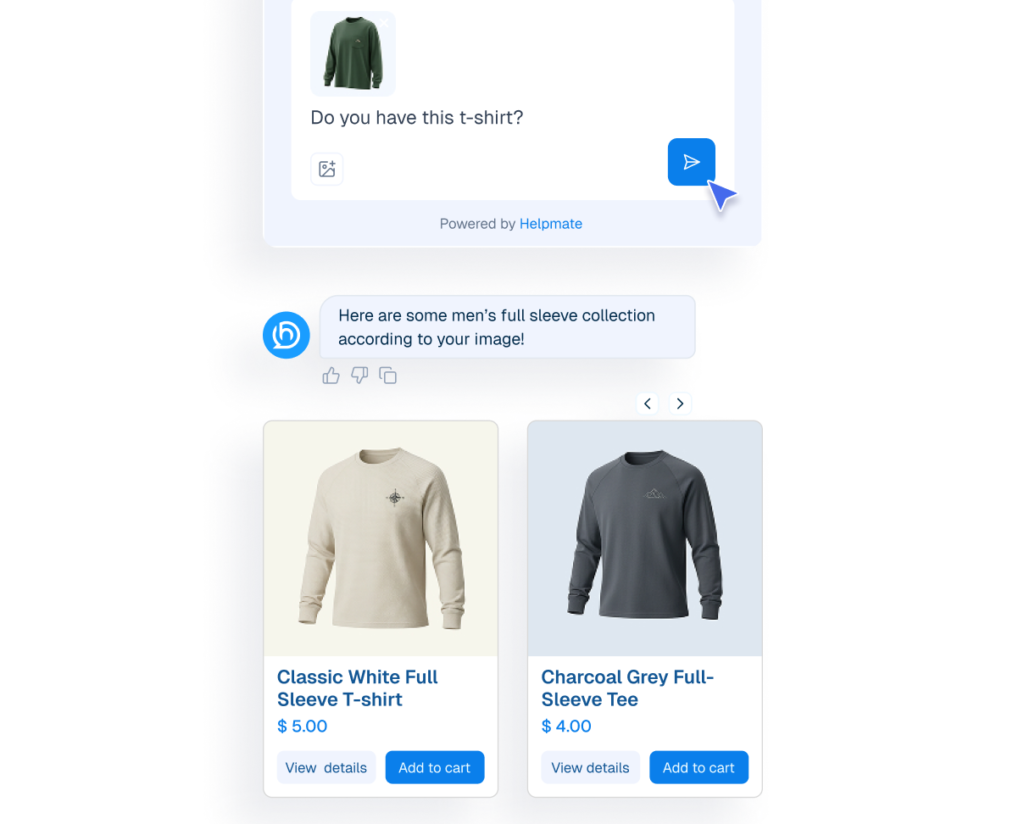
Mockup of a chatbot interface demonstrating a "Product Search By Image" feature where a user uploads a photo of a shirt to receive similar product recommendations.
image search
Product search by image
Understands product details, variants, pricing, availability, and basic store policies.
proactive sales
Proactive Sales
Engage visitors at the right moment product promotions.
Mockup of a proactive sales chatbot pop-up displaying a discounted camera product card.
refund return
Refund & Return
Understands product details, variants, pricing, availability, and basic store policies.
An AI chatbot interface for automating refunds and returns, showing a user-initiated request for a "Broken Lens" with an automated confirmation message.
appearance
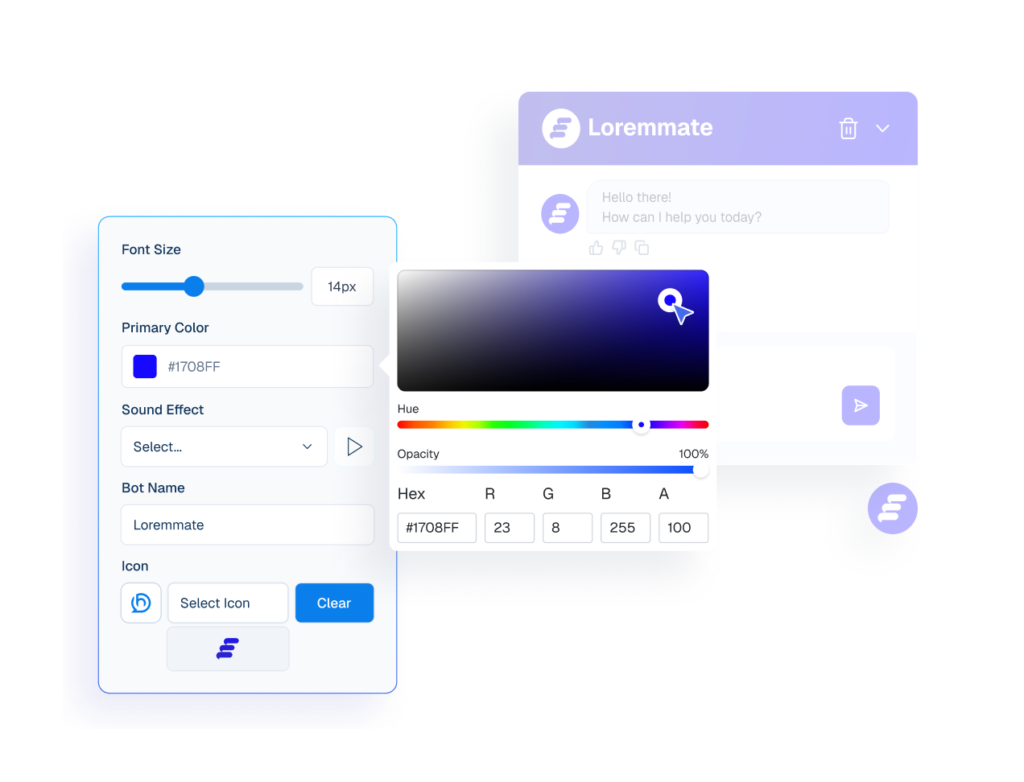
Appearance
Customize the chatbot’s colors, layout, and style to fit your website’s look and feel.
Interface mockup of a chatbot appearance settings panel with an active color picker tool used to customize the bot's primary color, alongside a live preview window.
coupon delivery
Coupon Delivery
Share promo codes instantly inside conversations to boost engagement and conversions.
Mockup of a chatbot interface automatically providing a 30% discount coupon code in response to a customer's request.
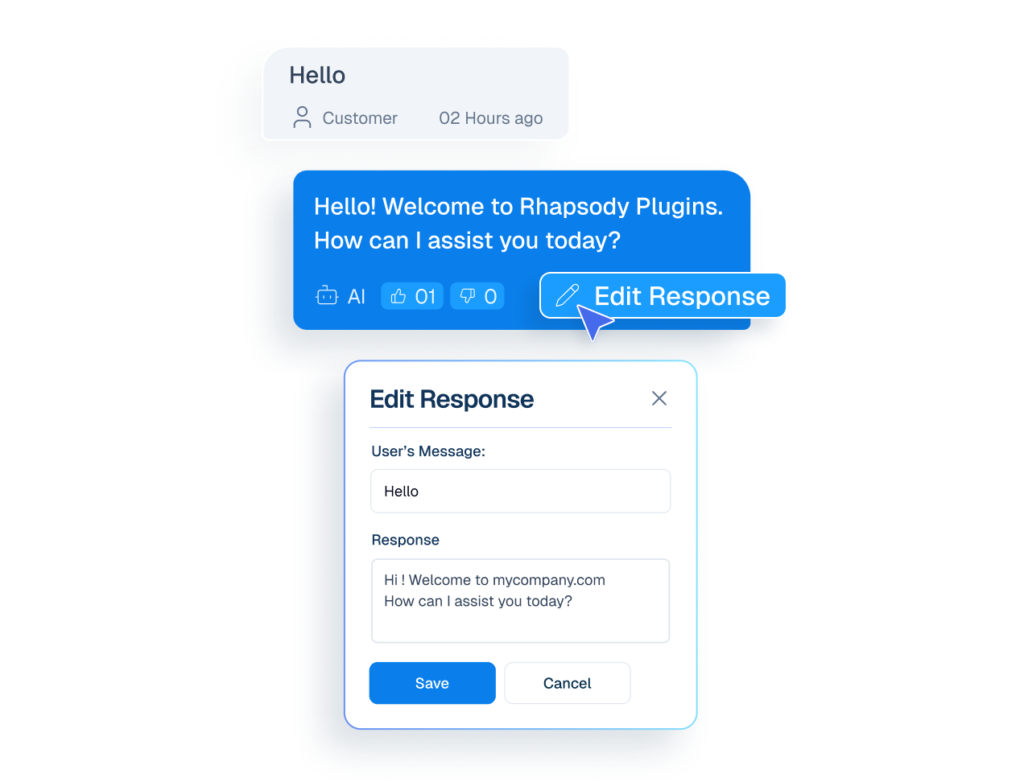
Mockup of a chat interface showing a cursor clicking an 'Edit Response' button on an AI message, opening a modal to rewrite the chatbot's reply.
edit ai response
Edit AI Response
User can Edit inaccurate reply and strengthen future AI responses.
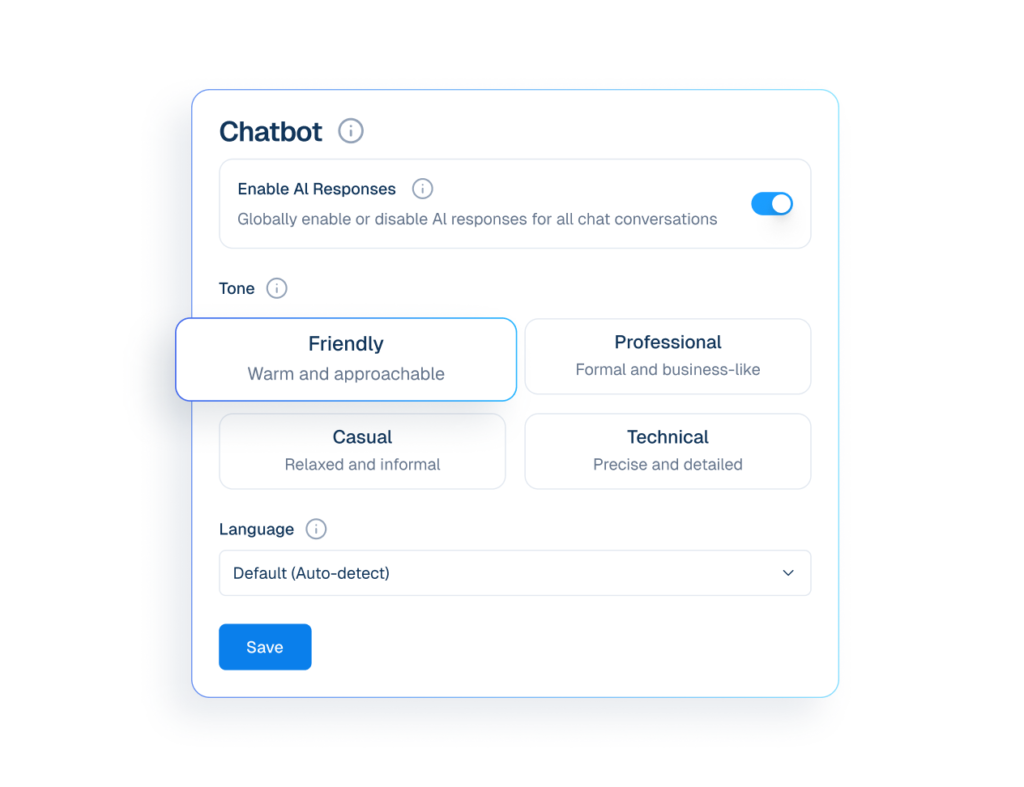
Interface mockup of a chatbot tone and language settings panel showing options to enable AI responses, select a friendly communication style, and auto-detect language.
settings icon
Settings
Configure tone and language settings to customize how the chatbot responds.

CRM

Manage Customers Without Chaos

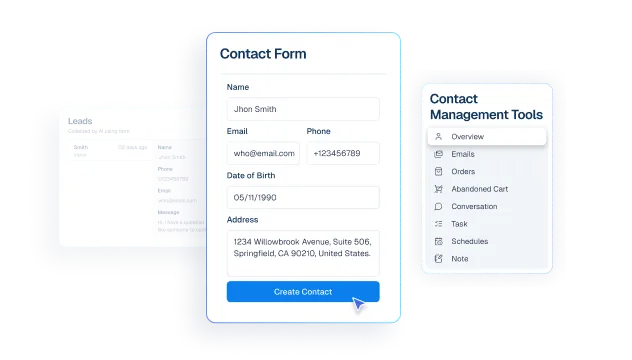
Interface mockup of a CRM dashboard demonstrating a contact management feature, showing a user filling out a contact form to create a new customer profile.
contacts
Contact
create customer profiles from chats, comment, messages and leads.
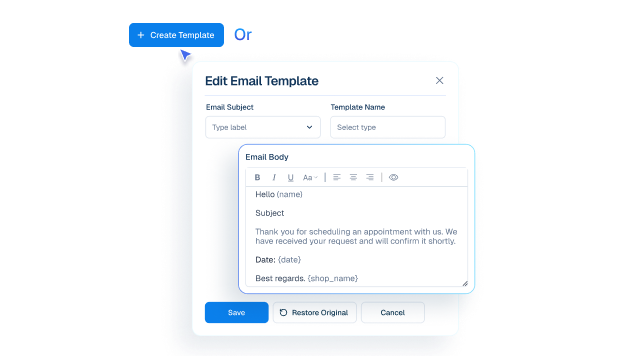
Mockup of an email template editor interface showing fields for subject, template name, and a customizable email body with dynamic variables.
email templates icon
Email Templates
Create and manage reusable email templates. Personalize each message with dynamic data.
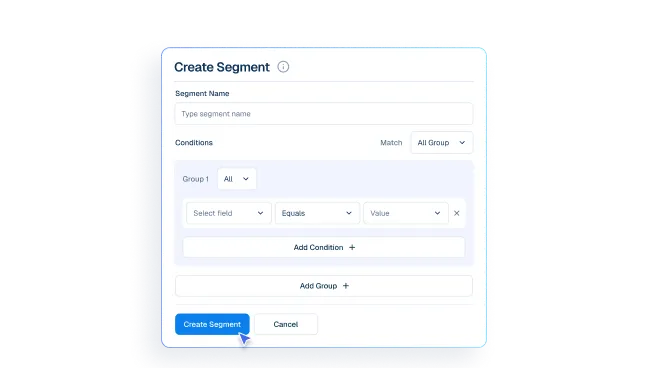
Interface mockup of a CRM dashboard demonstrating a customer segmentation feature, showing a user filling out a form to create a new group segment.
segment
Segments
Group customers for emails and marketing campaigns.
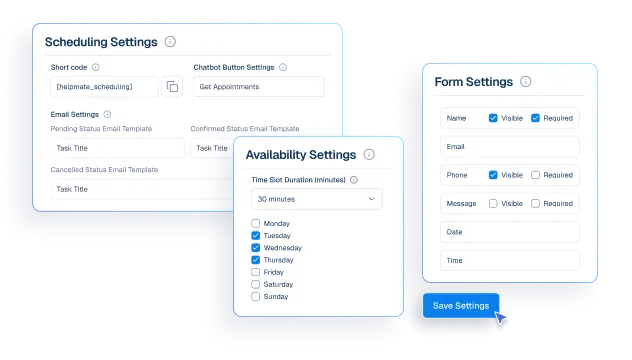
Interface mockup of a CRM appointment and booking system, showing configuration panels for scheduling, availability, and form settings with a cursor clicking a save button.
appointment booking
Appointments & Bookings
Control availability and appointment rules so bookings fit your schedule
Interface mockup showing lead capture automation with a "Create Lead Keywords" popup containing keywords like "sale, deal, discount" over a leads dashboard.
lead
Leads
Capture interested customers using Form or keywords from chat and social messages.
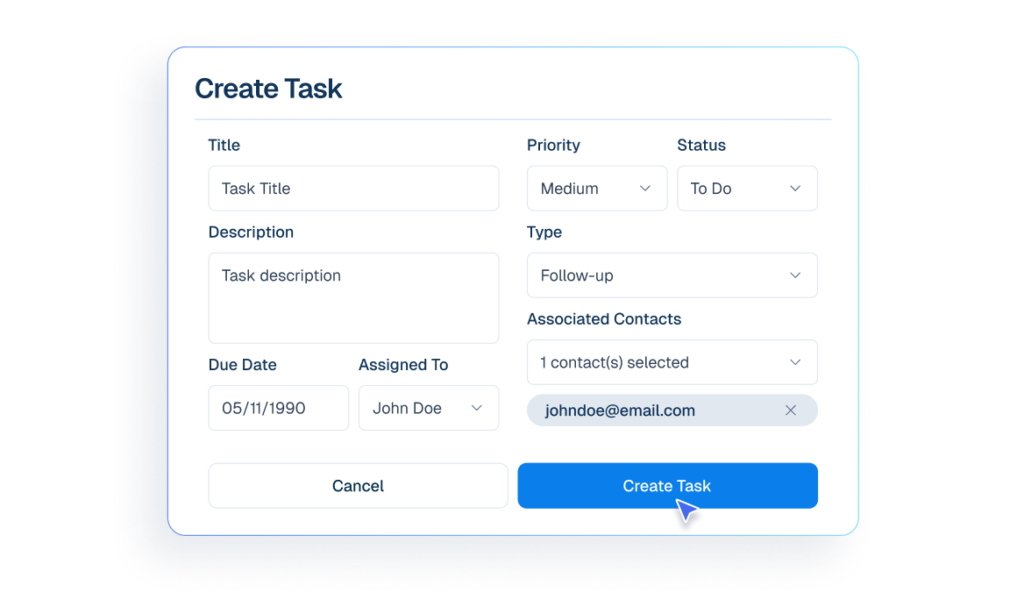
Interface mockup of a CRM dashboard demonstrating a task management feature, showing a user filling out a form to create and assign a new task.
tasks icon
Tasks
Create task for dedicated team so important work is not missed.
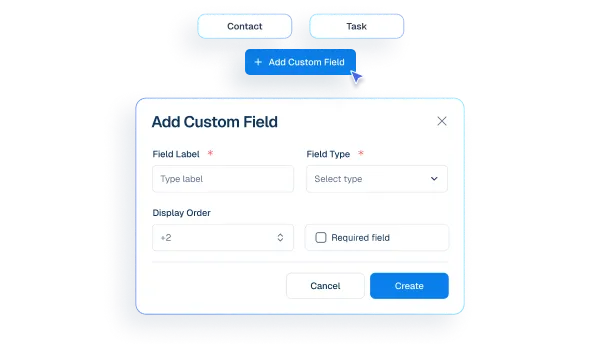
Interface mockup of a CRM "Add Custom Field" popup window showing configuration options like field label, type, and display order.
custom fields
Custom Fields
Create extra details needed for your business type.

social and live chat

Be Where Customers Reach You

Humans take over chats instantly without losing context.
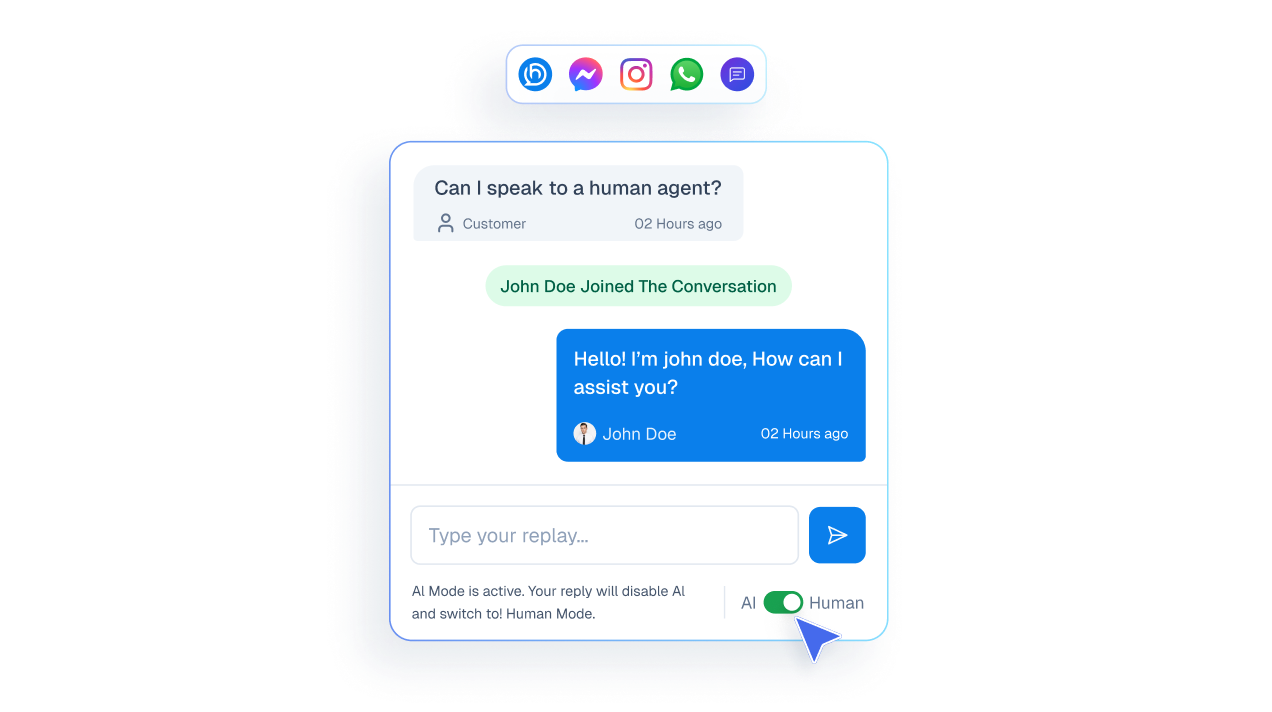
Mockup of a live chat interface showing a user asking to speak to a human and an agent joining the conversation to take over from the AI.

See messages from all channels in one inbox.
A vertical list of communication channel buttons including Website, Messenger, WhatsApp, Instagram, and Comments.

Reply to social media comments instantly from one unified inbox.
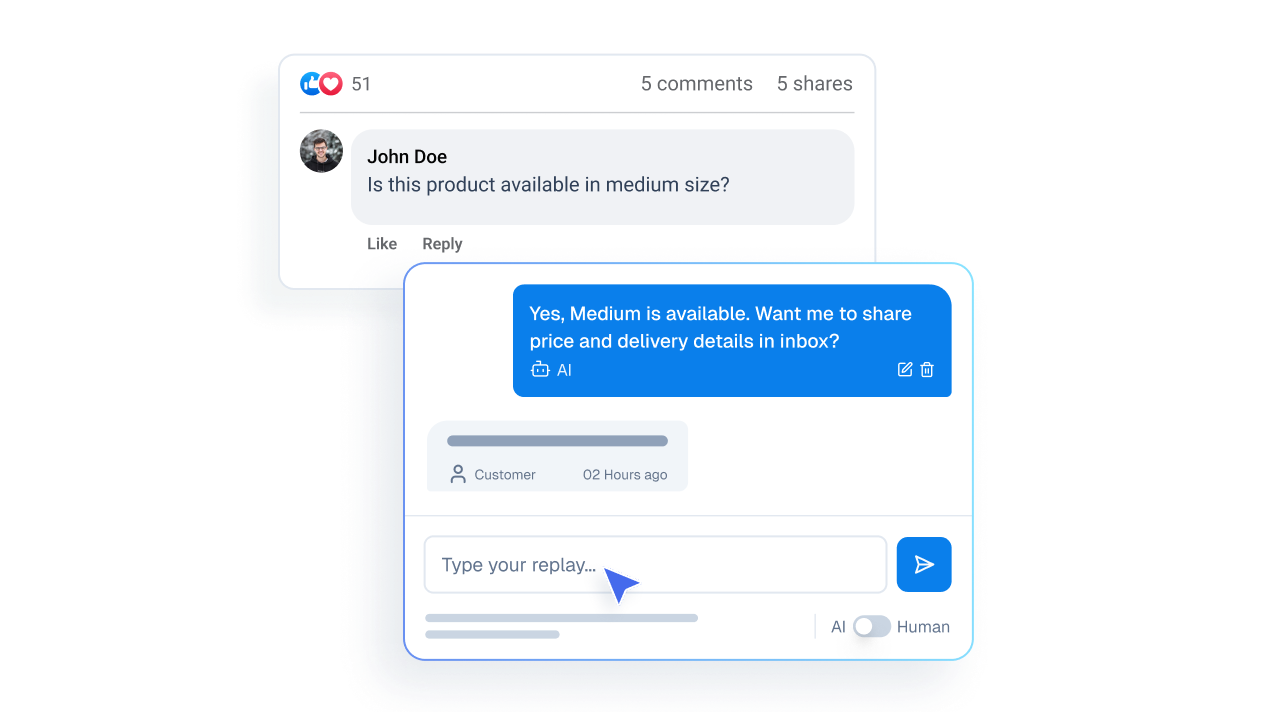
Mockup illustrating a public social media comment from a user transitioning into a private direct message interface.

Measurable Operational Impact

fewer repetitive replies
0 %
Cool Number
0 X Faster
Saved Every Month
0 + Hrs
automated responses
0 /7

Make My Support Effortless

Accelerate your retail support

Before Helpmate

After Helpmate

Common Questions from Retail Teams

How does Helpmate help retail businesses?

Helpmate centralizes customer conversations across website chat, social messages, and follow-ups into one system. Product questions, availability checks, order issues, and store inquiries are handled without jumping between tools.

Is Helpmate for online retail or physical stores?

Both. Online stores use it for pre-purchase and post-purchase questions. Physical stores use it for availability, hours, directions, and appointment-based sales. Retail is retail. Customers don’t care where you sell.

Can Helpmate help increase in-store sales?

Yes. Many in-store visits start with online questions. Helpmate answers those quickly and clearly. Fewer unanswered questions means more foot traffic and better-prepared buyers.

Does Helpmate handle product availability questions?

Yes. Common availability, pricing range, size, or variation questions can be handled automatically or routed to staff. Humans step in only when needed.

Can Helpmate manage high message volume during sales or promotions?

Yes. Automation absorbs repetitive questions during peak times. Staff focus on exceptions instead of drowning in the same messages.

Does Helpmate work with social retail conversations?

Yes. Instagram and Facebook DMs and comments are often retail entry points. Helpmate treats them as sales conversations, not distractions.

Can multiple staff members handle retail conversations?

Yes. Conversations can be assigned, tagged, and tracked. No duplicate replies. No missed questions. No “I thought someone else replied.”

Is Helpmate suitable for small retail shops?

Especially. Small retailers can’t afford missed conversations. Helpmate provides structure without adding staff.

Can Helpmate reduce phone calls to the store?

Yes. Hours, directions, policies, and common product questions are answered automatically. Phones stop ringing for things that don’t require human attention.

Will Helpmate slow down my website?

No. The real slowdown in retail is customer hesitation. Helpmate removes that friction.

Can Helpmate integrate sales and support conversations?

Yes. Retail support and sales overlap constantly. Helpmate keeps them in one timeline so staff always know the context.

Is Helpmate hard to train retail staff on?

No. If staff can reply to messages, they can use Helpmate. The system reduces guesswork instead of adding complexity.

Will Helpmate make retail interactions feel impersonal?

No. It removes repetitive questions so staff can focus on real conversations. Automation handles noise, not relationships.

Who should NOT use Helpmate in retail?

Retailers who don’t care about responsiveness. Retailers who rely on “someone will reply eventually.” That mindset costs sales daily.

What’s the real value of Helpmate for retail?

Visibility and speed. Every customer question is seen, handled, and tracked. Nothing falls through the cracks.
Helpmate logo connected to icons for AI, feedback, chat, and partnerships on a white grid background.

Turn Conversations Into Confident Purchases

Support shoppers wherever they ask—and keep momentum moving.