
Customer relationships usually fall apart somewhere between the promise and the follow-through. You know how it goes—a customer asks for something in chat, someone says “I’ll handle that,” and three days later it’s sitting in a spreadsheet cell that nobody checks. The data people at Everstage ran some numbers last December and found that teams actually using CRM task management hit quota at about 65%, versus 22% for teams flying blind. For businesses already running on WordPress, the question becomes how to get that accountability without bolting on yet another external tool that doesn’t talk to anything else.
TL;DR. Key Takeaways
- CRM task management inside WordPress keeps the customer story attached to every action item. No more digging through three systems to remember what someone actually wanted.
- Kanban-style boards give you that visual clarity spreadsheets can’t touch—the same 65% vs 22% quota gap shows up when teams can actually see their workflow.
- Assigning tasks straight from conversation threads means the full context travels with the work. Sales actually knows what support already told the customer.
- Tracking customer work needs automation triggers and deadline visibility, or tasks just accumulate instead of moving forward.
- Teams reclaim somewhere around 498 hours annually when they stop manually chasing follow-ups and let the CRM handle the tracking.
Ready to eliminate forgotten follow-ups? See how Helpmate CRM brings task management directly into WordPress—no external tools required.
What Is WordPress CRM Task Management?
WordPress CRM task management essentially embeds your customer workflow inside the admin you’re already using. Instead of exporting contact lists to some SaaS platform that charges per seat, you create and track tasks exactly where the conversations are happening. The marketing emails, support tickets, and sales follow-ups all live in the same space.
Traditional CRMs force this constant context switching that eats your day. Support agents end up tabbing between ticketing systems, WooCommerce dashboards, and email inboxes. Sales teams copy-paste contact details from form submissions into separate pipeline tools. A WordPress-native CRM keeps these fragments together by attaching tasks directly to contact records—right there in the admin interface.
The pieces you actually need: contact profiles showing full interaction history, task creation that’s linked to specific customers, assignment workflows that ping the right people, and progress tracking that surfaces the stuff that’s been sitting too long. When you connect it with chat widgets or social DM inboxes, tasks capture the why automatically—no one has to retype the context later.
Why Do Small Teams Need CRM Task Tracking?
Small teams get hit harder by coordination costs. Without someone dedicated to project management, sales follow-ups rely on whoever remembers what was promised. Speakwise published something back in March 2026—82% of professionals, they found, work without any formal time management system. Which explains why customer requests slip through, and why retention numbers mysteriously drop.
The cost of missed follow-ups builds up quietly. That prospect asking about product availability today? Gone by next week when nobody responds. The existing customer reporting a bug? They sit there waiting until they either complain publicly or just leave. CRM task management creates that visibility—every commitment becomes trackable, impossible to ignore.
Heavy project management tools carry overhead small teams can’t afford. Setting up Jira or Asana just for customer follow-ups often takes more admin work than the tasks themselves. WordPress-native CRM tracking finds a middle ground. Enough structure that nothing gets lost, but not so much that you need dedicated operations staff just to maintain the system.
Integration matters more than people think. Teams processing WooCommerce orders or running membership plugins need tasks that reference those records automatically. Standalone task apps force you to enter everything twice. Native WordPress CRM solutions read your existing post types and user metadata—context surfaces without the manual copying.
How Do You Create Tasks in WordPress CRM?
Task creation should start from customer context. In Helpmate CRM, you generate tasks from the contact profile or directly from conversation threads. Customer messages your Facebook page asking for a quote—one click converts that message into a task. It pulls the contact details, conversation history, and the specific request automatically.
Manual creation works similarly. From any contact record, team members add a new task—title, description, due date, priority. The task links to the contact profile, so anyone viewing it sees the full customer background without switching contexts. This prevents those orphan tasks you see in generic to-do apps, where work items lose their business meaning entirely.
Form integrations automate the high-volume stuff. Visitor submits a Contact Form 7 or WPForms inquiry requesting a callback—Helpmate maps that to a task assigned to your sales queue. Form fields populate task details without the manual transcription. Teams using Helpmate – Live, Social & AI Chat with Built-in CRM can extend this to chatbot conversations, where specific intents trigger task creation rules.
Categorization keeps boards from becoming chaos. Tags separate pre-sales follow-ups from support escalations and onboarding sequences. Categories align with your actual processes, letting team members filter views to see only relevant work. Support specialists filter out sales tasks; account managers see only their assigned prospects.
What Makes Kanban Task Boards Effective?
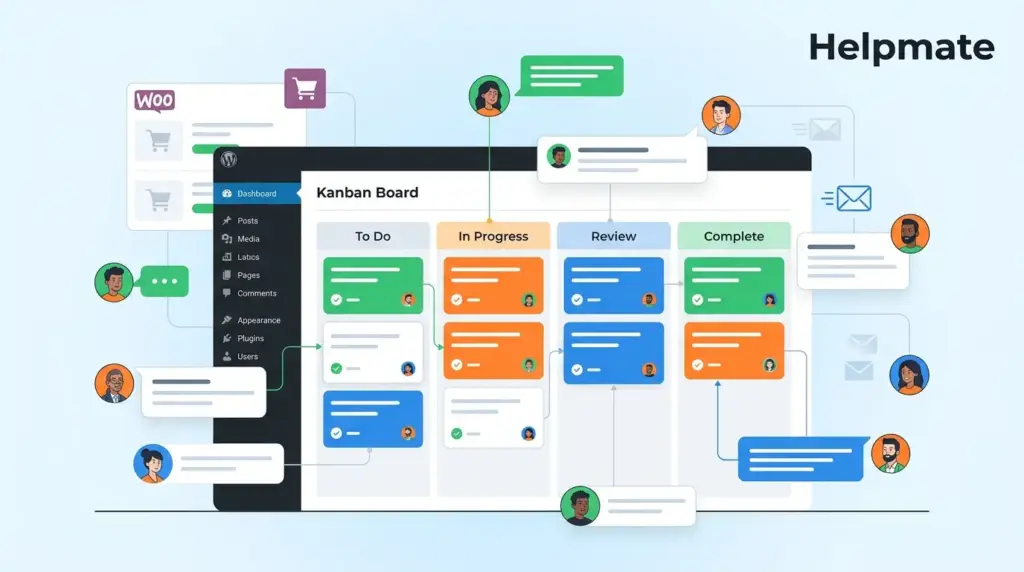
Kanban boards visualize work in ways lists simply can’t. Tasks show up as cards organized into columns representing stages. Most CRM setups use something like To Do, In Progress, Waiting on Customer, Completed. The layout makes bottlenecks obvious immediately. When In Progress grows while Completed stays flat, you know there’s a problem before tasks start aging out.
The drag-and-drop interface reduces friction for status updates. Team members move cards between columns as work progresses—updating status without digging into edit screens. When updating is effortless, boards stay accurate. They reflect actual work instead of becoming outdated projections nobody trusts.
Column customization adapts boards to specific workflows. E-commerce teams might add Order Verification and Shipping Confirmation. Service businesses could use Consultation Scheduled, Contract Sent, Project Active. The visual language translates across industries while still accommodating specialized stages.
Work-in-progress limits prevent the overwhelm. Setting maximum card counts for active columns stops teams from starting more than they can finish. When In Progress hits its limit, new work can’t start until existing items move forward. This forces completion over commencement—addressing the pile-up problem that kills unstructured task management.
How Do You Assign Tasks to Team Members?
Assignment clarity removes ambiguity about who actually owns what. In Helpmate CRM, tasks carry a single assignee responsible for completion, with optional followers who get notifications without the accountability. This distinction prevents diffusion of responsibility—when multiple names appear on a task, sometimes nobody feels personally responsible.
Assignment workflows can follow round-robin distribution or skill-based routing. New inquiry tasks rotate evenly across available sales staff. Technical support routes to engineers based on product specialization. Automation handles this routing so manual triage doesn’t consume management attention.
Notifications keep assignees informed without drowning inboxes. When someone gets assigned a task, they receive an immediate alert through WordPress admin or integrated Slack. As due dates approach, escalating reminders prevent items from going stale. These prompts replace the mental burden of remembering what needs follow-up.
Capacity awareness prevents overallocation. When viewing team workload, managers see how many active tasks each member carries. New assignments factor in existing commitments, balancing distribution. This stops the scenario where your best performers drown while others look for work.
How Do You Track Customer Work Progress?
Progress tracking needs both the big picture and the specifics. Dashboard views summarize open task counts by status, assignee, and category. These aggregations reveal trends. Is the support queue growing while sales tasks shrink? Are certain team members consistently carrying heavier loads? The dashboard answers these without manual report generation.
Drill-down capabilities provide specifics when aggregates flag concerns. Click a team member’s task count—you see their full assignment list with due dates and priorities. Click a status column, the board filters to show only those items. Navigation moves from summary to detail without losing your place.
Deadline tracking stops tasks from aging indefinitely. Each task carries a due date with visual indicators for approaching deadlines. Overdue items appear highlighted, creating urgency. Teams can sort views by due date to focus on immediate needs versus what can wait.
Activity logs create audit trails. When a task moves between stages or changes assignees, the system records who made the change and when. This history resolves disputes about whether follow-ups actually happened. It also identifies process bottlenecks. If tasks consistently sit in Waiting on Customer for weeks, the workflow needs adjustment.
What Are Best Practices for CRM Task Workflows?
Start with templates for repeatable workflows. Onboarding new customers follows roughly the same pattern regardless of who initiates. Templates ensure nothing gets skipped. Welcome email sent, account configured, training scheduled. Each step becomes a task with standard due dates relative to the start date.
Keep task descriptions actionable. Vague titles like Follow up on inquiry create confusion. Specific instructions like Call prospect to discuss Q3 implementation timeline and budget approval provide clear next steps. The assignee understands exactly what success looks like.
Review boards in standing meetings. Daily huddles where team members state what they completed yesterday, what they’re working on today, and what’s blocked—this keeps work moving. The board provides the visual reference. Meetings stay brief because the artifact already contains the status.
Archive completed work to maintain focus. Finished tasks should move to archive status, removing visual clutter from active boards. Data remains searchable for reporting, but the default view shows only current priorities. This pruning prevents the psychological weight of infinite backlogs.
Integrate task completion with customer communication. When a support ticket resolves, the system can automatically notify the customer. When a sales quote goes out, task status updates trigger email sequences. These connections close the loop between internal workflows and external customer experience.
Frequently Asked Questions
CRM tasks center on customer relationships. Each task links to a specific contact or company record, keeping the full interaction history that informs the work. Project management tools organize internal initiatives without that mandatory customer linkage. Sales teams need CRM tasks because context drives the conversation. Follow up without the previous discussion transcript forces agents to ask customers to repeat themselves. That Everstage data from December—65% quota attainment with mobile CRM versus 22% without—largely comes down to this preserved context.
Yes, through the assignee and follower distinction. One person serves as primary assignee with completion responsibility. Additional collaborators can be followers who receive notifications and can view the task, but accountability stays clear. This prevents the diffusion of responsibility when multiple people share assignment equally. For complex deals requiring input from sales, technical, and finance teams, the primary assignee coordinates while followers contribute without owning the final outcome.
Notifications trigger on assignment, status changes, approaching due dates, and mentions in comments. WordPress admin notifications appear in the toolbar for immediate visibility. Email summaries deliver daily digests of pending work. For teams using Slack or similar tools, webhook integrations push critical alerts to channel notifications. The system respects user preferences. Team members configure which events warrant immediate alerts versus batched summaries. This flexibility prevents notification fatigue while ensuring urgent items receive prompt attention.
Tasks stay attached to the contact record regardless of communication channel. A customer might inquire via website chat, follow up through email, and confirm details through Instagram DM. The unified inbox in Helpmate consolidates these threads under a single contact profile. Tasks created from any channel point to that unified record. When the assigned agent opens the task, they see the complete conversation history across all channels. This continuity prevents the fragmentation that happens when teams use separate tools for each communication method.
Yes, through automation rules connecting task status changes with email campaigns. When a task moves to Completed, the system can automatically enroll the contact in a follow-up satisfaction survey sequence. When a task sits in Waiting on Customer for three days, an automatic reminder email can nudge the contact for needed information. These automations ensure consistency and timeliness that manual processes cannot guarantee. The integration between tasks and email sequences closes the gap between internal workflow management and external customer communication.
Prevention requires process discipline enabled by tooling. Work-in-progress limits on Kanban columns stop new task acceptance until completion of existing items. Daily standup reviews surface blocked tasks before they age. Automation rules escalate tasks that remain in one status too long, notifying managers for intervention. Regular grooming sessions archive obsolete tasks and reassign overwhelmed queues. That Speakwise research from March 2026 found 82% of professionals lack formal time management systems—making these structural guardrails essential. The combination of visual boards, automated notifications, and management oversight creates the accountability that prevents accumulation.
Key Takeaways
- WordPress CRM task management eliminates context switching by keeping customer records and task tracking in one system.
- Kanban boards provide visual workflow clarity that spreadsheets cannot match.
- Task assignment with clear ownership prevents follow-ups from being forgotten.
- Automated notifications and reminders replace manual tracking overhead.
- Integration with chat, social, and form submissions captures tasks at the moment of customer interaction.
Customer relationships need systematic follow-through. Generic to-do lists and external project tools create gaps where commitments disappear. WordPress-native CRM task management closes those gaps by attaching every action item to the customer context that created it. The data supports investment—65% of salespeople hitting quotas with proper CRM tracking versus 22% without. Your customers notice the difference between teams that remember their needs and teams that forget.

