
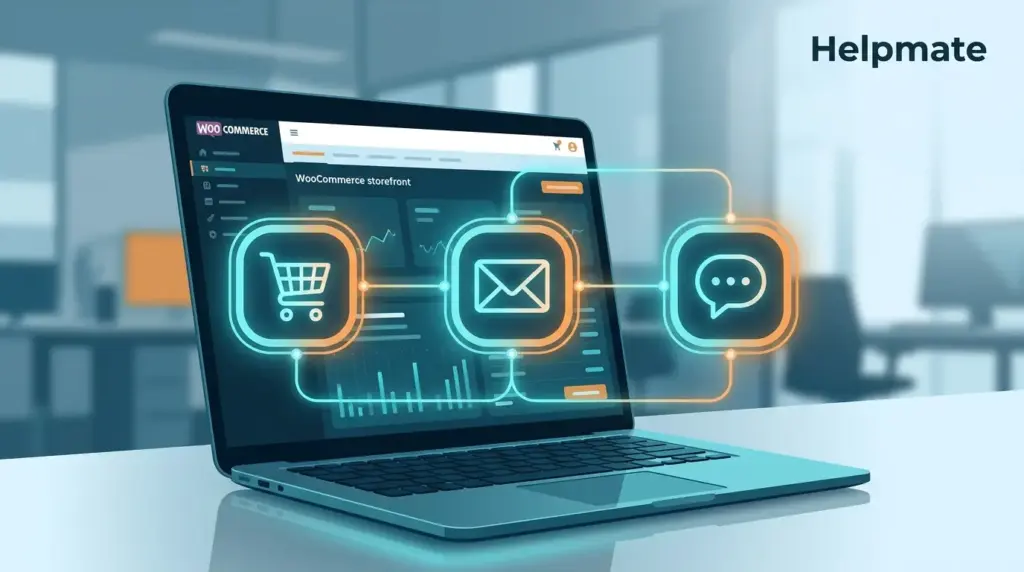
I was looking at some e-commerce stats the other day and had to double-check the numbers. The Baymard Institute puts cart abandonment at around 70% — 70.19% if you want the exact figure. That’s trillions in lost revenue annually, which sounds almost unreal until you think about your own browsing habits. For WooCommerce store owners specifically, this isn’t just a statistic to reference in meetings. These are actual people who clicked “add to cart,” maybe even started filling in their details, then vanished.
The frustrating part? Most stores have the data. WooCommerce captures everything — what they browsed, what they almost bought, when they almost bought it. But here’s where it falls apart. That data sits in one place while customer conversations happen somewhere else entirely. Marketing emails go out from a third platform. Nothing connects. The customer who abandoned a cart on Tuesday becomes a complete stranger when they email support on Thursday. This is where a solid WordPress CRM starts making sense — not as another tool to manage, but as the thing that finally connects those dots.
Key Takeaways
- 70.19% of shopping carts are abandoned globally, costing e-commerce $4.6 trillion in lost revenue annually (Baymard Institute, 2026).
- Businesses using automation recover 10-15% of abandoned carts through targeted follow-up workflows (Statista, 2025).
- Integrated CRM workflows increase customer retention rates by 27% compared to isolated order management (McKinsey, 2025).
- Connecting WooCommerce order data to conversation context creates a unified customer view that drives repeat purchases.
The Revenue Leaks You Don’t Notice
WooCommerce stores collect transaction data automatically. Every click, every partial checkout, every abandoned cart gets logged somewhere. But Clutch found that 68% of small e-commerce businesses struggle to actually use this stuff for retention. The problem is fragmentation — and it’s worse than most people realize.
Orders live in WooCommerce. Emails live in Mailchimp or Klaviyo or wherever. Support tickets are in a different system entirely. I remember talking to a store owner in January who had to check three different dashboards just to answer a simple customer question. His team was spending more time hunting for information than actually helping people.
This creates three specific leaks. Abandoned carts get ignored because there’s no workflow connecting the cart to an outreach sequence. Repeat customers get treated like first-timers because nobody can see their history without digging through spreadsheets. And high-value customers — the ones keeping the lights on — become invisible because calculating lifetime value requires exporting data to Excel and manually piecing it together.
Salesforce ran a survey showing 76% of customers expect consistent interactions. Only 32% of businesses think they’re delivering that. For WooCommerce merchants, this gap hits differently. When someone’s fifth purchase feels like their first, they notice. When support can’t see order history during a chat, the customer has to repeat themselves. That friction adds up. Boston Consulting Group found that companies with disconnected data see 20% lower customer lifetime value. Run the math on a $500,000 annual revenue store — that’s serious money left on the table over three years.
Turning Order Data Into Workflows
Anchor Group’s research shows workflow automation increases data accuracy by around 88% and cuts manual errors by roughly 90%. But numbers aside, what does this actually look for a WooCommerce store?
You need three pieces working together. Data capture is first — when an order processes, the CRM should automatically create or update a contact record with full details, not just name and email. Product preferences, purchase frequency, acquisition channel. The sync needs to go both ways too. If someone updates their info in the CRM, it should reflect in WooCommerce. If an order status changes, the contact timeline should show it.
Adding Conversation Memory
Here’s where it gets interesting. Order data becomes actually useful when you layer in conversations. A customer who asked about sizing through your AI customer service chatbot before buying — that’s intent data you’d never get from the transaction alone. When you combine chat history, email opens, support tickets with the order record, you suddenly see the full picture. The outreach can reference actual conversations instead of generic segments.
Triggering Actions Automatically
The last piece is automation. When a high-value customer abandons a cart, the system creates a task for personal follow-up. When a repeat customer hits your pricing page, proactive chat offers help. These actions need to happen without someone remembering to check a report and manually send an email.
Ready to stop losing revenue to abandoned carts? Explore e-commerce AI tools that turn your WooCommerce data into automated recovery workflows.
The Real Cost of Doing Nothing
$4.6 trillion lost to cart abandonment globally. That’s the Baymard figure. For individual WooCommerce stores, roughly 70% of initiated checkouts just evaporate. Without automated recovery, that’s money you’ll never see again — and not just the immediate sale. Abandoned carts show intent. These are warm leads. When you don’t follow up, competitors might.
Manual recovery doesn’t scale. Let’s say you get 1,000 visitors monthly with a 2% conversion rate. That’s about 28 abandoned carts daily. Someone has to review those, craft emails, send them. Two to three hours minimum, every single day. Automation handles this near-instantly and actually performs better. Businesses using AI for sales and automated cart recovery reclaim 10-15% of those lost sales according to Statista. For a store with $10,000 in monthly abandoned cart value, you’re looking at $1,000-$1,500 back in your pocket — no extra ad spend needed.
Timing matters more than most people think. Moosend found that recovery emails sent within an hour get 3x higher open rates than ones sent a day later. Manual processes can’t reliably hit that window. Automated workflows trigger immediately when cart status changes. Same principle applies to chat — when a known customer returns to their abandoned cart, a proactive message there feels personal because it happens at the exact moment they’re reconsidering.
Beyond the immediate recovery, these workflows build intelligence over time. Patterns emerge — certain products get abandoned more, suggesting checkout friction or pricing issues. Without automation, that data stays scattered across individual support chats, never aggregating into something you can act on.
When Context Changes Everything
McKinsey’s research shows companies excelling at customer experience grow revenues 4-8% above market averages. The difference isn’t transaction volume — it’s relationship depth. For WooCommerce merchants, conversation context shifts order management from reactive to proactive.
Here’s a concrete example. Customer A messages “Where is my order?” Without context, the agent asks for an order number, looks up tracking, sends the status. Purely transactional. But with context — the agent sees Customer A asked about sizing before purchasing, that this is their third order in two months, that the previous order arrived damaged and needed replacement. The response becomes: “I see you’ve been shopping with us for a few months and had an issue with your last delivery. Let me check on this personally and make sure everything arrives perfectly.”
Zendesk found this kind of contextual awareness cuts resolution time by 35% and boosts satisfaction scores by 28%. For WooCommerce stores, you need order data connected to your communication channels. When someone asks about their order in Messenger, Instagram DM, or site chat, the response should pull directly from WooCommerce while keeping the conversation thread intact.
Context enables proactive touches too. Delivery delayed? Notify customers before they ask. Product back in stock? Message people who inquired previously. These moments require order data feeding into communication workflows — something standalone WooCommerce or standalone chat tools can’t do without integration.
Why Segmentation Actually Matters
Campaign Monitor’s data shows segmented email campaigns drive 760% higher revenue than blasts. That principle applies everywhere — not just email. Segmentation lets you match workflows to actual customer value and behavior instead of treating everyone identically.
High-value segments need different handling than occasional buyers. Someone with $500 in lifetime purchases who abandons a cart — that’s worth a personal outreach task, not an automated email sequence. But a first-time visitor abandoning a $20 cart? Perfect for automated recovery with a small discount. Without segmentation, both get treated the same. The high-value customer gets under-served, the low-probability recovery gets over-invested.
Behavioral segmentation adds another layer. Customers buying on a regular schedule have different needs than sporadic purchasers. The former might appreciate subscription-style features or early access. The latter need re-engagement campaigns before they lapse completely. Purchase category matters too — someone buying running shoes might want accessories but ignore unrelated apparel. Workflows should reflect those affinities.
The key is dynamic segments that update automatically. Static lists get outdated fast as customer behavior shifts. Your segmentation should recalculate continuously based on recency, frequency, monetary value, engagement. That way workflows always target the right people with relevant messages.
Tasks: The Bridge Between Knowing and Doing
McKinsey Global Institute found task automation boosts productivity by 30% or more. In customer management, tasks are what turn insight into action. Knowing a customer is high-value means nothing if nobody follows up. Identifying a support issue is incomplete without ensuring it gets resolved. Task integration makes sure data becomes specific actions with owners and deadlines.
For WooCommerce stores, task workflows serve three purposes. First, they systematize high-value customer management. When someone crosses a lifetime value threshold, the system creates a task for personalized outreach. This prevents your best customers from falling through cracks during busy periods.
Second, tasks ensure issues actually get resolved. Refund request comes in? Tasks track it from approval through completion. Nobody gets forgotten. Third, task integration enables team coordination. Multiple people might touch a customer across chat, email, fulfillment. Tasks ensure continuity. Chat agent spots a product issue, creates a task for fulfillment to inspect inventory. Fulfillment updates the task, original agent follows up with customer. Without integrated tasks, these handoffs break.
Deadlines and priorities prevent the whole system from becoming overwhelming. Active stores generate dozens of follow-up needs daily. Good task systems surface what needs immediate attention versus what can wait. High-value follow-ups appear first. Routine confirmations schedule automatically. Limited team time goes where it generates maximum lifetime value.
Forms as Workflow Entry Points
HubSpot’s data shows 68% of businesses use forms as primary lead generation. For WooCommerce stores, forms capture intent before it becomes an order. Contact Form 7, WPForms, Formidable, Ninja Forms, Forminator — these submissions often represent pre-purchase inquiries that never reach checkout. Without workflow integration, they sit in email inboxes or plugin dashboards, disconnected from everything else.
Form-to-CRM integration creates immediate triggers. Custom quote request? Create a contact record, segment as high intent, assign follow-up task to sales. Product inquiry? Update interest profile, trigger educational sequence. Appointment request? Sync with scheduling, create pre-call prep task. Each submission becomes a workflow starting point instead of an isolated data point.
Field mapping determines whether this actually works. The integration needs to capture specifics — which product was inquired about, timeline, budget range. Generic “Thanks for contacting us” responses waste the intelligence customers provided. Use form data to customize the next interaction.
Form integrations also enable post-purchase workflows. Refund request forms can trigger the refund return module with tracked cases and automatic updates. Order status inquiry forms can connect to the order tracker for immediate self-service answers while logging the contact for follow-up. These extend WooCommerce without custom development.
Putting It All Together
Effective WooCommerce customer workflows need tools that integrate deeply without constant data exports. You want something connecting directly to WooCommerce order tables, capturing conversations from multiple channels, segmenting dynamically, automating actions across communication channels. This eliminates the fragmentation that costs revenue and creates unified experiences.
For WordPress site owners, Helpmate – Live, Social & AI Chat with Built-in CRM provides this infrastructure. It captures WooCommerce orders as CRM contacts automatically, building complete timelines with purchases, conversations, and tasks. Abandoned cart recovery turns lost revenue into automated workflows. Order status checking connects transactional data to conversational support. Lead capture forms integrate directly so inquiries become tracked opportunities.
Want to manage all customer conversations in one place? Discover how social chat management unifies Messenger, Instagram DM, and WhatsApp alongside your website chat.
The result is data flowing naturally between commerce and conversation. Customers get personalized service informed by their full history. Store owners recover revenue that previously leaked away. Teams focus on high-value work while automation handles routine follow-up. For WooCommerce merchants ready to move beyond transactional order management to relationship-driven commerce, integrated workflows deliver measurable returns. The technology exists. The data is available. The only question is whether to keep leaking revenue through fragmentation or capture it through connected workflows.
Frequently Asked Questions
The global average cart abandonment rate is 70.19% across all e-commerce platforms, including WooCommerce stores (Baymard Institute, 2026). This means approximately 7 out of 10 customers who add items to their cart leave without completing checkout. Recovery workflows can reclaim 10-15% of these abandoned carts through timely follow-up.
Recovery emails sent within one hour of abandonment achieve 3x higher open rates than those sent 24 hours later (Moosend, 2025). The optimal workflow triggers the first message within 60 minutes, follows up at 24 hours for non-responders, and includes a final attempt at 72 hours with an incentive if appropriate.
Essential sync data includes order history, product preferences, lifetime value, order status, shipping details, and customer notes. Bidirectional sync ensures CRM activities reflect in WooCommerce customer records and order updates flow to the CRM timeline. This creates a single source of truth for customer information.
Segmented campaigns generate 760% higher revenue than non-segmented campaigns (Campaign Monitor, 2025). Segmentation allows different workflows for high-value customers versus first-time buyers, for frequent purchasers versus lapsed customers, and for different product interests. This relevance increases engagement and conversion rates across all touchpoints.
Yes. When forms are integrated with CRM systems, submissions can trigger automatic contact creation, task assignments, email sequences, and segmentation updates. The specific fields captured in the form determine the workflow path. Quote requests create sales tasks, support inquiries create tickets, and newsletter signups trigger welcome sequences.
Companies with integrated customer data systems achieve 20% higher customer lifetime value than those with disconnected systems (Boston Consulting Group, 2025). Automation typically saves 30% of operational time while recovery workflows reclaim 10-15% of abandoned cart revenue. For a store with significant volume, this investment typically pays for itself within the first quarter.
Access to conversation context reduces resolution time by 35% and increases customer satisfaction by 28% (Zendesk CX Trends, 2026). When agents see order history alongside chat conversations, they provide personalized responses that acknowledge the customer’s actual experience rather than treating every inquiry as a generic transaction.
Wrapping Up
WooCommerce customer management works best when order data fuels relationship workflows. 70% of carts get abandoned. Segmented campaigns drive 760% higher revenue. Automation saves about 30% of operational time. The real opportunity is connecting these pieces into unified systems that actually work together.
- Integrate WooCommerce orders with CRM contacts to create unified customer timelines
- Implement automated abandoned cart recovery to reclaim 10-15% of lost revenue
- Use segmentation to deliver personalized workflows based on customer value and behavior
- Connect form submissions to task creation for systematic lead follow-up
- Enrich order data with conversation context for personalized service interactions
Start recovering lost revenue today. Get a business chatbot that connects your WooCommerce store with intelligent customer workflows.
The tools to implement these workflows already exist in the WordPress ecosystem. Store owners who move beyond isolated order management to integrated customer workflows will capture revenue competitors lose to fragmentation. Your data is already there. Your customers are waiting. The workflows are what connects them — or fails to.

