
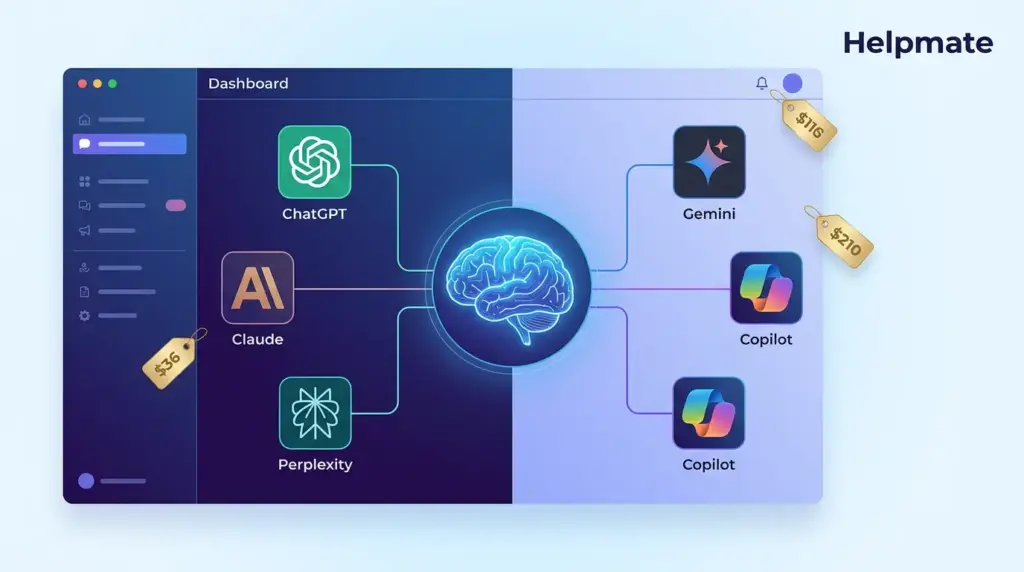
The global AI chatbot market reached $7.01 billion in 2024 and is projected to hit $20.81 billion by 2028, according to Fortune Business Insights. If you’ve been paying attention to the space, that kind of growth isn’t surprising. ChatGPT crossed 200 million weekly active users back in late 2024, which is still wild to think about. But four competitors have carved out spots that matter depending on what you’re actually trying to do.
Key Takeaways
- ChatGPT leads with 200M+ weekly users and the broadest ecosystem of plugins, image generation, and voice features
- Claude excels at long-form writing and nuanced analysis, supporting up to 200,000 tokens of context
- Google Gemini integrates natively with Google Workspace and offers real-time information access
- Perplexity functions as an AI-powered research engine with inline source citations on every answer
- Microsoft Copilot embeds directly into Office 365 apps, making it the strongest enterprise productivity option
This article is for professionals, business owners, and everyday users trying to figure out which AI chatbot fits their workflow. We cover features, pricing, strengths, and limitations of each platform as of early 2025.
What Makes an AI Chatbot the “Top” Choice?
An AI chatbot is a software application powered by large language models (LLMs) that simulates human conversation through text or voice. “Best” is a loaded word here, though. A content creator cares about writing quality. A developer needs code generation to actually work. A researcher wants sources they can verify. Different jobs, different winners.
When evaluating AI chatbots, five factors matter most:
- Model capability — how accurately and creatively the AI responds to complex prompts
- Context window — how much text the AI can process in a single conversation
- Integration ecosystem — whether it connects to tools you already use
- Pricing — free tier availability and premium plan value
- Citation transparency — whether it sources its claims or presents unverified output
1. ChatGPT (OpenAI)
ChatGPT remains the most widely used AI chatbot globally, crossing 200 million weekly active users in late 2024. Built on OpenAI’s GPT-4o and GPT-4 Turbo models, it handles text, image analysis, voice conversations, code generation, and image creation through DALL-E integration. It’s the one most people have tried first, and the plugin ecosystem is massive — almost overwhelming at this point.
Key Features
- Advanced Voice Mode: Real-time voice conversations with emotional awareness and interruption handling
- Custom GPTs: Users and developers build specialized chatbots for specific tasks
- Memory: ChatGPT remembers user preferences across sessions
- Canvas: A collaborative writing and coding workspace within the chat interface
- Sora integration: Text-to-video generation for Pro subscribers
Pricing
| Plan | Price | What You Get |
|---|---|---|
| Free | $0/month | GPT-4o mini, limited GPT-4o access, basic image generation |
| Plus | $20/month | Extended GPT-4o and GPT-4 Turbo access, DALL-E, Advanced Voice, Sora |
| Pro | $200/month | Unlimited everything, early access to new models, Sora at full resolution |
| Team | $25/user/month | Shared workspace, admin console, higher usage limits |
| Enterprise | Custom pricing | SSO, data privacy controls, dedicated support, unlimited usage |
Best For
General-purpose AI tasks, creative content generation, image creation, and anyone who wants the widest plugin ecosystem. The Custom GPTs marketplace has thousands of specialized tools built by other users, which is both a strength and a bit of a rabbit hole.
2. Claude (Anthropic)
Claude, built by Anthropic, has earned a reputation as the preferred chatbot for writers, analysts, and researchers who need long, nuanced outputs. The latest Claude 3.5 Sonnet model consistently ranks at or near the top on coding benchmarks and creative writing evaluations. Anthropic emphasizes safety through its Constitutional AI training approach — which, depending on who you ask, is either reassuring or just good marketing.
Key Features
- 200,000 token context window: Process entire codebases, lengthy contracts, or full books in one conversation
- Artifacts: Generate and preview code, documents, and visualizations directly in the chat
- Projects: Organize conversations, files, and custom instructions by project
- Computer Use: Experimental capability to interact with desktop interfaces autonomously
- Extended Thinking: Claude shows its reasoning process before delivering answers
Pricing
| Plan | Price | What You Get |
|---|---|---|
| Free | $0/month | Limited usage of Claude 3.5 Sonnet, standard features |
| Pro | $20/month | 5x more usage, all models, Projects, Artifacts |
| Max (5x) | $100/month | 5x Pro capacity per session |
| Max (20x) | $200/month | 20x Pro capacity per session |
| Team | $30/user/month | Shared workspaces, admin controls, higher limits |
Best For
Long-form writing, code review and generation, document analysis, and tasks requiring careful reasoning. That 200K context window changes things — you can actually paste a full codebase or a dense contract and have Claude work with the whole thing. Most people who switch from ChatGPT to Claude for writing tasks notice the difference immediately.
3. Google Gemini
Google Gemini represents Google’s unified AI strategy, replacing Google Bard and integrating deeply into the Google ecosystem. Powered by the Gemini 2.0 Flash and Gemini 2.5 Pro models, it connects natively to Gmail, Google Docs, Google Search, YouTube, and Google Maps. That integration means unmatched access to real-time information and personal data — which is either incredibly useful or slightly unsettling, depending on your comfort level with Google.
Key Features
- Google Workspace integration: Draft emails in Gmail, summarize Docs, analyze Sheets data, and create Slides presentations
- Real-time search grounding: Every answer can reference live Google Search results
- Multimodal input: Process text, images, audio, and video in a single prompt
- Gems: Customized AI personas for repetitive tasks
- Deep Research: Automated multi-step research with comprehensive source gathering
Pricing
| Plan | Price | What You Get |
|---|---|---|
| Free | $0/month | Gemini 2.0 Flash, Google Workspace integration, basic features |
| Google One AI Premium | $19.99/month | Gemini 2.5 Pro, 2TB storage, Workspace AI features, Gems |
| Business | $24/user/month | Data protection controls, admin console, no personal data training |
| Enterprise | $36/user/month | Advanced security, compliance certifications, dedicated support |
Best For
Google Workspace power users, anyone who needs real-time information, and teams already deep in the Google ecosystem. The native connection to Google Search gives it a real edge for current-events queries, and the multimodal capabilities handle image and video analysis more naturally than most competitors.
4. Perplexity AI
Perplexity positions itself as an “answer engine” rather than a traditional chatbot. Every response includes inline citations linking directly to source material, which makes it the most transparent option for research and fact-checking. It processes queries by searching the web in real time and synthesizing multiple sources into a single answer. No other chatbot does citations this consistently.
Key Features
- Source citations: Every answer includes numbered references with clickable links to original sources
- Focus modes: Switch between All, Academic, Writing, YouTube, and Reddit source filters
- Collections: Save and organize research threads by topic
- File upload: Analyze PDFs, images, and documents with cited answers
- API access: Developer API for building Perplexity-powered applications
Pricing
| Plan | Price | What You Get |
|---|---|---|
| Free | $0/month | 5 Pro searches per day, unlimited basic searches |
| Pro | $20/month | 300+ Pro searches per day, image upload, API credits, priority support |
| Enterprise Pro | $40/seat/month | SSO, admin controls, private datasets, custom models |
Best For
Research, fact-checking, academic work, and anyone who needs verifiable sources with every answer. The citation-first approach makes it the most trustworthy option when accuracy and source transparency matter more than creative generation.
5. Microsoft Copilot
Microsoft Copilot combines OpenAI’s GPT-4 Turbo with deep integration into Microsoft 365 applications. It lives inside Word, Excel, PowerPoint, Outlook, and Teams, allowing users to generate documents, analyze spreadsheets, create presentations, and draft emails without leaving their productivity tools. For consumers, Copilot is also accessible as a standalone chatbot powered by the latest GPT models — though the real value is in the Office integration.
Key Features
- Microsoft 365 integration: Generate Word documents, Excel formulas, PowerPoint decks, and Outlook drafts from natural language prompts
- Bing search grounding: Answers sourced from live Bing search results with citations
- Image generation: DALL-E 3 integration for creating images from text prompts
- Copilot Studio: Build custom copilots with connectors to enterprise data sources
- Edge browser integration: Summarize pages, answer questions about current content
Pricing
| Plan | Price | What You Get |
|---|---|---|
| Copilot Free | $0/month | Basic chat, Bing search, limited image generation |
| Copilot Pro | $20/month | Priority model access, Copilot in Microsoft 365 apps, 100 daily image boosts |
| Copilot for Microsoft 365 | $30/user/month | Full M365 integration for businesses, enterprise data access |
Best For
Enterprise users and Microsoft 365 subscribers who want AI embedded directly in their daily productivity tools. Copilot’s real power shows up when you use it inside Word, Excel, or Teams — not as a standalone chatbot. It’s the strongest choice for organizations already invested in the Microsoft ecosystem.
Side-by-Side Comparison: Top 5 AI Chatbots
The table below compares the five leading AI chatbots across the factors that matter most for daily use. No single chatbot wins every category. The best choice depends on your workflow and priorities.
| Feature | ChatGPT | Claude | Gemini | Perplexity | Copilot |
|---|---|---|---|---|---|
| Developer | OpenAI | Anthropic | Perplexity AI | Microsoft | |
| Top Model | GPT-4o | Claude 3.5 Sonnet | Gemini 2.5 Pro | Multiple models | GPT-4 Turbo |
| Context Window | 128K tokens | 200K tokens | 1M+ tokens | N/A (web-based) | 128K tokens |
| Free Tier | Yes | Yes | Yes | Yes (limited) | Yes |
| Premium Price | $20/month | $20/month | $19.99/month | $20/month | $20/month |
| Source Citations | Optional | Optional | Yes | Always included | Yes |
| Image Generation | Yes (DALL-E) | No | Yes (Imagen) | No | Yes (DALL-E 3) |
| Voice Chat | Yes (Advanced) | No | Yes | No | Via Bing |
| Office Integration | No | No | No | No | Yes (native) |
| Best Use Case | General purpose | Writing & analysis | Google ecosystem | Research | Enterprise productivity |
How to Choose the Right AI Chatbot for Your Needs
The best AI chatbot depends on what you do most often. Here’s a simple framework to narrow your choice.
Choose ChatGPT If You Want…
The broadest set of capabilities in one tool. ChatGPT handles text, images, voice, code, and video generation with the largest plugin ecosystem. If you want one chatbot that does almost everything reasonably well, ChatGPT is the default choice. The Custom GPTs marketplace also gives you access to thousands of specialized tools built by other users — some of them genuinely useful, others less so.
Choose Claude If You Need…
Superior long-form output and document analysis. Claude’s 200,000 token context window lets you paste an entire book, legal contract, or large codebase into a single conversation. Writers tend to prefer Claude for its more natural prose style, and developers notice stronger performance on code review and debugging tasks.
Choose Gemini If You Live In…
The Google ecosystem. If you use Gmail, Google Docs, Google Sheets, and Google Calendar daily, Gemini provides the most seamless AI integration. Its connection to Google Search means answers stay current with real-time web information, and the multimodal capabilities handle image and video queries more naturally than text-only chatbots.
Choose Perplexity If Accuracy Matters Most…
For research, journalism, academic work, or any task where you need to verify claims. Perplexity cites every source it uses, and its Focus modes let you filter results to academic papers, Reddit discussions, YouTube videos, or general web sources. No other chatbot provides the same level of source transparency out of the box.
Choose Copilot If Your Team Uses Microsoft 365…
Copilot’s real power emerges inside Word, Excel, PowerPoint, and Teams. Instead of copying content between a chatbot and your documents, you generate drafts, analyze data, and create presentations directly within the apps you already use. For enterprise deployments, the $30 per user per month Microsoft 365 plan includes admin controls and data privacy protections that consumer chatbots lack.
Can You Use Multiple AI Chatbots Together?
Many power users run two or more chatbots simultaneously, switching between them based on the task. A common workflow uses Perplexity for research and source gathering, Claude for drafting long-form content based on those sources, and ChatGPT for image generation or quick general queries. There’s no rule that forces a single choice — and honestly, mixing tools often works better than trying to find one that does everything.
The free tiers of all five chatbots are generous enough for casual use. If you need more than the free tier provides, start with the $20/month plan of whichever chatbot matches your primary use case. You can always upgrade or switch later as your needs change.
Building Your Own AI Chatbot for WordPress
If you run a WordPress site and want an AI chatbot trained on your own content rather than relying on a third-party platform, a self-hosted solution gives you full control over data, branding, and user experience. This is where tools designed specifically for WordPress come in.
Helpmate – Live, Social & AI Chat with Built-in CRM is a WordPress-native AI chatbot plugin that trains on your products, posts, pages, custom text, URLs, Q&A pairs, and uploaded files. Unlike general-purpose chatbots, Helpmate delivers answers sourced directly from your site’s content, integrates with WooCommerce for order tracking and product search, and includes built-in CRM, live chat, and social inbox features across Messenger, Instagram, and WhatsApp. It offers a free version in the WordPress directory with a full-featured Pro upgrade for advanced automations, email sequences, and form integrations. See all integrations and explore Helpmate’s AI chatbot features to see how it compares to general-purpose platforms.
Ready to build your own AI chatbot on WordPress? Get started with Helpmate today and see how it can automate your customer support.
The Bottom Line
ChatGPT, Claude, Gemini, Perplexity, and Microsoft Copilot are the top five AI chatbots heading into 2025, each with distinct strengths. ChatGPT leads in breadth and ecosystem size. Claude excels at long-form writing and document analysis. Gemini dominates for Google Workspace users. Perplexity stands out for research transparency with always-on citations. Copilot wins for enterprise Microsoft 365 integration.
The best approach is to match the chatbot to your primary workflow rather than chasing the single “best” option. Start with the free tier, test it against your actual tasks for a week, and upgrade only when you hit a meaningful limitation. If you need an AI chatbot that lives on your own WordPress site and trains on your own content, explore Helpmate as a purpose-built alternative to general-purpose platforms. See Helpmate in action and start automating your customer support today.

