
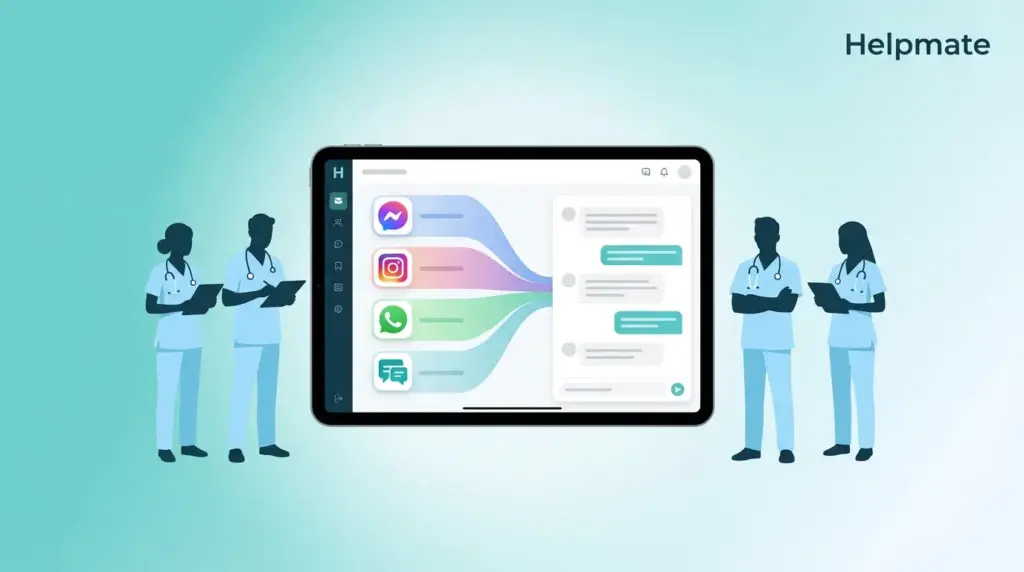
TL;DR: Healthcare practices using fragmented messaging tools lose somewhere around 15-20 hours weekly just to channel switching—if the studies I saw last year are still accurate. Omnichannel patient communication consolidates Facebook Messenger, Instagram DMs, WhatsApp, and website chat into one inbox. This creates a single patient view, cuts response times by roughly 60%, and lets front-desk staff focus on actual care coordination instead of managing six different apps.
Here’s what actually happens now. A patient sends a Facebook question at 10 PM. Fine. Then they follow up via Instagram at 7 AM because they remembered something else. By noon they’re calling the office, and they expect whoever answers to know exactly what they already said. Except the person on the phone never saw the Instagram DM. The Facebook message is on someone else’s phone. Everyone looks disorganized, even though everyone’s working hard.
The instinct is usually to add another tool. Another app. Another inbox to check. But that’s backwards. What actually works is consolidating everything into one system. This guide explains how omnichannel patient communication works—why it matters specifically for healthcare, and how to implement it without making your front desk learn something completely foreign.
Ready to unify your patient messaging? See how Helpmate works for healthcare practices.
What Is Omnichannel Patient Communication in Healthcare?
Omnichannel patient communication means your practice receives, manages, and responds to messages from multiple platforms through one interface. Instead of logging into Facebook Business Manager, Instagram Professional Dashboard, WhatsApp Business, and your website chat separately—each with different passwords, different notification sounds, different everything—everything flows into a single unified inbox.
The healthcare industry calls this the “Digital Front Door.” Which sounds like marketing speak until you watch a patient try to navigate it. Your physical entrance welcomes people. Your digital channels create the first impression. When these channels don’t talk to each other, patients repeat themselves. They explain symptoms twice. They resend insurance photos they already sent on Facebook. They get that particular tone of frustration when staff can’t see what they literally just messaged about.
A real omnichannel system keeps conversation history across all touchpoints. If a patient messages your Facebook page about appointment availability, then switches to WhatsApp to share lab results, your staff sees both messages attached to the same contact record. This continuity matters in healthcare because context affects care quality. A partial symptom description on one channel plus a medication mention on another equals a complete picture.
How It Differs From Multichannel Communication
Most practices already use multiple channels. Phone, email, maybe a website contact form. This is multichannel, not omnichannel. The difference is integration—though honestly, “integration” is one of those words that gets overused.
Here’s what it actually means. In a multichannel setup, each channel operates independently. Staff check each platform separately. Patient data sits in silos. Someone calls about the exact same thing they Facebook-messaged about, and you have no idea.
Omnichannel removes these silos. One platform receives all messages. One CRM stores all patient interactions. One team manages every conversation without the mental whiplash of switching contexts. This consolidation reduces the cognitive load on staff—something you notice around 4 PM when everyone’s already tired—and ensures patients get consistent responses regardless of which channel they chose.
Why Is Fragmented Messaging Hurting Your Medical Practice?
Healthcare practices without unified messaging face operational challenges that look different depending on the day, but they rhyme. Staff waste time switching between apps. Messages get overlooked in inboxes nobody remembered to check. Patients receive conflicting information from different team members who don’t have shared context. These issues compound quickly—usually around the end of the week when everyone’s rushing.
The financial impact goes beyond wasted staff hours. Missed messages lead to missed appointments. Patients who can’t easily reach your practice often seek care elsewhere. Research from healthcare IT consultancies indicates that practices using fragmented communication tools report 23% higher no-show rates compared to those with integrated messaging systems.
Security concerns also emerge. When staff use personal WhatsApp accounts or Facebook Messenger on their phones to communicate with patients, protected health information (PHI) lives on personal devices. This creates compliance vulnerabilities that keep practice managers up at night. A unified system with proper access controls and audit trails solves this problem.
The Hidden Cost of Channel Switching
Front-desk staff at typical practices check four to six different apps daily. Each switch requires mental reorientation. Different interface patterns, different search conventions, different response protocols. This context switching reduces productivity and increases error rates—especially by Thursday afternoon when decision fatigue sets in.
Administrative burden correlates directly with staff burnout in healthcare settings. That’s not just an HR statistic. Simplifying communication workflows isn’t merely an efficiency play. It’s a retention strategy. Practices that reduce administrative friction report higher staff satisfaction and lower turnover. People stay where the systems don’t fight them.
Which Channels Should Healthcare Practices Prioritize?
Not every channel deserves equal attention. Patient demographics and your practice specialty determine priority. Pediatric practices see different patterns than cosmetic surgery centers. However, certain platforms consistently generate high engagement in healthcare contexts—though the mix changes by region.
WhatsApp dominates for appointment reminders and follow-up care in many regions. Its end-to-end encryption appeals to patients sharing sensitive information. Facebook Messenger remains popular for initial inquiries, particularly among patients aged 35-54. Instagram Direct Messages increasingly matter for practices targeting younger demographics or offering aesthetic services—though some practices ignore Instagram entirely and do fine.
Your website chat deserves equal consideration. Patients visiting your website demonstrate high intent. They’ve already chosen to learn more about your services. A responsive chat widget captures this intent at the moment of peak interest—when they’re actually looking at your services page at 11 PM.
Channel-Specific Considerations
Each platform carries distinct characteristics. WhatsApp requires phone number verification, making it ideal for existing patient relationships. Facebook and Instagram allow initial contact without revealing personal phone numbers, lowering barriers for prospective patients who aren’t ready to commit. Website chat offers the most controlled environment for initial consultations.
Patient preferences vary by region and specialty. Pediatric practices often find parents prefer WhatsApp for quick questions about fevers or medication timing. Cosmetic surgery practices report Instagram DMs as their highest-converting channel—patients who’ve been looking at before-and-after photos suddenly have questions. General practitioners typically see balanced distribution across WhatsApp, Facebook, and phone calls, though this shifts seasonally.
How Does a Unified Inbox Transform Front-Desk Operations?
A unified inbox changes how front-desk teams actually work. Instead of managing multiple applications—each with its own login, its own notification sound, its own quirks—staff access one interface. All patient messages appear chronologically, regardless of origin channel. Color coding or icons indicate message source, but the response mechanism stays consistent.
Contact consolidation enables another critical capability: complete conversation history. When Sarah messages about her prescription refill, staff immediately see her previous appointment scheduling messages, her question about insurance last month, and her lab result inquiry from the website chat. This context eliminates repetitive questioning. More importantly, it demonstrates attentiveness. Patients notice when you remember.
Team collaboration improves through assignment features. One staff member takes ownership of a complex billing question while another handles routine appointment requests. Supervisors monitor response times and conversation quality across all channels from one dashboard—something that used to require checking five different places.
Automation and AI Assistance
Unified platforms enable intelligent automation. Frequently asked questions about hours, locations, or insurance acceptance receive automatic responses instantly, 24/7. Patients get immediate acknowledgment while staff handle complex inquiries requiring human judgment. The automation handles the repetitive stuff so people can handle the actual thinking.
AI-powered systems can escalate appropriately. When a patient mentions “chest pain” or “prescription refill,” the system recognizes urgency and routing rules. Critical messages reach clinical staff immediately. Routine requests enter standard queues. This triage happens automatically based on message content analysis—though most practices still want a human reviewing before anything sensitive goes out.
What Compliance Factors Matter for Healthcare Messaging?
Healthcare communication carries regulatory obligations. Patient messages often contain protected health information (PHI). Any system handling these messages must support compliance with regulations applicable to your region—something that sounds obvious until you realize how many practices wing it with consumer apps.
In the United States, HIPAA considerations apply. While patient-initiated messages via consumer apps like WhatsApp or Facebook Messenger don’t automatically create provider liability, how you handle those messages matters. Storing conversation logs containing PHI requires appropriate safeguards. Access controls, audit trails, and encryption become essential—not optional.
European practices must consider GDPR implications. Other regions have equivalent privacy frameworks. Your omnichannel platform should provide data residency options, retention controls, and deletion capabilities matching your regulatory environment.
Private Infrastructure vs. Consumer Apps
Direct use of consumer messaging apps by healthcare staff creates compliance risk. When employees install WhatsApp Business on personal phones, patient data resides on personal devices. Backup configurations may sync to personal cloud storage. Device loss or compromise exposes PHI. This happens more often than compliance officers like to think about.
A unified platform with role-based access and centralized data storage eliminates these risks. Staff interact with messages through a web interface. No PHI downloads to personal devices. Administrators control access and can revoke permissions immediately when staff depart. Audit logs show who accessed which conversations when—which matters when someone asks six months later.
How Do You Implement a Digital Front Door Strategy?
Transitioning to omnichannel patient communication requires planning—though probably less than you think. Start by auditing current channels. List every platform where patients currently contact your practice. Note which staff manage each channel. Identify peak volume times and common inquiry types. This audit usually reveals surprises. Practices often discover they’ve been ignoring an entire channel that patients actually use.
Next, evaluate technical requirements. Your practice likely uses WordPress for its website. Look for solutions that integrate directly with your existing infrastructure. Native WordPress plugins simplify implementation because they work within your current admin environment. They eliminate separate logins and training for yet another system—something your front desk will appreciate.
Pilot with one channel before full deployment. Many practices start with website chat because it offers the most control. Once comfortable, add Facebook Messenger, then Instagram, then WhatsApp. This sequential approach lets staff adapt gradually. Three weeks of website chat practice makes the Facebook integration feel manageable instead of overwhelming.
Staff Training and Workflow Design
Technology alone cannot transform operations. You need clear workflows. Define who handles different message types. Establish response time expectations—not just “as soon as possible,” but actual timeframes. Create templates for common scenarios while preserving personalization capabilities. The templates save time; the personalization saves relationships.
Train staff on the unified interface. Emphasize how conversation history improves patient experience. Show them how to assign conversations, add internal notes, and escalate clinical questions. Make compliance protocols explicit. Document when and how PHI can be discussed across channels—what’s allowed on WhatsApp versus what needs to move to a phone call.
For WordPress-based practices, the free version of Helpmate – Live, Social & AI Chat with Built-in CRM provides an accessible entry point. It consolidates website chat, Facebook Messenger, Instagram DMs, and WhatsApp into one inbox within your WordPress dashboard. The knowledge base feature lets you train responses on your practice information, reducing repetitive questions.
Get started free with Helpmate and connect your first patient messaging channel today.
Frequently Asked Questions
Multichannel means your practice uses multiple communication channels like phone, email, Facebook, and WhatsApp, but these channels operate independently. Staff must check each platform separately. Omnichannel integrates all channels into one unified system. Messages from Facebook, Instagram, WhatsApp, and website chat appear in a single inbox with shared contact history and consistent response workflows.
Using consumer versions of Facebook Messenger or WhatsApp on personal devices creates compliance risks. However, using these channels through a unified platform with proper access controls, audit trails, and centralized data storage can support HIPAA compliance. The key is ensuring PHI does not reside on personal devices, that access is role-based, and that you have business associate agreements where required. Consult your compliance officer for specific guidance.
Technical setup typically takes one to two days for WordPress-based practices using integrated plugins. Channel connection requires authenticating each Facebook, Instagram, and WhatsApp account, which takes minutes per channel. The longer phase is workflow design and staff training, which typically requires one to two weeks. A phased rollout starting with website chat, then adding social channels sequentially, reduces disruption.
No. Patients continue using their preferred apps exactly as before. If they message via Facebook Messenger, they see your response in Facebook Messenger. WhatsApp users see replies in WhatsApp. The unified system operates behind the scenes, aggregating these conversations for your staff while maintaining the native experience for patients.
Yes. Effective automation handles routine inquiries like hours, locations, insurance acceptance, and appointment scheduling instantly. Complex or sensitive questions automatically route to human staff. The best systems use AI to draft responses that staff review and personalize before sending. This combines efficiency with personalization, ensuring patients feel heard while your team scales their capacity.
Most unified platforms import recent message history when you connect accounts, typically the last 30 to 90 days depending on API limitations. Older conversations remain accessible in the native apps but may not transfer to the new system. Moving forward, all conversations are archived in the unified platform. Plan your transition to capture critical context from recent patient interactions.
No. Automated responses acknowledge after-hours messages immediately, setting patient expectations for reply timing. Urgent medical issues should always route to emergency services or on-call protocols you establish. Non-urgent requests queue for the next business day. The system captures every inquiry so nothing is lost, but human response timing follows your practice policies.
Conclusion
Omnichannel patient communication changes how healthcare practices interact with their communities. By unifying Facebook Messenger, Instagram DMs, WhatsApp, and website chat into one manageable interface, you eliminate the chaos of scattered conversations. Front-desk staff regain focus. Patients experience seamless continuity. Compliance risks diminish through centralized control.
The Digital Front Door is no longer optional. It’s the entry point modern patients expect—whether they articulate it that way or not. Implementation requires choosing the right platform, designing thoughtful workflows, and training staff on new capabilities. WordPress-based practices have accessible options that integrate directly with existing infrastructure, making the transition smoother than many anticipate.
- Audit your current messaging channels to understand volume and patterns
- Prioritize WhatsApp, Facebook Messenger, Instagram DMs, and website chat based on your patient demographics
- Choose a unified platform that operates within your existing WordPress environment
- Implement gradually, starting with one channel before expanding
- Design clear workflows for assignment, escalation, and compliance
The practices thriving in modern healthcare will be those meeting patients on their preferred channels without fragmenting their own operations. Omnichannel communication makes this possible—if you implement it thoughtfully rather than trying to fix everything at once.

