
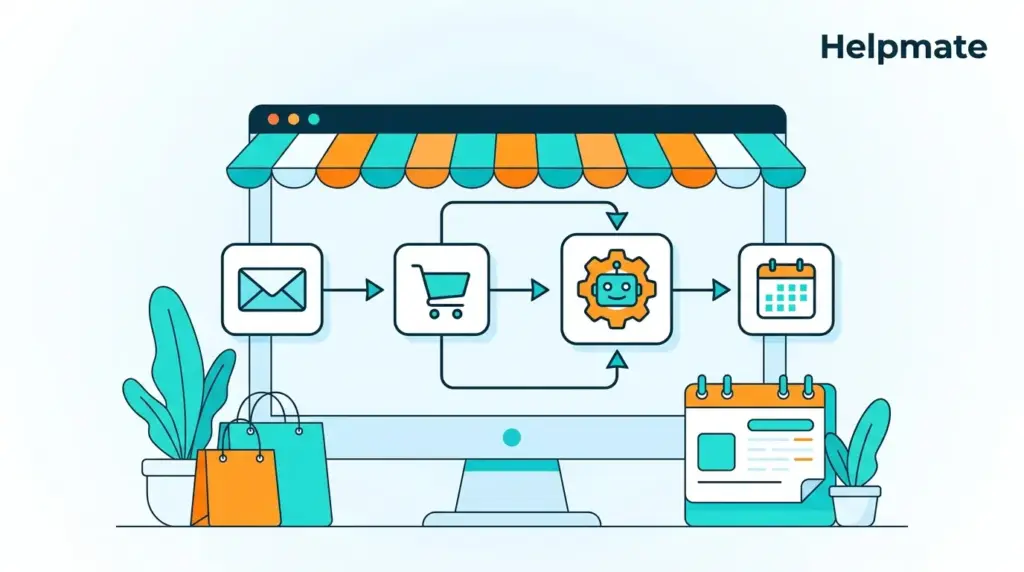
Marketing automation workflow templates help WooCommerce stores convert more customers without manual effort. These pre-built sequences handle repetitive tasks while you focus on growth.
Key Takeaways
- Marketing automation programs return $5.44 for every $1 invested (Digital Applied, 2026)
- Automated workflows generate 30x higher returns than one-off campaigns (Email Monday, 2026)
- The average cart abandonment rate is 70.22%, but recovery emails achieve 10.7% conversion rates (Baymard, 2025; Mailmend, 2026)
- AI-driven cart recovery emails achieve 8.17% conversion rates (Digital Applied, 2026)
- These 10 templates cover the entire customer lifecycle from first visit to loyal advocate
Email marketing generates an average of $36 for every $1 spent (Mailmend, 2026). Yet most WooCommerce stores leave this revenue sitting there. They send broadcast emails manually. Then they forget follow-ups. Three days later they are watching carts get abandoned without—honestly—doing much about it.
This guide gives you 10 proven marketing automation workflow templates. Each template includes trigger conditions, message sequences, timing recommendations, and copy frameworks. You can implement these workflows directly in your WordPress store.
What Are Marketing Automation Workflow Templates?
Marketing automation workflow templates are pre-built sequences of automated actions triggered by customer behavior. They combine email timing, message content, and conditional logic into reusable frameworks that work without manual intervention (Gartner, 2025).
Think of them as recipes. A recipe tells you what ingredients to use and when to add them. A workflow template tells you what message to send and when to trigger it. The difference is execution. Templates eliminate guesswork. You follow the proven sequence instead of building from scratch.
Effective templates share common traits. They have clear entry triggers. They include multiple touchpoints. They use conditional branching based on customer actions. They include exit conditions that stop the sequence when goals are met. Most importantly, they are tested and optimized for specific outcomes.
For WooCommerce stores, templates must integrate with your commerce platform. They need to access order data, cart contents, and customer segments. This is where native WordPress solutions shine. They connect directly to your store without complex API configurations.
Why Do WooCommerce Stores Need Automation Workflows in 2026?
The average cart abandonment rate across all industries is 70.22% in 2026 (Baymard Institute, 2025). For mobile shoppers, this climbs to 85.6%. Without automation, these potential sales disappear forever. With automation, you can recover up to 20% of abandoned carts (Sendtric, 2026).
Manual marketing does not scale. When your store processes 50 orders per day, you might manage follow-ups personally. At 500 orders, this becomes impossible. Automation workflows handle volume without adding headcount. They work 24/7. They never forget. They execute with perfect consistency.
Customer expectations have shifted. Shoppers expect immediate order confirmations. They want shipping updates. They appreciate personalized recommendations. Meeting these expectations manually burns time and creates errors. Automated workflows deliver consistent experiences at any scale.
The competitive landscape demands efficiency. Stores using marketing automation see 14.5% increase in sales productivity and 12.2% reduction in marketing overhead (Nucleus Research, 2025). These advantages compound over time. Early adopters build data assets that latecomers cannot easily replicate.
10 Marketing Automation Workflow Templates for E-commerce
These 10 templates cover the complete customer journey. From first-time visitor to repeat advocate, each workflow serves a specific business goal. Adapt the copy to your brand voice while keeping the timing and structure intact.
Template 1: Welcome Series for New Subscribers
Welcome emails generate 320% more revenue per email than other promotional emails (Campaign Monitor, 2025). This three-part sequence introduces your brand and drives first purchase.
- Trigger: Email signup via popup, checkout, or account creation
- Email 1 (Immediate): Welcome message with brand story and 10% discount code
- Email 2 (Day 2): Bestsellers showcase with social proof
- Email 3 (Day 5): Educational content related to your products plus expiring discount reminder
- Exit Condition: First purchase completed
Template 2: Abandoned Cart Recovery
Abandoned cart emails achieve 44.76% open rates and 10.7% conversion rates (Mailmend, 2026). This workflow recovers revenue that would otherwise be lost.
- Trigger: Cart abandoned for 1 hour (minimum $25 value)
- Email 1 (1 hour): Friendly reminder with cart contents and direct checkout link
- Email 2 (24 hours): Social proof (reviews) plus free shipping offer
- Email 3 (72 hours): 10% discount with scarcity messaging (expires in 24 hours)
- SMS (optional, 48 hours): Short cart reminder with link
Template 3: Post-Purchase Follow-Up Sequence
The post-purchase window is your best opportunity to generate reviews, prevent returns, and drive repeat purchases. This workflow builds loyalty.
- Trigger: Order marked complete
- Email 1 (Immediate): Order confirmation with tracking information
- Email 2 (Delivery day): Delivery confirmation with usage tips
- Email 3 (7 days after delivery): Review request with photo incentive
- Email 4 (14 days): Cross-sell complementary products
- Email 5 (30 days): Replenishment reminder (if applicable)
Template 4: Win-Back Campaign for Inactive Customers
Acquiring a new customer costs 5x more than retaining an existing one (HubSpot, 2025). This workflow reactivates customers before they churn completely.
- Trigger: No purchase in 90 days (existing customers only)
- Email 1 (Day 90): “We miss you” message with 15% discount
- Email 2 (Day 97): Showcase new arrivals since last purchase
- Email 3 (Day 105): Final offer with 20% discount and urgency messaging
- Exit Condition: Purchase made or unsubscribe
Template 5: Browse Abandonment Recovery
Browse abandonment affects 92% of website visitors (SaleCycle, 2025). This workflow targets shoppers who viewed products but never added to cart.
- Trigger: Viewed 3+ product pages but no cart addition (requires email capture)
- Email 1 (30 minutes): “Still thinking it over?” with viewed products
- Email 2 (24 hours): Social proof for viewed products plus similar items
- Email 3 (72 hours): Limited-time 10% discount on viewed items
Template 6: Birthday or Anniversary Campaign
Birthday emails generate 342% higher revenue per email than standard promotional emails (Experian, 2025). This annual touchpoint drives predictable revenue spikes.
- Trigger: 7 days before customer birthday (requires birthdate capture)
- Email 1 (7 days before): Birthday gift announcement with 20% discount
- Email 2 (On birthday): Personalized birthday message with gift reminder
- Email 3 (3 days after): “Your gift expires soon” urgency message
- Validity: 7-day discount window
Template 7: Back-in-Stock Notification
Back-in-stock notifications convert at 22.45% on average (SaleCycle, 2025). This workflow captures demand for out-of-stock items and notifies interested shoppers immediately.
- Trigger: Product restocked (WooCommerce inventory update)
- Email 1 (Immediate): “It is back.” notification with direct purchase link
- SMS (optional): Short restock alert for high-demand items
- Follow-up (48 hours): Stock running low warning (if inventory below threshold)
Template 8: Order Status and Shipping Updates
93% of customers want proactive shipping notifications (Narvar, 2025). This workflow reduces support tickets while building trust through transparency.
- Trigger: Order status change in WooCommerce
- Email 1 (Processing): Order confirmed, preparing for shipment
- Email 2 (Shipped): Tracking number with carrier link
- Email 3 (Out for delivery): Arrival expected today
- Email 4 (Delivered): Delivery confirmation with satisfaction check
Template 9: Product Review Request Sequence
Products with 50+ reviews convert 270% better than those without reviews (Spiegel Research Center, 2025). This workflow generates reviews at scale.
- Trigger: 7 days after order delivered
- Email 1 (Day 7): Review request with direct link and photo upload option
- Email 2 (Day 14): Reminder with incentive (loyalty points or discount)
- Email 3 (Day 21): Final request highlighting importance of feedback
- Incentive: 10% off next purchase after review submission
Template 10: VIP Customer Re-engagement
VIP customers generate 60% of revenue for most e-commerce stores ( loyalty program research). This workflow maintains relationships with your highest-value segment.
- Trigger: Customer with 3+ orders, no purchase in 60 days
- Email 1 (Day 60): Exclusive early access to new collection
- Email 2 (Day 67): Personal note from founder/team with 25% VIP discount
- Direct outreach (Day 74): Personal email from customer success team
How to Implement Automation Workflows in Helpmate
Helpmate unifies live chat, social messaging, AI chatbot, and CRM inside WordPress. Its automation engine connects directly to WooCommerce. This means your workflows access real-time order data without third-party integrations.
To implement these templates in Helpmate, navigate to Automations in your WordPress dashboard. Select the workflow type that matches your goal. Lead capture workflows handle email collection. Email sequences manage multi-touch campaigns. Abandoned cart recovery triggers when carts are left behind.
Each workflow uses conditional logic based on customer behavior. Set your trigger conditions first. Define the delay between messages. Write your email copy using the templates above. Test the workflow in the built-in simulator before going live.
For advanced segmentation, use the CRM to create dynamic customer groups. Segment by purchase history, lifetime value, or engagement level. This lets you run Template 10 for VIPs while sending Template 4 to one-time buyers.
The Helpmate – Live, Social & AI Chat with Built-in CRM plugin integrates with your existing form plugins. Contact Form 7, WPForms, Formidable Forms, and Ninja Forms can all trigger automation workflows when submissions arrive.
Best Practices for Marketing Automation Success
Templates provide the structure. These best practices ensure your workflows perform at peak efficiency. Ignore them and your automation becomes spam. Follow them and you build lasting customer relationships.
Segment your audience. Not every customer deserves the same workflow. New subscribers need education. Repeat buyers need appreciation. Lapsed customers need incentives. Use purchase history, engagement data, and demographics to create relevant segments.
Personalize beyond first names. Include product recommendations based on browsing history. Reference past purchases. Adjust send times based on timezone. Personalized emails deliver 6x higher transaction rates (Experian, 2025).
Test and optimize continuously. A/B test subject lines, send times, and discount levels. Start with the templates provided, then iterate based on your data. Even small improvements compound over thousands of sends.
Respect unsubscribe requests immediately. Compliance is not optional. GDPR, CAN-SPAM, and similar regulations require immediate honoring of opt-outs. Your automation platform must handle this automatically. Helpmate processes unsubscribes in real-time to maintain compliance.
Measuring Workflow Performance
You cannot improve what you do not measure. Each workflow template has specific KPIs that indicate success. Track these metrics to optimize your automation over time.
| Workflow Type | Primary KPI | Benchmark |
|---|---|---|
| Welcome Series | First Purchase Rate | 15-25% |
| Abandoned Cart | Recovery Rate | 10-15% |
| Post-Purchase | Review Submission Rate | 8-12% |
| Win-Back | Reactivation Rate | 5-10% |
| Birthday | Redemption Rate | 20-30% |
Monitor open rates, click rates, and revenue per email. But focus on business outcomes. A workflow with lower open rates but higher revenue per recipient is more valuable than one with vanity metrics.
Use cohort analysis to compare workflow performance over time. Are your Q2 campaigns outperforming Q1? Did the subject line change in Template 2 improve results? Data-driven decisions separate successful automation from set-it-and-forget-it mediocrity.
Frequently Asked Questions
Marketing automation programs return $5.44 for every $1 invested on average (Digital Applied, 2026). Email marketing specifically generates $36 for every $1 spent. Automated workflows generate 30x higher returns than one-off campaigns because they trigger based on customer behavior rather than broadcast timing.
Send the first abandoned cart email within 1 hour for best results. AI-driven cart recovery emails achieve 8.17% conversion rates when sent promptly (Digital Applied, 2026). Follow up at 24 hours and 72 hours for a three-touch sequence that maximizes recovery without annoying customers.
Yes, these templates are designed specifically for WooCommerce stores. They leverage WooCommerce order data, cart events, and customer segments. The Helpmate plugin connects directly to WooCommerce to trigger workflows based on real-time store activity.
Most effective workflows contain 3-5 emails. Welcome series typically use 3 emails. Abandoned cart recovery uses 3 emails. Post-purchase sequences can extend to 5 touchpoints over 30 days. Avoid sequences longer than 7 emails unless you have specific educational content that requires extended nurture.
The average cart abandonment rate across all industries is 70.22% in 2026 (Baymard Institute, 2025). Mobile abandonment rates are higher at 85.6%. However, abandoned cart recovery emails achieve 44.76% open rates and 10.7% conversion rates, making them one of the highest-ROI automation workflows available.
Personalize beyond first names by using purchase history, browsing behavior, and customer segments. Include dynamic product recommendations based on viewed items. Reference specific products left in cart. Adjust send times based on customer timezone. Personalized emails deliver 6x higher transaction rates than generic broadcasts.
Conclusion
Marketing automation workflow templates transform how WooCommerce stores engage customers. They recover abandoned carts. They nurture new subscribers. They generate reviews and drive repeat purchases. Most importantly, they work while you sleep.
The 10 templates in this guide cover every stage of the customer lifecycle. Start with abandoned cart recovery. It delivers the fastest ROI. Add welcome series next. Then build out post-purchase and win-back workflows. Each workflow compounds the value of the others.
- Marketing automation returns $5.44 for every $1 invested
- Abandoned cart emails convert at 10.7% with proper timing
- Welcome series generate 320% more revenue per email
- Personalized workflows deliver 6x higher transaction rates
Ready to implement these workflows? Import these templates directly into Helpmate and start automating your marketing today. Your future self will thank you for the revenue you stopped leaving on the table.

