
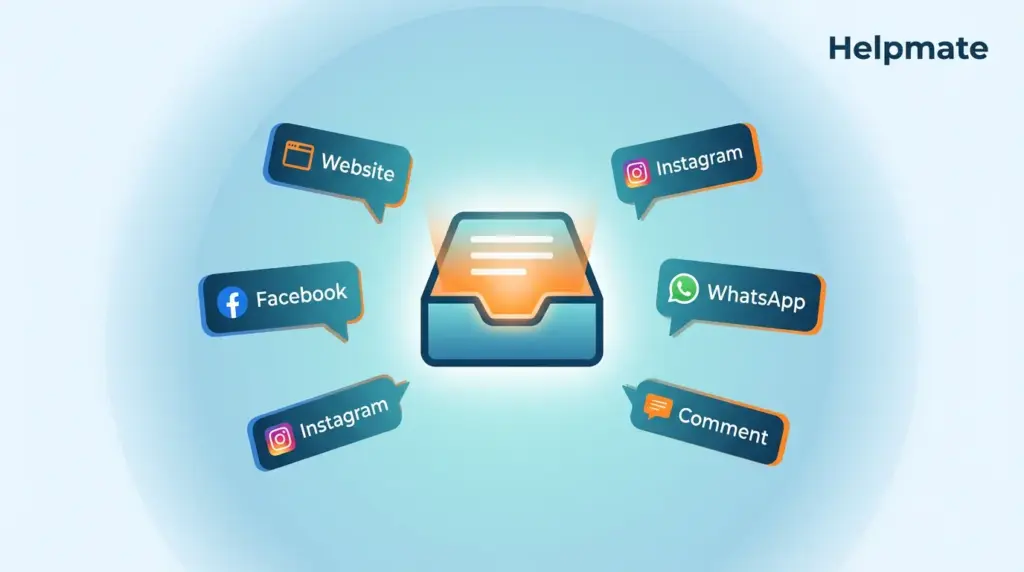
Most store owners don’t notice the channel fragmentation problem until they’re already drowning in it. You start with a website chat widget, then add Facebook Messenger because customers ask for it, then Instagram, then WhatsApp. Six months later your team is jumping between five different tabs just to answer one question.
The numbers from Salesforce’s research last year paint a clear picture: 73% of customers use multiple channels during a single service journey (Salesforce via DeskDay, 2025). Yet only 22% of companies have unified customer data across channels (Kayako, 2026). That gap creates the friction everyone’s feeling but nobody’s tracking – fragmented experiences, slow response times, teams switching contexts so often they can’t remember which conversation they were in.
Key Takeaways
- 73% of customers use multiple channels in one support journey, making unified inbox essential for modern support teams
- 80% of consumers use social media for brand support, yet most businesses manage these conversations in silos
- AI-powered handover reduces response time by 50% while maintaining 87% customer satisfaction
- Helpmate unifies website chat, Facebook Messenger, Instagram DM, WhatsApp, and comments in one WordPress-native inbox
Ready to stop the tab-switching madness? Explore our live chat solution and bring every channel into one inbox.
Multi-channel live chat isn’t optional anymore – it’s become one of those things you can’t really operate without. Customers message you on Facebook while they’re literally browsing your site, then follow up on WhatsApp two hours later. They expect you to know what they were asking about. When your team’s managing channels separately, that context just evaporates. Response times balloon, and you start losing the thread of what the customer actually needs.
What Is Multi-Channel Live Chat in 2026?
Here’s the reality: 80% of consumers use social media to engage with brands for support, complaints, or feedback (Electro IQ, 2025). Multi-channel live chat attempts to unify those scattered touchpoints into something manageable. Instead of logging into Facebook Business Manager, Instagram, WhatsApp Business, and your website chat separately, you see everything in one place.
The technology’s gotten better. Modern unified inbox solutions integrate AI chatbot features for immediate responses, human handover for complex issues, and built-in CRM to track history across touchpoints. This matters because 69% of U.S. residents say messaging a company feels more personal than calling (Electro IQ, 2025). There’s something about the asynchronous nature of it – not having to wait on hold, not having to drop everything for a phone call.
Helpmate operates natively within WordPress, which changes the setup equation. Your website chat, social DMs, and comment responses feed into the same conversation timeline. When someone who messaged you on Instagram last week comes back through your website widget, your team sees the full context. No external dashboard to log into.
Why Do Businesses Struggle with Channel Fragmentation?
Only 22% of companies have unified customer data across channels (Kayako, 2026). That leaves 78% forcing customers to repeat themselves when they switch from social media to website chat or email. The operational cost adds up fast. Agents waste time hunting for conversation history. Customers abandon out of sheer frustration.
The root problem is architectural. Most businesses added channels reactively. Website chat one year, Facebook the next, WhatsApp later. Each channel became its own system with its own inbox, notifications, data storage. Breaking down those silos usually means expensive enterprise software or finding a purpose-built unified platform.
Think about the actual customer journey. Someone sees your product on Instagram, DMs a question, visits your website to purchase, then contacts support via WhatsApp about shipping. Without unified inbox, your team treats these as three separate conversations. With unified inbox, you see one continuous thread.
Curious how the handover actually works in practice? Discover our AI customer service capabilities.
How Does AI-Powered Handover Improve Response Times?
30% of service cases were resolved by AI in 2025, with that number expected to rise to 50% by 2027 (Salesforce, 2025). The key isn’t replacing humans – it’s routing intelligently. AI customer service handles repetitive inquiries instantly. Complex issues escalate to humans with full context attached.
Helpmate’s approach combines knowledge base training with keyword-based handover rules. You define trigger phrases that signal human assistance is needed. The AI provides immediate acknowledgment while simultaneously alerting your team. Customers feel heard immediately. Your team gets prepared with conversation summary and customer history.
The hybrid model shows results. Live chat leads digital support channels with 87% customer satisfaction (CSAT) compared to 61% for email and 76% for phone (Unthread, 2026). The speed advantage is obvious. Phone involves hold times. Email stretches to hours or days. Chat provides instant AI responses followed by human takeover when appropriate.
What Channels Should Your Live Chat Support Include?
70% of customers report having used social media for customer service purposes at least once (Nextiva, 2026). Which channels matter depends on your audience, but five platforms dominate most multi-channel strategies. Website widget captures high-intent visitors. Facebook Messenger reaches the broadest demographic. Instagram DM connects with younger consumers. WhatsApp dominates internationally. Comment monitoring captures public conversations that others see.
| Channel | Best For | Key Statistic |
|---|---|---|
| Website Widget | High-intent visitors, sales | Highest conversion rate for support inquiries |
| Facebook Messenger | Broad demographics, established businesses | 1.3 billion monthly active users |
| Instagram DM | Visual brands, younger audiences (18-34) | 30% of consumers plan increased social use in 2025 |
| International customers, high-engagement markets | Dominant in 100+ countries | |
| Comments | Public transparency, community building | Visible to prospects researching your brand |
Helpmate connects all five within WordPress through social chat management. The unified inbox sorts conversations by channel but maintains one customer record. Your team responds from one interface while customers use their preferred platform. This flexibility matters because 88% of customers say experience matters as much as the product (DeskDay via Salesforce, 2025).
How Does Unified Inbox Compare to Standalone Chat Tools?
Standalone chat tools solve one problem well. Website chat widgets like Tidio or Intercom excel at on-site engagement. Social management tools like Hootsuite handle publishing and some messaging. The gap shows up when customers cross channels. Neither tool type connects the dots between website visits and social conversations.
Enterprise platforms like Zendesk or Freshdesk offer unified inboxes but require complex integration work. You connect each channel separately, configure routing rules, manage separate billing. The result is powerful but expensive, often exceeding small business budgets and technical capacity.
Helpmate occupies a middle ground built specifically for WordPress. Installation takes minutes. Configuration happens in one admin panel. The AI chatbot trains on your existing content without data export or import. Social connections use standard OAuth flows. Your team manages everything from the WordPress dashboard they already know.
The freemium model lowers the risk. The Helpmate – Live, Social & AI Chat with Built-in CRM free version provides core chatbot and widget functionality. You connect social channels and test unified workflows before upgrading. This matters because 44% of customer service leaders worldwide said live chat is their primary channel for customer engagement (Freshworks, 2024).
What Role Does CRM Integration Play in Multi-Channel Chat?
76% of customers expect personalization (Zendesk, 2026). Brands that excel at personalization are 71% more likely to report improved customer loyalty. Multi-channel chat without CRM integration delivers speed but misses the relationship layer. You respond quickly but treat every inquiry as if it were the first.
Helpmate includes built-in CRM that automatically links conversations to contact records. When a returning customer messages from any channel, your team sees their purchase history, previous conversations, custom field data. This context transforms generic responses into personalized service.
The integration extends to actions. Your team can create tasks, schedule follow-ups, segment contacts for email campaigns without leaving the conversation. Form submissions from Contact Form 7, WPForms, or Ninja Forms can create tickets or leads automatically. This workflow automation reduces manual data entry and ensures nothing falls through cracks.
How Do You Implement Multi-Channel Live Chat in WordPress?
Implementation follows a sequence. Install and activate the plugin. Connect your AI service or use the default configuration. Customize the widget appearance to match your brand. Train the chatbot on your knowledge base content. Connect social channels through their respective OAuth flows. Configure handover rules for human escalation. Test the full flow before going live.
Training the knowledge base is where most teams either get it right or miss the mark. Helpmate ingests products, posts, pages, custom text, URLs, uploaded files. The quality of AI responses depends entirely on the training data quality. Start with your most common support questions. Add product documentation and FAQ content. Upload CSV or PDF files for structured data. The system improves as you add more sources.
Social channel connection requires admin access to each platform. For Facebook and Instagram, you need Business Manager permissions. WhatsApp requires Business API approval. The process takes 15-30 minutes per channel. Once connected, conversations flow into the unified inbox automatically. Archived conversations remain searchable for compliance.
What Are Common Multi-Channel Chat Mistakes to Avoid?
Three mistakes derail most implementations. First, enabling too many channels before your team is ready. Start with website chat and one social platform. Master the workflow before adding complexity. Second, setting unrealistic AI expectations. Train thoroughly and define clear handover triggers. Third, ignoring mobile experience. 60% of support interactions happen on mobile devices.
Response time expectations vary by channel but share one rule: consistency beats speed in isolation. A customer who waits two minutes for a consistent answer is happier than one who waits 30 seconds for a wrong one. Document your response time targets per channel. Website chat typically targets under one minute. Social channels allow slightly longer windows. WhatsApp users expect near-immediate responses.
Security deserves attention. Helpmate stores conversation data within your WordPress environment. Social platform connections use industry-standard OAuth. No third-party service processes your customer messages. This architecture matters for GDPR compliance and data sovereignty.
Frequently Asked Questions
Helpmate brings together website chat widget, Facebook Messenger, Instagram DM, WhatsApp Business API, and social comments in one WordPress-native inbox. The CRM keeps one contact record across all channels. Conversation history follows customers regardless of which platform they use.
Helpmate uses keyword-based triggers and confidence scoring to determine when AI should escalate to humans. You configure specific phrases that signal human assistance is needed. The AI provides immediate acknowledgment while simultaneously alerting your team with conversation summary and customer context attached.
Yes. Helpmate includes a module toggle for the AI chatbot. You can run pure human live chat across all connected channels. The unified inbox, CRM, and social channel connections function independently of AI features. This flexibility suits teams who prefer human-only support or want to add AI gradually.
Helpmate integrates with Contact Form 7, Forminator, Ninja Forms, WPForms, and Formidable Forms. Form submissions can trigger ticket creation, lead collection, order status checking, refund requests, or appointment booking. Field mapping connects form data to Helpmate CRM fields automatically.
Yes. The Helpmate – Live, Social & AI Chat with Built-in CRM plugin is available free on WordPress.org. The free version includes core chatbot functionality, website widget, and basic CRM. Social channel connections and advanced automation features require upgrade to paid plans.
Conversations can be archived from any inbox view while remaining searchable for compliance and reference. The Archived section in the unified inbox stores historical conversations separately from active threads. This organization keeps active queues clean while preserving full conversation history for customer context.
Multi-channel means offering support on multiple platforms. Omnichannel means those platforms are connected with shared context. Helpmate delivers omnichannel capability by maintaining one customer record across website chat, social DMs, and comments. A conversation started on Instagram continues seamlessly when the customer switches to your website widget.
Conclusion
Multi-channel live chat is no longer optional for businesses serious about customer experience. 73% of customers use multiple channels during service journeys, and 80% engage brands via social media for support. The businesses that win will be those that unify these touchpoints rather than managing them in isolation.
- Unified inbox eliminates context switching and reduces response times
- AI-powered handover maintains speed while preserving human touch for complex issues
- Built-in CRM transforms chat from transactional to relational
- WordPress-native implementation reduces technical complexity and cost
- Freemium pricing allows testing before commitment
Helpmate delivers these capabilities specifically for WordPress sites. The unified inbox connects website chat, Facebook Messenger, Instagram DM, WhatsApp, and comments without external dashboards or complex integrations. AI handles routine inquiries. Humans take over when needed. Everything operates from the WordPress admin you already use.
Start with the free version to test core functionality. Add social channels as your team grows comfortable. Scale AI training as your knowledge base expands. The goal isn’t to implement every feature immediately but to build a foundation that grows with your business. Your customers are already messaging across channels. It is time your support team could follow them seamlessly.
Get started with Helpmate today and transform your multi-channel support. Install the free plugin and connect your first channel in minutes.

