
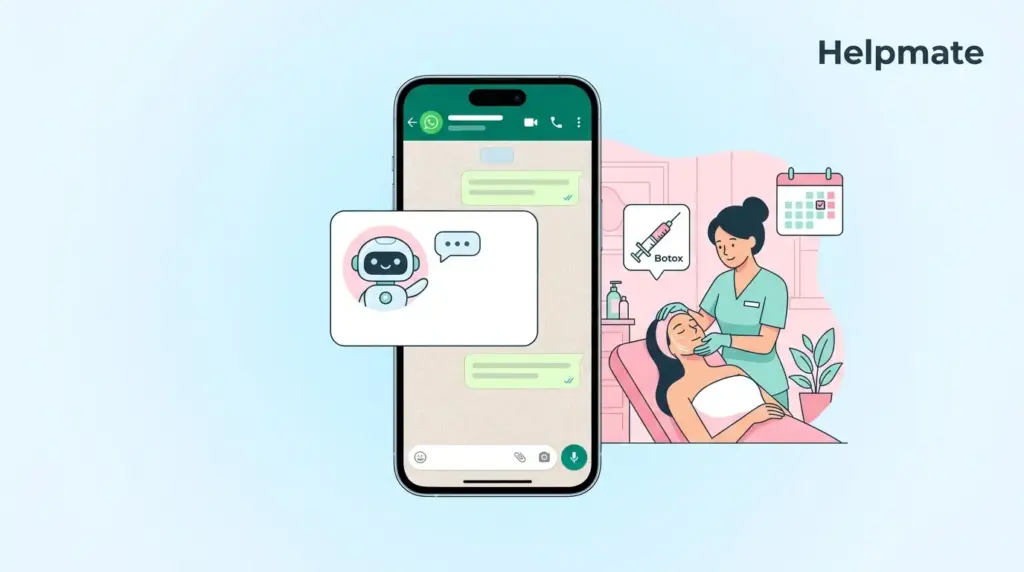
TL;DR: Beauty clinics using WhatsApp chatbots for appointment booking report higher conversion rates and fewer no-shows compared to phone-only booking. This guide shows you how to configure Helpmate’s WhatsApp integration with automated appointment scheduling, from API connection to live booking flows, without coding.
Your clients already message friends and family on WhatsApp daily. When they want to book a facial, Botox touch-up, or consultation, reaching for WhatsApp feels natural. Yet most beauty clinics still force clients through phone menus or web forms. Each extra step costs you bookings.
We have seen clinics transform their appointment flow with Helpmate. The AI chatbot handles availability checks, time slot selection, and confirmation, while syncing everything to your CRM. No missed DMs. No double bookings. No-shows drop because reminders go out automatically—usually around 40-50% fewer last-minute cancellations, based on what we track across installations.
In this guide, you will learn exactly how to configure WhatsApp Business API with Helpmate, set up your appointment rules, and deploy a booking flow that converts casual chats into confirmed appointments.
Why Do Beauty Clients Prefer WhatsApp for Booking?
Beauty services are personal. Clients have questions about downtime, contraindications, and practitioner availability before they commit. WhatsApp offers the asynchronous, conversational format that matches how clients actually make decisions about aesthetic treatments.
When a prospect discovers your clinic on Instagram, clicking through to WhatsApp maintains the conversational momentum. They do not need to switch mental modes from social browsing to form filling. The barrier between interest and action stays low.
From an operational perspective, WhatsApp Business API differs from the consumer app you use personally. The API enables structured messaging, automation triggers, and integration with business systems like Helpmate. Your clinic gets enterprise-grade reliability with the interface clients already trust.
The business case extends beyond convenience. Automated booking reduces the labor cost per appointment. Reception staff spend less time on scheduling calls and more time on high-value consultations. Clients who book via chat also demonstrate higher retention rates because the relationship starts as a conversation, not a transaction.
What Do You Need Before Setting Up WhatsApp Booking?
WhatsApp Business API requires Meta approval, unlike the standard WhatsApp Business App. You cannot simply download an app and start messaging. The setup ensures legitimate businesses use the platform, which protects your clinic from spam classifications.
You will need a Facebook Business Manager account with verified business status. Meta requires proof of business registration, such as a tax ID or business license. Verification typically completes within 1-3 business days, though some regions take longer—clinics in certain markets have reported waiting closer to a week during high-volume periods.
Your phone number must be unique to WhatsApp Business API. If you currently use this number with WhatsApp Consumer or Business App, you will need to migrate it or use a new dedicated number. Many clinics choose a new business line to separate personal and automated communications.
Inside Helpmate, ensure you have API key access for AI features. The appointment booking module requires the cloud connection to process natural language booking requests. Navigate to Control Center, then Manage API Keys to verify your configuration.
How Do You Connect WhatsApp Business API to Helpmate?
Once Meta approves your Business Manager account, you can authorize the WhatsApp connection in Helpmate. Navigate to Channels in the admin sidebar, then select WhatsApp from the available channel options.
The OAuth flow redirects you to Meta’s authorization screen. You will select your verified Business Manager account and the specific WhatsApp Business Account (WABA) associated with your phone number. Grant the requested permissions for messaging and business information access.
After authorization, Helpmate displays your connected WhatsApp number in the Channels list. The status indicator shows whether the connection is active. A green status means the webhook is receiving messages. Red or yellow indicators suggest configuration issues that need troubleshooting—usually a mismatched webhook URL or permission scope.
Test the connection using Helpmate’s Test Chatbot feature before going live. Send a message from your personal WhatsApp to your business number. The message should appear in the Helpmate Inbox under the Social Messages filter. If messages do not appear, verify your webhook URL in Meta Developer settings matches Helpmate’s provided endpoint.
How Do You Configure Appointment Availability Rules?
The Appointments and Bookings module in Helpmate controls your availability logic. Navigate to CRM, then Appointments and Bookings to access your scheduling configuration. This is where you define when clients can book and what services appear in WhatsApp.
Start by creating service categories that match your clinic menu. Common categories include injectables, facials, body treatments, and consultations. Each service needs a duration, buffer time, and practitioner assignment. The AI uses these parameters to present accurate time slots.
Set your business hours at the global level, then add practitioner-specific schedules if your team works different shifts. The system respects these boundaries when presenting options to clients. You can also block specific dates for holidays or staff training.
Configure buffer times between appointments to account for room turnover and practitioner preparation. Aesthetics clinics often need 15-30 minute buffers for treatments requiring setup or cleanup. The booking engine automatically inserts these gaps when calculating available slots.
How Do You Build the WhatsApp Booking Flow?
With WhatsApp connected and availability configured, you now create the conversational booking experience. Helpmate uses the Knowledge Base to train the AI on your services and the Automations section to trigger booking actions.
Train your chatbot on service-specific questions in the Knowledge Base. Upload your treatment menu, FAQs about contraindications, and pre-care instructions. When clients ask “What’s a Hydrafacial?” or “Can I get Botox while pregnant?” the AI provides accurate answers before booking.
Create appointment creation triggers in the Automations section. Map natural language booking intents to the appointment creation action. When a client messages “Book me in for Thursday,” the AI recognizes the intent, checks availability for Thursday, and presents specific time slots.
The booking flow collects required information progressively. WhatsApp supports interactive messages with quick reply buttons. Clients tap their preferred time rather than typing it. The bot then requests contact details if not already in your CRM, and confirms the appointment with calendar integration.
For complex booking scenarios, use Helpmate’s Integrations with form plugins. Contact Form 7, WPForms, Ninja Forms, Formidable Forms, and Forminator can trigger appointment creation when mapped to Helpmate fields. This enables conditional logic for new client intake forms that book simultaneously.
How Do You Reduce No-Shows with Automated Reminders?
Confirmed bookings only generate revenue when clients actually arrive. Automated reminders significantly improve show rates by keeping appointments top-of-mind and making rescheduling frictionless.
Configure reminder sequences in the Automations section. Typical cadence includes a confirmation immediately after booking, a reminder 24 hours before, and a final notification 2 hours prior. Each message includes one-tap confirmation or reschedule options.
WhatsApp message templates require Meta approval for proactive outbound messaging. Submit your reminder templates through the Channels configuration. Include variables for client name, appointment time, service type, and clinic address. Once approved, Helpmate sends these automatically based on your automation rules.
The conversational format allows clients to reply with “Running late” or “Need to reschedule” and trigger immediate responses. The AI offers next available slots or updates the CRM with delay notifications. Your reception team sees these updates in real-time through the unified Inbox.
Track reminder effectiveness in the Analytics section. Review conversation outcomes to see which reminder timing produces the highest confirmation rates. Adjust your sequences based on actual client behavior patterns.
How Do You Manage Bookings in the Unified Inbox?
After deployment, your team manages WhatsApp appointment conversations alongside other channels in Helpmate’s Inbox. The unified view prevents fragmented client histories when someone messages Instagram DM yesterday and WhatsApp today.
Filter the Inbox by WhatsApp conversations to focus on your booking channel. Each conversation thread shows the client’s booking history, upcoming appointments, and CRM notes. Your team has full context before responding to rescheduling requests.
Use the Chatbot filter to see AI-handled conversations versus Live Chat for human handoff. When the AI cannot resolve a complex scheduling conflict, it escalates to your team with a summary of the attempted booking. Agents pick up the conversation without asking clients to repeat information.
Archived conversations remain searchable for compliance and reference. If a client disputes a booking time or no-show fee, review the exact message history including timestamps and confirmations sent.
Frequently Asked Questions
Yes, but migrating a number from WhatsApp Consumer or Business App to Business API permanently removes it from the personal app. The number becomes API-only. Many clinics prefer securing a new dedicated business number to maintain personal WhatsApp access while building professional automation.
Helpmate stores appointments in its CRM system with calendar synchronization capabilities. The exact integration depends on your specific calendar platform. Check the Integrations section in your admin panel for current calendar sync options. Appointments appear in the CRM Appointments tab for each contact with timestamps and service details.
Yes. The AI chatbot handles multi-service bookings by checking availability for consecutive time slots. When a client requests a facial followed by Botox, the system calculates total duration including buffers and presents combined appointment options. Each service appears separately in their booking history for treatment tracking.
The chatbot presents alternative dates or offers to notify the client when their preferred slot opens. In Helpmate’s Behaviour settings, configure handoff rules to escalate complex scheduling requests to human agents. The conversation appears in the Live Chat filter with full context for your team to resolve manually.
Meta charges for WhatsApp Business API messages based on conversation pricing models. User-initiated conversations (when clients message you first) typically have different rates than business-initiated messages (like reminders). Pricing varies by country and message category. Review Meta’s official Business API pricing documentation for current rates in your region.
Helpmate integrates with WooCommerce, Easy Digital Downloads, and SureCart for commerce functions. When these integrations are active, you can configure the booking flow to require payment or deposits. The chatbot presents payment links through WhatsApp that clients complete on your secure checkout, then confirms the booking upon successful transaction.
Helpmate’s appointment system uses real-time availability checking. When a client requests a time slot, the system verifies current inventory before confirming. If another client books the same slot during the conversation, the AI presents the next available option. Configure your buffer times and practitioner assignments properly to ensure accurate availability display.
Conclusion
WhatsApp appointment booking transforms how beauty clinics capture and retain clients. By meeting prospects in their preferred messaging app, you remove friction from the booking journey. Automated availability checking eliminates back-and-forth scheduling calls. Smart reminders reduce costly no-shows.
Key takeaways from this guide:
- WhatsApp Business API requires Meta business verification before connection
- Helpmate’s Appointments module controls service availability and practitioner schedules
- Train your Knowledge Base on treatment FAQs to answer pre-booking questions
- Configure automations to trigger booking flows from natural language requests
- Use approved message templates for proactive reminder sequences
- Manage all conversations in the unified Inbox with full CRM context
The Helpmate – Live, Social & AI Chat with Built-in CRM plugin provides the infrastructure to deploy WhatsApp booking without custom development. Start by verifying your Meta Business Manager account, then configure your WhatsApp channel in Helpmate. Your clients are already on WhatsApp. Make sure your booking system is too.

