
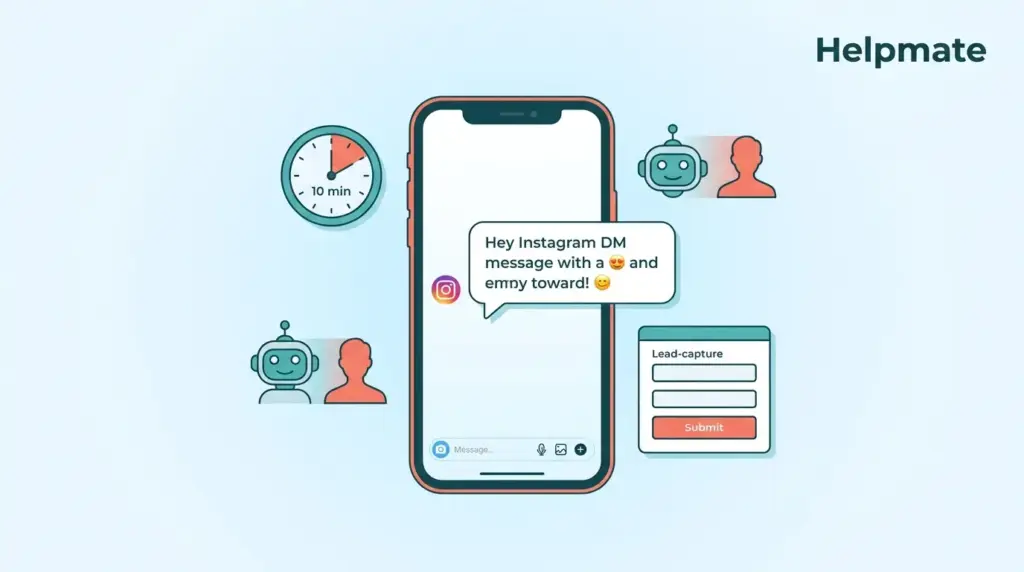
Most customers now expect a response to a social media inquiry within 10 minutes. Not an hour. Not by end of day. Meanwhile, around 89% of consumers actively want to message brands through Instagram, and somewhere near 150 million users are already having conversations with businesses on the platform. Yet roughly 76% of customers who complain on social media expect a response within the hour, and most businesses still fail to meet this expectation.
This gap between expectation and reality is where Instagram DM automation becomes essential. Done right, it lets you capture leads while you sleep, nurture relationships at scale, and maintain the human touch that builds trust. This guide will show you exactly how to set up automated Instagram DM responses using keyword triggers, AI-powered replies, and lead capture workflows inside your WordPress dashboard.
Key Takeaways
- 89% of consumers want to message your brand on Instagram (Heymarket, 2025).
- Targeted DM campaigns convert at 18-20% versus 2-4% for generic website popups (Heyloha.ai, 2026).
- Automation with human oversight captures leads 24/7 while preserving authenticity.
- Keyword triggers and AI training are essential for natural-sounding responses.
Why Should You Automate Instagram DM Responses in 2026?
Three-quarters of customers who complain on social media expect a response within the hour. Yet only 24% of businesses actually meet this expectation. That gap represents lost revenue, damaged relationships, and missed opportunities. Automated DM responses close this gap by ensuring instant acknowledgment while routing complex queries to humans.
The business case is equally compelling. Conversion rates for targeted DM campaigns average 18-20%, compared to just 2-4% for generic website popups. When you automate Instagram DMs, you are not just saving time. You are creating a conversion channel that outperforms traditional popups by 4-5x.
Speed matters. Instagram users expect conversational responses, not delayed emails. The window to capture attention is measured in minutes, not days. Automation lets you respond instantly to story replies, comments, and direct messages, keeping prospects engaged while they are still interested.
The Risk of Over-Automation
Poorly configured automation feels robotic and damages trust. The key is balancing efficiency with empathy. Your automated responses should acknowledge the user’s intent, provide immediate value, and create a clear path to human support when needed. Think of automation as a first responder, not a replacement for genuine conversation.
How Do You Set Up Keyword Triggers for Instagram DM Automation?
Keyword triggers are the foundation of effective DM automation. They listen for specific words or phrases in incoming messages and launch predetermined responses or workflows. A well-designed trigger system feels like natural conversation, not rigid command processing.
Start by identifying the most common intents in your Instagram DMs. These typically fall into categories like pricing inquiries, product questions, support requests, and lead capture opportunities. Map these intents to trigger phrases that capture variations of user language.
For example, pricing-related triggers might include “how much,” “price,” “cost,” “package,” and “quote.” Support triggers could be “help,” “issue,” “problem,” “broken,” and “refund.” The key is covering natural language variations without creating an overwhelming trigger list.
Best Practices for Trigger Configuration
- Use case-insensitive matching so “PRICE” and “price” trigger the same response.
- Include common misspellings and abbreviations users might type on mobile.
- Create priority levels so specific queries override general greetings.
- Set up fallback responses for messages that do not match any trigger.
- Review and refine triggers monthly based on actual conversation data.
When a user sends a message containing a trigger word, your automation should respond immediately with relevant information and a clear next step. The response should sound like it came from a person who read and understood the message, not a template that ignores context.
What Makes an AI Instagram Response Sound Human?
The difference between robotic and human-like AI responses comes down to three factors: tone variation, contextual awareness, and conversational flow. Generic automation repeats the same phrases regardless of context. Human-like AI adapts its language to match the situation.
Start by training your AI chatbot on your actual brand voice. Feed it past Instagram conversations, customer service transcripts, and brand guidelines. The AI learns not just what you say but how you say it. Include examples of friendly greetings, empathetic responses to complaints, and enthusiastic replies to positive feedback.
Vary your response templates. Instead of always saying “Thanks for your message,” mix in alternatives like “Hey there,” “Good to hear from you,” or “Thanks for reaching out.” Small variations prevent the repetitive feel that marks automated responses.
Personalization Without Creepiness
Effective personalization uses information the user already provided. Reference their original question in your response. If they asked about pricing, acknowledge that specifically. If they mentioned a product name, use it. This confirms you are listening without requiring invasive data collection.
Avoid over-personalizing with data the user did not share. Referencing their location or browsing history when they only sent a simple DM feels intrusive. Keep personalization relevant to the immediate conversation context.
How Do You Build Lead Capture Workflows in Instagram DMs?
Lead capture transforms casual DM conversations into qualified prospects in your WordPress CRM. The best workflows feel helpful, not extractive. They offer value in exchange for contact information, creating mutual benefit rather than one-sided data collection.
Design your workflow around a clear value exchange. When a user expresses interest, offer something specific: a discount code, exclusive content, a consultation booking, or early access. In exchange, request their email address or phone number to deliver the value.
Structure the conversation flow logically. First, acknowledge their interest. Second, present the offer and explain the benefit. Third, request the specific information you need. Fourth, confirm receipt and set expectations for next steps. Each step should feel like natural conversation progression, not form-filling.
Integration with Your CRM
Captured leads should flow seamlessly into your CRM with proper tagging and source attribution. Tag Instagram DMs distinctly from other channels so you can measure performance. Include the conversation transcript so sales teams understand context before reaching out.
Set up automated follow-up sequences for leads captured via Instagram. A welcome email or SMS within minutes reinforces the connection while interest is high. Delayed follow-ups over the next days nurture leads who are not ready to buy immediately.
What Compliance Rules Govern Instagram DM Automation?
Meta’s messaging policies include a critical 24-hour rule. After a user sends you a message, you have 24 hours to respond freely. After that window closes, you can only send messages using approved message templates. Understanding this rule is essential for legal and effective automation.
Outside the 24-hour window, all messages must use template categories approved by Meta: marketing, utility, or authentication. These templates require pre-approval and must follow Meta’s content guidelines. Marketing templates face the strictest review and should be used sparingly.
Your automation must respect opt-out requests immediately. When a user indicates they no longer want messages, your system should stop all automated communication and flag the conversation for human review if needed. Keep records of opt-out requests for compliance documentation.
GDPR and Data Privacy Considerations
European users are protected by GDPR, which requires explicit consent for data processing and provides the right to erasure. Your automation should collect only necessary data and store it securely. Include privacy information in your Instagram bio or automated greeting message.
Document your data handling procedures and train your team on privacy requirements. Regular audits ensure your automation remains compliant as regulations evolve. Consider consulting with a privacy professional if you operate in multiple jurisdictions with varying requirements.
How Can You Measure the Success of Automated Instagram DMs?
Effective measurement requires tracking both efficiency metrics and quality indicators. Efficiency metrics show automation volume: response rate, average response time, and conversation throughput. Quality metrics reveal whether automation actually helps your business: lead conversion rate, customer satisfaction scores, and escalation rates to human support.
Track response time from message receipt to automated reply. Sub-10-second responses feel instant to users and significantly improve engagement. Monitor this metric across different times of day to ensure consistent performance during peak and off-peak hours.
Measure conversation completion rates. How many automated conversations achieve their goal without human intervention? Goals might include answering a question, capturing a lead, or resolving a support issue. High completion rates indicate effective trigger and response design.
Balancing Automation with Human Touch
Monitor escalation rates, the percentage of conversations requiring human handoff. Some escalation is healthy. It means your automation recognizes its limits. Too much escalation suggests automation is failing to handle common scenarios. Too little might mean users are suffering in silence rather than asking for help.
Review conversation transcripts regularly to identify automation failures. Look for patterns where users repeat questions, express frustration, or drop off entirely. These insights guide improvements to your trigger keywords, response templates, and workflow logic.
How Do You Train Your AI Chatbot for Instagram-Specific Conversations?
Instagram conversations have distinct characteristics compared to other channels. They are often informal, emoji-heavy, and reference visual content like stories and posts. Your AI training must account for these channel-specific patterns to feel natural.
Include Instagram-specific language in your training data. Users reference “DMs,” “stories,” “posts,” and “reels” in ways that differ from general web chat. Train the AI to understand these terms and respond appropriately. If someone asks about “your latest reel,” the AI should know how to discuss video content.
Emojis are a language on Instagram. Your AI should understand common emoji meanings and use them appropriately in responses. A thumbs up, heart, or fire emoji can convey tone more effectively than words in this channel. However, avoid overusing emojis. It can feel forced and unprofessional.
Handling Visual References
Instagram users frequently reference specific posts, stories, or products they saw. Your automation should acknowledge these references even if it cannot see the specific content. Train responses like “I see you are interested in what you saw in our recent post” that work regardless of which post prompted the message.
For product-specific inquiries, connect your Instagram automation to your product catalog. When users mention product names or describe items they saw, the AI can reference accurate pricing, availability, and specifications. This requires integration between your chatbot and e-commerce platform.
Frequently Asked Questions
Meta’s 24-hour rule states that businesses can freely respond to messages within 24 hours of receiving them. After this window closes, only pre-approved message templates can be used. This rule protects users from unsolicited messages while allowing legitimate conversation continuation.
Vary your greeting and closing phrases instead of using identical templates. Reference the specific words from the user’s message to show you are listening. Use conversational language rather than corporate speak. Include appropriate emojis for the Instagram channel. Most importantly, offer clear paths to human support when the conversation gets complex.
Yes, Instagram DM automation is highly effective for lead capture. Design workflows that offer value in exchange for contact information, such as exclusive discounts or content. When users express interest, your automation can request their email and automatically add them to your CRM with proper source attribution.
Aim for under 10 seconds from message receipt to automated response. 90% of customers expect a response to social media inquiries within 10 minutes, but automation should be nearly instant. Sub-10-second responses feel immediate to users and significantly improve engagement compared to delayed replies.
No coding is required with modern Instagram DM automation tools. Solutions like Helpmate – Live, Social & AI Chat with Built-in CRM provide visual interfaces for setting up keyword triggers, designing conversation flows, and connecting to your CRM. The setup process is designed for marketers and business owners, not developers.
Design your automation to recognize when it is out of its depth and escalate gracefully. Set up fallback responses that acknowledge the limitation and promise human follow-up. Route complex queries to a live chat queue or ticketing system. Train your team to review escalated conversations quickly since Instagram users expect fast responses.
Conclusion
Instagram DM automation is no longer optional for businesses serious about customer engagement. With 89% of consumers wanting to message brands and 150 million users already doing so, the opportunity is massive. The key is implementing automation that respects both Meta’s compliance rules and your customers’ expectations for authentic interaction.
Start by mapping your most common DM intents to keyword triggers. Train your AI on real conversations to capture your brand voice. Build lead capture workflows around clear value exchanges. Monitor response times, completion rates, and escalation patterns to continuously improve. The businesses that master this balance of efficiency and humanity will dominate Instagram as a sales and support channel in 2026.
Key takeaways:
- Respond within 10 seconds to meet Instagram user expectations.
- Use varied, conversational language that reflects your brand voice.
- Design workflows with clear value exchanges for lead capture.
- Respect the 24-hour rule and privacy regulations.
- Monitor quality metrics alongside efficiency gains.
Ready to automate your Instagram DMs while keeping conversations authentically human? Start capturing leads 24/7 with intelligent automation that sounds like your best team member.

