
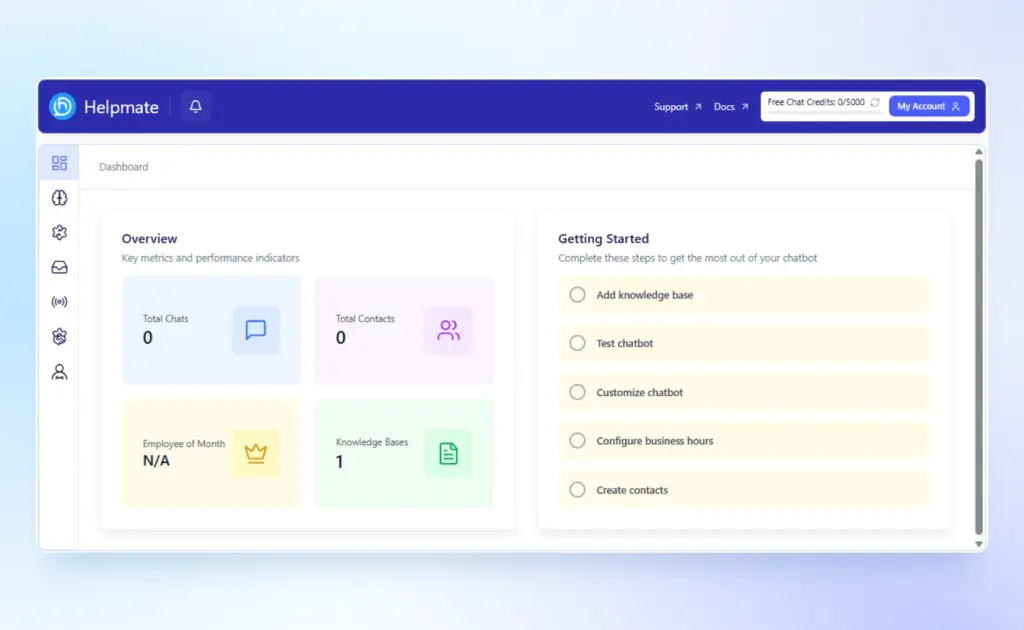
Running a WordPress business today means juggling conversations, leads, emails, support tickets, orders, and marketing campaigns across multiple tools.
The result is predictable.
Fragmented data. Missed follow-ups. Slow response times. Lower conversions.
Helpmate 2.0.0 eliminates that fragmentation.
This release transforms Helpmate from a support-focused plugin into a full AI CRM and automation system built for any WordPress business. Whether you run a WooCommerce store, a service company, an agency, or a content-driven brand, Helpmate 2.0.0 centralizes customer communication, CRM, and marketing automation inside your WordPress dashboard.
This guide explains exactly what changed, why it matters, and how it positions Helpmate as one of the most powerful AI automation systems for WordPress.
A Completely Rebuilt WordPress Admin Experience
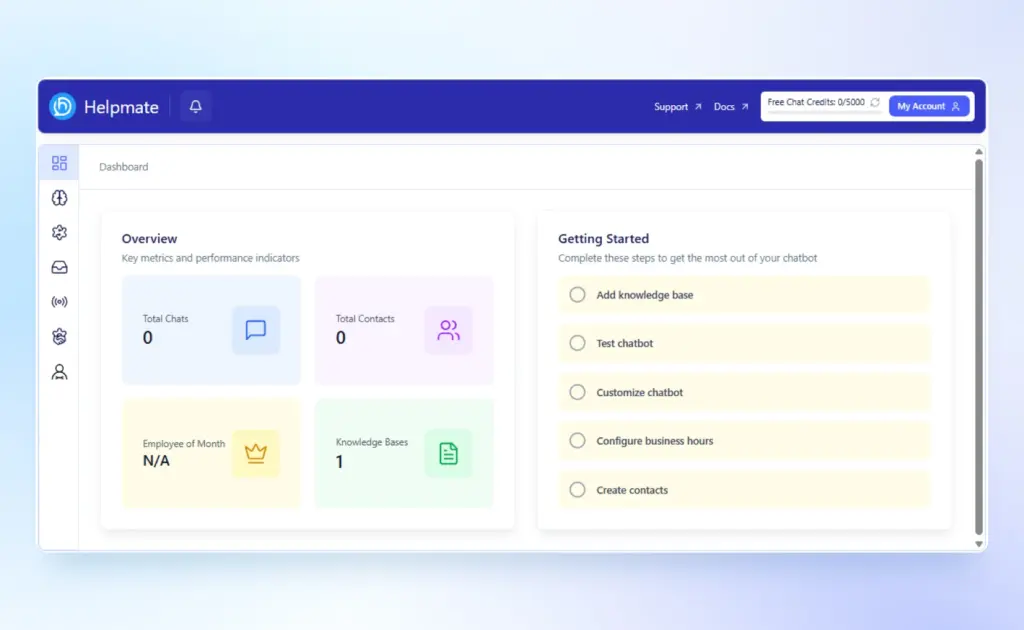
Helpmate 2.0.0 introduces a redesigned admin interface focused on clarity, speed, and operational control.
Key UI Enhancements
Icon-based sidebar with submenu panel navigation
Mobile-responsive sheet-style sidebar
Notification bell with unread counts
Browser tab title sync for unread notifications
Real-time updates system
Granular role-based permission system
The old flat navigation is gone. It is replaced by a Control Center designed for growing WordPress businesses.
New onboarding features include:
3-step setup wizard (API Key, OpenAI Pro, Data Training)
Getting started checklist
Free vs Pro comparison table
Notification badges across CRM and Inbox
This reduces setup friction and helps businesses activate automation faster.
AI CRM for WordPress Business
Helpmate 2.0.0 introduces a full contact management system directly inside WordPress.
Contact Management WordPress Features
50 contacts free. Unlimited in Pro
Contact profile with structured tabs:
Overview
Emails
Tasks
Notes
Conversations
Orders (for WooCommerce sites)
Tickets
Abandoned Carts (Pro, for WooCommerce)
Schedules (Pro)
Notes system
Custom fields (Pro)
Segments with condition builder (Pro)
WooCommerce order metabox showing CRM contact data
This turns WordPress into a centralized CRM platform.
For WooCommerce users, every order is automatically linked to a contact. Conversations, support tickets, and abandoned carts become part of a unified customer timeline.
For service businesses, appointments and email history are attached to each contact.
If you want background on CRM strategy, HubSpot’s guide offers a useful framework:
What is CRM
Helpmate embeds that power directly into WordPress.
Unified Inbox for WordPress Customer Support
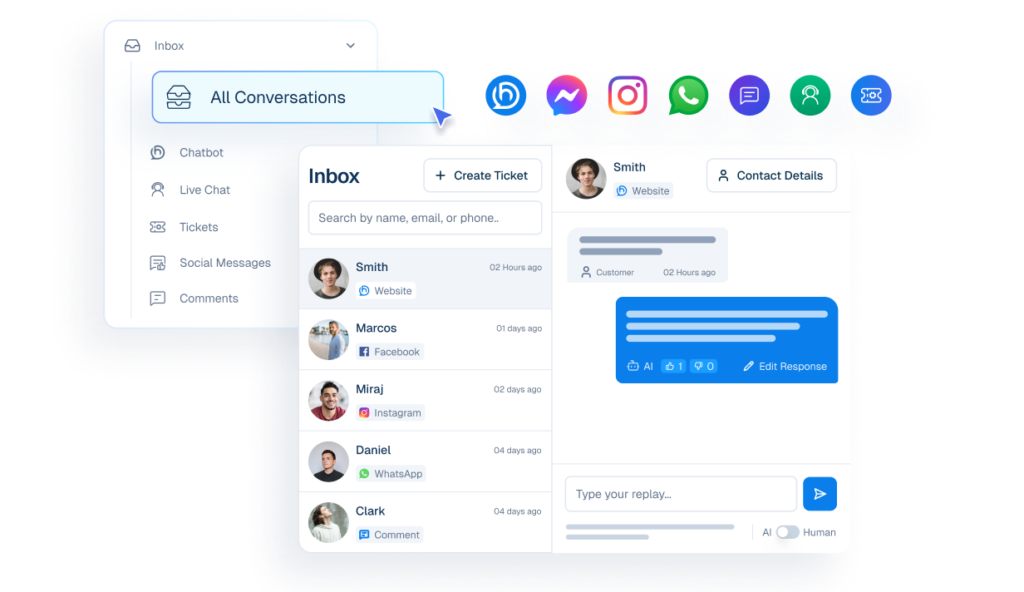
The old Activity page has been removed and replaced by a fully functional Unified Inbox.
All Conversations in One Dashboard
Inbox tabs include:
AI Chatbot conversations (200 chat credits free, unlimited with own API key in Pro)
Tickets
Live Chat (Pro)
Social Messages (Pro)
Social Comments (Pro)
Archived conversations
For WooCommerce businesses, this means customer inquiries about orders, refunds, or products are centralized.
For agencies or service providers, client chats, email tickets, and social messages are unified.
Additional enhancements:
Per-type notification counts
In-app notifications system
Business hours support
Chat review and feedback form
Improved chat formatting and UI
This aligns with modern omnichannel customer service practices discussed by Salesforce:
Omnichannel Customer Service
AI Chatbot with Improved Reasoning and Training
Helpmate 2.0.0 upgrades its AI chatbot engine significantly.
Improvements Include
Enhanced AI reasoning capabilities
Improved chat response generator
Refined data source tabs (File, Post, Products, QnA, Text, URL)
Behavior settings (tone and language control)
Test chatbot with preview launcher mode
Post and page meta box for training knowledge base directly from the WordPress editor
This allows WordPress businesses to train AI using:
Blog posts
Service pages
Product data (WooCommerce)
FAQs
Uploaded documents
For ecommerce stores, this becomes a powerful AI chatbot for ecommerce that handles product queries and order support.
For service businesses, it becomes a lead qualification and appointment assistant.
McKinsey highlights the conversion impact of AI-driven personalization:
https://www.mckinsey.com/capabilities/growth-marketing-and-sales/our-insights/the-value-of-getting-personalization-right-or-wrong-is-multiplying
Helpmate operationalizes that inside WordPress.
WordPress Marketing Automation and Email Campaign System
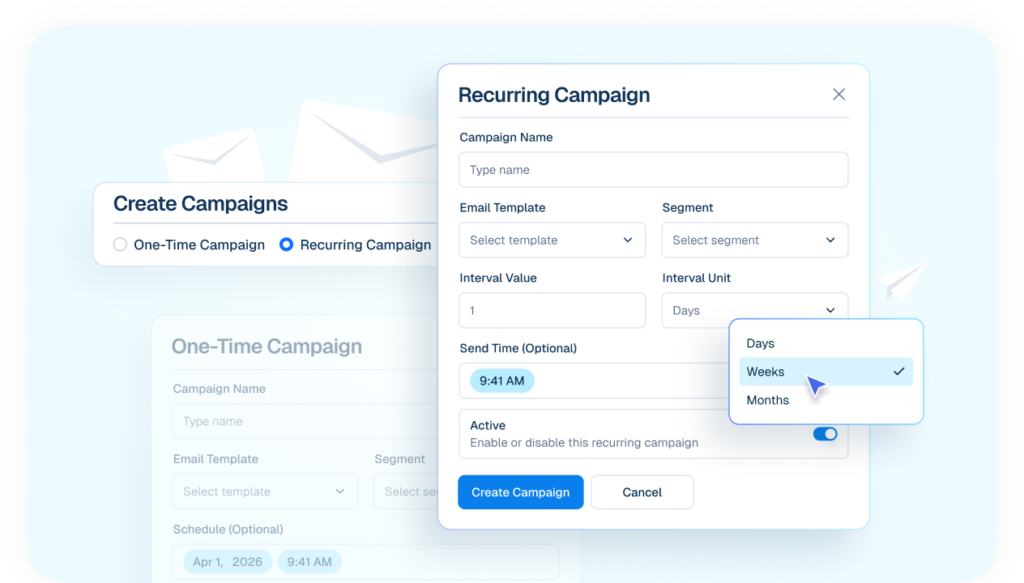
Helpmate 2.0.0 restructures automation into four clear groups:
Support
Sales
Marketing
Conversion
Marketing Automation (Pro)
Email Templates with editor and library
Bulk Email Campaigns
Email Sequences for automated follow-up
Failed email tracking sheet
Email unsubscribe page
This allows WordPress businesses to run lifecycle campaigns without external tools.
WooCommerce stores can send post-purchase follow-ups.
Service businesses can nurture leads automatically.
For conversion optimization reference:
Conversion Rate Optimization Guide-Neil Patel
Conversion Automation for WordPress and WooCommerce
Helpmate now organizes conversion-focused tools under a dedicated section.
Conversion Features
Promo Bar (1 free template)
Sales Notifications (1 free template)
Coupon Delivery automation (Pro)
Proactive Sales automation (Pro)
For WooCommerce businesses, this directly impacts average order value and abandoned cart recovery.
For non-ecommerce WordPress sites, proactive chat offers and lead capture flows increase inquiries.
Social Media Automation and Integrations
Helpmate 2.0.0 integrates directly with:
Facebook Messages and Comments (Pro)
Instagram Messages and Comments (Pro)
WhatsApp (Pro)
Additional components:
Social lead campaign builder
Social message processor for multi-platform handling
Auto DM and comment automation
This eliminates the need for third-party social inbox tools.
Conversations flow directly into the Unified Inbox and attach to CRM contacts.
Appointments, Tasks, and Smart Scheduling
Helpmate expands beyond chat and CRM into operational workflow.
Task Management (Pro)
Kanban board
List view
Custom fields
Role-based assignments
Appointments and Booking (Pro)
Public scheduling page
Booking form inside chat widget
Smart scheduling module
This is particularly powerful for:
Consultants
Coaches
Agencies
Service-based WordPress businesses
Everything connects to the CRM and contact timeline.
CRM Analytics and Team Management
Helpmate 2.0.0 introduces:
CRM Analytics (Pro)
Reports for:
Contacts
Leads
Emails
Tasks
Tickets
Team performance
Teams and Roles
Five predefined roles:
Admin
Manager
Live Chat Agent
Salesperson
Marketer
Plus granular permission controls.
This makes Helpmate scalable for agencies and growing WordPress businesses.
Why Helpmate 2.0.0 Matters for WordPress Businesses
Most WordPress businesses use:
Separate CRM
Separate chatbot
Separate email automation
Separate live chat
Separate social messaging tool
Separate WooCommerce CRM add-ons
This stack creates:
Higher recurring costs
Data silos
Context switching
Operational inefficiency
Helpmate 2.0.0 consolidates:
AI Chatbot + CRM + Unified Inbox + Marketing Automation + Conversion Tools + Analytics + Scheduling.
Inside WordPress.
That integration is its strategic advantage.
Internal Resources
Explore more:
Conclusion
Helpmate 2.0.0 is not just an update. It is a foundational upgrade that transforms WordPress into a centralized AI CRM and automation engine.
It replaces fragmented tools with a unified system.
For WooCommerce stores, it becomes a complete customer lifecycle platform.
For service-based WordPress businesses, it becomes a lead, booking, and automation hub.
Helpmate 2.0.0 positions WordPress as more than a content management system. It becomes a growth operating system.
Next Step
If you want to centralize your CRM, automate marketing, unify customer conversations, and scale your WordPress business intelligently, explore Helpmate 2.0.0 today.
Visit Helpmate Website and activate your AI-powered WordPress growth system.

