
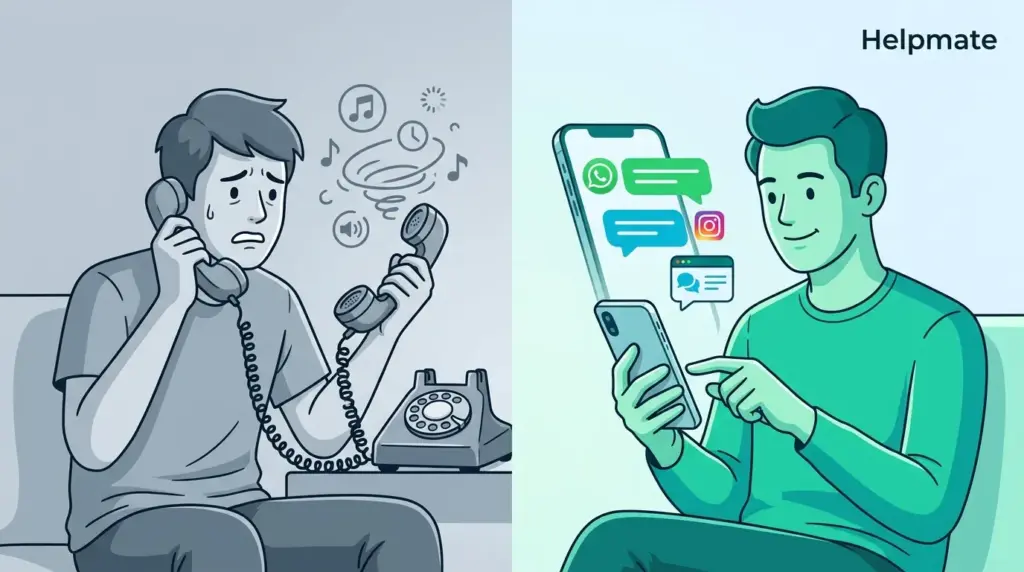
TL;DR: Something like two-thirds of patients—67% according to Vonage’s 2024 research—end up hanging up after a minute on hold. Which is wild when you consider that nearly 90% of medical appointments still get booked over the phone. A digital front door healthcare strategy swaps out those brutal phone trees for messaging that actually works, across WhatsApp, Instagram, your website. The practices I’ve talked to mention something in the ballpark of 30% less administrative work, plus patients actually seem happier. Go figure.
Your front desk is ringing again. Eighth time in ten minutes, if you’re counting. Somewhere out there, a patient is pressing 3 for scheduling, then realizing too late they should’ve pressed 2, then getting bounced to billing where nobody can help them. By the time they finally get transferred back to the right queue… well, they already hung up. This happens more than anyone admits. Phone systems that were supposed to help have become, let’s be honest, the main thing driving patients away.
There’s this weird paradox in healthcare right now. Patients can manage their entire bank account from a phone app, but getting a simple appointment at their doctor’s office still involves calling during business hours and navigating menus designed in the 90s. This article looks at how a digital front door healthcare approach—basically letting people message you the way they message everyone else—might actually fix this.
Why Phone Trees Keep Failing Patients
Phone trees fail because they were built for machines first, humans second. That Vonage study from last year—2024—found 67% of callers bail after 60 seconds on hold. For practices, that’s appointments walking out the door before they ever happened. Relationships ending before they started.
The problem keeps compounding too. When someone calls stressed about symptoms or confused about insurance, forcing them through a rigid menu of binary choices just… doesn’t match reality. They press the wrong number, land somewhere random, wait again, get frustrated. The cognitive load is actually higher when you’re already anxious.
And your staff? They’re the ones paying for this mess. Every misrouted call chews through 3-5 minutes of someone’s day—transfers, explanations, callbacks. Dozens of those daily and suddenly your front desk is managing phone system failures instead of helping actual humans.
The Real Cost of Phone Dependency
HIMSS had a figure floating around—about $20 billion lost annually across healthcare just from phone tag and missed calls. For a solo practice? Missing five calls a day works out to roughly 1,300 lost patient touchpoints per year. At typical conversion rates, you’re talking serious revenue just… gone.
But the money isn’t even the worst part. Patients who can’t get through simply delay care. They put off that screening, postpone that follow-up. Those small delays stack up until someone’s in your office with a problem that could’ve been caught months ago.
What Even Is a Digital Front Door?
Think of it as a unified way for patients to reach you—messaging instead of calling, across channels they actually use daily. WhatsApp. Instagram. Your website. No waiting on hold, no press-1-press-2 gymnastics.
It’s not just slapping a chat widget on your site though. Done properly, it means the system understands what patients need, handles the routine stuff automatically, hands off to staff with full context when needed, and remembers everything across every channel. Patient messages at midnight; sees the response Wednesday morning; picks up the thread without missing a beat.
Nuance ran a survey—2023, if I remember right—showing 87% of patients want self-service options for healthcare stuff. The digital front door gives them that without forcing yet another patient portal login they’ll forget anyway. Familiar apps, their schedule, zero hold music.
How Messaging Actually Replaces Phone Functions
Everything your phone tree tries to do, messaging does better. Hours and location? Instant reply. Appointment requests? Flows straight into your scheduling system. Insurance questions? Structured data collection that happens before a human even sees it.
The difference is in the experience. Phone calls are serial—one at a time, everyone else waits. Messaging is parallel. Unlimited conversations handled simultaneously, staff stepping in only when judgment is actually required. Artera found 64% of patients prefer messaging for routine healthcare communication. After dealing with airlines and banks and everything else through chat, that checks out.
Actually Reducing Front-Desk Workload
KLAS and Salesforce both had data showing around 30% administrative burden reduction for practices doing this properly—assuming it’s 2024, which I think it was. The savings come from a few places.
First, the predictable stuff just… disappears. Hours, directions, prep instructions—automated once, answered infinitely. AI handles the repetition while staff handle the exceptions.
Second, structured collection beats phone interrogation. When patients request appointments via message, automated flows pull out visit type, timing, insurance details upfront. Staff see a summary, not a blank slate. Seconds to confirm instead of minutes to extract.
One Inbox Instead of Scattered Channels
Unified messaging platforms collapse the chaos. One place for WhatsApp, Instagram, website chat—all the same thread history visible regardless of where the patient started. No more context lost between channels. No more messages falling through cracks because someone checked Facebook but not the website.
Asynchronous Actually Respects Everyone’s Time
Phone calls demand both people be available simultaneously. That’s expensive for everyone. Staff drop tasks to answer. Patients wait in real-time purgatory.
Messaging bends to reality. Patient sends something at 9 PM after work. Automated response confirms receipt, sets expectation for reply timing. Staff reviews Wednesday morning between patients. Urgent things escalate. Routine things resolve without anyone waiting on hold.
What Chatbots Can Actually Handle
Healthcare chatbots trained on actual practice content—realistically 70-80% of routine stuff, depending on your specialty and implementation quality. The usual suspects:
- Operational details: Hours, locations, parking, which providers are accepting patients, insurance acceptance
- Appointment logistics: Scheduling, rescheduling, prep instructions, what to bring, when to arrive
- Prescription stuff: Refill requests, pharmacy coordination, prior auth status checks
- Billing questions: Payment methods, coverage basics, portal help
- Initial triage: Symptom collection for nurse review, urgency flagging, directing to appropriate care level
The thing enabling this is RAG—retrieval-augmented generation—which basically means the chatbot pulls from your actual content, your actual policies, rather than making up generic answers. When it hits something outside the knowledge base, escalation happens with context attached.
Training on Your Actual Practice Content
Good chatbots need real inputs. Website pages, provider bios, service descriptions, FAQ lists—especially the ones your front desk has memorized but nobody wrote down. PDF forms. Prep instructions. The random policy details buried in handbooks.
And this isn’t one-and-done. Practices change. Providers join. Services expand. Seasonal stuff—flu shot availability, holiday hours—shifts constantly. You need platforms that let you refresh content without calling a developer. WordPress integrations help here since content already lives there.
Implementation Without Breaking Everything
Rollout strategy matters. Go too fast and you create new chaos. Most places that succeed do it in three stages.
Stage one: website chat only. Controlled environment. Limited traffic. Staff learn the interface, workflows get refined, knowledge gaps surface before volume hits.
Stage two: add social channels based on your patient demographics. Younger patients? Instagram. Established Facebook presence? Messenger. Communities where WhatsApp dominates? Go there. Each addition waits for the previous one to stabilize.
Getting Staff Actually On Board
Tech fails when staff feel threatened. Reframe this: it’s removing tedious work, not removing humans. Front desk people who spent hours on hold-related tasks can actually talk to patients who need human attention.
Training needs both technical skills—how the inbox works, how to hand off, when to escalate—and workflow clarity. What’s for automation, what’s for humans. Role definition prevents the worst outcome: staff trying to do everything manually while also not trusting the automation.
Compliance Reality
Healthcare messaging lives under multiple frameworks. HIPAA is obvious. State medical boards have their own rules. FCC stuff around consent and opt-outs. You can’t ignore any of it.
Business Associate Agreements with your platform vendor are non-negotiable. No BAA means no PHI through that system, period. This eliminates consumer tools—regular WhatsApp Business, basic Messenger—regardless of how convenient they seem.
Handling PHI in Practice
What’s PHI gets debated. Practice name and address? Probably not. Patient name plus health details? Definitely PHI. When in doubt, treat it all as protected. Encrypted transmission. Encrypted storage. Access logs. Audit trails.
Consent needs documentation too. Initial opt-in should explain what you’re doing, expected response times, and what counts as urgent versus routine. Annual renewal. Immediate opt-out that actually works.
Measuring Whether This Actually Works
You need baselines before you can claim success. Operational metrics, financial metrics, patient experience—track them from day one, watch the trends.
| Category | What to Track | Target |
|---|---|---|
| Operational | Call volume, handle time, response time per message, hours per patient interaction | Down |
| Financial | Missed calls, appointment conversion, no-shows, collection efficiency | Improve |
| Experience | Satisfaction scores, complaints, channel preference | Improve |
| Technical | Automation rate, escalation rate, accuracy | Optimize |
Early on, message volume often increases—that’s good, means adoption. Watch staff time per interaction, which should drop even as total volume grows.
Benchmarking Reality
Healthcare messaging benchmarks are still emerging. Ballpark numbers: 70% patient satisfaction with messaging versus 45% with phone access. Under 5 minutes response time during hours, under 24 after hours. Primary care might hit 75% automation; complex specialties maybe 50%—both are wins if staff time drops.
FAQ
Yes—64% prefer messaging for routine stuff according to Artera’s 2023 data. When you make it visible and easy, adoption happens. Prominent website placement, handouts mentioning the option, staff referencing it during calls. Most practices see 40-60% of routine stuff shift to digital within about 90 days.
Escalation happens. When confidence drops below your threshold or patients explicitly ask for a human, the conversation transfers with full context. Staff see everything the bot collected. Patient doesn’t repeat themselves. Target escalation of 20-30% means you’ve set boundaries correctly, not that knowledge is failing.
Basic website chat with automation: 1-2 weeks including content training. Full omnichannel across WhatsApp, Instagram, Messenger: 4-6 weeks depending on platform verification. WordPress practices can move faster with plugins that leverage existing content. Free versions let you test before committing.
Actually, small practices might benefit most. Solo practitioners don’t have dedicated phone staff—every interruption pulls focus from clinical work. Automating routine stuff preserves that focus. The KLAS/Salesforce 30% burden reduction translates to hours weekly for small practices. Subscription pricing has made this accessible without massive upfront investment.
Messaging needs explicit urgent protocols. Keywords trigger immediate staff alerts. Automated responses should state limitations and provide emergency numbers. Triage workflows collect symptoms fast for nurse review. But messaging should never be positioned for life-threatening emergencies—patient education about appropriate channels prevents dangerous delays.
Depends on your ambition level. Basic: no integration, just information and routing requests to staff for manual entry. Intermediate: calendar sync for real availability. Advanced: patient self-scheduling with automatic updates to your practice system. Most start basic and expand as they get comfortable. WordPress-based practice management plugins can simplify the technical side.
When done well, it strengthens relationships by removing friction. Patients get responsiveness and convenience, which builds loyalty. Staff redirect time to meaningful conversations rather than repetitive exchanges. That Nuance data—87% wanting self-service—suggests convenience enhances perceived quality. Practices report stable or improved satisfaction when patients have choice and human escalation remains available.
Conclusion
Phone trees were a failed experiment. Sixty seconds on hold and 67% of patients are gone. That was Vonage’s finding in 2024. The friction damages relationships, wastes staff time, and costs money.
Digital front door strategies replace this with conversations that match how people actually communicate—across WhatsApp, Instagram, Messenger, your website. Smart automation for routine stuff, human judgment for the complex.
Implementation needs attention to compliance, change management, measurement. But 30% administrative reduction with happier patients? That’s achievable. The tech exists. The patient preference is proven. It’s really just about execution speed at this point.
- Phone trees fail because they prioritize machines over humans
- 67% of patients abandon after 60 seconds holding
- Digital front doors enable messaging across familiar channels
- 30% administrative reduction is realistic
- 70-80% of routine inquiries can be automated
- HIPAA compliance requires BAAs, encryption, consent documentation
Practices ready to move can start with Helpmate – Live, Social & AI Chat with Built-in CRM, available in the WordPress directory with core features free.

