
Contact-Centric CRM: Why Support Teams Need Order History
Most support agents have been there. You’re staring at five browser tabs trying to answer what should be a simple shipping question. WooCommerce admin over here. Email thread somewhere else. That social inbox you forgot to check. By the time you piece together what actually happened, the customer has already typed “hello??” twice.
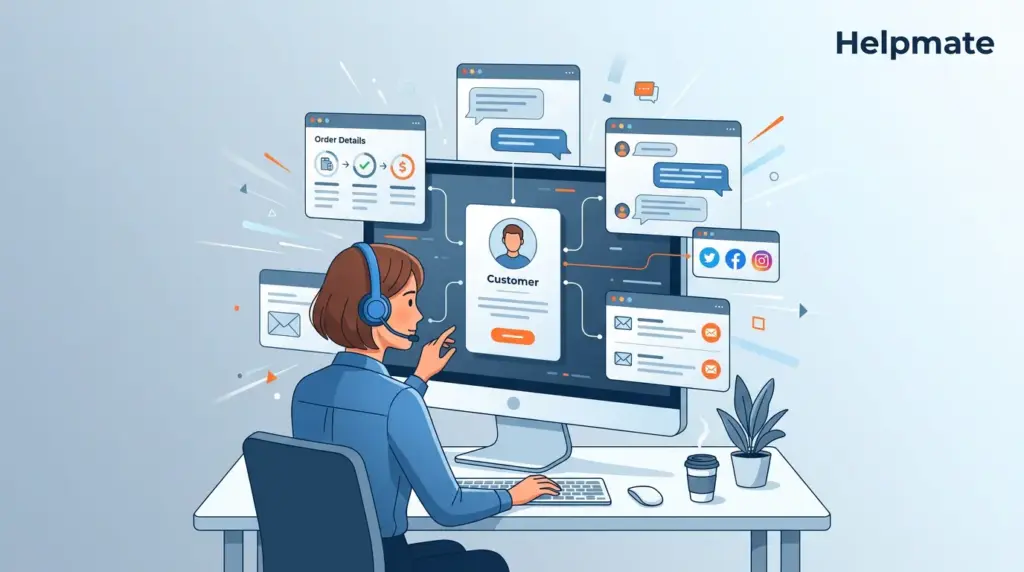
This is the fragmentation problem. A contact-centric CRM attempts to solve it by keeping everything—orders, notes, conversations—tied to one persistent profile. Not tickets that disappear when you close them. An actual record that sticks around. In this guide, you’ll get a sense of what that looks like in practice. What belongs in a unified profile. And honestly, when it’s actually worth making the switch from ticket-first to contact-first workflows.
Key Takeaways
- Support teams often lose productive minutes switching between order systems and chat logs.
- A contact-centric CRM unifies conversation history, order details, and notes in one profile.
- Research from the University of California, Irvine indicates that recovering from interruptions can consume up to 40 percent of knowledge worker time.
- This single view cuts response delays and stops customers from repeating themselves across every support channel.
Ready to unify your support stack? Explore Helpmate’s WordPress CRM and see how contact-centric workflows reduce response times.
What Is a Contact-Centric CRM, Actually?
A contact-centric CRM organizes interactions around the customer record instead of whatever ticket number got assigned that morning. Traditional case-based systems treat each support issue like it happened in a vacuum. The contact-centric model links conversations, orders, notes, tasks—all of it—to a profile that doesn’t vanish when the issue resolves.
In e-commerce specifically, this distinction hits different. Shoppers don’t have just one question. They ask about sizing Tuesday, shipping Wednesday, returns Thursday. A ticket-centric helpdesk spawns three separate cases with no obvious connection. A contact-centric system just appends each thread to the same record. The agent sees lifetime context immediately. No asking for the order number twice. No pretending this is the first time you’ve talked.
The model also shifts how ownership works. Instead of routing tickets to departments, you’re routing conversations to contacts. Marketing sees lead history. Support sees satisfaction trends. Sales sees order value. Everyone’s looking at the same source, which cuts down on the “did you see the note I left?” back-and-forth. Data doesn’t evaporate when a ticket closes. It stays.
There’s also the longevity piece. When a contact record persists, you can actually look back. Managers might review someone’s support load over the past year. They might notice certain shoppers contact support before every purchase—behavioral signals that ticket-centric systems miss because the records are too scattered to correlate. You can’t connect dots that don’t exist in the same place.
Why Do E-Commerce Teams Lose Time Without Order Context?
The constant tab-switching between WooCommerce admin, email inboxes, and social DMs breaks concentration in ways that add up. Each jump forces the agent to rebuild mental context. Research from the University of California, Irvine suggests that regaining focus after an interruption can consume a significant portion of productive time. In a fast queue, that cost multiplies across dozens of tickets per shift. By Wednesday afternoon, you’re working at half speed and feeling it.
When someone asks about a delayed package or refund status, the agent needs the order ID, tracking number, payment method—now. If these live in separate systems, the choice is either keep the customer waiting or ask for information they already provided. Both options erode trust. They also push average handle times higher, which hits team morale when you’re watching the queue back up.
Context gaps breed errors too. An agent might offer a replacement size without noticing the customer already started a return via chatbot yesterday. Or issue a duplicate refund because the prior note never synced with the support inbox. Without a unified profile, the right hand genuinely doesn’t know what the left hand did twenty minutes ago.
These problems get worse during peak seasons. A Black Friday surge can flood a ticket-first inbox with hundreds of isolated requests. Agents burn out faster without context. Customers post public complaints when they’ve repeated their story three times. The hidden cost isn’t just minutes—it’s churn, reputation damage, the stuff that shows up later in quarterly reviews.
How Linking Conversations and Orders Actually Reduces Chaos
Unified records prevent the information silo problem. When order status sits next to the conversation thread, agents answer from one screen. The shopper doesn’t rehash their issue. The agent doesn’t hunt for tracking codes. Momentum stays intact for both parties. Resolution happens faster.
Context continuity also protects quality during shift changes. If a customer emails at 9am and DMs Instagram at 9pm, the night agent sees the full trail. The handoff becomes seamless because the contact profile already holds the order history and prior resolutions. No detective work. No redundant replies asking for the same details again.
Over time, this linked structure builds richer records for pattern analysis. Managers can spot which products generate repeat support by correlating ticket tags with order data. They can identify high-value customers who contact support before reordering. They can catch shipping partners that cause repeated delays. These insights stay hidden when conversations and orders live in separate databases.
The customer experience shifts in subtle ways. Shoppers feel recognized when an agent says, “I see you grabbed the large last month—want me to check if the medium’s back in stock?” That familiarity builds loyalty. Support stops being just a cost center and starts actually retaining customers.
What Belongs in a Unified Contact Profile?
A complete contact profile combines identity data, interaction logs, commerce history, and team notes in one view. This is the core of contact-centric design. Each piece serves a distinct purpose in helping agents respond with precision.
Identity data covers the basics: name, email, phone, social account IDs. Seems straightforward, but accuracy matters here. When Helpmate ingests a Messenger thread and matches it to a WooCommerce account, the agent knows exactly who they’re serving. Duplicate profiles create confusion—suddenly you’re treating the same person as two different customers. A clean identity layer prevents that mess.
Interaction logs capture live chat transcripts, social DM threads, email exchanges, ticket threads. They show not just what was said, but when and through which channel. This chronological story prevents agents from contradicting prior promises. It also reveals escalation patterns that managers can use for coaching—like noticing someone always escalates shipping issues after 5pm.
Commerce history displays orders, refunds, shipping statuses pulled from WooCommerce or Easy Digital Downloads. Agents see item details, totals, fulfillment states without leaving the conversation. This is where contact-centric CRM proves its worth for e-commerce. The order isn’t an abstract number. It’s a real event tied to a real person.
Team notes add internal context that survives across agents. VIP status, communication preferences, prior escalation handling—these notes belong to the contact, not the ticket. So they persist long after the specific issue resolves. For WordPress stores wanting to test this without commitment, the free plugin is available on WordPress.org as Helpmate – Live, Social & AI Chat with Built-in CRM. Paid tiers unlock deeper automation and broader channel connections.
When to Actually Switch From Ticket-First to Contact-First
Teams should consider switching when repeat customers generate more contacts than one-time shoppers. Also when agents constantly ask for order numbers—these are symptoms that your helpdesk is optimized for issues instead of relationships. The tipping point usually arrives during seasonal surges, when context switching becomes genuinely unbearable.
Evaluating the move requires an honest look at current workflows. Can your existing tool show lifetime order value next to the current chat? Do social DMs and live chat resolve to the same record? If the answer is no, your team’s already working harder than necessary. The best time to migrate is before volume spikes—not during them, when you’re just trying to survive the day.
Consideration-stage buyers should also weigh integration depth. A contact-centric CRM needs to speak to WooCommerce natively. It should ingest orders automatically, not through manual CSV exports you run every Tuesday. Look for platforms that offer unified inbox filtering by channel, but always resolve threads to the same contact card. Anything less just perpetuates the silos you’re trying to escape.
Training requirements are lower than teams expect. Agents already know how to talk to customers. They already know how to read order screens. A contact-centric interface just brings those two activities together. The real change is mental—teams have to stop thinking in tickets and start thinking in relationships. That shift takes longer than learning new software.
Maintaining Context Across Live Chat, Social, and Tickets
An inbox that ingests every channel into a single thread per contact preserves continuity. This isn’t multi-channel support. It’s unified-channel support. The customer might start on Messenger, escalate to live chat, follow up via email. In a contact-centric system, all three touches append the same profile.
Inbox filtering helps teams manage volume without losing the thread. Support leads can view Chatbot conversations separately from Live Chat handoffs. They can pivot to Social Messages or Comments as needed. Archived threads stay searchable and linked to the contact record. Nothing disappears when a ticket status changes.
The real test: can a new agent pick up any conversation without asking the customer to repeat themselves? If your current stack requires the shopper to provide an order number every time they switch from Instagram DM to email, you’ve got a channel problem. A true contact-centric platform treats the contact as the constant and the channel as the variable.
Helpmate approaches this through a unified Inbox with filters for Chatbot, Live Chat, Tickets, Social Messages, and Comments. Each filter shows a different slice of the conversation stream. Yet every slice resolves to the same CRM contact. This architecture prevents the fragmentation that ruins customer experiences during complex support journeys.
Frequently Asked Questions
Ticket-centric systems open a new record for every issue. Contact-centric systems append every issue to the same customer profile. The latter preserves context across interactions and channels so agents always know the full history.
No. It augments WooCommerce by displaying order history inside the support interface. You still manage products and inventory in WooCommerce. Helpmate surfaces that data next to conversations for faster agent responses.
Helpmate CRM, unified Inbox, Order Management, Notes, and social channel integrations all resolve to a single contact record. This persistent profile is the foundation of contact-centric support.
Yes. The same contact card links live chat transcripts, Messenger threads, Instagram DMs, WhatsApp messages, and email tickets. Agents see the full interaction history regardless of entry point.
Helpmate pulls order data from WooCommerce or Easy Digital Downloads and displays it in the Orders tab on the contact detail screen. Agents see item details, status, and totals without leaving the conversation.
Move before support volume overwhelms your team. Signs include frequent requests for repeat information, long handle times, and agents juggling multiple disconnected systems. Early migration prevents burnout during peak seasons.
Yes. Even a single agent works faster when order history and conversations live in one view. Small stores also build stronger loyalty because shoppers feel recognized instead of processed.
Conclusion
A contact-centric CRM reorients e-commerce support from firefighting to relationship building. When agents see orders, notes, and conversations in one place, they respond faster and make fewer mistakes. The customer feels known, not numbered.
Key takeaways include these points. Anchor every interaction to a persistent contact profile instead of a disposable ticket. Link commerce data directly to that profile through native WooCommerce integration. Maintain unified context across live chat, social, and email channels. Migrate before peak season breaks your workflow.
Start building a support experience that treats the customer as the central record. Explore the full feature set on the Helpmate pricing page.

