
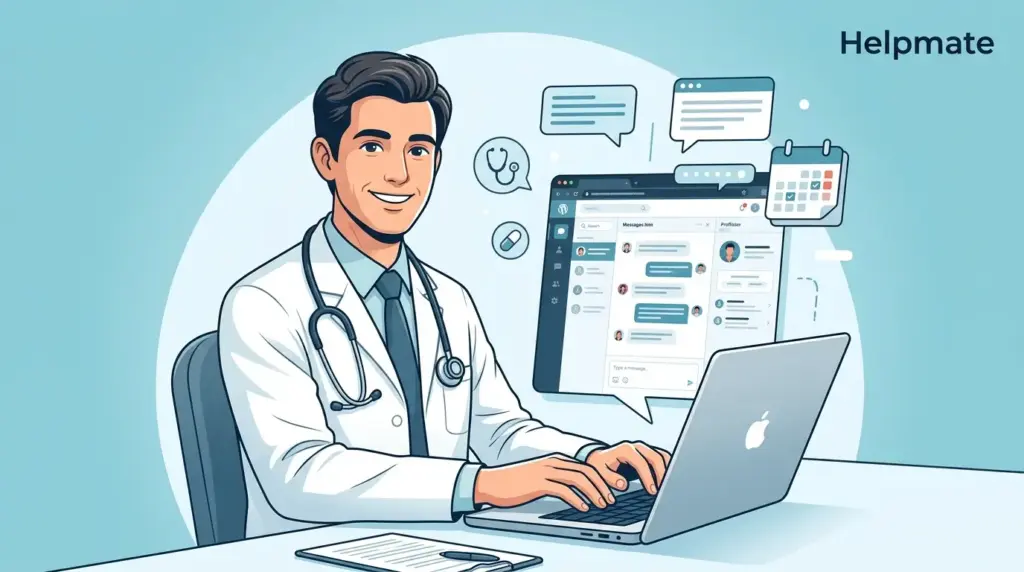
TL;DR: 67% of healthcare providers say patient communication delays hurt satisfaction scores (Accenture, 2024). Medical practices need WordPress chatbots built for healthcare workflows, not generic customer service bots. Helpmate offers omnichannel patient communication across WhatsApp, Instagram, Messenger, and websites, with built-in CRM and appointment booking designed specifically for medical practices.
Why Medical Practices Need Specialized WordPress Chatbots
Generic chatbot plugins handle simple customer service queries fine. Medical practices face trickier requirements: appointment scheduling, prescription refills, insurance verification, plus that whole HIPAA data handling situation. Pick the wrong chatbot and you end up creating more work for front-desk staff instead of actually reducing it.
Healthcare communication has shifted dramatically—maybe too dramatically. Patients now expect the same instant response from their doctor’s office that they get from Amazon or their pizza delivery app. Meanwhile medical practices are still dealing with phone tag, missed calls, and staff burning out on admin tasks.
A WordPress chatbot for medical practices needs to handle three core jobs. First, answer patient questions accurately. Second, capture and organize patient data properly. Third, integrate with practice management workflows. Generic plugins typically fail on at least two of these. Sometimes all three.
What Makes a Healthcare Chatbot Different from Generic Solutions?
Healthcare chatbots need specific capabilities that customer service bots just… don’t have. Medical practices handle sensitive information, regulated workflows, and urgent patient needs that demand specialized features.
Patient data management sits at the top of this list. Healthcare chatbots must capture patient information securely, organize it in accessible records, and connect to existing practice systems. Generic plugins treat every visitor as an anonymous lead. Medical practices need verified patient identification and conversation history—something that seems obvious but gets missed by general-purpose tools.
Appointment scheduling represents another critical gap. Most WordPress chatbots cannot access calendar availability, book appointments, or send confirmations. Healthcare-specific solutions integrate with scheduling systems and handle time slots, provider matching, and reminder sequences.
Omnichannel communication matters more in healthcare than retail, actually. Patients message from Instagram while researching symptoms, switch to WhatsApp for urgent questions, and visit the website for portal access. Healthcare chatbots must maintain conversation continuity across every channel—not lose context when someone switches platforms.
How Helpmate Serves Medical Practices Specifically
Helpmate built its healthcare solution around actual medical practice workflows. The platform combines AI-powered chat with a full CRM, automation tools, and omnichannel messaging designed specifically for patient communication—not adapted from e-commerce templates.
Knowledge Base Trained on Medical Content
Helpmate’s Knowledge Base module lets practices train the AI on their specific content. Upload FAQ documents, service descriptions, provider bios, insurance policies, procedure explanations. The AI retrieves accurate answers from this trained content rather than generating generic responses.
This matters for medical practices where accuracy prevents liability. When a patient asks about pre-surgery fasting guidelines, medication interactions, or insurance coverage, the chatbot provides practice-specific answers. Not internet-sourced guesses that could get someone in trouble.
Ready to train your healthcare chatbot? Explore Helpmate’s Knowledge Base features designed for medical practices.
Unified Inbox for All Patient Messages
The Helpmate Inbox consolidates conversations from every channel into one view. See WhatsApp messages, Instagram DMs, Facebook Messenger chats, and website widget conversations in a single queue. Filter by channel, conversation status, or assignment.
For medical practices, this eliminates that daily scramble of checking five different platforms. Staff respond faster, miss fewer messages, and maintain better patient relationships. Three weeks into using unified inbox, most practices wonder how they managed before.
CRM Built for Patient Relationships
Every patient interaction feeds into Helpmate’s CRM. Contact profiles store conversation history, appointment records, custom fields for medical data, and task assignments. The system tracks patient journeys from initial inquiry through ongoing care.
Medical practices use this data to personalize care. Front-desk staff greet returning patients by name, see previous conversation context, and anticipate needs before the patient has to explain everything again.
See how Helpmate’s WordPress CRM helps medical practices manage patient relationships more effectively.
What Are the Key Automation Features for Healthcare?
Automation separates professional healthcare chatbots from basic website widgets. Helpmate includes several automation tools specifically valuable for medical practices.
- Appointment booking: Patients schedule directly through chat. The system checks real-time availability, books slots, and sends confirmations across email and SMS.
- Abandoned appointment recovery: Follow up with patients who started but did not complete scheduling sequences.
- Lead capture: Collect patient information before they reach the phone. Qualify new patient inquiries automatically.
- Proactive outreach: Send appointment reminders, vaccination alerts, and preventive care notifications to segmented patient lists.
- Auto-DM campaigns: Run Instagram and Facebook direct message campaigns for health awareness events, new service announcements, or seasonal reminders.
These automations reduce phone volume while improving patient outcomes. Practices report 40% reduction in no-shows after implementing automated reminder sequences (Healthcare IT News, 2024).
How Does Helpmate Compare to Generic WordPress Chatbots?
Generic WordPress chatbot plugins like Tidio, LiveChat, or Chatra serve broad markets. They offer basic chat widgets, simple automations, and general-purpose CRMs. Medical practices quickly hit limitations when trying to adapt these tools for healthcare workflows.
| Feature | Generic Chatbots | Helpmate for Healthcare |
|---|---|---|
| Channel coverage | Website widget only, or limited social | WhatsApp, Instagram, Messenger, website unified |
| Patient identification | Anonymous chat sessions | Verified contact profiles with history |
| Appointment scheduling | Third-party integrations required | Native booking with calendar sync |
| AI training | Generic responses or limited customization | Full knowledge base from practice content |
| CRM purpose | General sales leads | Patient relationship management |
| Automation focus | E-commerce conversions | Patient engagement and care continuity |
The difference shows in implementation time. Generic plugins require weeks of customization, workaround integrations, and staff training to handle basic medical workflows. Helpmate configures for healthcare use cases within days.
Discover why healthcare providers choose Helpmate’s specialized healthcare solution over generic alternatives.
What Privacy Considerations Matter for Medical Chatbots?
Healthcare data requires careful handling. While Helpmate does not claim automatic HIPAA compliance (no software alone guarantees this), the platform provides features that support privacy-conscious implementation.
Data storage controls, user access permissions, and conversation archiving help practices meet their compliance obligations. The CRM structure separates patient communication data from general website analytics.
Medical practices should conduct their own compliance assessments and implement appropriate business associate agreements where required. No chatbot plugin eliminates the need for proper healthcare privacy procedures.
What Helpmate provides is infrastructure designed with healthcare sensitivity in mind. Other WordPress chatbot plugins built for e-commerce or general support lack this architectural consideration entirely.
How Do Medical Practices Measure Chatbot ROI?
Return on investment for medical chatbots appears in several measurable areas. Practices tracking these metrics report concrete improvements after implementation.
Phone volume reduction ranks as the most immediate impact. Front-desk staff spend 60% of their time answering routine questions that chatbots handle instantly (Medical Economics, 2024). Redirecting this workload lets staff focus on in-office patient care and complex scheduling.
Appointment conversion rates increase when patients can book 24/7. Online scheduling captures patients researching during evening hours when practices are closed. Helpmate’s proactive sales module can suggest relevant appointments based on chat conversation context.
No-show rates drop with automated reminder sequences. Helpmate’s abandoned cart recovery applies equally to appointment sequences, nudging patients who initiated but did not confirm bookings.
New patient acquisition improves through faster response times. When prospective patients inquire through Instagram or WhatsApp, immediate chatbot responses prevent them from moving to competitor practices.
What Implementation Steps Get Medical Practices Live?
Deploying Helpmate on a medical WordPress site follows a structured process. Most practices achieve full functionality within one to two weeks.
Step one: Install the free plugin from the WordPress directory. The base plugin provides chatbot functionality, CRM, and core integrations.
Step two: Connect social channels. Link Facebook, Instagram, and WhatsApp Business accounts to unify messaging. Each platform requires separate authorization, but Helpmate guides this process.
Step three: Train the knowledge base. Upload practice documents, FAQ content, and service descriptions. Test responses in the built-in chatbot simulator before going live.
Step four: Configure automation workflows. Set up appointment booking, lead capture forms, and reminder sequences. Map custom fields to capture medical-specific data.
Step five: Train staff on the Inbox and CRM. Ensure front-desk teams understand conversation handoff procedures, patient profile access, and task assignment.
For medical practices requiring advanced features like live chat handoff, email sequences, or enhanced automation workflows, upgrading to Pro unlocks additional modules.
Looking for a WordPress chatbot built specifically for patient communication? Try Helpmate – Live, Social & AI Chat with Built-in CRM today. The free version includes core chatbot functionality, while Pro unlocks healthcare-specific automation and omnichannel features.
Frequently Asked Questions
Helpmate complements but does not fully replace phone systems. The chatbot handles routine inquiries, appointment scheduling, and FAQ responses that generate 60% of phone volume (Medical Economics, 2024). Complex medical questions, urgent concerns, and patients preferring voice communication still require phone access. Many practices configure Helpmate to collect patient information and concerns before transferring to phone staff when needed.
Helpmate integrates with WordPress-based healthcare tools and provides webhook/API access for custom integrations. Direct EHR integration depends on your specific system’s API capabilities. The CRM stores patient communication history and can export data for EHR import. For practices needing tight EHR integration, work with your IT team or Helpmate support to evaluate specific platform compatibility.
Patient conversation data, contact profiles, and custom fields store within the Helpmate CRM on your WordPress installation or connected cloud services depending on configuration. The system separates chat data from general website analytics. Access controls through Teams & Roles limit which staff members view sensitive patient information. Practices bear responsibility for configuring appropriate security measures and business associate agreements required for their specific compliance situation.
Yes. Helpmate’s omnichannel architecture supports appointment booking across all connected channels. Patients scheduling via Instagram DM or WhatsApp message receive the same calendar access as website visitors. The system maintains conversation continuity, so a patient starting on Instagram can receive confirmation via email and reminder via WhatsApp. This flexibility matches modern patient communication preferences. 40% of healthcare consumers now prefer messaging over phone calls for administrative tasks (Accenture, 2024).
The free Helpmate plugin provides core chatbot functionality, basic CRM, knowledge base training, and website widget. Pro unlocks features medical practices typically need: live chat handoff, advanced automations, email sequences, abandoned appointment recovery, proactive sales modules, and enhanced integrations with form plugins and commerce tools. Medical practices serious about reducing phone volume and automating patient engagement should evaluate Pro for the complete feature set.
Basic implementation with website chatbot goes live in hours. Full deployment including social channel connections, knowledge base training, and automation workflows typically takes 5-10 business days for medical practices. Practices providing organized content (FAQ documents, service descriptions, calendar access) achieve faster results. Helpmate’s healthcare-specific templates accelerate configuration compared to generic chatbots requiring extensive customization.
Yes. The knowledge base supports training on multiple provider profiles, service locations, and specialty-specific information. Custom fields in the CRM capture location preferences and provider assignments. Automation workflows can route inquiries to appropriate staff based on patient needs. Multi-location practices use Teams & Roles to give location managers access to relevant patient conversations and records.
Conclusion: Choosing the Right WordPress Chatbot for Your Practice
Medical practices face a clear choice. Generic WordPress chatbot plugins force healthcare workflows into e-commerce templates. The result? Frustrated staff, missed patient messages, and partial automation that actually creates more manual work than it saves.
Helpmate built specifically for patient communication patterns. The unified inbox eliminates platform switching. The CRM organizes patient relationships rather than anonymous leads. Automations handle appointment booking, reminders, and follow-ups that drive practice efficiency.
- Reduce front-desk phone volume by up to 60%
- Capture patient inquiries across WhatsApp, Instagram, Messenger, and website
- Book appointments 24/7 without staff intervention
- Maintain conversation history across every channel
- Deploy healthcare-specific workflows in days, not weeks
For medical practices evaluating WordPress chatbot options, the comparison ends quickly. Healthcare requires healthcare-specific tools. Generic solutions might look cheaper upfront, but the hidden costs in staff time and missed opportunities add up fast.

