WPForms Integration
Map WPForms entries into Helpmate leads and tickets, then graduate to Helpmate Pro outcomes when your commerce and scheduling playbooks demand it.



What This Integration Enables
Lead Capture turns WPForms conversions into actionable leads
Helpmate lists WPForms assets eligible for mapping so admins pick the correct form for each campaign or support intake.
Tickets route support-grade WPForms intakes with less triage
Turn high-intent WPForms submissions into structured Helpmate leads instead of scattered notifications.
Custom Fields mapping keeps WPForms payloads automation-ready
Route technical intakes into tickets with mapped severity, contact, and reproduction fields-reducing triage overhead.
Contacts stay aligned with new WPForms submissions
Use integration events to debug mapping drift after form duplication or A/B tests change field keys.
Appointments & Bookings extend WPForms outcomes into scheduling
Add Helpmate Pro actions for appointments, order assistance, and refund flows without rebuilding your WPForms library.
Why This WPForms Integration Matters
Capture revenue signals immediately
Every extra minute between submission and CRM entry is leakage. Helpmate routes WPForms conversions into structured records instantly so sales and success can act while intent is hot.
Support that matches your brand promise
Marketing promises speed; support must deliver it. Ticket routing from WPForms keeps promises aligned by eliminating manual forwarding chains.
Scale forms without scaling chaos
More landing pages means more integration risk. Helpmate’s mapping model and events make growth manageable for lean ops teams.
Features we support
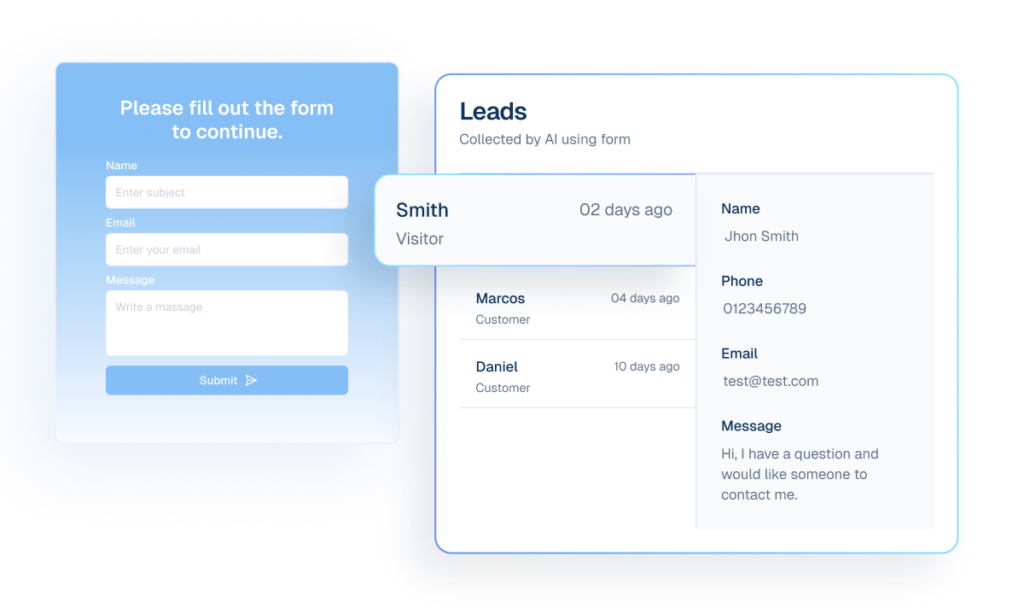
Lead Capture routes WPForms submissions into structured leads
What it Does
Dispatch mapped entries to `lead_collection`.
Business Impact
Improves lead capture quality and CRM readiness.
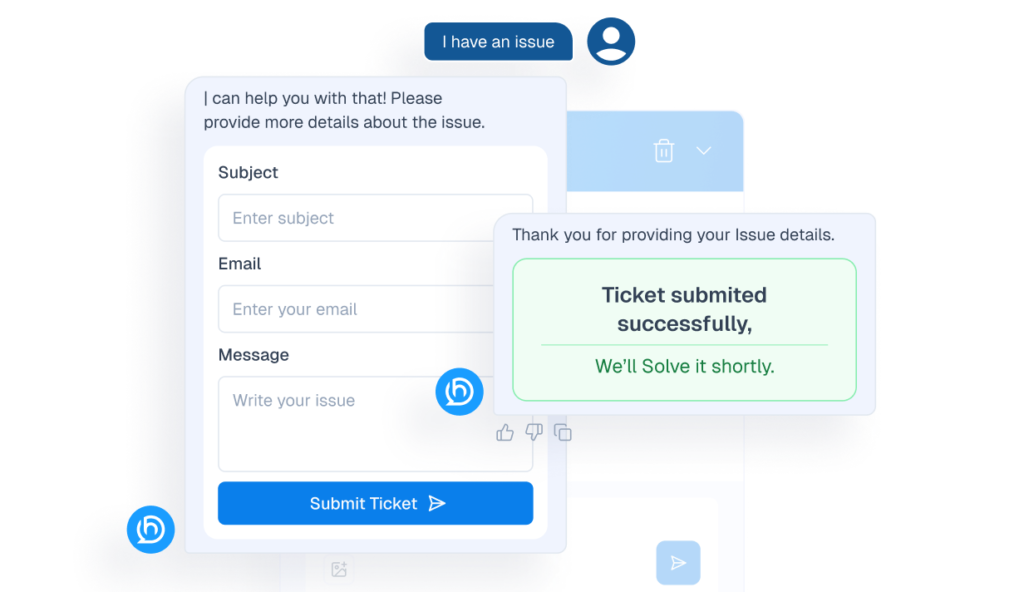
Tickets route WPForms support submissions with validation
What it Does
Dispatch mapped entries to `ticket_creation` with required-field validation.
Business Impact
Reduces low-quality support intake and manual follow-up loops.
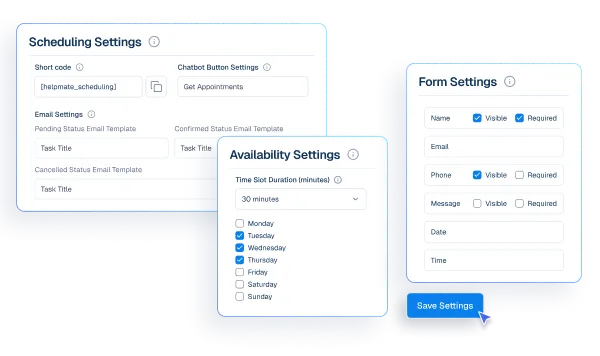
Appointments & Bookings enables WPForms scheduling outcomes
What it Does
Enable `appointment_creation` through Pro handlers.
Business Impact
Automates booking flows from form submissions.
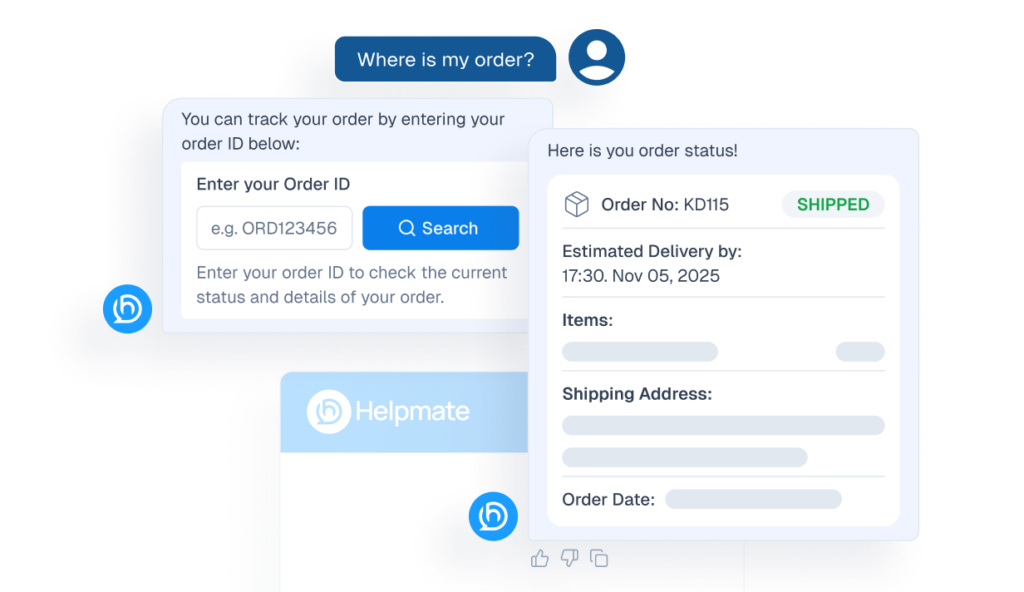
Order Status Tracking supports WPForms post-purchase checks
What it Does
Enable `order_status_checking` from mapped payloads.
Business Impact
Deflects common order-status support requests.
Refund & Return handles WPForms post-purchase resolution
What it Does
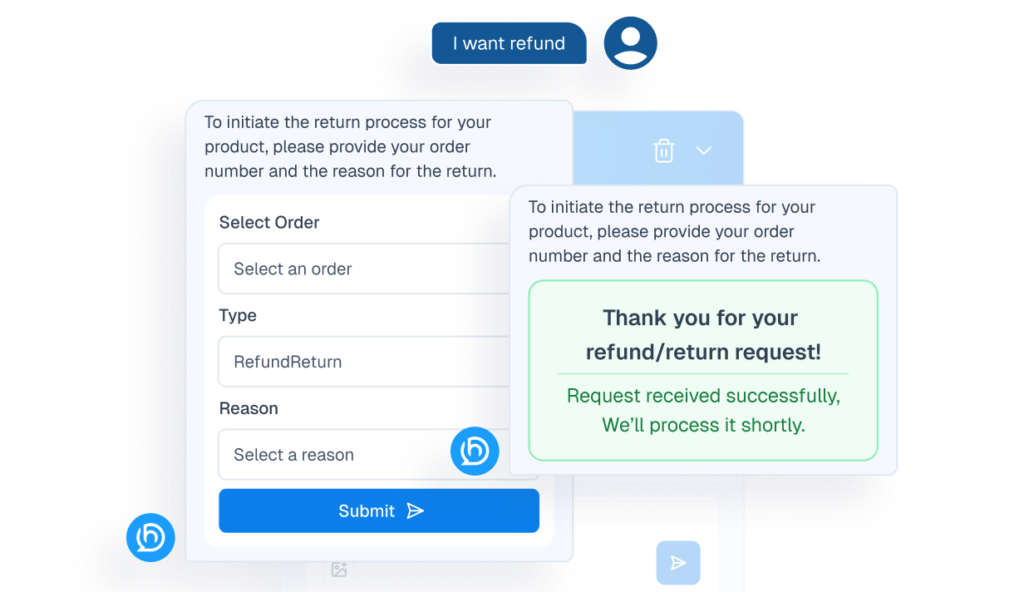
Enable `refund_return` dispatch for post-purchase support.
Business Impact
Improves refund workflow consistency and response time.
How Integrations Work
Three simple steps to automate everything.
01
Connect Your Tool
Link any tool from our library in just a few clicks.
Define Automation Rules
Set triggers, conditions, and actions to match your workflow.
02
03
Let AI Handle the Rest
Helpmate AI processes, responds, and optimizes automatically.
User Feedback

Great Chatbot Plugin That Keeps Getting Smarter!

Annoon

Works Amazingly Well After a Bit of Training!

Ritzh A.

Practical, feature-rich AI chatbot for WooCommerce

Kazi S.

Finally, an AI Chatbot That Actually Helps

Adhoy R.
Common Questions from Healthcare Teams
Can patients request appointments through chat?
Yes. Patients can submit appointment requests through any connected channel. These requests are organized in Helpmate for your team to review, confirm, and manage according to your existing scheduling processes.
Can staff take over conversations?
Yes. Staff can seamlessly take over any conversation at any time through the live chat feature with full context visible.
Does Helpmate provide medical advice or diagnosis?
No. Helpmate handles communication and organization only. All clinical decisions remain with your qualified healthcare professionals.
Which channels are supported?
Website chat, Facebook, Instagram, WhatsApp, and more. All messages appear in one unified inbox for your team.
How is patient information managed?
Patient contacts, conversation history, and notes are organized in the built-in CRM. Your team maintains full control over how information is recorded and accessed.

Ready to Stop Running Your Business Alone?
Take The Step That Turns Your WooCommerce Store Into A Self-Running Business.

