WooCommerce Integration
Connect WooCommerce with Helpmate to sync customers, orders, products and automate your store workflows intelligently.



What This Integration Enables
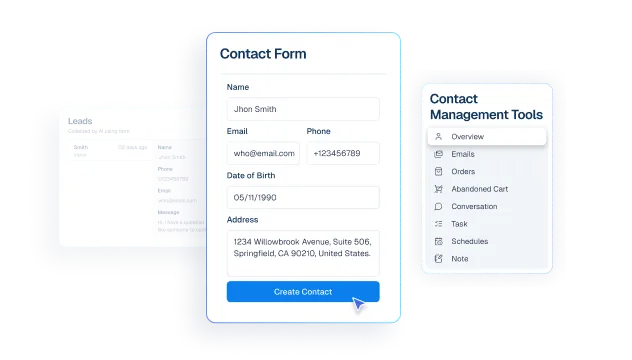
Contacts stay synced with WooCommerce customer activity
Bring WooCommerce customer and order context into Helpmate so your team can respond with full purchase history, not guesswork.
Lead Capture turns high-intent shoppers into actionable leads
Sync WooCommerce customer data into your CRM workflows to keep contacts current, searchable, and ready for segmentation.
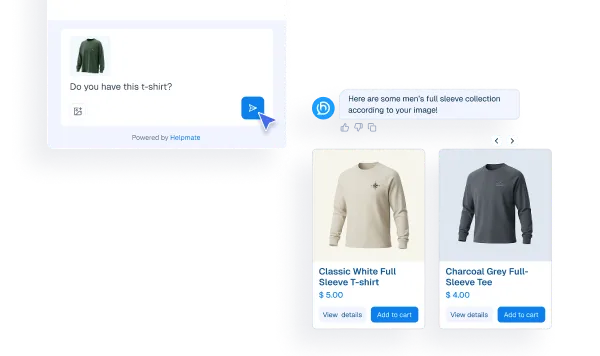
Knowledge Base responses stay grounded in WooCommerce product data
Give your agents and AI product-level visibility, including pricing, availability, tags, and attributes, so replies are accurate and conversion-friendly.
Proactive Sales triggers lifecycle follow-ups at the right moment
Turn high-intent moments into action with automations for abandoned carts, order follow-ups, and retention journeys.
Tickets include richer customer and order context for faster resolution
Centralize commerce signals so support, sales, and marketing work from one source of truth instead of fragmented tools.
Segments stay accurate for retention and revenue campaigns
Manage integration operations inside WordPress with role-aware access, controlled settings, and workflow visibility that scales with your store.
Why This WooCommerce Integration Matters
Reduce Manual Work
Eliminate repetitive copy-paste between WooCommerce and your support stack. Helpmate keeps critical customer and commerce context available where your team already works, so they can focus on resolution quality and growth instead of admin busywork.
Increase Conversion and Retention
Use store behavior and customer history to trigger the right follow-up at the right moment. From cart-recovery flows to post-purchase engagement, Helpmate helps your WooCommerce store recover lost revenue and extend customer lifetime value.
Centralize Customer Intelligence
Every order, interaction, and support touchpoint contributes to a clearer customer profile. Helpmate gives your team a unified view that supports faster decisions, better personalization, and more consistent customer experiences across the funnel.
WooCommerce Features We Support
Contacts stay synced with WooCommerce customer activity
What it Does
Sync WooCommerce customer records into Helpmate CRM workflows so contact data stays actionable for support and segmentation.
Business Impact
Reduces data drift, improves list quality, and helps teams launch better-targeted campaigns faster.
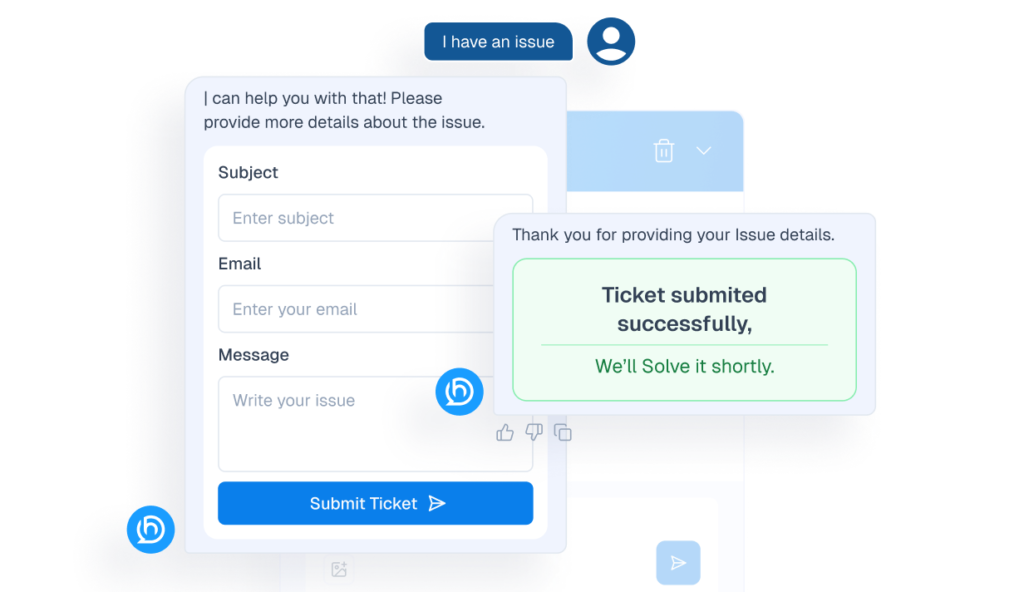
Tickets resolve faster with commerce-aware customer context
What it Does
Expose customer and order context alongside support activity so agents can resolve issues with full purchase visibility.
Business Impact
Cuts back-and-forth, shortens resolution time, and improves CSAT.
Knowledge Base responses stay accurate for WooCommerce products
What it Does
Support product-aware responses using metadata such as categories, tags, attributes, pricing, and stock context.
Business Impact
Improves answer accuracy and helps convert product questions into purchases.
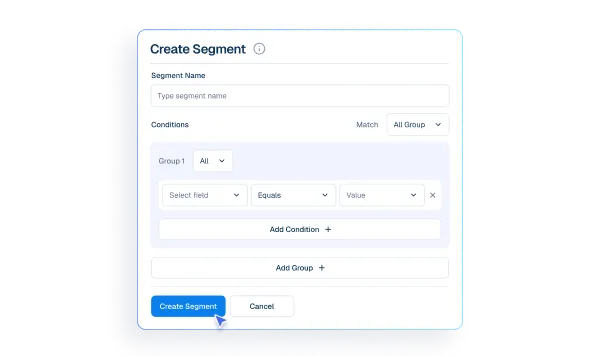
Segments organize buyers for cleaner lifecycle targeting
What it Does
Run integration setup and workflow controls from WordPress with role-based access and clear operational entry points.
Business Impact
Keeps operations centralized for faster onboarding and fewer misconfigurations.
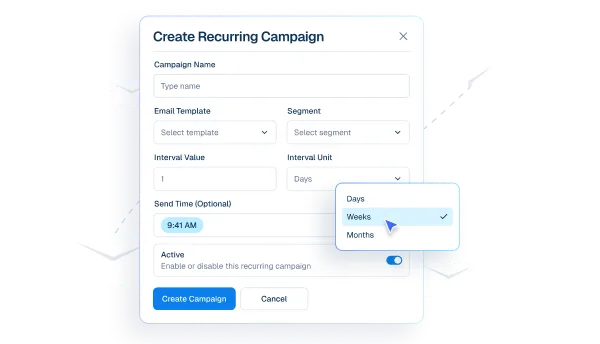
Email Campaigns activate outreach from synced commerce context
What it Does
Track integration-level activity and logs to speed up issue triage and operational monitoring.
Business Impact
Reduces troubleshooting time and increases confidence in day-to-day execution.
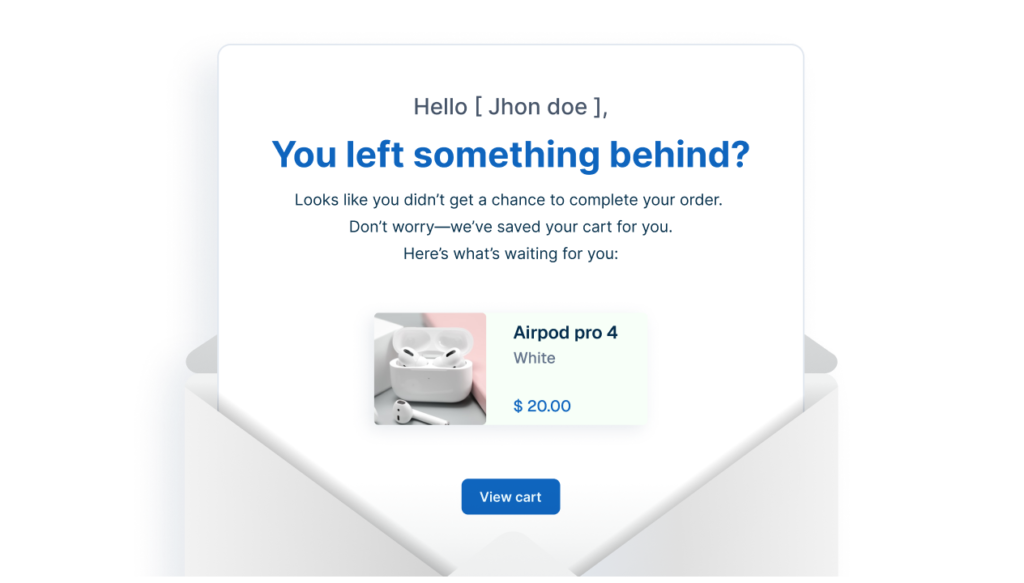
Abandoned Cart automates recovery for incomplete checkouts
What it Does
Detect abandonment patterns and trigger timed recovery outreach with follow-up sequences and performance tracking.
Business Impact
Recovers otherwise lost revenue and strengthens lifecycle conversion performance.
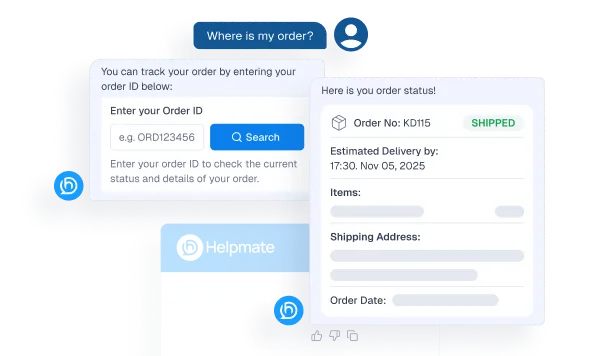
Order Status Tracking supports post-purchase order visibility
What it Does
Enable self-serve order status experiences with verification-aware order lookup support.
Business Impact
Deflects repetitive support tickets and improves post-purchase experience.
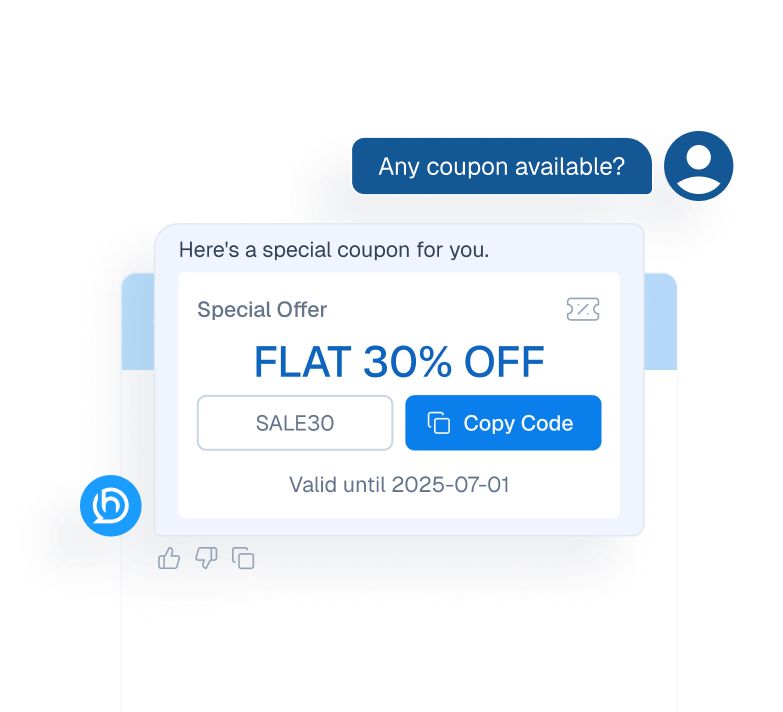
Coupon Delivery automates incentive-based conversion follow-ups
What it Does
Trigger targeted coupon delivery paths based on context and campaign logic.
Business Impact
Improves campaign responsiveness and can lift conversion in high-intent moments.
Proactive Sales drives timed re-engagement and upsell journeys
What it Does
Run intent-aware outreach and follow-up automation to bring dormant or undecided shoppers back into the buying journey.
Business Impact
Supports higher repeat purchase rates and stronger customer lifetime value.
How Integrations Work
Three simple steps to automate everything.
01
Connect Your Tool
Link any tool from our library in just a few clicks.
Define Automation Rules
Set triggers, conditions, and actions to match your workflow.
02
03
Let AI Handle the Rest
Helpmate AI processes, responds, and optimizes automatically.
User Feedback

Great Chatbot Plugin That Keeps Getting Smarter!

Annoon

Works Amazingly Well After a Bit of Training!

Ritzh A.

Practical, feature-rich AI chatbot for WooCommerce

Kazi S.

Finally, an AI Chatbot That Actually Helps

Adhoy R.
Common Questions from Healthcare Teams
Can patients request appointments through chat?
Yes. Patients can submit appointment requests through any connected channel. These requests are organized in Helpmate for your team to review, confirm, and manage according to your existing scheduling processes.
Can staff take over conversations?
Yes. Staff can seamlessly take over any conversation at any time through the live chat feature with full context visible.
Does Helpmate provide medical advice or diagnosis?
No. Helpmate handles communication and organization only. All clinical decisions remain with your qualified healthcare professionals.
Which channels are supported?
Website chat, Facebook, Instagram, WhatsApp, and more. All messages appear in one unified inbox for your team.
How is patient information managed?
Patient contacts, conversation history, and notes are organized in the built-in CRM. Your team maintains full control over how information is recorded and accessed.

Ready to Stop Running Your Business Alone?
Take The Step That Turns Your WooCommerce Store Into A Self-Running Business.

