Gutenberg/Blocks Integration
Insert Helpmate blocks from the block inserter on any post or page. This path is always available on supported WordPress releases because the block editor is core—no separate marketplace install for Gutenberg itself.



What This Integration Enables
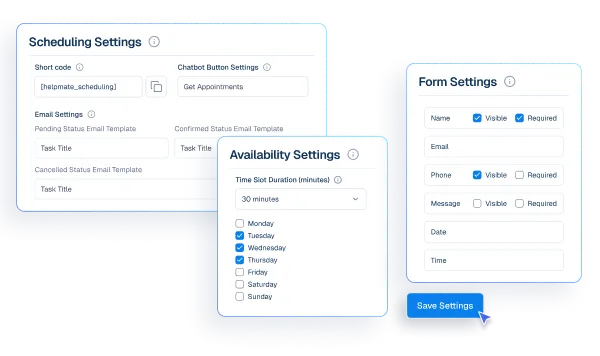
Appointments & Bookings blocks embed scheduling in Gutenberg pages
Drop scheduling blocks alongside native WordPress blocks so marketing can compose landing pages without leaving Gutenberg.
Promo Bar blocks support conversion campaigns in block editor flows
Add promo banner blocks with block-native controls, aligning with Full Site Editing workflows where applicable.
Why This Gutenberg Integration Matters
Native WordPress reduces stack risk
Every extra page builder is operational debt. Blocks let lean teams ship Helpmate conversion tools without expanding their maintenance surface.
FSE-ready teams get modern workflows
Block-first teams iterate templates, patterns, and styles globally. Helpmate blocks participate in that system instead of fighting it.
Consistency across the whole property
Marketing might use Elementor on one subdomain and blocks on another. Helpmate parity prevents fragmented customer experiences.
Features we support
Appointments & Bookings blocks embed scheduling in Gutenberg pages
What it Does
Register a Helpmate category for block discoverability in the inserter.
Business Impact
Speeds content production and improves editor adoption.
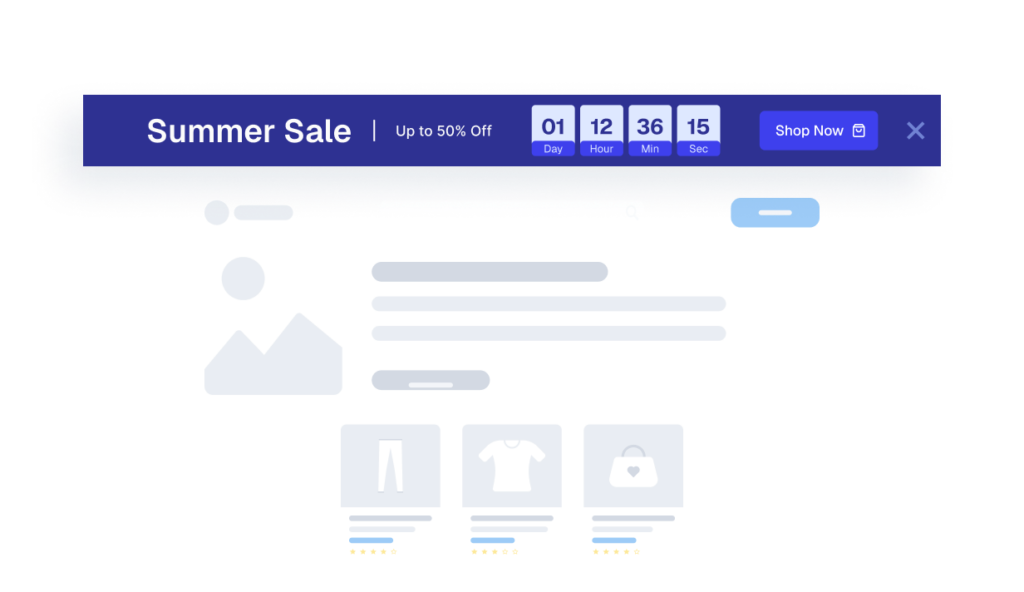
Promo Bar blocks drive conversion campaigns in block editor flows
What it Does
Expose scheduling as a Gutenberg block with render-state management.
Business Impact
Enables conversion-focused pages without custom templates.
How Integrations Work
Three simple steps to automate everything.
01
Connect Your Tool
Link any tool from our library in just a few clicks.
Define Automation Rules
Set triggers, conditions, and actions to match your workflow.
02
03
Let AI Handle the Rest
Helpmate AI processes, responds, and optimizes automatically.
User Feedback

Great Chatbot Plugin That Keeps Getting Smarter!

Annoon

Works Amazingly Well After a Bit of Training!

Ritzh A.

Practical, feature-rich AI chatbot for WooCommerce

Kazi S.

Finally, an AI Chatbot That Actually Helps

Adhoy R.
Common Questions from Healthcare Teams
Can patients request appointments through chat?
Yes. Patients can submit appointment requests through any connected channel. These requests are organized in Helpmate for your team to review, confirm, and manage according to your existing scheduling processes.
Can staff take over conversations?
Yes. Staff can seamlessly take over any conversation at any time through the live chat feature with full context visible.
Does Helpmate provide medical advice or diagnosis?
No. Helpmate handles communication and organization only. All clinical decisions remain with your qualified healthcare professionals.
Which channels are supported?
Website chat, Facebook, Instagram, WhatsApp, and more. All messages appear in one unified inbox for your team.
How is patient information managed?
Patient contacts, conversation history, and notes are organized in the built-in CRM. Your team maintains full control over how information is recorded and accessed.

Ready to Stop Running Your Business Alone?
Take The Step That Turns Your WooCommerce Store Into A Self-Running Business.

