
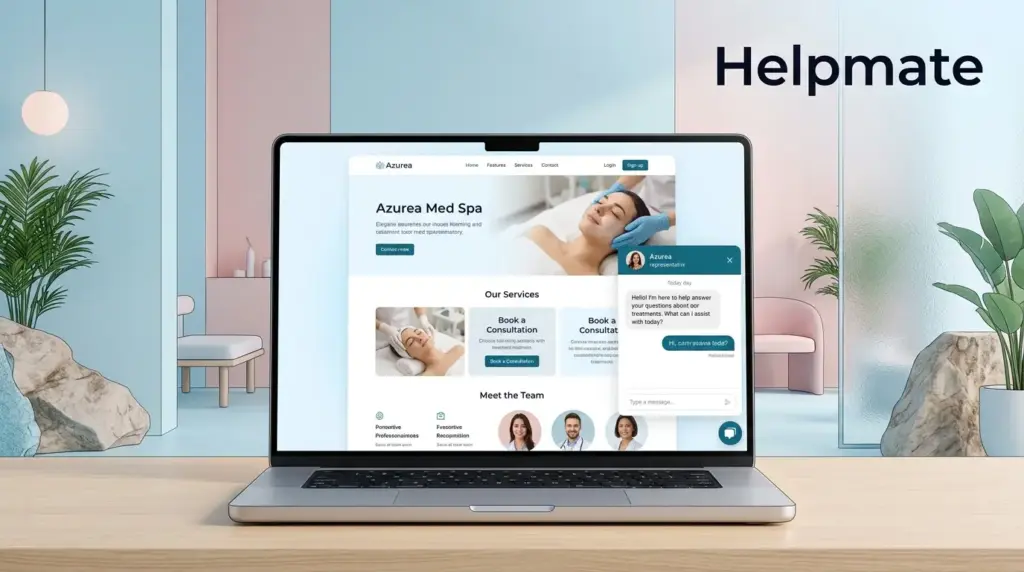
Med spa websites attract hundreds of visitors daily. Yet most clinics convert fewer than 3% of these browsers into actual consultations. Chat widgets close this gap by starting real conversations when interest is at its peak.
TL;DR: Med spas using chat widgets for lead capture report 20-40% higher consultation booking rates compared to form-only websites. The key is strategic widget placement, smart targeting rules, and seamless capture flows that qualify leads before your team ever sees them. This guide walks through six proven strategies to turn casual browsers into booked clients using Helpmate’s chat widget and automation tools.
Why Med Spas Struggle With Website Lead Capture
The aesthetics industry faces a unique conversion challenge. Visitors browsing Botox pricing or laser treatment pages have high intent but often leave without booking. Traditional contact forms create friction. Phone calls require immediate attention. Email inquiries sit unanswered for hours.
Chat widgets solve these problems by meeting visitors where they already are, on your website, with instant responses. The difference is timing. A visitor researching chemical peels at 11 PM cannot call your clinic, but they can chat with an AI assistant that qualifies their skin type, budget, and availability before scheduling a consultation.
According to industry research, responsive communication channels convert visitors 3-5x better than static forms. For med spas specifically, the consultation booking rate jumps when prospects can ask questions immediately rather than submitting a form and waiting for a callback. Last I checked, most practices still rely on those old contact forms though.
Despite these advantages, many aesthetic clinics underutilize chat widgets. Generic greetings that fail to engage. Capture forms requesting too much information upfront. Responses that feel robotic rather than conversational. The strategies below address each of these issues.
How to Position Your Chat Widget for Maximum Visibility
Widget placement determines whether visitors notice and engage with your chat solution. Strategic positioning balances visibility with non-intrusiveness. Push too hard and visitors close the widget immediately. Hide it too well and nobody finds it.
The most effective placement depends on page intent. Homepage visitors need welcoming, low-pressure invitations. Treatment-specific pages warrant targeted messaging. Pricing pages benefit from immediate consultation offers. The key is matching the widget’s presence to where the visitor is in their decision journey.
Helpmate’s Appearance settings let you customize when and how the widget displays. Different behaviors for mobile versus desktop, trigger prompts based on scroll depth, and time delayed invitations for visitors who spend significant time on high-value pages.
High-Converting Page Placements
- Homepage: Delayed greeting after 10 seconds, positioned bottom-right with subtle animation
- Treatment pages: Immediate availability with contextual opener: “Questions about [Treatment Name]?”
- Pricing pages: Proactive consultation offer within 5 seconds of page load
- Before/after galleries: Qualifying questions about the visitor’s specific concerns
- Contact/location pages: Booking-focused widget ready to schedule appointments
Each placement should feel like a natural extension of the page content rather than an interruption. The widget’s color scheme and button design should complement your clinic’s branding while maintaining visual hierarchy that draws the eye without overwhelming the experience.
What Messaging Converts Med Spa Visitors Into Leads
The first message your chat widget sends determines whether visitors engage or close the window. Generic greetings like “How can I help you today?” waste valuable attention. High-converting med spa widgets use contextual, conversation-starting openers that acknowledge the visitor’s likely interests.
Context matters in aesthetic medicine. A visitor on your CoolSculpting page knows they want body contouring. Opening with “Curious about fat-freezing treatments? I can explain the process and pricing” speaks directly to their intent. This approach generates 2-3x more responses than generic chat invitations.
The conversation flow should progress naturally from greeting to qualification. Start with acknowledgment, move to discovery questions, then transition to lead capture. Each message should feel personal but efficient. Visitors want helpful information without excessive back-and-forth.
Proven Med Spa Chat Sequences
Here are conversation frameworks that convert browser interest into captured leads:
Treatment-Specific Flow:
- “Hi there. I see you’re looking at our [Treatment] page.”
- “Are you considering this for yourself or researching options?”
- “What’s your main concern: [common concern 1], [common concern 2], or something else?”
- “Great. We typically see best results for that concern. Would you like to know about pricing and availability?”
- “I can connect you with our coordinator. What’s the best email to send details to?”
Consultation Booking Flow:
- “Ready to start your aesthetic journey?”
- “Which area are you most interested in improving?”
- “Have you had this type of treatment before?”
- “Perfect. We have consultation openings this week. What’s your name and best contact method?”
These sequences work because they mirror how your best coordinators handle phone inquiries. They build rapport, qualify the prospect, and capture information at the moment of peak interest.
How to Capture Leads Without Disrupting the User Experience
Lead capture creates tension. You need visitor information to follow up, but every field you add reduces completion rates. Med spa chat widgets must balance qualification depth with conversation flow. Ask too much too soon and visitors abandon. Ask too little and your team wastes time on unqualified leads.
The solution is progressive capture. Start the conversation with zero friction. Ask qualifying questions before requesting contact details. By the time you request an email or phone number, the visitor has invested in the conversation and sees value in continuing.
Helpmate’s lead capture features support this approach. You can configure which contact fields display and when they appear in the conversation flow. For training, capture names immediately to personalize responses. For pricing inquiries, capture email only after delivering value. For consultation bookings, request phone numbers at the scheduling stage.
Progressive Capture Best Practices
- Stage 1 – Engagement: No fields, just conversation
- Stage 2 – Qualification: Multiple choice questions about treatment interest, timeline, and budget
- Stage 3 – Value Exchange: Offer information (pricing guide, availability) in exchange for email
- Stage 4 – Booking: Request phone number when scheduling consultations
Field order matters. Name and email convert better than phone number requests. Explain why you need each piece of information. Instead of “Please enter your phone,” try “Would you like our coordinator to call you with detailed pricing? If so, what’s the best number?”
Mobile optimization is essential for aesthetic practices. Most med spa website visitors browse on smartphones. Chat widgets must resize appropriately, use large touch targets, and respect mobile keyboard behavior. Test your widget across devices to ensure the capture experience feels native to mobile users.
Why Timing and Trigger Settings Matter for Lead Capture
Push notifications feel different depending on when they appear. A chat invitation that opens immediately when someone lands on your homepage feels aggressive. The same invitation after 30 seconds of scroll engagement feels helpful. Timing transforms interruption into assistance.
Behavioral triggers determine when your widget activates. Scroll depth triggers work well for content-heavy treatment pages. Time-based delays suit homepage visitors who need time to understand your offerings. Exit-intent triggers capture leaving visitors who might otherwise disappear forever.
For med spas specifically, intent signals differ by page type. Someone who visits three treatment pages in one session has high purchase intent. A visitor who reads your blog post about “What to expect during your first Botox appointment” is researching but may not be ready to book. Trigger rules should recognize these differences.
Helpmate’s Behavior settings let you create sophisticated trigger combinations. Show the widget only to returning visitors. Display different greetings based on referrer source. Suppress invitations for visitors who already booked recently. These refinements prevent widget fatigue and keep your chat invitations feeling relevant.
Effective Trigger Configurations
- First-time visitors: 15-second delay on homepage, immediate on treatment pages
- Returning visitors: Immediate widget availability, personalized greeting acknowledging return
- High-intent pages: Trigger at 50% scroll depth with consultation offer
- Pricing pages: Immediate proactive invitation
- Blog readers: 60-second delay with soft educational offer
The goal is matching trigger timing to visitor readiness. Someone researching general information needs space to browse. Someone comparing prices between your clinic and competitors needs immediate engagement. Your trigger settings should recognize these behavioral differences.
How to Qualify Leads Automatically Before Your Team Follows Up
Not every chat conversation produces a qualified lead. Aesthetic clinics waste significant time following up with browsers who cannot afford services, are not local, or are researching for distant future procedures. Smart chat widgets qualify leads automatically during conversation so your team focuses only on viable prospects.
Qualification happens through strategic questioning. Before capturing contact information, your chat widget should understand the visitor’s treatment interest, timeline, budget comfort, and location. These answers determine lead quality and inform how your team prioritizes follow-up.
Helpmate’s chatbot configuration lets you build qualification flows using your clinic’s specific criteria. You can score leads based on responses and route high-scoring conversations to immediate human handoff while collecting information from lower-scoring prospects for later nurture campaigns.
Med Spa Lead Qualification Framework
| Qualification Question | High-Value Response | Follow-Up Action |
|---|---|---|
| Which treatment interests you most? | Specific service you offer | Immediate consultation booking |
| When are you hoping to start? | Within 30 days | Priority scheduling |
| Have you had this treatment before? | No (new client) | New patient consultation |
| What brought you to our clinic? | Referral or research | Track attribution source |
| What’s your preferred contact method? | Phone | Same-day callback |
Categorize captured leads based on qualification responses. Hot leads get immediate personal follow-up. Warm leads enter nurture sequences with educational content. Cold leads receive periodic check-ins until timeline or budget shifts.
The automation extends to your CRM. Qualified lead information flows directly into Helpmate’s built-in CRM where you can view complete conversation history, contact details, and qualification responses. You can segment leads by source, interest, and quality level. The system supports automated follow-up sequences, task assignment to team members, and direct integration with email marketing platforms for nurture campaigns.
How to Measure and Optimize Chat Widget Lead Capture Performance
Chat widgets require ongoing optimization. Your initial configuration captures leads, but testing and refinement improve performance over time. Med spas should track specific metrics that indicate widget effectiveness and identify improvement opportunities.
Key performance indicators for chat widget lead capture include widget visibility rate (how often it displays), engagement rate (percentage of visitors who click to chat), conversation completion rate (percentage who reach lead capture), and conversion rate (percentage who become captured leads).
Most importantly, track lead-to-consultation rate. A chat widget that captures 100 low-quality leads is less valuable than one that captures 50 highly qualified prospects. Quality metrics matter more than volume for aesthetic practices where consultation time is limited and valuable.
Optimization Testing Framework
Systematic testing improves widget performance. Test one element at a time to isolate what drives improvements:
- Greeting message: Test contextual openers versus generic greetings
- Timing: Compare immediate versus delayed widget display
- Capture fields: Test email-only versus email-plus-phone requests
- Qualification depth: Compare more versus fewer qualification questions
- Visual design: Test button colors, widget position, and animation
Review chat transcripts regularly to understand visitor questions and concerns. Patterns in conversations reveal content gaps, pricing confusion, or booking friction. Use these insights to improve both your chat flows and your broader website content.
Helpmate’s analytics dashboard tracks conversation metrics, lead capture rates, and conversation sources. Use this data to identify your highest-converting pages, best-performing conversation flows, and peak traffic times for staffing your live chat availability.
FAQ: Lead Capture Chat Widgets for Med Spas
Properly configured chat widgets have minimal impact on page load speed. Helpmate loads asynchronously after your main content renders, ensuring your website remains fast and responsive. The widget uses efficient code that adds less than 50KB to initial page weight, with additional resources loading only when visitors interact with the chat interface.
Yes, Helpmate’s Appearance settings provide extensive customization options. You can match your brand colors, upload your clinic logo, customize button styles, and adjust widget positioning. The chat interface supports custom CSS for advanced styling, allowing your widget to look like a seamless part of your website rather than a third-party addition.
Captured leads flow directly into Helpmate’s built-in CRM where you can view complete conversation history, contact details, and qualification responses. You can segment leads by source, interest, and quality level. The system supports automated follow-up sequences, task assignment to team members, and direct integration with email marketing platforms for nurture campaigns.
Helpmate’s Behavior settings let you suppress the widget for logged-in users or visitors who have recently booked appointments. You can also adjust trigger timing to be less proactive for returning visitors versus new prospects. For patients who prefer not to see the widget, the minimized chat button remains available but does not proactively invite interaction.
Yes, Helpmate provides omnichannel messaging that connects your website chat widget, Instagram DMs, Facebook Messenger, and WhatsApp Business into a unified inbox. This allows you to capture leads from social media platforms using the same qualification flows and CRM integration as your website widget. All conversations appear in one place regardless of where they originate.
No technical skills are required. Helpmate provides a visual interface for configuring chat flows, capture fields, and trigger rules. The WordPress plugin installs with a simple process, and all customization happens through intuitive settings panels. Pre-built templates for aesthetic practices give you starting conversation flows that you can modify to match your specific services and voice.
Conclusion: Transforming Med Spa Website Visitors Into Consultations
Chat widgets represent a fundamental shift in how aesthetic clinics capture leads online. They replace the friction of forms with the natural flow of conversation. They provide immediate answers when interest peaks rather than forcing visitors to wait for callbacks. They qualify prospects automatically before your team invests time in follow-up.
The med spas seeing the strongest results from chat widgets approach them strategically. They customize placement and messaging for different page types. They configure progressive capture that feels helpful rather than demanding. They use behavioral triggers to engage visitors at the right moment without creating annoyance.
Key takeaways for implementing chat widget lead capture:
- Position widgets contextually, matching placement to page intent and visitor readiness
- Craft conversation flows that acknowledge visitor interests before requesting contact information
- Use progressive qualification to capture high-quality leads without adding friction
- Configure timing and triggers to engage without interrupting
- Track quality metrics and optimize based on lead-to-consultation conversion
Helpmate provides the tools to implement these strategies across your website and social channels. The plugin’s Helpmate – Live, Social & AI Chat with Built-in CRM offers a complete solution for med spas ready to upgrade their lead capture approach. Configure your chat widget today and start converting more website browsers into booked consultations.
About the author: This guide was written by the team at Helpmate, creators of the leading AI chatbot solution for med spas and aesthetic clinics. For more information about implementing chat-based lead capture for your practice, visit our solution page.

