
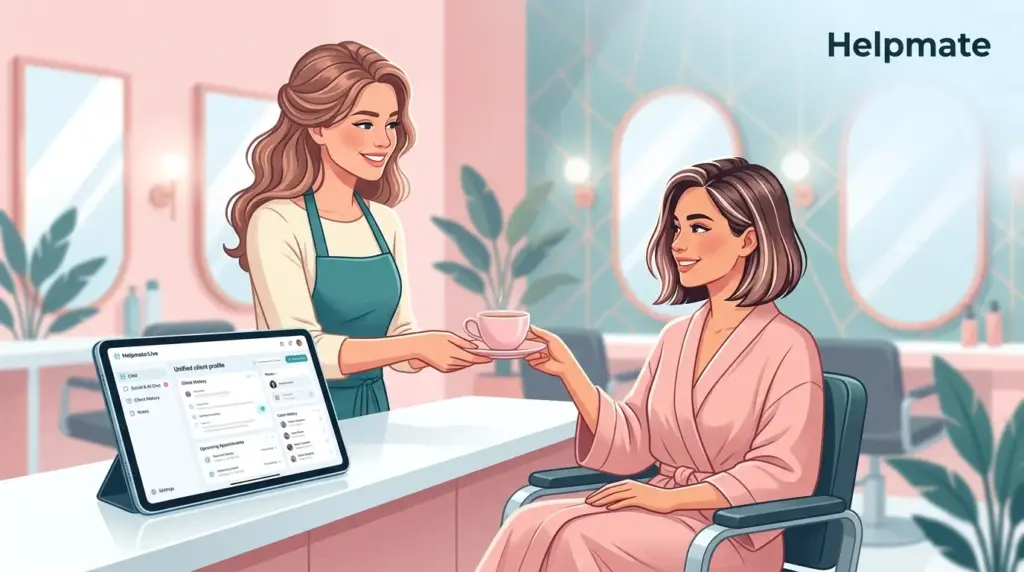
TL;DR: Most beauty salons are leaking somewhere around 15-25% of potential revenue—usually through missed appointments that slip through the cracks, or follow-ups that never actually happen. A specialized CRM for beauty salons WordPress setup pulls client profiles, booking history, and communication channels into one place where staff can actually find them. The decent systems combine contact management with automated reminders and task tracking. I’ve seen numbers suggesting retention improvements up to 27% when clinics drop manual methods. For most places, switching from spreadsheets to purpose-built software pays for itself in roughly three months—sometimes faster if you’re dealing with chronic no-shows.
Why Do Beauty Salons Need a CRM?
Beauty salons run on relationships. That personal attention—remembering someone prefers chamomile tea, or that their skin reacts to certain products—is what keeps clients coming back. Yet somehow, plenty of owners still juggle client information across scattered spreadsheets, paper cards, or apps that refuse to talk to each other. Three weeks ago I spoke with a clinic owner who had client notes in four different places. You can guess how that fragmentation shows up in revenue.
The Small Business Administration has data showing service businesses with dedicated CRM systems retain around 27% more clients than manual trackers. For salons specifically, that improvement tends to land in three areas: appointment reliability (people actually show up), service personalization (staff know what happened last time), and rebooking consistency (clients don’t drift away unnoticed).
Without a centralized system, front desk staff burn roughly 45 minutes daily just hunting for preferences, treatment histories, and contact details. That time compounds. Then there are the missed opportunities—clients who receive actual personalized service based on documented preferences rebook about 40% more often than those treated like strangers.
The appointment-based nature of salon work creates specific requirements that retail-focused tools miss. Unlike a simple transaction, beauty services involve pre-visit prep, post-visit care instructions, and scheduled follow-ups. A generic CRM built for sales pipelines—honestly, it misses these nuances entirely. Purpose-built salon functionality needs to handle consultation notes, patch test records, and treatment contraindications alongside standard contact data.
Modern consumers expect seamless communication across channels. They find you on Instagram, book through WhatsApp, and want email confirmations with calendar integration. Managing these manually is exhausting—and it invites errors. CRM platforms designed for beauty businesses unify these channels so messages don’t disappear regardless of entry point.
What Makes a Beauty Salon CRM Different from Generic Tools?
Generic platforms like Salesforce or HubSpot offer powerful contact management, but honestly? They require extensive customization before they work properly for beauty clinics. The difference shows up in industry-specific data structures and workflow templates that align with how salons actually operate day-to-day.
Salon-specific CRMs track service categories, product preferences, and technician assignments as core fields—not afterthoughts. They understand something generic tools often miss: a client’s relationship with their specific aesthetician sometimes matters more than their relationship with your brand. That distinction enables genuine personalization.
Appointment history in beauty contexts needs richer detail than simple date tracking. Proper salon CRMs document treatment parameters, skin reactions, preferred pressure levels, and product sensitivities. This granular record-keeping protects client safety when you’re covering shifts or dealing with staff turnover. Back in January, I saw a clinic lose a client because the replacement therapist didn’t know about a documented sensitivity.
Communication timing differs between B2B sales and beauty services. Enterprise CRMs focus on nurture campaigns stretching over quarters, but salon CRMs handle time-sensitive reminders 24-48 hours before appointments. The automation logic reflects these operational realities.
Integration requirements diverge too. Beauty clinics need native connections to booking calendars, payment processors, and inventory systems specific to their industry. Generic CRMs often require expensive middleware or developer resources to achieve connectivity that purpose-built platforms offer out of the box.
Finally, usability patterns differ. Salon receptionists and practitioners need mobile-friendly interfaces that work on tablets between treatment rooms. Complex enterprise CRMs designed for desk-based sales teams create friction in these environments. Specialized tools prioritize speed for staff who interact with the system dozens of times hourly.
How Can CRM Features Improve Client Retention in Beauty Businesses?
Client retention determines profitability more dramatically in beauty than many other sectors. Industry benchmarks suggest increasing retention by just 5% can boost profits somewhere between 25-95%—mostly through reduced acquisition costs and increased lifetime value. CRM systems enable this through systematic relationship management that doesn’t rely on staff memory.
Segmentation capabilities let clinics identify at-risk clients before they churn. Filter contacts based on last visit date, service category, or spending patterns, then launch targeted win-back campaigns. This proactive approach recovers roughly 15% of clients who would otherwise disappear quietly—often without you noticing until months later.
Automated follow-up sequences maintain relationships between visits without manual intervention. Post-treatment care instructions, satisfaction surveys, and personalized product recommendations keep the clinic present in clients’ minds. Those receiving consistent follow-up book their next appointment about 34% sooner than those left to initiate contact themselves.
Preference tracking transforms routine services into personalized experiences. When receptionists greet clients by name, recall preferred beverages, and note sensitivities without asking, perceived value jumps. This emotional connection drives loyalty more effectively than discount offers. Studies suggest around 70% of buying experiences depend on how customers feel they’re being treated rather than product factors alone.
Birthday and anniversary recognition features trigger automatic celebration messages with exclusive offers. These touchpoints feel personal while requiring no staff memory or manual scheduling. Clinics using automated celebration campaigns report roughly 22% higher gift certificate sales compared to manual processes.
Review solicitation becomes systematic rather than sporadic when integrated into workflows. Timing requests for feedback immediately after positive interactions captures testimonials while experience remains fresh. This automated reputation management reduces cognitive load on practitioners who might otherwise forget to ask satisfied clients for referrals.
Want to see these retention features in action? Explore Helpmate’s CRM built for beauty salons and start winning back lost clients.
Which CRM Features Matter Most for Salon Appointment Management?
Not all CRM capabilities deliver equal value for beauty clinics. Understanding which features actually impact daily operations helps prioritize implementation and avoid paying for complexity you’ll never use.
Unified Contact Profiles form the foundation. A complete view should consolidate personal details, service history, product purchases, communication preferences, and payment information. Staff should access everything needed to serve the client without switching applications or asking the same questions repeatedly.
Segment Management enables targeted marketing without technical complexity. Beauty clinics need simple ways to build lists based on service type, visit frequency, product affinity, or lifecycle stage. These segments power everything from inventory planning to seasonal promotion targeting.
Task and Follow-up Tracking ensures nothing disappears. Whether logging consultation follow-ups, patch test results, or payment reminders, systematic task management prevents revenue leakage from forgotten commitments. Staff should see priorities at a glance without digging through multiple systems.
Communication Integration unifies channels clients use interchangeably. The ability to view Instagram DMs, WhatsApp messages, emails, and live chat transcripts in one thread prevents context loss. When a client switches from Instagram inquiry to phone booking, staff should see the complete conversation history instantly.
Team Collaboration Tools support multi-practitioner environments. Note sharing between reception and treatment rooms, handoff protocols for shift changes, and visibility into colleague schedules keep operations smooth. Permission controls should allow managers to protect sensitive information while enabling necessary sharing.
Mobile Responsiveness matters because salon work happens away from desks. Tablets in treatment rooms, phones at reception desks, and laptops at home all need full functionality. Cloud-based access ensures continuity when primary devices fail or staff work remotely.
Integration Ecosystem determines long-term viability. Native connections to WordPress, WooCommerce, major form plugins, and calendar systems reduce custom development needs. Open API access provides insurance against future platform changes.
If you’re running a WordPress-based beauty clinic website, finding a CRM that integrates natively with your existing infrastructure provides significant advantages. Tools like Helpmate – Live, Social & AI Chat with Built-in CRM eliminate the fragmentation that occurs when bolting standalone SaaS tools onto WordPress installations.
What Are the Hidden Costs of Not Using a CRM in Your Salon?
The true cost of CRM avoidance extends beyond obvious inefficiencies. Understanding hidden penalties helps justify investment in proper systems.
Opportunity cost of manual processes accumulates silently. Fifteen minutes daily spent searching for client information equals roughly 65 hours annually. At average wage rates, this single inefficiency costs around $1,300 yearly per staff member. Across a team of four, manual record management consumes over $5,000 in productive capacity. That’s money spent on administrative scavenger hunts.
No-show revenue leakage represents the largest financial drain. Without systematic appointment reminders and confirmation workflows, salons experience 20-30% no-show rates. Automated reminder systems reduce this to roughly 8-12%, recovering substantial revenue. For a clinic averaging 50 appointments weekly at $80 average ticket, reducing no-shows from 25% to 10% recovers approximately $31,200 annually. That number gets attention.
Client churn from impersonal service destroys lifetime value. When preferences get lost between visits, clients feel like strangers rather than valued relationships. Industry data suggests around 68% of clients leave service providers due to perceived indifference rather than service failures. Documentation systems prevent this apathy by enabling recognition and personalization.
Compliance and liability exposure grows with paper records. Lost consultation forms, missing patch test documentation, and unavailable contraindication warnings create legal vulnerabilities. Digital systems with audit trails and automated backups protect against regulatory penalties and malpractice claims.
Staff turnover damage amplifies without knowledge systems. When experienced practitioners leave, undocumented client relationships walk out with them. CRMs institutionalize client knowledge so transitions affect service continuity less severely. Replacement staff can review comprehensive histories rather than starting from zero.
Marketing waste increases without segmentation. Broadcasting identical messages to entire client databases yields diminishing returns. Targeted campaigns based on actual service history and preferences generate higher conversion rates with lower spend. The efficiency difference between segmented and blast marketing often exceeds 300%—if I remember the last benchmark correctly.
How Does an Integrated CRM Compare to Standalone Salon Software?
Beauty clinic owners face a choice between standalone salon management platforms and integrated solutions that combine CRM with broader business functions. Understanding this landscape prevents costly platform misalignment down the road.
Traditional salon software focuses heavily on appointment scheduling and point-of-sale functions. While robust in these areas, they often treat client management as secondary. CRM capabilities may be limited to basic contact storage without sophisticated segmentation, automation, or communication tools.
Standalone CRM platforms offer powerful relationship management but lack native understanding of salon workflows. They require custom configuration to handle service categories, therapist assignments, and treatment room allocation. This configuration burden often goes underestimated during initial implementation.
Integrated solutions like Helpmate bridge this gap by combining purpose-built salon features with full CRM capabilities. The advantage lies in data synchronization. When a client books through Instagram DM, that interaction automatically creates or updates their CRM profile, triggers confirmation workflows, and populates appointment calendars without manual re-entry.
This integration eliminates interface gaps that plague multi-tool setups. Staff don’t need to check separate systems for messages, appointments, and client history. Everything appears in unified views that match how they actually work.
Cost structures also differ meaningfully. Standalone salon software often charges per practitioner or location, while integrated WordPress plugins may use different models. For smaller clinics, avoiding per-seat fees can reduce total cost of ownership substantially.
Data ownership represents another consideration. SaaS salon platforms hold your client data on their servers with limited export options. WordPress-integrated CRMs store information in your own database, providing greater control and portability if platform relationships change.
When Should Salons Switch from Spreadsheets to a CRM?
Timing the transition from manual systems to dedicated CRM platforms affects implementation success. Several indicators suggest when spreadsheet management becomes unsustainable.
Client volume threshold typically triggers first consideration. When active client records exceed 200, spreadsheet search and update times become painful. At 500 clients, manual management actively hinders service quality. These numbers vary based on visit frequency, but once staff spend more time finding records than using them, technology becomes necessary.
Team growth creates coordination needs that spreadsheets cannot satisfy. When multiple people need simultaneous access to client information, version control and update conflicts emerge. Cloud-based CRMs solve this with real-time synchronization and conflict resolution.
Service expansion increases complexity beyond simple tracking. Adding new treatment categories, product lines, or practitioners creates data relationships that spreadsheets handle poorly. Relational database structures in CRMs manage these expanding dimensions gracefully.
Communication channel proliferation exhausts manual management. When clients expect response parity across Instagram, WhatsApp, email, and phone, centralized inbox management becomes essential. Tracking scattered conversations across platforms invites dropped messages and confused service.
Growth ambitions demand infrastructure that scales. Owners planning second locations, additional service lines, or significant marketing investment need systems that grow with them. Rebuilding processes mid-growth creates disruptive transitions at exactly the wrong moment.
How Can Beauty Clinics Get Started with CRM Implementation?
Successful CRM adoption requires methodical implementation rather than abrupt system switching. Following structured approaches minimizes disruption and accelerates value realization.
Data auditing precedes migration. Review existing client records for completeness and accuracy. Identify duplicate entries, outdated information, and formatting inconsistencies. Cleaning data before import prevents garbage-in-garbage-out scenarios that undermine system credibility.
Phased rollout reduces risk. Begin with reception staff who handle client-facing interactions most frequently. Once core workflows stabilize, extend to practitioners for consultation documentation. This staged approach provides support concentration where needed most.
Template configuration should reflect actual service language. Customize service categories, appointment types, and communication templates using terminology your team already uses. Avoid generic defaults that create cognitive friction between system and practice.
Integration prioritization focuses on highest-impact connections first. Typically this means booking calendar synchronization and basic email functionality. Advanced automation, social messaging, and analytics can follow once fundamentals stabilize.
Training investment determines adoption success. Allocate dedicated time for staff to learn systems without service pressure. Document standard operating procedures for common tasks. Identify internal champions who provide peer support after initial training completes.
Measurement discipline validates implementation. Track metrics like appointment show rates, rebooking percentages, and response times before and after CRM deployment. Quantified improvement maintains organizational commitment when change discomfort emerges.
For WordPress-based beauty clinics, starting with a plugin solution reduces technical barriers. Native integrations with existing website infrastructure mean faster setup and lower ongoing maintenance. Solutions purpose-built for the platform avoid compatibility issues that plague external tool connections.
Frequently Asked Questions
The best CRM for beauty salons on WordPress combines native platform integration with salon-specific features. Helpmate CRM offers built-in contact management, segmentation, task tracking, and omnichannel messaging unified within WordPress. Unlike standalone SaaS tools that require complex API connections, native plugins store client data in your existing database while providing Instagram DM, WhatsApp, and live chat integration specifically designed for beauty business workflows.
Salon CRM pricing varies significantly by deployment model. SaaS solutions typically charge $50-150 per month per location for basic functionality, with additional fees for advanced features like marketing automation. WordPress plugin alternatives often use different models, with freemium options available for smaller clinics and tiered pricing based on feature depth rather than seat count. When evaluating costs, factor in implementation time, training requirements, and integration development that hidden expenses often exceed subscription fees.
Yes, CRM systems with automated reminder functionality significantly reduce no-show rates. Industry research indicates that automated SMS and email reminders sent 24-48 hours before appointments reduce no-shows by 40-60%. The most effective systems confirm appointments through reply-required messages rather than one-way notifications. Additionally, CRMs that track no-show history help identify chronic offenders so staff can implement additional confirmation protocols or deposit requirements for specific clients. Combining systematic reminders with client segmentation for risk-based treatment typically reduces no-show rates from industry averages of 25% to under 10%.
Implementation timelines range from days to months depending on scope and complexity. Basic WordPress plugin installation with pre-cleaned data imports typically completes within one week. More comprehensive deployments involving multiple integrations, custom field configuration, and staff training across several locations may require 4-8 weeks. Critical path items include data preparation (often underestimated), integration testing with existing booking systems, and staff adoption rather than technical setup alone. Clinics using phased approaches, beginning with core contact management before adding automation layers, see faster time-to-value and less operational disruption.
Small salons should prioritize different CRM characteristics than large chains, though underlying principles remain consistent. Independent clinics benefit from solutions emphasizing simplicity, affordability, and rapid deployment over enterprise features like multi-location reporting or complex permission hierarchies. However, scalability matters even for small operations with growth ambitions. Choosing platforms that support future expansion prevents painful migrations later. The ideal small salon CRM offers essential contact management, appointment integration, and automated follow-up without requiring dedicated IT resources for maintenance or customization.
Reputable salon CRMs implement several privacy protection layers. Data encryption in transit and at rest prevents unauthorized interception. Access controls ensure staff see only information necessary for their roles, with audit trails logging who accesses or modifies sensitive records. Compliance features support GDPR and CCPA requirements for data subject requests, consent tracking, and retention limit enforcement. WordPress-based solutions offer additional control since data resides on your own hosting infrastructure rather than third-party servers, simplifying compliance documentation and breach notification procedures. When evaluating CRMs, verify their data processing agreements, breach response protocols, and specific healthcare or beauty industry compliance certifications relevant to your service offerings.
Key Takeaways: Choosing Your Salon CRM
- Specialized CRMs for beauty salons outperform generic tools by understanding service relationships, consultation workflows, and omnichannel communication patterns unique to the industry.
- The hidden costs of spreadsheet management, including manual search time, no-show revenue loss, and client churn from impersonal service, typically exceed CRM subscription costs by significant margins.
- Integration with existing WordPress infrastructure reduces implementation complexity and provides data ownership advantages over standalone SaaS alternatives.
- Successful implementation requires phased rollout, data cleaning before migration, and training investment that matches system sophistication.
- Key features to prioritize include unified contact profiles, segmentation capabilities, task automation, and mobile accessibility for staff working across treatment rooms.
Moving from scattered spreadsheets to a purpose-built CRM for beauty salons WordPress infrastructure represents more than operational convenience. It protects revenue, preserves client relationships, and positions clinics for sustainable growth. The investment pays dividends through recovered appointments, improved retention, and staff efficiency gains that compound over time.
Ready to organize your clinic’s client relationships? Explore how Helpmate CRM consolidates contacts, bookings, and tasks into one accessible hub designed specifically for WordPress-based beauty businesses.

