
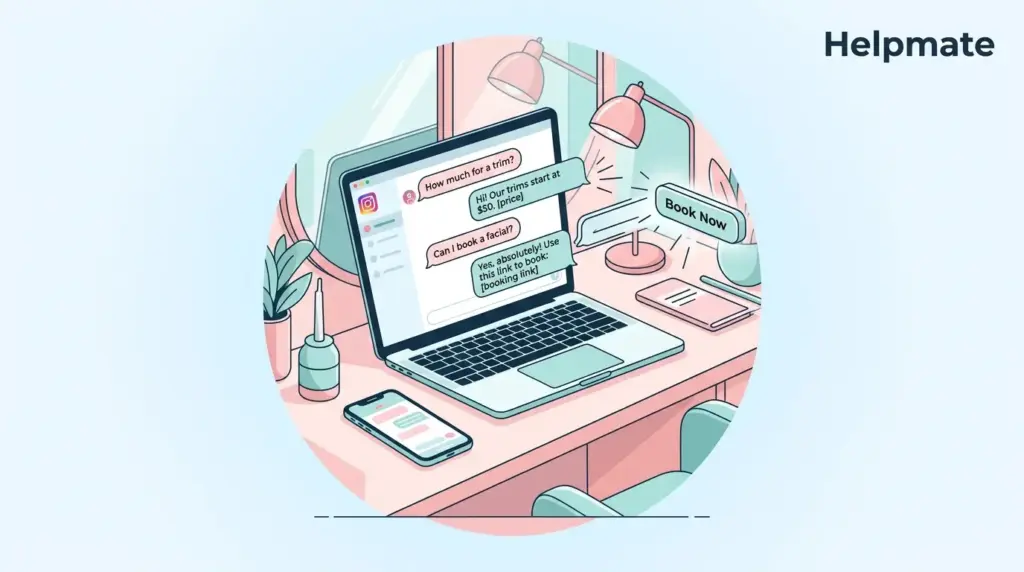
TL;DR: Instagram has something like 2 billion monthly active users now, and beauty businesses keep ranking among the most followed categories on the platform. Salons that automate Instagram DMs respond faster, capture more leads, and cut down on repetitive admin work. This guide walks through setting up keyword triggers, welcome messages, and unified inbox management for your salon using Helpmate.
Here’s the situation most salon owners face in 2026. Your Instagram profile functions as storefront, portfolio, and booking desk all in one place. But those direct messages that should drive revenue? They sit unanswered for hours because you’re actually busy running the business. When someone asks about lash extensions or balayage pricing at 8 PM, they want an answer now—not tomorrow morning. This guide explains how to automate Instagram DMs for small business salons so you stop losing bookings to slow response times.
Why Salons Actually Need Instagram DM Automation
Instagram has essentially become the modern salon reception desk. The platform reports that 90% of users follow at least one business, and beauty brands consistently see some of the highest engagement rates of any industry. For salons, this means your next appointment is probably sitting in your message requests right this moment.
Salon owners know this pattern by heart. A potential client discovers your work through a tagged photo, visits your profile, and sends a direct message asking about pricing, availability, or a specific service. That message sits there unanswered while you’re with a client, managing inventory, or just trying to take a day off. By the time you reply, they’ve booked elsewhere.
The issue is scale. One stylist or a small team can’t monitor Instagram around the clock. Manual DM management creates bottlenecks during busy periods, after hours, on weekends. When response times stretch beyond a few hours, potential clients sense neglect and move on to competitors who reply faster.
Automation addresses this by providing instant acknowledgment. Instead of leaving inquiries in limbo, your salon can deliver immediate answers to common questions, collect contact details, and schedule follow-ups without requiring human intervention for every single message. This preserves your personal service reputation while handling volume you couldn’t possibly manage manually.
What Instagram DM Automation Actually Means for Salons
Instagram DM automation uses predefined rules to send instant replies when someone messages your salon account. These rules activate based on keywords, phrases, or simple message receipt. The system can answer frequently asked questions, request contact information, share booking links, or escalate complex requests to a human team member.
For salons, the most common automation triggers include price list requests, appointment availability, service menus, and location directions. Instead of typing the same responses dozens of times daily, you configure the replies once and let the system handle the repetition.
The technology connects through Instagram Business API or messaging platforms that integrate with Meta’s systems. This isn’t about fake engagement or spam. It’s about responding to genuine customer interest at the speed they expect. When someone messages you at 9 PM about tomorrow’s openings, automation ensures they get a helpful reply immediately—even if your team went home hours ago.
How Helpmate Handles Auto DMs and Comments
Helpmate provides a dedicated Auto DM and Comment system designed for businesses receiving high message volumes across social channels. The feature sits within your WordPress admin and connects directly to Instagram through proper API authorization. You don’t need external SaaS tools or complex webhook configurations to make it work.
The system supports two primary automation types for salons. First, keyword-based auto replies trigger when an incoming message contains specific words or phrases. If a client writes “price” or “how much,” the bot instantly sends your configured pricing response. Second, welcome messages fire automatically when someone opens a DM thread for the first time, setting expectations and guiding them toward booking.
Beyond DMs, Helpmate also handles comment auto-replies on Instagram posts. When someone comments with a trigger phrase, the system can reply publicly or send a private message. This proves especially useful for salons running promotions or giveaway campaigns where comment volume spikes quickly.
All automated conversations flow into Helpmate’s unified inbox alongside your live chat and other social channels. This means you see Instagram DMs, WhatsApp messages, and website chat in one screen. Your team never switches between apps hunting for client context.
Setting Up Instagram DM Automation
Setting up automated Instagram DMs for your salon takes roughly 20 to 30 minutes if you already have an Instagram Business account. The process involves connecting your account, defining triggers, writing reply templates, and testing the flow before going live.
Step 1: Connect Instagram to Helpmate
Inside your WordPress admin, navigate to the Channels section in Helpmate. Select Instagram and authorize the connection through Meta’s official API. You’ll need admin access to the Facebook Page connected to your Instagram Business account. The OAuth flow ensures secure, approved access without storing your personal login credentials.
Step 2: Create Your Keyword Triggers
Open the Auto DM and Comment settings. Create a new automation rule and define the trigger words matching common salon inquiries. Good starting keywords include “price,” “book,” “availability,” “location,” “hours,” and specific service names like “balayage” or “facial.” You can set multiple keywords per rule and prioritize them so the most specific matches fire first.
Step 3: Write Reply Templates That Convert
Your automated replies should sound like your front desk staff—not a robot. Include a greeting, a direct answer, and a clear next step. For example: “Hi there! Thanks for reaching out. A haircut starts at $65 and color services begin at $120. You can see full availability and book here: [link]. Is there a specific service you had in mind?”
Setmore research shows that a clear call to action can boost sales by 161%. Apply this to every DM template by ending with a booking link, phone number, or question that moves the conversation forward.
Step 4: Test Before You Publish
Use Helpmate’s Test Chatbot feature to send test messages and verify your triggers fire correctly. Check that keywords match variations like “pricing” versus “price,” and ensure your links work on mobile devices. Once satisfied, enable the automation for live traffic.
The Best Auto DM Triggers for Salons
Not all automation triggers deliver equal value. The best salon DM triggers capture intent at the exact moment a prospect expresses interest. Based on common salon inquiry patterns, these five trigger categories produce the highest conversion rates.
- Pricing requests: Keywords like “price,” “cost,” “how much,” and “rates” should return a concise menu with starting prices and a booking link.
- Booking intent: Words like “book,” “appointment,” “schedule,” and “available” need immediate responses with your calendar link and verification questions.
- Service questions: Specific terms such as “balayage,” “keratin,” “lash extensions,” or “microblading” show educated interest. Reply with service descriptions, duration estimates, and prep instructions.
- Location and hours: “Where are you,” “address,” “open,” and “hours” require instant factual answers with map links.
- New client offers: First-time visitors who message “new client” or “consultation” should receive a welcome discount or complimentary consultation offer.
Each trigger should connect to a follow-up action. If the bot answers a pricing question, it should ask whether the client wants to book. If it shares location details, it should mention parking tips or nearby landmarks. These small details recreate the personal touch clients expect from independent salons.
For salons using WordPress, the free version of Helpmate – Live, Social & AI Chat with Built-in CRM provides core DM automation capabilities. Upgrading unlocks advanced triggers, multi-step sequences, and deeper CRM integration for managing high-volume appointment flows.
Managing Leads from Instagram DMs
Automated DMs generate leads, but leads without organization become lost opportunities. Helpmate includes a built-in CRM that captures contact details from Instagram conversations and stores them alongside your other channels. When a client shares their email or phone number in a DM, the system creates or updates their contact record automatically.
This unified approach prevents the common salon problem of having client data scattered across Instagram, text messages, email, and paper notebooks. Your team sees complete conversation history, past appointments, and preferences in one profile. When the same client messages six months later, you know exactly who they are and what they booked previously.
Segmentation tools let you group contacts by service interest, last visit date, or message source. You can then send targeted email campaigns to Instagram leads who inquired about color services but never booked, or re-engage past clients who haven’t visited in three months. The automation doesn’t end at the first reply—it builds a marketing foundation.
For appointment-based businesses, Helpmate’s appointment and booking integrations allow DM conversations to convert directly into scheduled time slots. When combined with automated reminders, this reduces no-shows and keeps your calendar full without manual back-and-forth.
Keeping Automated Conversations Personal
The biggest objection salon owners raise about DM automation? Fear of sounding robotic. Beauty services are deeply personal. Clients choose stylists based on trust, aesthetic alignment, emotional connection. An impersonal auto-reply can damage that relationship before it even begins.
The solution is thoughtful template design—not abandonment of automation. Write replies in first person using your salon’s actual voice. If your brand is playful and bold, use exclamation points and emojis. If you position as luxury and minimal, keep language refined and concise. Match the tone your clients hear when they call or visit.
Always include an escape hatch. Every automated reply should tell the client how to reach a human. Phrases like “Reply STOP to pause automation” or “Type AGENT to speak with our team” give clients control. Helpmate supports live chat handoff, so when a conversation requires human judgment, the system transfers it seamlessly to your staff.
Finally, review and refresh your templates monthly. Seasonal services, price adjustments, new staff members—all require updates. Stale automation is worse than no automation because it spreads incorrect information. Set a calendar reminder to audit your triggers and replies quarterly.
Frequently Asked Questions
No. Instagram DM automation requires an Instagram Business account connected to a Facebook Page. Meta’s API policies mandate proper business verification for automated messaging features. Personal or creator accounts cannot access these tools through official channels. Helpmate connects through Meta’s approved API, which requires this verification step during setup.
Automated replies typically improve engagement because they respond faster than manual management. Instagram’s algorithm favors accounts with quick response times and active conversations. The key is relevance. Poorly written auto-replies frustrate users, while helpful, fast responses increase satisfaction and follow-through rates. Focus on useful triggers and human-sounding templates.
Industry standards suggest responding to social media inquiries within one hour during business hours for optimal conversion. After hours, an immediate auto-reply acknowledging receipt and setting expectations for human follow-up prevents leads from going cold. Helpmate’s welcome message feature handles this automatically, so clients never feel ignored regardless of when they message.
Yes. Helpmate’s Channels section supports both Facebook Messenger and Instagram DM automation from the same dashboard. You can create separate rules for each platform or use shared templates where the messaging overlaps. The unified inbox displays conversations from both channels in one stream, so your team manages all Meta messaging without switching contexts.
Helpmate supports live chat handoff for complex requests. You can configure triggers that transfer conversations to human agents, or manually claim automated threads from the unified inbox. When handoff occurs, the agent sees the full bot conversation history and client profile, so the client never repeats information. This hybrid approach preserves efficiency for common questions while protecting quality for sensitive or complex inquiries.
Yes, with proper configuration. Each location should have its own Instagram Business account or distinct messaging rules within a shared account. Helpmate’s team roles and CRM custom fields let you tag contacts by preferred location and route inquiries to the correct staff. Multi-location salons benefit from centralized oversight with localized automation rules that reference specific addresses, phone numbers, and service menus per branch.
Conclusion
Instagram DM automation transforms how salons handle client inquiries. Instead of losing prospects to slow response times, you capture interest the moment it happens. The right setup combines keyword triggers, welcoming auto-replies, clear calls to action, and seamless handoff to human staff when needed.
- Connect your Instagram Business account through Helpmate’s Channels section.
- Build trigger rules around pricing, booking, services, and location requests.
- Write templates in your salon’s voice with specific next steps and booking links.
- Use the unified inbox and CRM to organize leads and follow up systematically.
- Review automation performance monthly and refresh templates seasonally.
Start by mapping your five most common DM questions. Configure triggers for each. Test the flow. Within a week, you’ll likely notice faster response times, more captured leads, and fewer repetitive interruptions during your service hours. For salons ready to scale their social presence without adding headcount, DM automation is probably the most immediate improvement available.
Ready to put this into practice? Get started with Helpmate today and set up your first salon DM automation.

