
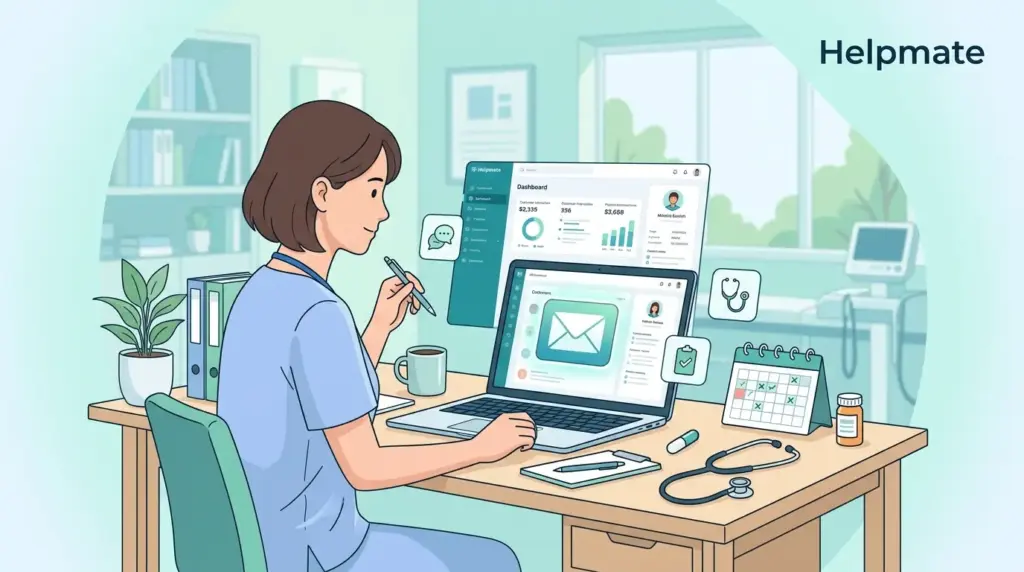
Most front desks don’t track how many hours disappear into follow-up calls until someone actually counts. There’s the prescription refill check-ins, the appointment reminders, the “just checking how you’re feeling” outreach—usually done in the gaps between incoming calls, which means some patients get contacted Thursday while others slip through entirely. Automated patient follow-up emails shift this dynamic. Instead of staff chasing patients during downtime, messages arrive exactly when needed. Practices that get the templates right notice appointment adherence improves without anyone staying late to finish the call list.
TL;DR: Patient follow-up email automation cuts down the administrative chase while keeping care on track. This guide walks through five templates that actually work for healthcare practices, plus the specific steps to run them through Helpmate Email Sequences on WordPress. Practices using these workflows tend to see fewer no-shows and patients who feel more connected to their care—even though the staff isn’t manually sending anything.
Front desk teams already juggle the scheduling puzzle, insurance cards that won’t scan, and phones that seem to ring in clusters. Layering manual email follow-ups onto that stack creates gaps you don’t notice until a patient shows up confused about prep instructions or misses a refill entirely. The problem isn’t effort—it’s timing. When things get busy, the follow-up list gets pushed to “later,” and later often means never.
This guide breaks down which post-visit emails actually move the needle on patient outcomes. You’ll get five templates written specifically for medical practices—not generic marketing copy—and see exactly how to automate them using Helpmate CRM and Email Sequences without leaving WordPress.
Why Patient Follow-Up Email Automation Matters
Manual follow-up lives and dies by who’s available at 4 PM when the phones finally slow down. If Tuesday’s surgery schedule ran long, those Wednesday check-in calls might not happen until Friday—by which point the patient has already missed a day of medication or wondered if their symptom was normal. Automation removes that variability. Every patient hits the same communication rhythm regardless of how chaotic the office felt that morning.
Healthcare retention works differently than other industries. Miss the follow-up with your software vendor, you might miss a feature update. Miss your cardiology follow-up, and small warning signs turn into emergency room visits. The gap between visits is where things fall apart—patients stop taking meds because they feel fine, or they ignore symptoms because they “didn’t want to bother anyone.” Email sequences fill that space with timely reminders that keep the care plan top-of-mind without requiring a human to remember who needs what when.
There’s a revenue angle too, though most practices notice the time savings first. Automating the routine check-ins—appointment confirmations, prep instructions, refill nudges—frees up hours that can go toward actual in-office care. Your front desk isn’t rushing through a patient at the window because they have seventeen calls to return. The emails handle the routine touchpoints; humans handle the complex conversations.
Beyond the time savings, patients actually notice the difference. Getting care instructions within hours of leaving the office feels attentive—not like a mass email, but like the practice remembered you specifically. That sense of being looked after between visits builds the kind of loyalty that shows up in reviews and referrals. Patients mention it casually: “They checked in on me after the procedure.” They don’t know it’s automated, and they don’t need to.
What Should Your Post-Visit Emails Include?
Healthcare emails walk a tightrope. Too stiff and patients wonder if a robot sent it; too casual and they question your clinical credibility. The sweet spot is clear medical guidance wrapped in language that sounds like it came from a person who remembers your name. Your templates need both—authority and warmth.
Certain elements matter more in medical emails than in typical marketing. The patient name isn’t just personalization—it’s reassurance that this message is actually for them, not a broadcast. Reference the specific visit or procedure (“following your knee injection Tuesday”) so they know you didn’t confuse them with the Tuesday morning physical. Next steps need to be concrete: take this pill with food, watch for this specific symptom, call if this happens. And yes, include contact info and unsubscribe links—regulators notice, and so do patients who want off your list.
Timing is where most practices guess wrong. That first email? It needs to land while they’re still processing the visit—ideally within a day. The patient is still wondering if that side effect they felt driving home was normal. Hit that window and you’re helpful; miss it and you’re just another email. Prescription reminders work best around day three, when they’re looking at a nearly empty bottle. Surveys need more distance—wait a week so they’ve actually experienced any follow-up effects and can give real feedback.
Segmentation matters more than most practices bother with. The annual physical patient needs a completely different cadence than the diabetic checking A1C every three months. One gets a single “how are you feeling” email; the other needs medication adherence check-ins, appointment scheduling nudges, and lab prep reminders. Build separate sequences for different visit types—your procedure patients shouldn’t get the same generic sequence as your wellness checks.
Essential Patient Follow-Up Email Templates
These five templates handle the scenarios that come up repeatedly. Adjust the tone to match how your practice actually sounds—whether that’s warm and familial or crisp and clinical.
Template 1: Post-Visit Thank You and Care Instructions
Send this one within 24 hours—while the visit is still fresh and patients are most likely to have questions about their care plan.
Subject: Your care instructions from [Practice Name]

Dear [Patient Name],

Thank you for visiting [Practice Name] on [Date]. We appreciate the trust you place in our care.

Your provider has prepared specific instructions for your treatment. Please review the following:

[Insert care instructions specific to the visit]

If you have questions about these instructions, reply to this email or call us at [Phone Number]. Our clinical team is available [Hours] to assist you.

We look forward to supporting your continued wellness.

Best regards,
[Provider Name]
[Practice Name]
Template 2: Prescription Refill Reminder
Time this around day three post-visit, or calculate based on typical refill cycles for the specific medication.
Subject: Time to refill your prescription

Dear [Patient Name],

This is a friendly reminder that your prescription for [Medication Name] may need refilling soon.

To request a refill:
1. Call our pharmacy line at [Phone Number]
2. Use our patient portal at [Portal URL]
3. Reply to this email with your request

Please allow 24-48 hours for processing. Contact us immediately if you are experiencing side effects or have concerns about your medication.

Your health team at [Practice Name]
Template 3: Follow-Up Appointment Scheduling
Use this for visits where the provider specifically recommended a follow-up, not for routine annual reminders.
Subject: Schedule your follow-up visit with [Practice Name]

Dear [Patient Name],

Your provider recommended a follow-up appointment to monitor your progress. Regular check-ins help us ensure your treatment is working effectively.

Please schedule your appointment within the next [Timeframe].

Schedule online: [Booking URL]
Or call us at: [Phone Number]

Available appointment times:
[Include specific options or link to calendar]

We look forward to seeing you soon.

[Practice Name] Scheduling Team
Template 4: Patient Satisfaction Survey
Wait at least five days so patients can evaluate any post-visit effects or follow-up care they received.
Subject: How was your visit to [Practice Name]?

Dear [Patient Name],

Your feedback helps us improve patient care. Would you take two minutes to share your experience?

Take our brief survey: [Survey Link]

Your responses are confidential and help us identify what we are doing well and where we can improve.

Thank you for helping us serve you better.

The Team at [Practice Name]
Template 5: Preventive Care Reminder
Pull this out when records indicate someone is due for screenings, vaccinations, or annual wellness visits.
Subject: Stay proactive with your health

Dear [Patient Name],

Prevention is the foundation of good health. Based on your records, you may be due for [Specific Screening/Vaccination].

Early detection saves lives. Schedule your preventive care appointment today:

Online booking: [URL]
Phone: [Phone Number]

Questions about whether this applies to you? Reply to this email and our clinical staff will review your records.

To your health,
[Provider Name]
If you’re looking at these templates thinking about the hours they’d save, Helpmate’s Email Sequences handle the automation directly in WordPress. No duct-taping together three different tools.
How to Set Up Automated Email Sequences in Helpmate
Helpmate CRM was built for WordPress practices that need automation without the enterprise software price tag or the headache of custom development. The Email Sequences feature lives inside your existing WordPress admin—no learning a new interface.
Start with the plugin directory—install Helpmate – Live, Social & AI Chat with Built-in CRM. The free tier gets you contact management, but you’ll need Pro for the multi-step email flows that run while you’re seeing patients.
Once it’s running, head to CRM > Email Sequences in your admin panel. Build one sequence per patient journey—post-op, annual physical, new patient onboarding, whatever matches your workflow. Copy in the templates above, swap out the bracketed fields for your actual details, and you’re most of the way there.
Triggers connect this to your existing tools. If you’re using a booking plugin for appointments or WooCommerce for supplements, map those form completions to Helpmate actions. Patient fills out your post-visit form? They drop into the care instructions sequence automatically. Bought a supplement package? They get the usage reminder series.
Timing controls are where you set the rhythm. For post-visit, try sending the first email an hour after the appointment trigger—catches them while they’re still settling back in at home. Space the follow-ups two to three days apart. Enough to stay relevant, not enough to feel like spam.
Best Practices for Healthcare Email Compliance
Healthcare email has rules that regular businesses don’t worry about. This guide covers the mechanics, but check with your legal counsel about HIPAA specifics for your setup—every practice has different risk tolerances and patient agreements.
Security starts with your hosting. SSL is non-negotiable. If you’re including any protected information—and that depends on your patient consent and risk assessment—your email delivery service needs HIPAA-compliant transmission options. A lot of practices play it safe: automated emails handle administrative stuff like appointment reminders, while anything with clinical specifics goes through patient portals or phone calls.
Consent isn’t just polite—it’s required. Make sure your intake forms have clear opt-in language for email communication. Every automated message needs an unsubscribe link at the bottom. Helpmate processes those opt-outs automatically, which keeps you on the right side of CAN-SPAM without anyone having to remember to update a spreadsheet.
Data stays in your WordPress database, which means you control where it lives—not some third-party server you can’t audit. Keep your WordPress core updated, limit admin access to people who actually need it, and review user permissions regularly. The data location isn’t mysterious; it’s right there in your hosting environment.
Measuring Success: Tracking Patient Engagement
The numbers tell you what’s working. Open rates show whether your subject lines cut through inbox noise. Click rates on appointment links reveal if your calls-to-action are clear. But the real metric? Whether patients actually show up. Compare appointment completion rates between patients who got the automated sequence and those who didn’t—that gap is your ROI.
Healthcare benchmarks run different than regular marketing. Patients open practice emails because they expect them—this isn’t a promotional newsletter from a retailer they barely remember. That said, your numbers will vary by patient age, visit type, and even time of day. A geriatrics practice sees different patterns than a sports medicine clinic.
Small tests add up. Try two subject lines—”Your care instructions from Dr. Smith” versus “Important information about your visit”—and see which gets opened. Test send times too; morning might work for working professionals, while retirees might engage more in early afternoon. You won’t know your audience’s habits until you test.
Ask patients directly. Drop a one-question survey in your sequence: “How often would you like to hear from us?” or “Was this email helpful?” The responses give you permission insights and content direction you can’t get from click rates alone.
Frequently Asked Questions
That first email should land within 24 hours—while the patient is still processing what happened in your office and before questions start building up. Prescription reminders work best around day two or three, when they’re staring at a near-empty bottle. Surveys need breathing room; wait three to seven days so they’ve actually experienced any effects or follow-up needs.
Three to four emails across two weeks hits the sweet spot. Think: care instructions immediately, a check-in or reminder around day three, then a survey or preventive nudge after a week. Past that, you’re risking the unsubscribe link—or worse, the patient mentally marking you as spam.
It depends what you’re sending. General appointment reminders and practice updates usually fall within standard compliance if your infrastructure is secure. The danger zone is clinical specifics—diagnoses, med names, procedure details—in unencrypted automated emails. Many practices stick to administrative content in automation and save clinical talk for phone calls or portals. Check with your compliance officer about your specific risk tolerance.
Yes—Helpmate pulls from contact fields, so names, dates, and provider assignments all auto-populate. But be thoughtful about how deep the personalization goes. Names and appointment dates are low-risk. Specific medical details in automated emails create compliance exposure. If you need to reference particular treatments or conditions, that’s usually a sign to send manually or use your patient portal instead.
Healthcare generally sees 20-25% opens, but practice emails often beat that because patients actually recognize the sender and want the information. Appointment reminders and care instructions outperform promotional blasts by a mile. Rather than chasing benchmarks, focus on relevance—send the right email at the right time, and 30% or higher is very achievable.
It varies by what EHR you’re running. Most practices start simple: export patient emails from the EHR as a CSV, import into Helpmate, and trigger sequences from there. If you need real-time sync, Helpmate Pro has API keys and webhooks that can connect directly to systems that support them. Check what your EHR allows for outgoing connections.
Yes—the Commerce integration connects to WooCommerce. So when someone buys supplements, pays for a consultation package, or orders a health product, that purchase can drop them into a specific email flow. Abandoned cart recovery works too, which matters if you’re selling retail products patients expect to find at your office.
Transform your patient communication with WordPress automation. Install Helpmate today and see how automated follow-up emails improve appointment adherence and patient satisfaction.
Conclusion
Automating patient follow-up changes the rhythm of practice management. Instead of frantic catch-up calls between patients, you have a steady, reliable communication flow running in the background. Patients feel attended to; staff focuses on who’s in front of them.
- Five templates handle the heavy lifting: visit follow-ups, refill nudges, appointment scheduling, feedback requests, and preventive care reminders
- Get the timing right—first contact within a day, then space them every few days
- Helpmate brings enterprise-level automation into WordPress without the enterprise headache
- Watch your compliance boundaries; administrative emails are safer than clinical details
- Keep testing subject lines and send times; small tweaks compound over months
Pick one sequence and start there. The post-visit thank you is lowest-risk—patients expect it, and it immediately demonstrates value. Watch your metrics for a month, adjust the timing, then layer in prescription reminders or surveys. You’ll know it’s working when patients mention the emails during appointments, and when your front desk stops dreading the follow-up call list.
If your practice is ready to stop playing phone tag and start communicating systematically, Helpmate – Live, Social & AI Chat with Built-in CRM runs entirely within WordPress—no external platforms to manage, no data leaving your hosting environment, just automated follow-ups that feel personal.

