
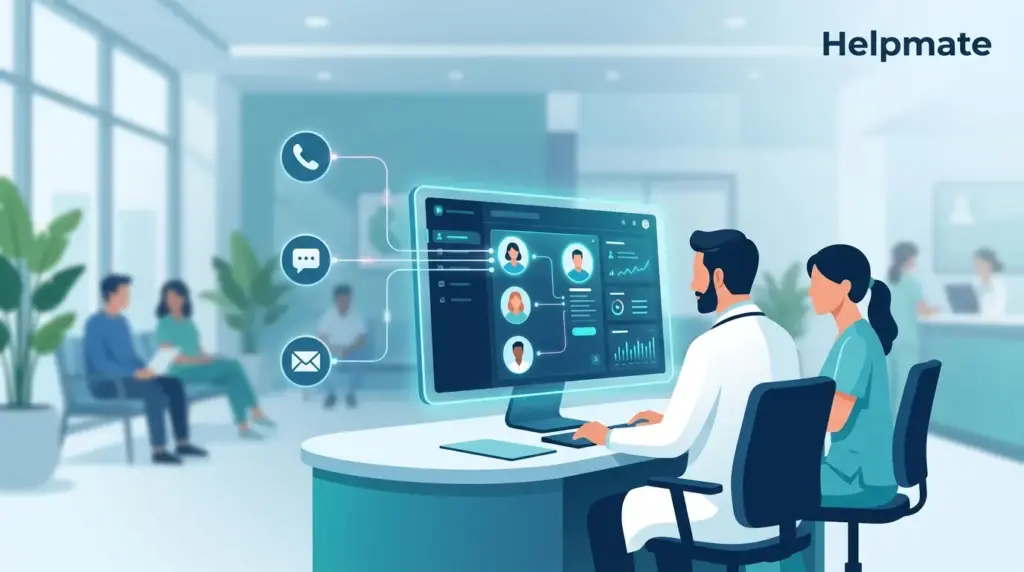
TL;DR: Healthcare practices lose hours every week chasing fragmented patient data and wondering why follow-ups keep slipping through. A centralized patient record management system like Helpmate CRM pulls contact history, appointments, tasks, and notes into one secure workspace. Medical teams using unified CRM tools report fewer dropped handoffs and faster response times. This guide walks through organizing your practice without the usual complexity.
Patient information ends up everywhere. Phone calls, emails, text messages, paper forms, and half a dozen software platforms create silos that bury critical context. When a patient calls asking about their treatment plan, front-desk staff end up scrambling across three different systems just to piece together what happened last visit. Care teams miss follow-up reminders. Appointment notes vanish into digital voids. Patients get frustrated. Staff burn out.
This guide looks at how a patient record management system turns that workflow chaos into organized, trackable patient care. You will learn what features actually matter, how task management prevents things from falling through cracks, and how Helpmate CRM specifically supports medical practice organization without demanding complex IT infrastructure.
What Is Patient Record Management and Why Does It Matter?
Patient record management is the systematic organization of patient information, interactions, and care activities within a centralized system. For healthcare practices, this goes beyond simple contact storage. It includes appointment history, treatment notes, task assignments, and communication threads across every channel.
The core challenge in modern healthcare is fragmentation. Medical practices often run separate tools for scheduling, billing, phone calls, email, and patient portals. Each system holds pieces of the patient story. When information scatters, staff cannot see complete context quickly. This leads to repeated questions, redundant data entry, and care coordination failures.
Healthcare practices face mounting pressure to deliver personalized, responsive care while administrative loads keep increasing. Without a unified patient record management system, practices experience communication gaps, missed appointments, delayed follow-ups, and compliance risks from incomplete documentation.
Effective patient record management solves these issues by creating a single source of truth. Every interaction, from initial inquiry through ongoing care, gets logged and connected to the patient profile. Staff can see complete history instantly. Tasks get assigned with clear ownership. Nothing falls through when systems actually talk to each other.
How Do Fragmented Systems Create Care Gaps?
Fragmented patient data creates measurable problems for healthcare practices. When patient information lives in disconnected systems, staff waste time switching contexts and hunting for details. Each transition between platforms introduces friction and error risk.
Consider a typical scenario. A patient messages through Instagram about post-procedure concerns. The message sits in a social inbox separate from the practice management system. Front desk staff must manually transcribe details, often losing nuance. The physician never sees original context. Follow-up tasks get created in yet another tool. Three systems, zero connection, endless confusion.
Communication gaps extend beyond staff inefficiency. Patients experience fractured care when their history is not readily available. They repeat symptoms, re-explain concerns, and grow frustrated with impersonal service. Patient satisfaction scores drop. Retention suffers.
Administrative burden compounds these issues. Healthcare administrative tasks consume significant portions of clinical staff time. Studies consistently show that administrative work reduces time available for direct patient care. When record keeping requires manual data entry across multiple platforms, burnout accelerates and errors multiply.
The financial impact is substantial. Missed appointments, delayed billing, and inefficient workflows cost practices thousands in lost revenue annually. Practices cannot afford systems that create more work than they save.
What Makes a Patient Record Management System Essential?
Not all CRM systems serve healthcare needs effectively. A patient record management system must handle specific requirements that generic business tools often miss. Understanding these requirements helps practices evaluate solutions properly.
Centralized contact management forms the foundation. Every patient interaction, regardless of channel, should connect to a unified profile. This includes website chat, social media messages, email, phone calls, and in-person visits. The system must capture conversation history automatically and make it searchable.
Task and appointment tracking prevents follow-up failures. Healthcare involves complex coordination. Referrals need scheduling. Lab results require review. Insurance authorizations demand follow-through. A proper system creates assignable tasks with due dates, priorities, and clear ownership.
Note-taking capabilities preserve clinical and administrative context. Staff need space to record patient preferences, special circumstances, and care details. These notes should be structured, searchable, and accessible to authorized team members.
Integration with existing workflows matters enormously. Healthcare practices use specialized tools for scheduling, billing, and clinical records. A patient record management system should complement these tools, not force complete replacement. Open APIs and pre-built connectors reduce implementation friction.
Security and compliance cannot be optional. Patient health information requires protection under regulations like HIPAA in the United States and GDPR in Europe. Systems must offer access controls, audit trails, and data encryption. Any vendor handling patient data must provide business associate agreements and security documentation.
How Does Helpmate CRM Centralize Patient Information?
Helpmate CRM provides healthcare practices with purpose-built patient record management capabilities. The platform treats patient communication as a unified stream rather than disconnected channels. This approach eliminates the fragmentation that plagues traditional setups.
The core Contacts module in Helpmate CRM serves as the central patient database. Each contact record aggregates interaction history across all connected channels. When a patient reaches out via WhatsApp, then follows up through website chat, both conversations appear in chronological sequence on their profile. Staff see complete context without switching applications.
Custom fields allow practices to capture healthcare-specific data points. Insurance information, preferred communication methods, appointment types, and care preferences can be structured and standardized. This structured data enables segmentation, reporting, and automated workflows.
The Order Management integration connects patient records to commerce transactions. For practices selling products, procedures, or care packages, this creates clear links between patient identity and purchase history. Billing questions get resolved faster when staff can see complete transaction context alongside communication history.
Channel integration is particularly powerful for healthcare. Helpmate connects WhatsApp, Instagram, Facebook Messenger, and website chat into one inbox. Social media inquiries no longer sit isolated from patient records. Every touchpoint becomes part of the permanent record, searchable and reportable.
For practices seeking to enhance patient communication with AI assistance, the Helpmate – Live, Social & AI Chat with Built-in CRM plugin offers a free entry point. The free version includes core CRM functionality and unified inbox features, allowing practices to organize patient records before upgrading to advanced automation capabilities.
How Do Tasks and Notes Keep Care Teams Aligned?
Patient care is fundamentally collaborative. Multiple staff members touch each patient journey. Tasks and notes create the coordination layer that prevents miscommunication and dropped handoffs.
Helpmate CRM includes robust task management directly connected to patient records. Staff can create tasks with specific due dates, priorities, and assignments. A front-desk agent might flag a patient record needing insurance verification. A care coordinator can set follow-up reminders for post-procedure check-ins. Tasks appear in unified dashboards and trigger notifications to responsible team members.
The Notes feature captures unstructured context that structured fields cannot contain. Clinical observations, patient preferences, family dynamics, and communication nuances live in notes. Unlike scattered paper files or personal sticky notes, Helpmate notes are permanently attached to patient profiles and visible to authorized team members.
Appointments and scheduling integration extends task management into calendar coordination. The Appointments module allows practices to schedule patient visits, consultations, and follow-ups. These appointments link to patient records, creating complete timeline views of engagement.
Team workflows improve dramatically when everyone operates from shared truth. Status updates become automatic. Coverage during absences is smoother. Patients experience consistent service regardless of which staff member handles their inquiry.
Consider the referral workflow. A primary care provider refers a patient to a specialist. In fragmented systems, tracking this referral requires phone tags and spreadsheet logging. With Helpmate, the referral becomes a task sequence with owner assignment, due dates, and status tracking. The referring provider sees when the appointment is scheduled. The specialist sees complete referral context. The patient experiences seamless handoff.
How Can Automation Reduce Administrative Burden?
Manual administrative tasks consume healthcare staff time that could serve patients directly. Smart automation eliminates repetitive work while preserving human oversight where it matters.
Helpmate CRM includes automation capabilities through its Automations module. Healthcare practices can configure rules that trigger actions based on patient behavior or system events. Appointment confirmations send automatically. Follow-up sequences deploy after visits. Abandoned inquiry workflows re-engage potential patients who started but did not complete booking.
Email campaigns keep patients informed and engaged. The CRM includes email template management and campaign sending capabilities. Practices can segment patients by condition, appointment type, or care status, then deliver targeted communications. Educational content, appointment reminders, and care instructions reach the right patients at appropriate times.
Auto DM and comment handling streamlines social media patient service. When patients message through Instagram or Facebook, automated responses can acknowledge receipt, collect initial information, and route to appropriate staff. This prevents messages from sitting unread during high-volume periods.
Form integrations extend automation into data collection. Helpmate connects with popular WordPress form plugins including Contact Form 7, WPForms, Formidable Forms, Ninja Forms, and Forminator. Form submissions automatically create or update patient records, eliminating manual transcription. Appointment requests, intake forms, and feedback surveys flow directly into the CRM.
The key to effective healthcare automation is maintaining personalization. Patients must feel seen and valued, not processed. Helpmate allows practices to configure automation with personalization tokens, conditional logic, and human handoff triggers. When conversations require empathy or complex decision-making, systems route to staff seamlessly.
What Security Considerations Matter for Patient Data?
Healthcare data security is non-negotiable. Patient record management systems must protect sensitive information against unauthorized access, breaches, and compliance violations. Practices must evaluate security posture before committing to any platform.
Access control forms the first line of defense. Helpmate includes Teams & Roles functionality that limits system access based on job function. Front desk staff see patient contact information and appointment details. Clinical staff access treatment notes. Administrators manage configuration. Role-based access prevents unauthorized data exposure while enabling necessary workflows.
Data encryption protects information in transit and at rest. Modern healthcare systems must use industry-standard encryption protocols. When evaluating patient record management systems, practices should request security documentation and compliance certifications.
Audit trails support accountability and compliance. Helpmate activity logging records who accessed patient records and what actions they performed. This visibility is essential for HIPAA compliance and internal security review. When questions arise about data handling, audit logs provide definitive answers.
Integration security deserves special attention. When connecting practice management systems, payment processors, or communication channels, each integration point represents potential exposure. Healthcare practices should use officially supported integrations, maintain current software versions, and review access permissions regularly.
Patient consent and data rights require systematic handling. Modern privacy regulations give patients rights to access, correct, and delete their information. Patient record management systems must support these requests operationally. Data export capabilities and deletion workflows should be tested before deployment.
Frequently Asked Questions
Electronic Health Records (EHRs) focus on clinical documentation, diagnoses, medications, and treatment plans. Patient record management systems like Helpmate CRM focus on communication, coordination, and administrative workflow. They complement EHRs by handling patient interactions, tasks, and relationship management. Many practices use both, with integration or manual handoff between clinical records and communication records.
Helpmate CRM is designed to complement rather than replace clinical practice management systems. It excels at patient communication, task coordination, and relationship management. Practices typically integrate Helpmate with existing scheduling, billing, and clinical systems. The CRM fills gaps in patient engagement and administrative coordination that specialized medical software often leaves unaddressed.
Patient data enters Helpmate through multiple channels. Website chat conversations automatically create contact records. Social media interactions from connected WhatsApp, Instagram, and Messenger accounts populate profiles. Form submissions from WordPress contact forms add structured data. Manual entry remains available for phone calls and in-person visits. The system aggregates all sources into unified patient profiles.
HIPAA compliance involves both technology and operational practices. Helpmate provides security features including role-based access, audit logging, and data encryption. Practices must configure these features appropriately and establish business associate agreements with Rhapsody Plugins. Compliance also requires staff training, policy documentation, and physical security measures beyond software configuration. Healthcare practices should conduct their own compliance review before handling protected health information in any system.
Data portability is essential for healthcare practices. Helpmate allows export of contact records, conversation history, and task data in standard formats. Practices should establish regular backup procedures and maintain export capabilities. Before any system transition, plan data migration or archival to ensure continuity of patient care and compliance with record retention requirements.
Yes. Helpmate CRM supports concurrent access for authorized team members. Multiple staff can view patient profiles, add notes, and create tasks simultaneously. The system records who made each change and when. This collaborative access supports team-based care models while maintaining accountability. Role permissions control which staff can modify versus view patient information.
Start by installing Helpmate from the WordPress plugin directory. Configure the CRM module and establish your team structure with appropriate roles. Connect communication channels like website chat and social messaging. Import existing patient contacts via CSV if migrating from another system. Create task templates for common workflows. Train staff on consistent data entry practices. Begin with core functionality and expand automation as processes mature.
Conclusion
Patient record management transforms healthcare practice operations from reactive chaos to proactive organization. By centralizing patient information, unifying communication channels, and systematizing task management, practices deliver better patient experiences while reducing staff burden.
- Fragmented systems create care gaps and administrative waste. Unified CRM eliminates these costs.
- Helpmate CRM provides healthcare-specific patient record management with contact centralization, task tracking, and note collaboration.
- Automation reduces repetitive work while preserving personal touch through smart handoff rules.
- Security and compliance require both technology features and operational discipline.
- Starting with core CRM functionality allows practices to grow into advanced automation over time.
The investment in proper patient record management pays dividends in patient satisfaction, staff retention, and practice efficiency. Healthcare organizations that organize their patient data strategically gain competitive advantage through superior service and operational excellence.

