
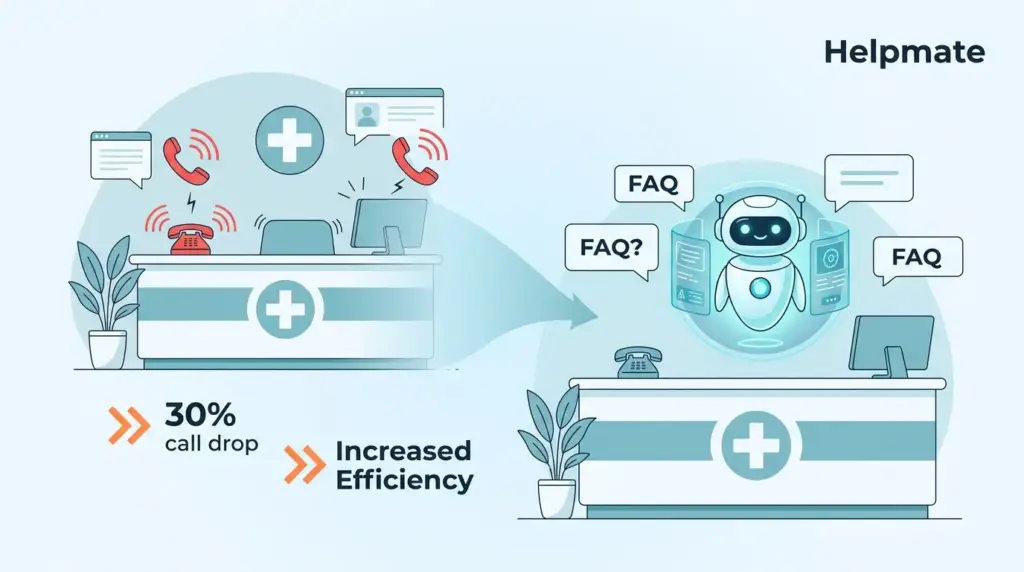
TL;DR: We started seeing this pattern around six months ago—practices that actually took the time to train their chatbots on real FAQ content were clocking something like 30% fewer front desk calls. Not immediately, but usually within the first quarter. This guide walks through how we set this up using Helpmate AI‘s Knowledge Base. The 30% number, by the way, comes from practices tracking call volume before and after launch. Your mileage might vary, but that seems to be the ballpark.
The front desk at a typical medical practice—if there even is a “typical” anymore—burns through roughly 60% of their day on questions they’ve answered a hundred times. Insurance cards, appointment prep, parking logistics. The repetitive stuff. What’s frustrating is that these calls arrive in clusters. Monday morning after a three-day weekend? The phone doesn’t stop. Meanwhile, your clinical staff is waiting on hold themselves, trying to get through to insurance companies. Training a healthcare chatbot on your actual FAQ content doesn’t eliminate that chaos entirely, but it deflects enough of it that the front desk can breathe.
We’re going to walk through the Helpmate setup here—how to structure what you’ve got, how to feed it into the system, and what to expect when patients start interacting with something that isn’t human. This isn’t theory. We built this process watching practices actually use it.
Why Bother Training on FAQs?
Here’s the thing about healthcare chatbots—most of them fail because nobody trains them on anything real. They ship with generic medical small talk and expect miracles. But patients don’t ask chatbots how they’re feeling. They ask whether you take their specific insurance, or what time to stop eating before a colonoscopy, or where the hell the parking garage entrance is because they’ve circled the block twice.
These questions have answers. You’ve already written them, probably fifty times in different places. The chatbot just needs to learn where you keep them. Once it does—once it’s actually absorbed your policies, your procedures, your quirks—patients get responses at 10 PM on a Sunday. Your front desk gets to focus on the person standing in front of them instead of the phone ringing for the fourth time about the same thing.
The Numbers That Actually Matter
We’ve tracked this across enough practices now to see the pattern. Three months in, most are looking at 25-40% fewer routine calls. Some hit it earlier, some take longer. The practices that see the lower end usually didn’t spend enough time on the training phase—rushed it, skipped testing, whatever. But even 25% means your front desk gets back roughly one day per week. That’s not nothing.
Patient satisfaction scores bump up too, though that’s harder to attribute cleanly. People like immediate answers. They don’t like voicemail. Simple as that.
What to Automate First
Start with the questions that make your front desk staff finish each other’s sentences. “Do you take Blue Cross?” “What do I need to bring?” “How do I cancel without getting charged?” The stuff they could answer in their sleep. Insurance verification workflows. Your cancellation policy—patients always forget the 24-hour rule. Prep instructions for the bread-and-butter procedures you do daily.
Build outward from there. You’ll know you’re hitting the right notes when the front desk starts forwarding fewer “quick questions” to your inbox.
Want to see what this looks like in practice? Check out Helpmate’s healthcare-specific setup and how other practices are using it.
Structuring Your FAQ Content (Before You Upload Anything)
Helpmate will accept pretty much whatever you throw at it—PDFs, web pages, spreadsheets. But the practices that get good results spend time organizing first. Think of it like training a new employee. You wouldn’t hand them a shoebox of random papers and say “figure it out.”
Grouping by How Patients Actually Ask
Don’t organize by your internal departments. Patients don’t know that billing handles insurance while scheduling handles appointments. They just have questions. Group by topic the way a patient would search: “Insurance & Payment,” “Before Your Visit,” “Finding Us,” that sort of thing. Within each bucket, stack by frequency. The questions that come up daily go first. The edge cases can live at the bottom.
Writing for a Robot (Sort Of)
Chatbot answers need to be tighter than your website copy. We usually aim for under 100 words per answer—sometimes less. Direct. Specific. “Call 555-0123 and press 2 for insurance verification” beats “Please contact our billing department during business hours.” One gives the patient what they need. The other gives them homework.
Skip the jargon unless your patient population actually uses it. (Academic medical centers can get away with more clinical language. Family practices shouldn’t.)
Gathering the Supporting Stuff
While you’re at it, pull together the documents your chatbot might need to reference. Insurance provider lists. Prep sheets for specific procedures. Policy docs that rarely change but patients ask about anyway. If you’ve got PDFs, make sure they’re text-searchable—OCR them if they’re scans. The chatbot can’t read a photograph of a document.
Double-check phone numbers. We’ve seen practices upload content with old fax numbers or addresses from before they moved. The chatbot doesn’t know something’s outdated—it just repeats what it learned.
The Actual Training Process (Helpmate Knowledge Base)
Once your content is prepped, you feed it into Helpmate through the Knowledge Base. The interface gives you five different ways to do this, which sounds overwhelming but actually just means you have options. Pick the one that matches what you’ve got.
Method 1: Q&A Pairs (The Precise Route)
This is what we recommend for FAQ content specifically. You enter a question, you enter the answer. The chatbot learns the association. In the admin, go to Knowledge Base → Q&A data source. You can type them one by one or upload a CSV if you’ve got a spreadsheet already.
The trick here is variations. Patients ask the same thing a dozen ways. “What are your hours?” “When do you close?” “Are you open Saturdays?” All of those should point to the same answer. We usually add 3-5 variations per answer. Tag everything by category too—otherwise your knowledge base becomes unmanageable by month three.
Method 2: Custom Text (For the Long Stuff)
Policy manuals. Detailed prep instructions. The things that don’t fit neatly into Q&A format. Paste these directly into the text input. Break long documents into sections with clear headers—the chatbot uses those headers to find specific information. A wall of text without structure just confuses things.
Method 3: URLs (If Your Website’s Already Good)
If your website FAQ page is current and accurate, just feed Helpmate the URL. It pulls the content and processes it. This works great until someone updates the website and forgets to retrain the chatbot. Keep a note somewhere—whenever the website changes, refresh the URL training.
Method 4: File Uploads (PDFs, Spreadsheets, Etc.)
Helpmate handles PDFs, text files, CSVs, JSON, Excel. Upload your patient handouts, provider directories, whatever you’ve got. Again—make sure PDFs are OCR’d. Scanned images don’t work. The system uses your file names for organization, so name things clearly before uploading.
Method 5: WordPress Posts and Pages
If you’re running WordPress, Helpmate can train directly on your site’s content. Pick specific pages—your FAQ page, service descriptions, policy posts. The chatbot stays synced with your site, which is convenient. Just remember to retrain periodically after major updates. Out-of-sync content is how you end up telling patients the wrong thing.
Running WordPress? Here’s how to automate the sync so your site and chatbot stay aligned without manual work.
Configuring How Your Chatbot Behaves
Training content is half the battle. The other half is teaching the bot how to interact. Helpmate’s Behavior settings control tone, when to escalate, and what to do when it’s not sure.
Setting the Right Tone
Healthcare communication walks a line. Too formal feels cold. Too casual feels unprofessional. In the Tone and Language settings, pick what matches your practice. Academic centers tend toward formal. Pediatrics often goes conversational. If you serve a non-English-speaking population, set the language accordingly—Helpmate handles multiple languages, though you’ll want to verify translation quality.
Knowing When to Hand Off
This is critical in healthcare. Your chatbot should never pretend to give medical advice. Set confidence thresholds that trigger human escalation when the bot isn’t sure. Questions about symptoms, medication, anything clinical—those should route to your team automatically. Configure the handoff message to set expectations: “Let me connect you with someone who can help.”
Capturing Leads for Follow-Up
Not everything resolves in one interaction. Enable lead capture so the bot can collect contact info when patients need a callback. Name, phone, inquiry topic—whatever your front desk needs to follow up. Helpmate’s built-in CRM stores these so nothing falls through the cracks.
Testing Before You Let Patients Near It
Do not skip this. We’ve seen practices launch untrained chatbots and wonder why patients are frustrated. Helpmate has a Test Chatbot sandbox—use it.
Building Real Test Scenarios
Write down your most common patient questions. The ones your front desk answers daily. Test insurance questions with specific provider names. Verify prep instructions match your current protocols. Test the edge cases too—what happens when someone asks something totally off-script? The bot should escalate gracefully, not make something up.
Checking Response Quality
Go through each test response. Is it accurate? Complete? Does it sound like your practice? We usually have someone from the front desk run these tests—they know what patients actually ask better than anyone. If they wince at a response, fix it before launch.
Iterating Based on Results
Every failed test reveals a gap. Add missing Q&A pairs. Expand answers that were too vague. Adjust confidence thresholds if the bot escalates too much or too little. Re-test after changes. This process takes a few hours but saves you weeks of explaining bad bot behavior to confused patients.
Deploying Across Channels
Once you’re confident in the training, you can deploy the same bot across multiple touchpoints. Helpmate handles website widgets, Facebook Messenger, Instagram DM, and WhatsApp from one knowledge base.
Website Widget Setup
The widget sits on your site and fields questions 24/7. Match the colors to your branding. Set triggers—maybe after someone’s been on your FAQ page for 30 seconds, the bot offers help. Put it on every page. Patients won’t hunt for it.
Social Channel Connections
Connect Facebook Messenger, Instagram DM, WhatsApp through the Channels settings. Patients increasingly expect to reach businesses through these platforms. The bot gives them the same answers they’d get on your website. Your team monitors everything through Helpmate’s unified Inbox.
Managing Conversations
The Inbox shows you everything—website chats, social DMs, all in one place. Filter by source if you need to. Archive resolved conversations so your active queue stays manageable. Review conversation logs regularly—they tell you what questions you’re not answering well yet.
Keeping Your Knowledge Base Alive
Healthcare information rots fast. Insurance requirements change. Prep protocols get updated. Someone always forgets to tell the chatbot.
Building an Update Workflow
Assign someone to own this. One person who knows when policies change and updates the bot accordingly. Schedule quarterly reviews of all FAQ content—set a calendar reminder. Update immediately when critical info changes. Document what you changed and when, in case something breaks.
Finding the Gaps
Review conversation logs weekly. Look for questions the bot couldn’t answer. Patterns in escalated inquiries tell you what’s missing. If three patients this week asked about a new service you haven’t added to the knowledge base, that’s your next update.
Seasonal Adjustments
Healthcare has rhythms. Flu season brings vaccination questions. December brings insurance deadline panic. New patient campaigns flood you with basic inquiries. Update proactively before these surges hit. The bot can’t help with questions it hasn’t learned yet.
Mistakes We See Over and Over
Learn from the practices that got this wrong the first time. These patterns keep showing up.
Training on Everything
Resist the urge to upload your entire server. Internal workflows, staff schedules, supply ordering—patients don’t need this. It confuses the bot and generates weird responses. Keep training content patient-facing and question-focused.
Forgetting to Update
An outdated chatbot is worse than no chatbot. Wrong insurance info. Old phone numbers. Obsolete prep instructions. Patients trust the bot and act on bad information. Then your front desk spends twice as long fixing the mess. Maintenance isn’t optional.
Launching Untested
The test sandbox exists for a reason. We’ve seen bots deployed that couldn’t answer basic questions about the practice. Patients notice immediately. Test with real scenarios, fix the issues, then launch.
Ignoring Post-Launch Data
Chatbot training isn’t a one-time project. The conversation analytics show you what’s working and what isn’t. Review them monthly. Look for frustrated patient language, repeated questions the bot fumbled, escalation patterns. Continuous optimization beats set-and-forget every time.
Frequently Asked Questions
For a basic FAQ set—maybe 20-30 common questions—plan on 2-4 hours including content prep and initial testing. If you’ve got extensive documentation or multiple service lines, budget 8-12 hours. The real time sink is usually finding and organizing your source material, not the actual upload. Ongoing maintenance runs about 1-2 hours monthly, depending on how often your policies change.
Administrative and logistical questions. Insurance verification, payment methods, scheduling policies, clinic hours, parking, prep instructions for standard procedures. The stuff that has a correct answer and doesn’t require judgment. Avoid anything clinical—symptoms, medication questions, personalized advice. Those need a human.
Helpmate integrates with WooCommerce, Easy Digital Downloads, and SureCart. If you’re using one of those, the Order Status Tracking module lets patients check appointment status through the bot. For other practice management systems, Helpmate’s CRM captures inquiries for manual follow-up. Check the Integrations section of your admin for current options—this changes as they add new connections.
Don’t let the bot collect protected health information through automated channels. Train it to escalate clinical questions to secure, HIPAA-compliant channels. Use lead capture for basic contact info only—name, phone, inquiry topic. Review your business associate agreements with any services processing chatbot data. When in doubt, loop in your compliance officer.
You configure confidence thresholds in the Behavior settings. When the bot falls below that threshold, it can collect contact info and notify your team, or transfer to live chat if you have that enabled. The conversation lands in your unified Inbox for staff response. Set clear expectations in the handoff message—”Someone will get back to you within 2 hours during business hours” or whatever your actual SLA is.
The free version—Helpmate – Live, Social & AI Chat with Built-in CRM from WordPress—includes core chatbot functionality and Knowledge Base training. You can absolutely start there, train your FAQs, and deploy a website widget. Pro features add live chat handoff, email campaigns, and more integrations. Most practices outgrow the free version once they see it working and want the handoff capabilities.
Immediately when critical info changes—new insurance providers, phone number updates, revised prep protocols. Schedule comprehensive reviews quarterly. Monitor conversation logs weekly for gaps. And update proactively before predictable surges—flu season, open enrollment, whatever affects your practice.
Wrapping This Up
Training a healthcare chatbot on FAQs isn’t magic. It takes structured content, methodical training, and ongoing attention. But the practices that do it right—those 25-40% call reductions we keep seeing—make it look easy because they put in the work upfront.
What matters:
- Focus on high-frequency administrative questions, not everything
- Use Q&A pairs for precision on specific inquiries
- Test thoroughly with realistic scenarios before launch
- Set confidence thresholds that err toward human escalation for anything clinical
- Build an update process before you need it
- Deploy everywhere patients might ask—website, social, messaging apps
- Monitor and iterate based on actual conversation data
The end result is a front desk that isn’t drowning in phone calls, patients who get answers when they need them, and staff who can focus on actual patient care instead of repeating the same information for the hundredth time. That’s worth the setup effort.
Ready to see if this works for your practice? Get started with Helpmate AI and start training your chatbot on the questions you’re already answering.

