
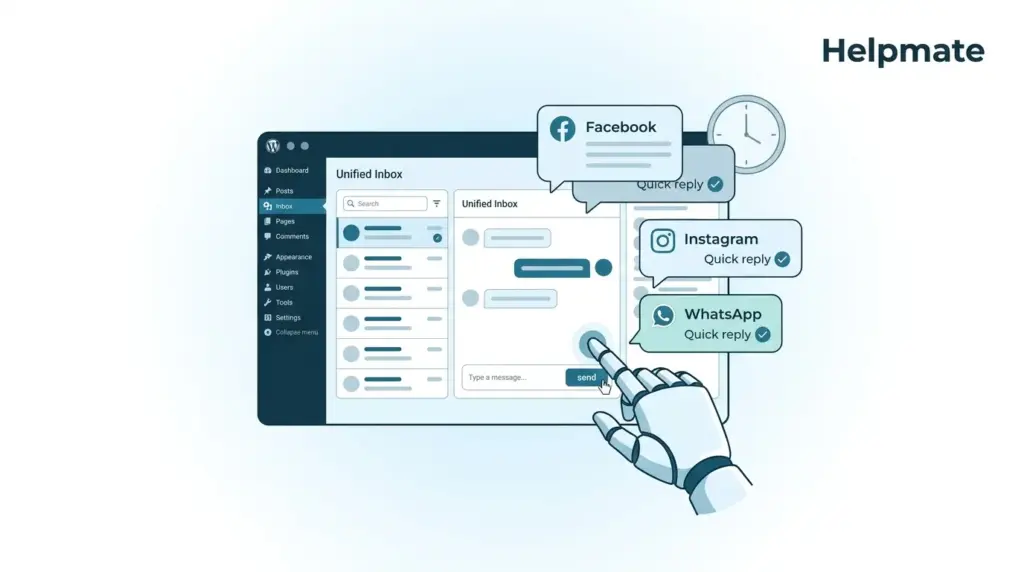
TL;DR: We have been watching this happen for years. Small teams lose around 40% of social leads simply because they respond too slowly. Facebook Messenger auto reply for WordPress fixes this by automating responses across Facebook, Instagram, and WhatsApp directly from your dashboard. Helpmate’s Auto DM and Comment features cut response times from hours to seconds. The brand voice stays intact.
Social media inboxes became the front door for modern businesses somewhere around 2019. Maybe 2020. A potential customer sends a Facebook message at midnight. Someone else comments on your Instagram post during your Tuesday team meeting. They expect an immediate response. The research consistently shows that response time correlates with conversion rates. The faster you reply, the more likely you win the business. This is not new information.
Here is the problem though. Small teams cannot monitor five different platforms 24/7. Messages slip through. Comments go unanswered. Hot leads go cold while you are sleeping or eating lunch or just dealing with something else. This is where Facebook Messenger auto reply for WordPress changes things. Instead of juggling apps and browser tabs, you centralize every social conversation inside WordPress and automate that first response.
Why Small Teams Lose Social Leads to Slow Response Times
Speed matters in social commerce. Industry data suggests that 78% of consumers expect a response within 24 hours, but the top-performing brands reply within minutes. That gap between expectation and reality costs real revenue. We have seen it.
Several factors create this bottleneck. First, context switching kills productivity. Jumping from Facebook Business Manager to Instagram Direct to WhatsApp Business forces your brain to reset every time. Second, notifications arrive at inconvenient times. A message sent at 2 AM sits there until morning. Third, small teams lack dedicated social staff. The same person shipping orders also manages customer service. They are tired.
The result? You miss conversations that could have converted. A simple product question unanswered for six hours sends the customer to a competitor who replies instantly. An interested commenter receives no engagement and loses interest. Automation breaks this cycle by guaranteeing immediate acknowledgment while your team focuses on the complex stuff.
What Facebook Messenger Auto Reply Actually Does
Facebook Messenger auto reply for WordPress lets your website respond automatically to messages sent to your connected Facebook Page, Instagram account, or WhatsApp Business number. Everything lives inside your WordPress admin. No separate mobile apps needed.
Helpmate delivers this through two mechanisms. The Auto DM feature monitors incoming direct messages and sends predefined responses based on triggers you configure. The Comment feature does the same for public comments on posts and ads. Both work 24/7, ensuring zero messages fall through regardless of when customers reach out.
This differs from basic chatbots by maintaining context across channels. When a customer messages you on Facebook at noon and comments on Instagram at 3 PM, Helpmate recognizes the unified conversation. The auto reply acknowledges previous interactions. It feels personal rather than robotic. At least, that is the goal.
Setting Up Auto DM Automation (Takes About Five Minutes)
Configuring automated responses should not require a computer science degree. The process follows four steps that put your social channels on autopilot.
Step 1: Connect Your Channels. Navigate to the Channels section in your Helpmate dashboard. Select Facebook, Instagram, or WhatsApp and authorize the connection through OAuth. This grants permission to read incoming messages and send replies. Takes roughly 60 seconds per platform if you remember your passwords.
Step 2: Configure Trigger Rules. Access the Auto DM and Comment section. Define what triggers a response. Options include any new message, specific keyword detection, or first-time contact from a new user. Match these to your actual workflow.
Step 3: Craft Response Templates. Write the messages Helpmate sends. Keep them concise but helpful. Acknowledge the inquiry, provide immediate value, set expectations. Something like: “Thanks for reaching out! We received your question and will send a detailed answer within 15 minutes. Browse our FAQ at [link] while you wait.”
Step 4: Activate and Monitor. Toggle the automation live and watch the Inbox. Review conversations regularly to ensure tone matches your brand. Adjust templates based on common questions you notice.
Ready to automate your social responses? Get started with Helpmate and configure your first auto-reply in under five minutes.
Which Social Channels Support Automated Replies?
Multi-platform support matters because your customers use different apps throughout their day. Helpmate unifies three major channels under one WordPress roof.
Facebook Messenger. The original social messaging platform. Facebook Messenger auto reply for WordPress handles inbound messages from your Business Page. When someone clicks the Message button or sends a direct message from mobile, Helpmate catches it instantly. Covers the largest demographic, particularly users aged 25-55.
Instagram Direct Messages. Instagram evolved from photo sharing to a primary commerce platform. Auto replies here capture younger demographics who prefer visual platforms. The integration monitors story replies and direct messages sent to your Business or Creator account.
WhatsApp Business. For international audiences and high-trust conversations. WhatsApp automation provides a familiar interface. WhatsApp Business API requires proper setup, but once connected, it works identically to other channels within Helpmate.
Channel-specific rules allow different responses per platform. Casual tone on Instagram. Professional formality on WhatsApp. The system respects these boundaries while centralizing management.
How Comment Auto-Replies Actually Work
Comments represent different intent than direct messages. They are public. Often broader in scope. Visible to other potential customers. Automated comment responses require a slightly different approach.
Helpmate monitors comments on Facebook posts, Instagram feed posts, and Instagram ads. When someone leaves a comment containing predetermined keywords—or just any comment—the system can reply automatically. This serves two purposes. First, it acknowledges the commenter publicly. Other viewers see that you engage. Second, it answers simple questions instantly, reducing repetitive inquiries.
Smart configuration prevents spam. Set delays between responses to the same user. Exclude certain keywords from triggering. Route complex comments to human moderators while auto-answering simple requests like “What time do you open?” or “Do you ship to Canada?”
The free version of Helpmate – Live, Social & AI Chat with Built-in CRM includes basic comment monitoring. Test the workflow before scaling to full automation.
Setting Smart Rules for Automation
Automation without strategy annoys customers. The Behavior settings in Helpmate let you define guardrails that keep responses helpful rather than frustrating.
Lead Collection Triggers. Configure the system to collect email addresses or phone numbers before providing certain information. Builds your CRM while qualifying serious inquiries. Set the rule to trigger on specific intent, like pricing requests or demo bookings.
Conversation Limits. Prevent infinite loops by setting maximum auto-reply counts per conversation. After three automated exchanges, require human handoff. Stops the awkward dance where a frustrated customer receives “Thanks for your message!” five times.
Keyword-Based Routing. Create different response paths for different inquiry types. Price questions trigger one template. Support requests trigger another. Complaints route immediately to human agents. This contextual awareness separates mediocre automation from intelligent assistance.
Time-Based Rules. Set different behaviors for business hours versus after hours. During the day, auto-replies might say “A team member will join shortly.” At midnight, they explain expectations for morning follow-up.
When to Hand Off to Live Chat
Automation handles volume. Humans handle complexity. Knowing when to transition from bot to person preserves customer satisfaction.
Set clear escalation triggers. Sentiment analysis detects frustration words like “angry,” “disappointed,” or “cancel.” Technical questions requiring custom troubleshooting need human expertise. High-value sales conversations deserve personal attention. VIP customers should skip the automation queue entirely.
Helpmate’s Live Chat filter in the unified Inbox separates human-handled conversations from automated ones. When you mark a conversation for live agent takeover, future messages in that thread bypass automation until resolution.
The handoff process matters as much as the trigger. When transferring to a human, the auto-reply should say something like: “Connecting you with Sarah from our team. She will review our conversation history and respond within 5 minutes.” This manages expectations.
Frequently Asked Questions
Yes, Facebook permits automated replies through approved Messenger APIs when you follow platform guidelines. Helpmate connects via official Facebook Business APIs, ensuring compliance. You must maintain a human review option and avoid spammy behavior. Facebook monitors response quality, so configure your automation to provide genuine value rather than generic spam.
Absolutely. Helpmate supports channel-specific customization. You can set professional, detailed responses for WhatsApp while using casual, emoji-friendly messages for Instagram. Each connected channel maintains separate automation rules, response templates, and behavior settings in the Auto DM and Comment configuration area.
Automated responses typically send within 10-30 seconds of receiving a message. This delay appears natural to the recipient while allowing Helpmate to process the request through Facebook, Instagram, or WhatsApp APIs. You can configure shorter or longer delays in the Behavior settings depending on your preference for immediacy versus perceived human typing time.
Properly configured automation improves engagement by ensuring 100% response coverage. The key is relevance. Generic, obviously robotic messages hurt engagement. Personalized, helpful auto-replies that answer specific questions boost it. Monitor your conversation analytics in Helpmate to ensure satisfaction scores remain high as you scale automation.
No. Helpmate unifies Facebook Messenger, Instagram DMs, and WhatsApp into a single WordPress dashboard. You manage all channels without switching apps or browser tabs. The unified Inbox shows conversations from every platform in one stream, with filtering options to view specific channels when needed.
Yes. Helpmate stores conversation history in the CRM, linked to contact profiles. When a customer messages you on Facebook today and Instagram tomorrow, you see both interactions in their unified profile. This prevents asking repeat questions and enables personalized responses based on previous interactions.
Yes. The Helpmate – Live, Social & AI Chat with Built-in CRM plugin in the WordPress directory includes basic social connection features. You can test channel connections and basic automation before upgrading to Pro for advanced features like live chat handoff, email sequences, and multi-step automations.
Stop losing leads to slow response times. Install Helpmate today and turn every social message into a conversion opportunity.
Key Takeaways
- Facebook Messenger auto reply for WordPress prevents lead loss by ensuring instant response regardless of time or team size.
- Helpmate unifies Facebook, Instagram, and WhatsApp automation inside WordPress, eliminating app switching.
- Smart automation rules balance efficiency with human escalation, improving response times without sacrificing quality.
- Comment auto-replies engage public audiences while DM automation handles private inquiries.
- The unified Inbox and CRM keep conversation history across platforms, enabling personalized follow-up.
Social media automation stopped being optional around 2021. Maybe earlier. It is infrastructure that lets small teams compete with enterprise response times. By setting up Facebook Messenger auto reply for WordPress today, you stop losing leads to slow response times. You start converting casual browsers into paying customers around the clock.
Ready to automate your social inbox? Start with the free version to test your channels. Then scale to Pro for advanced automation workflows that handle your entire social presence while you sleep.

