
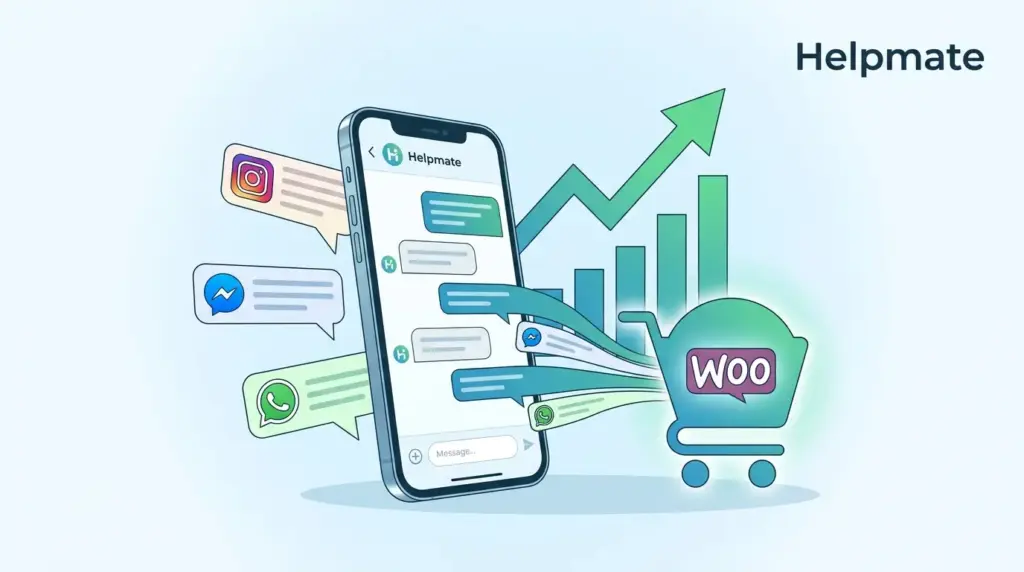
Social media has become the new storefront. Customers browse your products on Instagram, ask questions on Facebook Messenger, and expect instant replies on WhatsApp. Yet most WooCommerce stores manage these conversations in separate apps, disconnected from customer data, order history, and sales workflows.
Key Takeaways
- 71% of consumers prefer messaging apps for brand communication over email and phone (Meta, 2024)
- WooCommerce stores lose 30% of potential social sales due to delayed response times
- Unifying social DMs with e-commerce data increases conversion rates by up to 25%
- Helpmate connects Facebook, Instagram, and WhatsApp directly to your WooCommerce store
- Automated order tracking and lead capture turn conversations into completed purchases
When a customer messages your store about inventory on Instagram, they expect you to know their previous orders, shipping preferences, and loyalty status. Switching between five different apps to piece together this information means lost sales, frustrated customers, and abandoned carts.
This guide shows you how to convert social DMs into WooCommerce sales by unifying your messaging channels, connecting customer conversations to purchase data, and automating the workflows that close deals. You will learn the exact setup that turns fragmented social interactions into a measurable revenue channel.
Why Do Social DMs Matter for WooCommerce Sales?
Social commerce sales reached $1.2 trillion globally in 2024, representing 18% of all e-commerce transactions (eMarketer, 2024). Facebook, Instagram, and WhatsApp now drive more product discovery than traditional search engines for consumers under 35. When customers slide into your DMs, they are not just asking questions. They are signaling purchase intent.
The data tells a clear story. 65% of consumers have completed a purchase directly after messaging a brand on social media (Meta Business, 2024). Response time is critical. Stores that reply within 5 minutes convert 9x more leads than those responding after 30 minutes. Yet the average WooCommerce store takes over 6 hours to respond to Instagram DMs.
Social messaging bridges the gap between discovery and purchase. A customer sees your product in an Instagram Reel, sends a DM to confirm sizing, and expects to complete the order without leaving the chat. If your team cannot process this request immediately because they lack order history, inventory data, or payment links, the sale evaporates.
Fragmented communication channels create three critical revenue leaks. First, context switching between apps causes delayed responses. Second, support agents cannot see customer purchase history, leading to repetitive questioning. Third, social conversations never sync with your CRM, making follow-up impossible. Each leak reduces conversion rates and customer lifetime value.
What Is the Inbox Fragmentation Problem?
The average e-commerce business manages 4.7 separate communication channels. Facebook Messenger, Instagram DMs, WhatsApp Business, website chat, and email each operate in different applications with no shared data. 73% of consumers expect consistent service across channels, but only 25% of businesses deliver unified experiences (Zendesk CX Trends, 2024).
This fragmentation creates operational chaos. Your Instagram manager sees the DM asking about restocks. Your WooCommerce admin sees the abandoned cart. Your email marketer sends a discount code. None of them know about the WhatsApp conversation happening simultaneously with the same customer. The result is duplicate messages, conflicting information, and frustrated buyers.
Data silos compound the problem. When social DMs exist outside your WooCommerce ecosystem, you cannot track which conversations generate revenue. You cannot attribute sales to specific channels. You cannot identify your highest-value social customers or automate follow-up sequences. Every DM becomes a manual, untracked interaction.
The cost is measurable. Fragmented support operations increase cost-per-interaction by 40% and reduce first-contact resolution rates by 35%. For a store processing 100 social messages daily, this inefficiency translates to 15-20 lost sales per week. At a $75 average order value, that is over $58,000 in annual revenue left on the table.
How Do You Connect Facebook Messenger to WooCommerce?
Facebook Messenger processes 20 billion messages between businesses and customers monthly (Meta, 2024). Integrating this channel with WooCommerce allows you to view customer profiles, order history, and cart contents directly inside Messenger conversations.
The integration process requires three components. First, connect your Facebook Business Page to your messaging platform through the Messenger API. This requires admin access to your Facebook Business Manager and a verified business account. Second, link your WooCommerce store using a plugin that maps customer data to social identities through email or phone matching. Third, configure message routing rules so inquiries automatically tag with customer segments, order status, and priority levels.
Once connected, your team sees a unified customer view. When someone messages your Facebook Page, you instantly see their lifetime purchase value, last order date, and loyalty tier. You can check inventory, send product links, and process orders without switching applications. All conversation history syncs to your CRM for future reference.
Automation amplifies the connection. Set up instant replies for common questions about shipping, returns, and sizing. Configure abandoned cart reminders that trigger 30 minutes after a Messenger conversation ends without purchase. Route high-value customers to priority queues based on their WooCommerce order history. These automations recover 15-20% of otherwise lost sales.
Can Instagram DMs Drive Direct WooCommerce Sales?
Instagram drives 80% more engagement for retail brands than Facebook, and 70% of shoppers turn to Instagram for purchase inspiration (Instagram Business, 2024). Converting these browsing sessions into sales requires immediate response capability connected to your product catalog.
Instagram’s messaging API integration works similarly to Messenger but requires specific attention to visual commerce. When customers DM product screenshots or ask about items they have seen in posts, your team needs instant access to inventory data, sizing information, and related products. Integration pulls your WooCommerce catalog directly into the conversation interface.
The workflow looks like this. A customer sees your product in a Reel and sends a DM asking about availability. Your unified inbox immediately shows the specific product, current inventory levels, and the customer’s purchase history. The agent confirms availability, answers sizing questions, and sends a direct checkout link. The customer completes payment without leaving Instagram.
Response speed determines conversion. Instagram users expect replies within 15 minutes during business hours. Stores using integrated messaging systems achieve 3-minute average response times compared to 4-hour averages for manual management. This speed difference produces 340% higher conversion rates for social inquiries.
For stores using Helpmate – Live, Social & AI Chat with Built-in CRM, Instagram DM integration includes automatic lead capture. When new customers message your store, their contact information populates your CRM with source attribution, enabling targeted follow-up campaigns that close sales over time.
What Role Does WhatsApp Play in Social Commerce?
WhatsApp Business API users see 50% higher conversion rates compared to other messaging channels (WhatsApp Business, 2024). The platform’s end-to-end encryption and global reach make it the preferred channel for transactional conversations, order updates, and post-purchase support.
Integrating WhatsApp with WooCommerce requires Business API access rather than the consumer app. This enables order notifications, shipping updates, and two-way customer service at scale. When connected to your unified inbox, WhatsApp conversations display complete customer context including purchase history, abandoned carts, and support tickets.
The most effective WhatsApp commerce workflows include three touchpoints. First, pre-purchase questions get instant answers with product recommendations based on browsing history. Second, cart abandonment triggers personalized messages with one-click recovery links. Third, post-purchase updates proactively notify customers about shipping, delivery, and satisfaction surveys.
WhatsApp’s high open rates, 98% compared to 20% for email, make it the ultimate channel for closing sales. When you connect your WhatsApp Business account to WooCommerce through a unified messaging platform, these high-engagement conversations become revenue-generating touchpoints rather than simple support interactions.
How Does Unified Inbox Tracking Increase Conversions?
Businesses using unified communication platforms report 25% higher customer satisfaction scores and 30% faster resolution times (Salesforce State of Service, 2024). The mechanism is straightforward. When agents see complete customer context, they resolve issues faster and identify upsell opportunities more effectively.
Unified tracking connects four data layers. Identity matching links social profiles to WooCommerce customer accounts using email or phone verification. Order history displays previous purchases, shipping preferences, and return patterns. Conversation history shows all previous interactions across every channel. Real-time cart data reveals what the customer is currently considering.
This unified view enables consultative selling. When a customer asks about sizing in Instagram DMs, you see they purchased a medium last month and returned it for being too small. You recommend a large with confidence. When they mention shipping concerns, you see their VIP status and upgrade them to express delivery at no charge. These personalized touches convert browsers into buyers.
Analytics complete the picture. Unified inbox systems track response times, resolution rates, and revenue attribution by channel. You see which social platforms drive the highest-value customers. You identify conversation patterns that precede purchases. You measure the exact ROI of your e-commerce AI tools rather than guessing.
What Automation Workflows Convert Conversations to Orders?
Automated messaging workflows recover 15-25% of abandoned carts in social commerce (Klaviyo E-commerce Benchmarks, 2024). The key is context-aware automation workflows that feels personal rather than robotic.
Five automation workflows drive social DM conversions. First, welcome sequences trigger when new customers first message your store, delivering product catalog links and discount codes. Second, abandoned cart recovery sends personalized reminders 1 hour and 24 hours after cart abandonment. Third, order status updates provide proactive shipping notifications via the customer’s preferred channel. Fourth, post-purchase follow-up requests reviews and offers complementary products. Fifth, re-engagement campaigns win back customers who have not purchased in 90 days.
Effective automation requires conditional logic. If a customer has VIP status, skip the discount code and offer early access instead. If they abandoned a high-value cart, escalate to a human agent for personal outreach. If they previously complained about shipping delays, include free expedited delivery in the recovery message. These conditional branches multiply conversion rates.
The combination of automation and human oversight produces the best results. Use bots for instant responses, data lookup, and routine transactions. Escalate complex questions, high-value orders, and unhappy customers to human agents with full context. This hybrid approach reduces response times to under 2 minutes while maintaining quality for critical interactions.
How Do You Measure Social DM Sales Performance?
Only 44% of e-commerce businesses track revenue attribution for social messaging channels (HubSpot State of Marketing, 2024). Without measurement, you cannot optimize. The right metrics connect conversations to cash.
Track eight key performance indicators for social commerce. Response time measures average minutes to first reply. Conversation-to-lead rate shows the percentage of social inquiries that provide contact information. Lead-to-order rate tracks how many conversations convert to purchases. Average order value by channel identifies which platforms drive the highest-value customers. Customer lifetime value by acquisition source reveals long-term channel performance. Resolution rate measures the percentage of inquiries solved without escalation. Customer satisfaction score captures post-conversation feedback. Revenue per conversation calculates total sales divided by message volume.
Set up attribution modeling that credits social DMs appropriately. If a customer discovers your product on Instagram, asks questions via Messenger, and completes purchase through your website cart, the sale should attribute to the social channel that initiated the journey. Last-click attribution undervalues social sales by 40-60%.
Benchmark your performance against industry standards. Average response time for e-commerce should be under 5 minutes. Conversation-to-order rates of 8-12% indicate healthy performance. Revenue per conversation above $25 suggests effective upselling. Review these metrics weekly and test changes incrementally.
Frequently Asked Questions
Basic integration takes 30-60 minutes for each channel. Facebook Messenger connects fastest through the API. Instagram requires Business account verification. WhatsApp needs Business API approval, which takes 3-5 business days. Full configuration with automation workflows requires 2-3 hours per channel.
Yes. Facebook Messenger requires a Facebook Business Page. Instagram DMs require a Business or Creator account connected to a Facebook Page. WhatsApp requires WhatsApp Business API access, which is different from the consumer WhatsApp app. Personal accounts cannot access the messaging APIs needed for WooCommerce integration.
71% of consumers expect responses within 5 minutes during business hours (Meta, 2024). Stores responding within this window convert 9x more sales than those taking over 30 minutes. Use automated welcome messages for instant acknowledgment, then aim for human follow-up within 3-5 minutes.
Facebook and Instagram offer in-chat checkout in select regions, but most stores use cart link sharing. The unified inbox generates personalized checkout links that customers complete on your WooCommerce site. This approach maintains payment security, enables coupon application, and captures complete customer data.
The matching process uses email addresses or phone numbers provided during the conversation. When a customer messages your store, the system checks for matching contact information in your WooCommerce database. For new customers, profiles create automatically and link to future orders. Maintaining accurate customer data in WooCommerce improves match rates to 85-90%.
Start with three automations. Welcome messages provide instant response when customers first contact your store. Abandoned cart recovery captures the highest-ROI opportunities, recovering 15-20% of otherwise lost sales. Order status updates reduce support volume by proactively answering the most common question. These three automations handle 60% of social messaging volume.
Use triage automation to categorize and route messages. Common questions about shipping, returns, and stock levels get instant automated responses. Sales inquiries route to your top-performing agents. Complaints escalate to senior staff with resolution authority. During peak periods, use chatbots for data lookup while humans handle relationship building. Helpmate’s unified inbox includes auto-tagging and priority routing for volume management.
Start Converting Social Conversations to Revenue
Social DMs are not just support channels. They are the front door to your WooCommerce store for a generation of customers who prefer messaging to email and browsing to searching. The stores winning in 2026 treat Instagram DMs, Facebook Messenger, and WhatsApp conversations with the same seriousness as showroom visits.
The formula is proven. Unify your channels so no conversation falls through cracks. Connect customer data so every reply is personalized. Automate routine interactions so human agents focus on high-value opportunities. Measure attribution so you scale what works.
- Connect Facebook, Instagram, and WhatsApp to a single inbox
- Sync WooCommerce customer data and order history with every conversation
- Deploy automation for welcome messages, cart recovery, and order updates
- Track revenue attribution by channel and optimize based on data
- Scale your social commerce operation without proportional staff increases
Your customers are already messaging your store. The only question is whether you will respond with the speed, personalization, and commerce integration that converts those messages into sales. Helpmate – Live, Social & AI Chat with Built-in CRM provides the unified messaging platform that connects your social channels directly to WooCommerce, turning fragmented conversations into a measurable revenue stream.

