
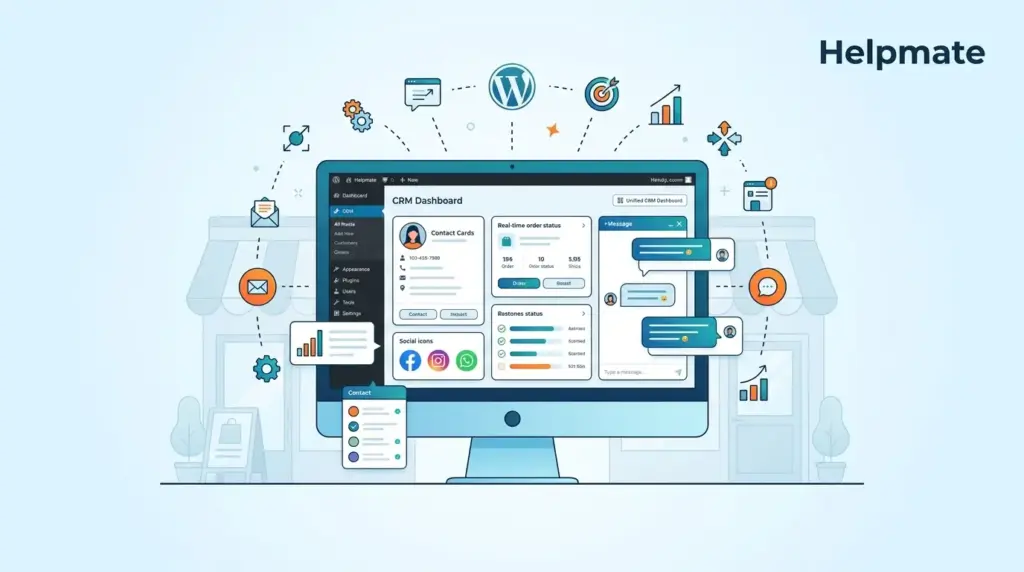
TL;DR: Small WooCommerce stores need focused CRM features, not enterprise bloat. Essential capabilities include unified contact management, order status tracking, and social channel integration. The right solution integrates directly with WordPress without requiring expensive third-party platforms. Research from 2025 shows that stores using integrated CRM tools see higher customer retention rates compared to those managing data manually.
Ready to see these features in action? Explore how Helpmate integrates CRM directly into your WordPress dashboard.
What Are the Essential WooCommerce CRM Features?
Most small WooCommerce stores I’ve worked with hit the same wall around month six or seven. You’re juggling customer messages in three different tabs, trying to remember if that refund request came through email or Facebook, and suddenly realizing you have no idea what someone ordered last time. Enterprise CRMs promise to solve this, but they come with onboarding that takes weeks and features you’ll never touch.
The four things that actually matter: seeing customer history without digging, knowing order status instantly, automating the repetitive stuff, and having all your channels in one place. Contact management sounds boring until you’re trying to find that one customer’s shipping address while they’re waiting on chat. Order tracking matters because “where’s my package?” is probably half your support volume. Automation handles the welcome emails and cart reminders you’d forget to send. Multi-channel integration just stops you from missing messages.
2025 CRM industry analysis found that small businesses using simplified tools report higher satisfaction than those wrestling with complex enterprise platforms. The pattern is consistent—teams of one to five people need software that matches how they actually work, not workflows designed for Salesforce power users.
How Does Order Tracking Work in WooCommerce CRM?
Order tracking is the thing customers ask about most. It’s also the thing that eats your time if you don’t have it integrated. Without a proper system, you’re copying tracking numbers from WooCommerce, pasting them into emails, switching back to check shipping addresses, losing your place in the conversation.
A decent CRM connects straight to your order data. When someone messages you—through any channel—their purchase history just appears. Order status, tracking numbers, shipping details, payment info. All there.
Here’s how it plays out. Customer hits you up on Facebook Messenger asking about their order. The CRM recognizes them, pulls their recent purchases, shows you exactly what they’re talking about. You respond with the status without leaving the chat window. Some setups even let customers check their own order status through chatbots, which means fewer interruptions for you.
Research on customer service efficiency shows that integrated order tracking cuts response time significantly compared to manual lookup. When you’re handling dozens of these daily, that time adds up fast.
Can Small Stores Benefit from Abandoned Cart Recovery?
Abandoned cart recovery is one of those features that sounds complicated but pays for itself quickly. Cart abandonment rates sit between 60% and 80% industry-wide. Without recovery, that’s just lost money. With automated follow-up, you can reclaim 10% to 15% of those carts through email and chat sequences.
The trick for small stores is keeping it simple. Enterprise solutions want you to build complex segmentation rules and custom templates. What you actually need: detect abandoned carts, wait a bit, send a reminder. Maybe a small discount if they still don’t bite.
Modern WooCommerce CRM features for small business include cart recovery as a core module. The system watches shopping sessions, notices when checkout stalls, triggers recovery automatically. Initial email, follow-up with an incentive, final notice before the cart expires.
Some platforms also do recovery through social channels—Messenger or WhatsApp reminders for people who opted in. Meeting customers where they already communicate tends to work better than hoping they check their email.
What Makes Helpmate‘s Contact Management Different?
Traditional CRMs treat contacts like spreadsheet rows. Helpmate treats them as ongoing conversations with purchase history attached. That distinction matters when you’re trying to understand a customer’s situation without running reports.
Open a contact in Helpmate and you see everything across every channel. Facebook message from three weeks ago, website chat yesterday, email about an order this morning—all in one timeline. Their WooCommerce orders connect directly to this profile, so purchase history sits right next to support history.
There’s also task management for follow-ups, custom fields if you need to segment people, appointment scheduling for stores doing consultations. These connect to the communication tools, so booking a call creates both a calendar event and a reminder thread.
Unlike standalone CRMs that need separate logins and manual syncing, Helpmate lives in WordPress admin. Your data stays on your server. Your team uses an interface they already know. Less training time, fewer security concerns about shipping customer data off to third-party servers.
How Do Automation Features Reduce Manual Work?
Small business automation isn’t about building complex marketing machines. It’s about stopping repetitive tasks from eating your day.
The automation features that actually matter: instant replies to common questions, lead forms that trigger immediate follow-up, order notifications that fire when WooCommerce updates status, auto-responders for social messages that come in after hours.
These all run through the same system. A customer message triggers an AI chatbot when it can, escalates to you when it can’t, creates CRM records automatically. No Zapier connections to maintain, no integration logic to troubleshoot.
Research on small business productivity suggests that automating repetitive communication saves owners several hours weekly. That’s time you can spend on products, marketing, or actually improving customer experience instead of typing the same responses.
What Social Channel Integration Do Small Stores Need?
You can’t monitor five platforms for messages. Social channel integration pulls Facebook Messenger, Instagram DMs, and WhatsApp into a single inbox with your website chat. This stops missed messages and the delayed responses that annoy customers.
The integration goes deeper than just collecting messages. When someone contacts you through Instagram, the CRM links their profile to matching email or phone numbers in your WooCommerce customer list. You get immediate context about their purchase history even if they’ve never used your website chat.
Channel-specific rules help too. Maybe you want instant auto-responses for Instagram DMs after 6 PM, but let website chat try AI answers first. Each channel keeps its native formatting while feeding into organized conversation threads.
TikTok integration is becoming relevant for product businesses, with some CRMs adding support for TikTok messaging workflows.
Is a Free WooCommerce CRM Worth Using?
Free CRM options can work for small stores, but know the limits going in. The Helpmate – Live, Social & AI Chat with Built-in CRM plugin offers core CRM functionality in the free version—contact management, conversation history, basic automation. Enough to test whether the CRM approach works for you before paying.
Free WooCommerce CRM features for small business usually include: unified inbox for website chat, basic contact profiles with conversation history, simple automation rules, integration with one or two social channels. For stores doing under a few hundred orders monthly, this handles most day-to-day needs.
Paid features become worth it when you need more social channels, email sequences, abandoned cart recovery, AI chat responses, or team permissions with role-based access. The freemium model lets your usage drive the upgrade decision instead of forcing upfront investment in tools you might not need.
Industry analysis suggests that small businesses starting with free CRM tools show higher long-term retention than those buying complex solutions immediately. Gradual feature adoption matches how your operational needs actually develop.
Frequently Asked Questions
Unified contact management with order history integration is the most critical feature. Small stores need to see customer purchases alongside support conversations without switching between WooCommerce admin and separate CRM interfaces. Research indicates that integrated customer views reduce response times significantly compared to disconnected systems.
Abandoned cart recovery monitors checkout sessions that complete customer information but fail to finish payment. The system waits a configured time period, typically 30 minutes to several hours, then sends personalized reminders via email or chat. Recovery rates of 10% to 15% are common with well-timed, relevant messages that address common abandonment causes like shipping cost surprises or checkout friction.
Native WordPress CRM plugins like Helpmate operate entirely within your existing admin interface. There are no separate logins, no external data hosting, and no need to export customer data between systems. This approach keeps customer data on your infrastructure and reduces training time since your team already knows the WordPress interface.
Start with Facebook Messenger and Instagram DMs, which together represent the majority of social commerce inquiries for small stores. WhatsApp Business integration becomes valuable as you expand internationally or serve customers who prefer that platform. Focus on channels where your customers already communicate rather than trying to maintain presence everywhere.
Small business CRMs emphasize immediate usability over customization depth. They offer essential features like contact management, order tracking, and simple automation without requiring dedicated CRM administrators or extensive training. Enterprise systems provide hundreds of features and complex workflow builders that most small stores never use. The right small business CRM matches your current operational complexity rather than forcing processes designed for sales teams of hundreds.
Upgrade when free tier limitations actively constrain business operations. Common triggers include: needing more than the allowed number of social channels, requiring team member access with role permissions, wanting automated email sequences beyond basic auto-replies, or hitting conversation volume limits. The freemium model intentionally lets usage patterns drive upgrade decisions rather than forcing upfront investment.
Key Takeaways
- Small WooCommerce stores need focused CRM features: contact management, order tracking, abandoned cart recovery, and multi-channel communication
- Integration with WordPress eliminates data silos and reduces daily friction
- Abandoned cart recovery offers among the highest ROI of any CRM feature
- Social channel unification prevents missed messages and delayed responses
- Free CRM tiers provide genuine value for validation before scaling investment
The right WooCommerce CRM features for small business should feel invisible. When your tools work properly, you spend less time managing software and more time serving customers. Start with the essentials, validate the approach with free tools where possible, and expand capabilities as your operational complexity naturally grows.
Get started today: Try Helpmate’s WooCommerce CRM features and discover how unified customer management can help your small business grow.

