
Key Takeaways
- 70.19% of online shopping carts are abandoned (Baymard Institute, 2024), costing ecommerce stores billions in lost revenue annually
- Automated recovery campaigns typically reclaim 10-15% of abandoned carts when configured with proper timing and compelling copy
- Successful setup requires trigger configuration within 30-60 minutes, mobile-optimized templates, and strategic incentive placement
I remember reading that Baymard Institute report from 2024—70.19% of carts abandoned before checkout. That’s… what, seven out of ten shoppers? For WooCommerce store owners, that number stings differently when you realize it’s your revenue walking out the door. People abandon for all sorts of reasons. Sometimes it’s unexpected shipping costs that pop up at the last second. Sometimes the checkout process feels like a maze. Sometimes they just got distracted by a text message and never came back. Without some kind of automation in place, those sales are usually gone for good. This guide walks through how to actually set up WooCommerce abandoned cart automation—the triggers, the email sequences, and the small tweaks that end up moving the needle on recovery rates.
What Is WooCommerce Abandoned Cart Automation?
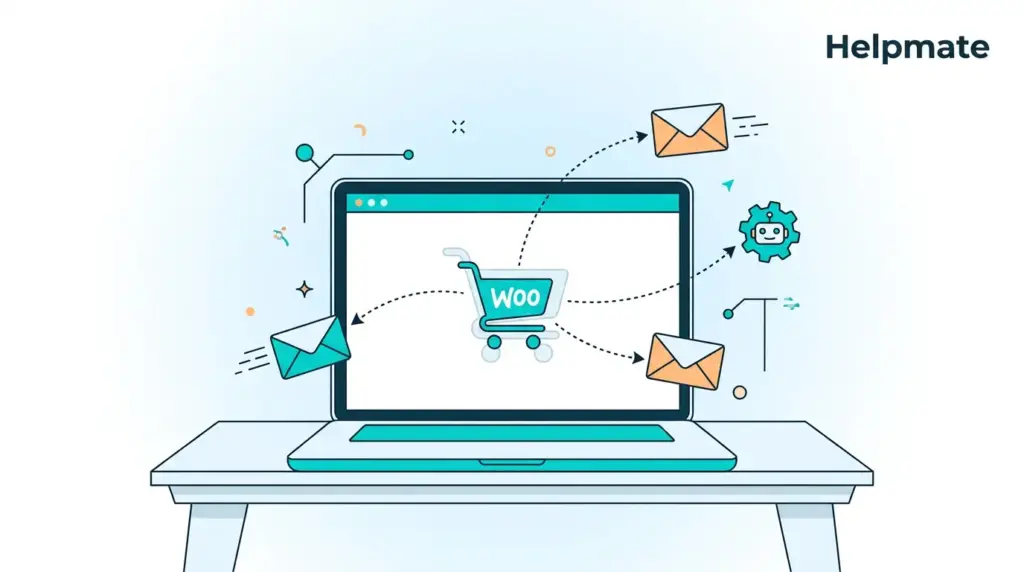
WooCommerce abandoned cart automation is basically a system that watches for shoppers who add products to their cart but leave without buying, then nudges them back with targeted messages. That 70.19% figure from Baymard keeps coming up because it applies to pretty much everyone—if you’re running an online store, you’re losing most of your carts.
The way it works is through tracking cookies or capturing emails early in checkout. When someone abandons, the system kicks off a sequence of recovery actions. Usually that’s emails, though SMS is getting more common now. Some setups even use on-site notifications when the person returns.
Most automation platforms plug directly into WooCommerce through APIs. They watch cart status in real time, trying to tell the difference between someone who’s still browsing and someone who’s actually gone. The standard threshold is around 30 minutes of inactivity, though I’ve seen setups that wait an hour.
But it’s not just about sending “hey, you forgot something” emails anymore. The better AI-powered e-commerce tools can pull in dynamic product recommendations, generate personalized discount codes, even check inventory levels to create urgency. Turns a basic reminder into something that actually converts.
Why Do Shoppers Abandon Carts in WooCommerce?
People don’t abandon carts for no reason. Baymard’s 2024 research breaks it down: extra costs too high (48%), being forced to create an account (24%), slow delivery times (22%). Those top three tell you a lot about what recovery messaging needs to address.
The shipping cost thing is huge. You get to checkout, see the total jump by $15, and suddenly you’re reconsidering whether you really need that item. Price sensitivity varies by demographic obviously, but the pattern is consistent—transparency earlier in the funnel helps, though most stores still bury shipping until the end.
Then there’s the account creation requirement. Forcing someone to register before they can buy creates friction, especially on mobile where typing passwords is annoying. Guest checkout options remove this entirely, though not every store offers them.
Delivery speed matters more than people think. If someone needs something by Friday and your standard shipping says “5-7 business days,” they’re gone. Clear communication about expedited options earlier in the process helps, though again, most stores don’t do this well.
Technical issues creep in too. Slow pages, payment errors, confusing navigation. Mobile is where this really hurts—Statista says 59% of ecommerce traffic is mobile now (2024). If your checkout isn’t responsive, you’re bleeding sales from friction that has nothing to do with your products.
How Do You Configure Abandoned Cart Triggers?
Timing matters more than most people realize. Omnisend’s 2024 data shows emails sent within an hour get 40-45% open rates. Wait past 24 hours and you’re looking at roughly half the effectiveness. The trigger setup is where you capture people while they still remember why they wanted the thing in the first place.
Start in your automation platform’s trigger settings. Most WooCommerce plugins have a dedicated section for cart abandonment rules. Set the first trigger for 30 minutes of inactivity. That window catches real abandonment while filtering out people who are just comparison shopping across tabs.
You’ll want to segment by cart value and customer history from your CRM. High-value carts deserve faster attention. Repeat customers often respond better to personalized messaging than new visitors who don’t know your brand yet. Set up separate flows for carts over certain thresholds—maybe $100 or $500—so you can apply different incentive strategies.
Advanced setups can go beyond simple time delays. Some systems trigger when someone returns to the site without buying, or when they view specific categories after abandoning. Those behavioral signals suggest higher intent, which might justify different recovery tactics.
Test everything before you flip it live. Use test accounts to make sure abandoned cart simulations trigger the right sequences. Check that product images load, prices are correct, links work. I’ve seen stores send broken emails to real customers because they skipped this step—damages credibility fast.
What Should Your Recovery Email Sequence Include?
Most effective sequences run three emails over about 72 hours. Klaviyo’s 2024 data says multi-touch sequences recover 69% more revenue than single emails. Each message has a different job in the funnel, moving from gentle reminder to final urgency.
The first email, sent within 30-60 minutes, should feel like customer service, not sales. Subject lines like “You left something behind” or “Complete your purchase in one click.” Show clear product images, prices, a prominent CTA button. Keep the tone helpful—acknowledge that maybe they got interrupted by a technical issue or had to step away.
Second email goes out around 24 hours later. This is where you introduce gentle urgency. Mention limited stock or expiring cart sessions. Subject lines like “Your cart is waiting, but inventory is moving” create pressure without desperation. This email performs well with social proof—recent reviews, popularity indicators, that kind of thing.
The final email, 48-72 hours out, is your last shot. This is where you might include a small incentive—10% off, free shipping, something like that. Subject lines like “Last chance: 10% off your cart” drive opens. But be careful here. Use incentives sparingly or you’ll train people to abandon carts intentionally just to get the discount code.
For stores that want to implement this without dealing with complex code, the free version of Helpmate – Live, Social & AI Chat with Built-in CRM covers basic automation. Make sure everything is mobile-responsive—Litmus says 41% of commercial emails open on mobile (2024). Test across different email clients because rendering varies wildly.
Ready to automate your cart recovery? Explore Helpmate’s e-commerce AI tools and start reclaiming lost sales with intelligent abandoned cart sequences.
How Can You Optimize Cart Recovery Rates?
Optimization is mostly systematic testing and personalization. Campaign Monitor’s 2024 research shows personalized abandoned cart emails generate 6x higher transaction rates than generic templates. A/B testing subject lines, send times, incentive structures—this is how you move beyond baseline performance.
Segment by customer lifecycle stage. First-time visitors need different messaging than loyal customers. New visitors often need reassurance about security, return policies, whether you’re a legitimate business. Existing customers might appreciate loyalty rewards or early access instead of the same generic reminder.
Dynamic content blocks help. Personalization beyond just first names—product recommendations based on browsing history, weather-appropriate suggestions, location-based shipping estimates. Takes more work to set up but the engagement rates justify it.
Be careful with incentive timing. Offering a discount in the first email teaches customers to abandon carts on purpose. Save incentives for the second or third touch, or limit them to high-value carts only. Watch your margins too—make sure recovery revenue actually exceeds what you’re giving away in discounts.
Analyze metrics weekly. Open rates, click-through rates, revenue per email. Find where people drop off in your sequence. Use that data to refine subject lines, adjust timing, modify content. The difference between high-performing automation and basic set-and-forget setups is continuous optimization.
What Are Common Setup Mistakes to Avoid?
Configuration errors kill effectiveness. Shopify’s 2024 data says 40% of merchants send their first recovery email too late, missing that window of peak intent. Other common issues: poor mobile formatting, broken product links, overly aggressive sales tactics that make your brand feel desperate.
Don’t send immediately when someone exits the page. People who accidentally close browser tabs don’t want emails about carts they were about to complete. The 30-minute delay filters out false positives while keeping urgency for real abandonment. Also exclude people who bought through other channels—you don’t want to email someone about an abandoned cart after they already purchased.
Never hide unsubscribe options or send too many follow-ups. GDPR and CAN-SPAM require clear opt-out mechanisms. Cap your sequence at three emails over 72 hours max. Beyond that, spam complaints and brand damage outweigh any marginal recovery gains.
Check product availability before sending. Nothing frustrates customers like clicking through to find the item sold out. Sync inventory data with your automation platform, or include dynamic stock indicators. Set rules to exclude out-of-stock items automatically.
Test across email clients. Complex HTML breaks in Outlook or Gmail mobile apps. Use clean, simple designs with clear text alternatives for images. Remember many clients block images by default—your message needs to work even when visuals don’t load.
Frequently Asked Questions
The average across ecommerce platforms sits at 70.19% according to Baymard Institute’s 2024 research. WooCommerce stores typically fall in that same range, maybe 60% to 80% depending on the industry and how smooth your checkout experience actually is.
Aim for 30 to 60 minutes after abandonment. Omnisend’s 2024 data shows emails within one hour get 40-45% open rates. Wait past 24 hours and you’re looking at roughly 50% less effectiveness.
Show the specific items with images, a clear call-to-action button, urgency indicators like stock levels or time limits, and maybe a small incentive such as free shipping or a 10% discount.
Basic automation is possible with free plugins like Helpmate – Live, Social & AI Chat with Built-in CRM available on WordPress.org. Advanced features like multi-step sequences and conditional logic usually require premium solutions though.
Well-configured campaigns typically recover 10% to 15% of abandoned carts. Top-performing stores hit 20% or higher through optimized timing, personalization, and strategic incentives.
Conclusion
Setting up WooCommerce abandoned cart automation comes down to timing, messaging, and execution. Get your triggers configured in that 30-60 minute window, build out a three-touch email sequence, avoid the obvious mistakes like delayed sending or broken mobile formatting. The revenue recovery is there if you set it up right. A few things to remember:
- Configure triggers to fire within 30-60 minutes for maximum effectiveness
- Build three-email sequences that progress from helpful reminders to final offers
- Optimize continuously through A/B testing and performance analytics
- Avoid aggressive tactics that train customers to game your system
Looking for an all-in-one solution? Helpmate’s WordPress automation connects abandoned cart recovery with live chat, CRM, and AI-powered customer service to maximize your revenue recovery.
Start implementing these strategies today to turn abandoned carts from lost revenue into recovered sales. Technical setup takes less than an hour, but the revenue impact compounds over time.

