
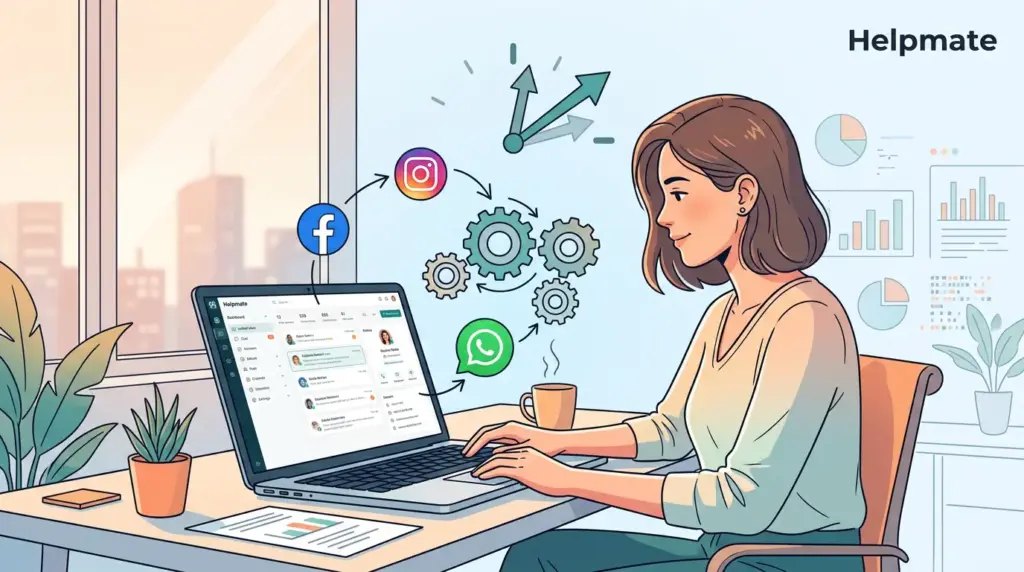
TL;DR: Small businesses spend an average of 14.2 hours per week on social media management. Adopting automation tools can reduce this by 68%, reclaiming nearly 10 hours weekly for core business tasks (Usteck, 2026).
Here’s something that bothered me when I first started working with small business owners: most of them were spending more time managing social media than actually talking to customers. The numbers back this up — about 77% of small businesses relied on social media to support their operations in 2025 (Meta, 2025). But the manual grind of responding to DMs and comments? It’s unsustainable for small teams. Trust me, I’ve watched it burn people out.
Social media automation for small business isn’t about replacing your human touch. It’s about reclaiming the hours lost to repetitive tasks so you can focus on strategy and growth. What actually works for resource-constrained teams is a bit more nuanced than most guides let on.
How Much Time Does Social Media Actually Take for Small Businesses?
Small businesses spend an average of 14.2 hours per week on social media tasks, but automation reduces this to just 4.5 hours (Usteck, 2026). That’s a 68% time savings — roughly 10 hours back in your week. I remember the first time I saw these numbers, I thought it was exaggerated. It wasn’t.
For a small team, those 10 hours represent more than just “free time.” It’s the difference between reacting to everything and actually planning ahead. Instead of manually checking every notification at 9pm, you could use that time to plan next week’s content, meet with customers, or — honestly — just breathe.
According to a 2025 Salesgenie report, 47% of SMBs already use marketing automation software to manage their social channels. The gap between those who automate and those who don’t is widening. If you’re not at least thinking about it, you’re probably falling behind — though I hate saying that because it sounds like fear-mongering. But the data points that way.
What Should Small Businesses Automate First?
47% of SMBs use marketing automation for social media, focusing on repetitive DMs and keyword-based comment replies (Salesgenie, 2025). If you’re just starting, don’t try to automate everything at once. That’s the mistake I see over and over.
Focus on these three areas first:
- Welcome Messages: Automatically greet new followers with a helpful link or question. Nothing fancy — just something that doesn’t leave them hanging.
- Keyword Replies: Set up automatic responses for common keywords like “price” or “hours.” These are the questions that eat up the most time for no good reason.
- Lead Capture: When someone interacts with a post, invite them to a landing page or start a chatbot sequence. Though honestly, this one takes more thought to get right.
How to Automate Social DMs and Comments Without Sounding Robotic
Personalization is key. Use the customer’s name and reference specific post topics in automated replies to maintain a 1:1 feel. Automation doesn’t have to mean “robotic” — though most people get this wrong when they first set it up.
When a customer asks a question in a comment, a generic “Thanks for reaching out!” is better than nothing. But a specific answer? That’s where the magic happens. With tools like Helpmate, you can train your AI to pull answers directly from your knowledge base, which means you get instant, accurate support that actually sounds like your brand voice. I’ve seen this work particularly well for e-commerce businesses where product questions are constant.
Avoid the mistake of automating every single interaction. Save manual responses for complex issues or high-value leads — the ones where the human touch makes a real difference. There’s no formula for this. You’ll figure it out as you go.
Turning Social Engagement into Leads with Automation
Social automation is most powerful when it feeds into a central CRM. Instead of letting DMs disappear into the void, every interaction should be an opportunity to capture a lead. Most businesses miss this completely.
For example, if a user comments on a product post, an automated DM can offer them a discount code in exchange for their email. This moves them from a passive social follower into your marketing funnel. As of 2025, 26% of marketers plan to explore selling products directly on social media, making this kind of automation essential (HubSpot, 2026). The trend is moving fast — faster than most small businesses realize.
Discover how social engagement AI can help you turn followers into customers.
Managing Your Omnichannel Inbox from WordPress
Centralizing Facebook, Instagram, and WhatsApp into one WordPress inbox reduces context switching and speeds up response times. Small teams lose massive amounts of time toggling between apps — and most don’t even realize how much until they stop doing it.
A unified inbox ensures that no message falls through the cracks. You can see who the customer is, what they bought, and what they asked, all in one place. This is where automation meets efficiency. If you want to try a tool built specifically for this, you can find Helpmate – Live, Social & AI Chat with Built-in CRM in the WordPress directory.
Learn more about omnichannel marketing AI and how it centralizes your customer conversations.
How to Measure the ROI of Social Media Automation
Track metrics like response time reduction, lead conversion rates from social DMs, and hours saved to calculate the real value of automation.
Don’t just look at follower counts. Seriously, stop doing that. Instead, measure how many leads your social channels are generating and how much time your team is saving. This data will help you decide if you should upgrade to a Pro plan or expand your automation strategy — though most businesses wait too long to make that call.
Key Takeaways
- Social media automation can save small businesses up to 68% of their management time. That’s not a typo.
- Prioritize automation for repetitive tasks like DMs and keyword-based replies. Start there and expand.
- Personalization and a unified inbox prevent automation from feeling “robotic.” Without these, it will.
- Integrate social automation with your CRM to turn followers into leads. The businesses that do this early tend to win.
Frequently Asked Questions
Small businesses save an average of 68% of their weekly management time. This reduces the typical 14.2-hour weekly commitment to just 4.5 hours (Usteck, 2026). Some businesses report even higher savings once they’ve fine-tuned their workflows.
Yes. Use personalization variables and AI-driven answers from your knowledge base to keep responses helpful and brand-aligned. Always leave complex issues for manual follow-up. The trick is knowing where to draw that line — it takes some trial and error.
Not necessarily. Many tools offer free versions or entry-level plans. For example, Helpmate offers a free version of its AI chat and CRM plugin to help small teams get started. You don’t need to commit big budget right away.
AI chatbots handle high-volume inquiries instantly. They can answer FAQs, qualify leads, and provide 24/7 support across social channels and your website from a single dashboard. Explore AI customer service chatbot use cases to see how this works in practice — the results from similar businesses might surprise you.
Automate repetitive tasks, not relationships. Schedule posts and auto-respond to common queries, but keep time for direct engagement with your community to build real trust. The businesses that do both well are the ones that actually grow.

