
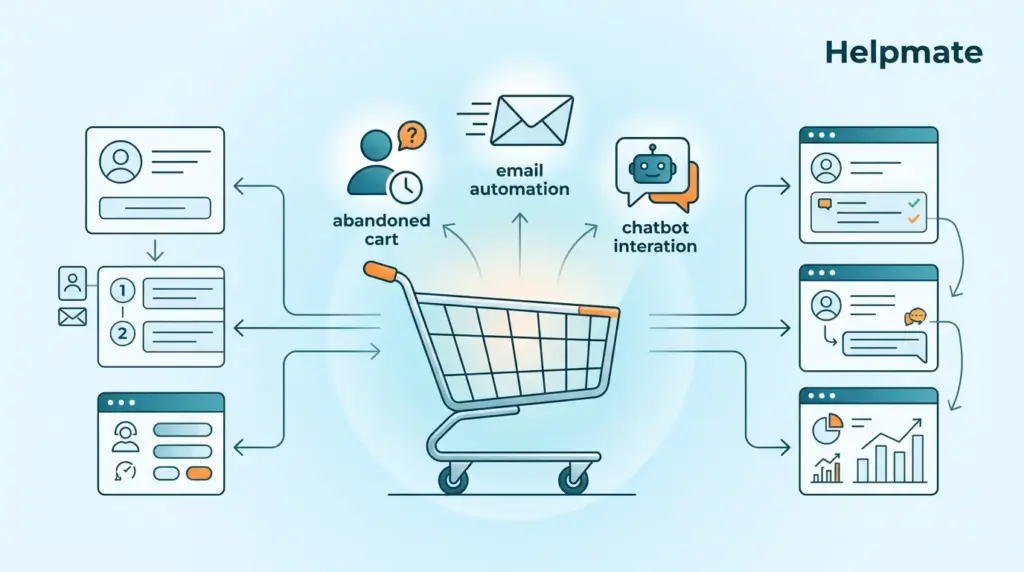
TL;DR: Stores running marketing automation pull in roughly 451% more qualified leads (Annuitas Group). This guide walks through setting up abandoned cart recovery, lead capture, email sequences, and chatbot integration using Helpmate’s all-in-one WordPress automation suite.
You’ve got your WooCommerce store running, products loaded, maybe some traffic trickling in. But somewhere around 70% of shoppers bail before completing checkout—Baymard Institute pegged it at 69.80% in 2024. Those people were literally seconds from buying. Without something catching them, they’re just gone.
Here’s the thing: marketing automation used to mean enterprise budgets and dedicated teams. That’s shifted. WordPress store owners can now build out pretty sophisticated workflows right from their dashboard. What follows covers how to set up automated abandoned cart recovery, lead capture, email sequences, and AI chatbot integration—basically a system that runs in the background while you handle everything else.
Why Does WooCommerce Marketing Automation Matter in 2026?
That 451% lead generation stat from Annuitas Group (2025) keeps showing up because it’s legit. For WooCommerce owners specifically, automation turns your store into something that actually works overnight—capturing leads, warming up prospects, pulling back abandoned carts without you touching anything.
Most WooCommerce stores I’ve seen aren’t suffering from a traffic problem. They’re bleeding at conversion. The traditional approach—manually emailing people, individually chasing leads, hand-tracking cart abandonments—works until it doesn’t scale. Which happens fast. Automation handles this through predefined workflows triggered by actual customer behavior.
When it’s dialed in, automation does the repetitive stuff so you can focus on bigger-picture decisions. It catches leads right when they’re interested, sends follow-ups based on what people actually did (not what you hope they did), and recovers revenue that would’ve disappeared. For WooCommerce stores, it fills the gap between what the platform does natively and what a real marketing system requires.
What Are the Essential Automation Workflows for WooCommerce?
Nucleus Research found in 2024 that 63% of companies using automation outperform competitors. For WooCommerce stores, the workflows that actually matter are abandoned cart recovery, welcome sequences, post-purchase follow-ups, and lead capture automations.
Each one does something different in the customer journey. Abandoned cart recovery is the obvious first pick—it’s the highest-impact automation you can add, and well-tuned setups recover somewhere around 10-15% of lost sales. Welcome sequences start building the relationship right after signup. Post-purchase flows get people to leave reviews and come back. Lead capture turns random visitors into people you can actually reach again.
Honestly, start with abandoned cart recovery. Everything else can wait. That workflow directly recovers money you’re already losing. Once it’s humming, add the next one.
How Do You Configure Abandoned Cart Recovery in WooCommerce?
The numbers on abandoned cart emails are kind of ridiculous—Klaviyo’s 2025 data shows 45.66% average open rates and 20.39% of email revenue coming from these messages. That alone makes this the single most valuable automation for most stores.
Setting it up in Helpmate breaks down into three steps. First, flip on the Abandoned Cart module from Control Center → Modules. Second, set your timing—most people go with 1 hour, 24 hours, and 72 hours post-abandonment. Third, customize the email templates with your branding and product images.
The system tracks logged-in users automatically when they add to cart but don’t check out. For guests, it captures emails provided during checkout and starts the sequence. Each email ramps up the incentive a bit.
One thing worth noting: your first email should just remind them about the cart. Nothing pushy. The second one (around 24 hours) works better with social proof—reviews, ratings, whatever you’ve got. By the third email (72 hours), a small discount or free shipping offer tends to push people over the edge.
What’s the Best Way to Set Up Lead Capture for WooCommerce?
Forrester Research’s 2025 numbers show companies strong at lead nurturing generating 50% more sales-ready leads at roughly 33% lower cost. Lead capture is how anonymous visitors become people you can market to repeatedly.
Helpmate offers a few different angles here. The chat widget can collect leads when visitors engage with the AI bot—configure it to ask for contact info after, say, 3 messages or when someone shows they’re ready to buy.
Social media matters too. Connecting Facebook, Instagram, and WhatsApp through Helpmate’s Channels lets you run lead campaigns that pull contact info straight from social interactions into your built-in CRM.
The approach that tends to work best layers multiple capture points: chat widget for immediate engagement, social automations meeting people where they already spend time, and forms at specific conversion moments like newsletter signups.
How Do You Create Effective Email Sequences for WooCommerce?
Campaign Monitor’s 2025 data puts automated email revenue at 320% above non-automated. For WooCommerce, well-built sequences move people through the buying process and bring them back afterward.
Helpmate’s Email Sequences feature (Pro only) lets you build multi-step timed emails. A typical setup might be: welcome email immediately after signup, product education a couple days later, social proof email around day 5, and a limited offer by day 7.
Each email needs one clear purpose and a single call-to-action. The system tracks engagement and can branch based on behavior—someone who opens but doesn’t click gets different follow-up than someone who clicks but doesn’t buy.
Start with 3-5 sequences and build from there. Watch open rates, click rates, conversion rates for each email to spot what needs tweaking. Small improvements here compound pretty dramatically.
How Can You Integrate AI Chatbots with WooCommerce Automation?
Gartner’s prediction about 85% of customer interactions being handled without humans by 2025—well, we’re seeing that play out. AI chatbots answer product questions instantly, guide shoppers toward purchases, and collect useful data for your marketing automation.
Helpmate’s AI chatbot features connect directly with WooCommerce. The Knowledge Base trains the bot on your product catalog, policies, FAQs. After that, it handles questions, recommends products, checks order status.
Where it gets interesting is connecting chatbot interactions with your automation workflows. Someone asking about a specific product category? That can trigger a targeted email sequence. Order status inquiries can auto-update contact records with current info.
Set the chatbot’s behavior under Settings → Behaviour to match your automation goals—collect leads at certain points, hand off to humans when needed, trigger workflows based on what’s actually said in conversations.
What Testing and Optimization Strategies Should You Use?
Litmus reports A/B testing can bump email conversion rates by 49%. Once automations are live, you need to test systematically or you’re just guessing.
Helpmate’s Test Chatbot feature gives you a sandbox to preview automation behavior before it goes live. Use it to check email triggers, chatbot responses, lead capture flows. Make sure everything triggers correctly and displays properly across devices.
For email sequences, test one thing at a time—subject lines, send times, content, offers. Subject lines first, since they affect open rates most. Then experiment with timing.
The analytics under Control Center → Analytics track automation performance. Watch for drop-off points in sequences, emails underperforming, opportunities to add triggers. Even 5-10% improvements in key metrics add up noticeably over time.
How Do You Connect Helpmate’s CRM with WooCommerce Automation?
Nucleus Research’s 2024 finding—451% more qualified leads with CRM automation—keeps coming up for good reason. Helpmate’s built-in CRM connects customer interactions, purchases, and marketing engagement into one system.
Once WooCommerce is connected through the Integrations tab, purchase history syncs automatically with CRM contact records. This enables segmentation that actually works: “High-Value Customers” (over $500 spent), “At-Risk Customers” (nothing in 90 days), “New Customers” (first purchase last week).
These segments drive your automations. High-value customers get exclusives. At-risk people get re-engagement campaigns. New customers go through onboarding sequences. The CRM provides the data that makes automation intelligent instead of generic.
Custom CRM fields let you track additional data relevant to your strategy—tag by interest, engagement level, or whatever criteria inform your automation triggers.
Why Should You Choose Helpmate for WooCommerce Marketing Automation?
Helpmate bundles marketing automation, live chat, AI chatbot, social messaging, and CRM in a single WordPress plugin. That integration means no juggling multiple tools or dealing with fragmented customer data.
Unlike standalone automation platforms needing complex integrations, Helpmate connects directly to your WooCommerce store. Data flows between your store, chatbot, CRM, and automation workflows without silos or sync issues.
The Helpmate – Live, Social & AI Chat with Built-in CRM is available free in the WordPress directory—enough to test core features before committing. Pro unlocks advanced sequences, more integrations, priority support.
For WooCommerce owners wanting automation without enterprise complexity or basic plugin limitations, Helpmate hits a reasonable middle ground. See pricing plans for details.
Frequently Asked Questions About WooCommerce Marketing Automation
Most people get abandoned cart recovery, lead capture, and one email sequence configured in about 2-4 hours. Helpmate’s integrated approach means configuring one system instead of stitching multiple tools together. First automation usually running within a day.
Nope. Everything’s visual—automation workflows, email sequences, chatbot behavior. All configured through WordPress dashboard with clear options.
Helpmate keeps automation inside WordPress, skipping external tools and integration headaches. Dedicated platforms may offer more advanced features for larger operations, but Helpmate covers what most WooCommerce stores actually need at lower total cost.
Free version covers core features—abandoned cart recovery, basic lead capture. Email sequences and additional triggers need Pro. Worth testing the free version first to see if it fits your workflow.
Control Center → Analytics has everything: cart recovery rate, email opens and clicks, lead conversions, revenue tied to automation. Start tracking 2-3 metrics and expand as things mature. Small gains compound surprisingly fast.
Trying to do everything at once. Nail abandoned cart recovery first, get it solid, then layer in one workflow at a time. That way you learn what your specific audience responds to before adding complexity.
Key Takeaways:
- Automation generates roughly 451% more qualified leads than manual campaigns (Annuitas Group)
- Abandoned cart emails recover 10-15% of lost sales for well-tuned stores
- Start with one workflow, expand as results come in
- Helpmate bundles automation, chatbot, CRM, and social messaging in one WordPress plugin
- Continuous testing and optimization compounds gains over time

