
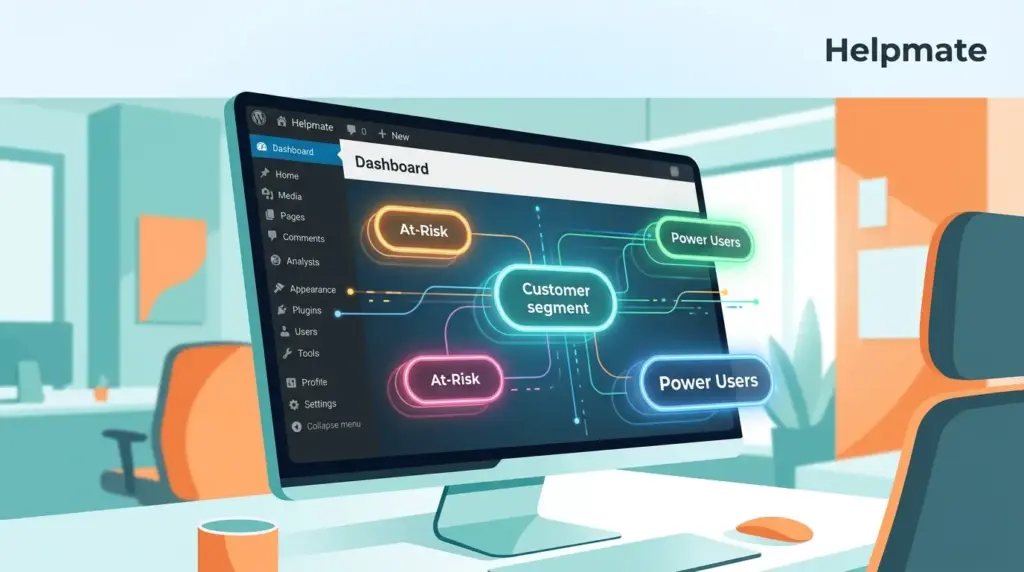
Dynamic customer segments are groups of contacts that update automatically based on real-time data. Unlike static lists, these segments reflect current behavior, purchase history, and engagement levels. This approach ensures your email campaigns target the right audience at the right moment. Segmentation remains a cornerstone of effective email marketing. It moves beyond generic blasts to personalized communication. This shift drives higher open rates and conversions. Marketers who prioritize segmentation see significant improvements in campaign performance. The result is a more efficient use of marketing resources. It maximizes return on investment for every email sent.
What Are Dynamic Customer Segments?
26% of marketers report email marketing is one of the most effective channels for segmentation. This puts it in the top three channels for personalization efforts. Dynamic segments function as a living database of your audience. They change as soon as a customer takes a new action. For example, a customer who abandons a cart enters the “At-Risk” segment immediately. Once they return, the segment updates to reflect their active status. This automation eliminates manual list management. It ensures your messaging stays relevant. Static segments require constant manual updates. They often become outdated quickly. Dynamic segments provide a continuous stream of actionable insights. They allow you to respond instantly to customer needs and behaviors.
Static vs. Dynamic Segmentation
Static segmentation relies on fixed criteria. You define a group once and send to it repeatedly. This method works for broad campaigns but lacks precision. Dynamic segmentation uses flexible triggers. It adapts to user actions in real time. The key difference lies in the data source. Static lists use basic attributes like location or age. Dynamic lists incorporate behavioral data, purchase events, and interaction history. This depth allows for much more nuanced targeting. You can create segments for users who have spent over $100 in the last month. You can also target those who opened five emails in a row. The possibilities are far more extensive with dynamic data.
Why Segmentation Drives Email ROI?
Segmented email campaigns receive 14.31% better open rates. They generate 101% more clicks than non-segmented ones. These statistics highlight the direct link between segmentation and revenue. Generic emails often end up in spam folders. Recipients ignore messages that do not relate to them. Personalized content captures attention immediately. It signals that you understand the recipient’s specific needs. When you send relevant offers, click-through rates increase significantly. Conversion rates follow suit. Customers are more likely to purchase from brands that understand their history. Segmentation reduces customer churn. It helps identify at-risk users who need re-engagement. By addressing their specific pain points, you can win back lost business.
The Cost of Inaction
Without segmentation, your email marketing budget is largely wasted. You are paying to reach people who do not care about your message. This leads to high unsubscribe rates. It damages your sender reputation. A poor reputation results in lower deliverability rates. Your emails may never reach the inbox in the first place. Segmentation optimizes your budget. You focus your efforts on the most receptive audience. This improves your overall marketing efficiency. It allows for better resource allocation. You can dedicate more time to crafting high-converting campaigns for specific groups. The result is a sustainable growth loop. Your engagement metrics improve, leading to better deliverability and more opens.
How to Build Segments in WordPress CRM
Building effective segments requires a solid foundation of customer data. Your CRM system is the source of truth for this information. WordPress CRM tools like Helpmate CRM allow you to capture data from various touchpoints. These touchpoints include website interactions, social media messages, and purchase history. You begin by defining the criteria for your segment. Do you want to target customers who purchased a specific product? Or perhaps those who have not opened an email in thirty days? Once you define the criteria, the system automatically applies it to your contact list. The CRM processes this data continuously. It updates the segment in real time. This automation ensures your data is always accurate and up to date.
- Data Collection: Ensure your CRM captures all relevant customer data points.
- Criteria Definition: Clearly define the attributes that make up your segment.
- Automation Rules: Set up automated triggers that update the segment based on actions.
- Testing: Always test your segments before sending a major campaign.
Behavioral Segmentation Strategies
Behavioral segmentation focuses on how customers interact with your brand. This data is incredibly valuable for predicting future actions. You can categorize users based on their past behavior. For instance, you can segment users by their browsing patterns. Did they visit the pricing page multiple times? This indicates a high level of interest. You can also segment based on purchase frequency. High-value customers deserve a different approach than occasional buyers. Another powerful strategy involves cart abandonment. Users who add items to their cart but do not check out are a prime target for re-engagement. You can send them a reminder email with a special discount to complete the purchase.
Engagement Level Segmentation
Engagement level segmentation helps you identify your most loyal customers. It also highlights those who are disengaged. You can create a segment for “Power Users” who interact with your brand daily. These users might benefit from early access to new products or exclusive content. Conversely, you can create a segment for “Inactive Users.” These are customers who have not interacted with your brand in a long time. You can send them a reactivation campaign. This campaign might include a survey to understand why they left. It might also offer a significant incentive to return. This strategy helps you win back lost revenue. It extends the lifetime value of your customer base.
Lifecycle-Based Segmentation
The customer lifecycle provides a natural framework for segmentation. Customers go through distinct stages from awareness to loyalty. Each stage requires a different marketing approach. New customers need onboarding emails. These emails should introduce them to your brand. They should explain how to get the most value from your products. Returning customers need re-engagement. You should remind them of their purchase history. You might offer them related products or exclusive discounts. Loyal customers deserve recognition. You can create a VIP segment for your top spenders. This segment receives the best service and the most exclusive offers. Lifecycle segmentation ensures you nurture customers at every stage of their journey.
Onboarding and Activation
The onboarding phase is critical for customer retention. New users often struggle to understand your product. Segmentation allows you to provide targeted support during this time. You can create a segment for users who have not completed a specific action. For example, they have not created an account. You can send them a helpful guide on how to do so. You can also segment users based on their activation speed. Some users activate immediately. Others take longer. You can send different email sequences to these two groups. This ensures everyone receives the right information at the right time. Proper onboarding sets the stage for long-term loyalty.
Integrating Helpmate for Real-Time Data
Dynamic segmentation requires real-time data. Traditional CRMs often rely on batch updates. This delay can render your segments less effective. Helpmate transforms customer conversations into organized workflows. It captures contacts from chat and social media in real time. This data flows directly into your CRM. It allows you to create segments based on the most current interactions. For example, if a customer chats with support about a specific issue, that data is immediately available. You can then segment them for a follow-up email offering a solution. This level of integration creates a seamless customer experience. It ensures your marketing efforts are always informed by the latest customer insights.
Helpmate CRM for WordPress transforms customer conversations into organized workflows. It captures contacts from chat and social, organizes with tasks and segments, and scales without losing grip on customer relationships.
By integrating Helpmate, you gain a unified view of your customer. You can see their chat history, their social media interactions, and their purchase records. This holistic view allows for more accurate segmentation. You can target customers based on complex behaviors that span multiple channels. For instance, you can target users who have chatted with support and then abandoned their cart. This level of precision is impossible with disjointed data sources. Helpmate AI ensures your segmentation strategy is robust and effective. It empowers you to deliver a truly personalized experience at scale.
To get started with this powerful integration, you can explore the options available. The free version of the plugin is available in the WordPress directory for those looking to test the waters. You can find the Helpmate – Live, Social & AI Chat with Built-in CRM plugin there.
Best Practices for Segment Maintenance
Creating segments is only the first step. Maintaining them is equally important. Customer behavior changes constantly. Your segments must evolve to reflect these changes. Regularly review your segment criteria. Are they still relevant? Do they still accurately represent your target audience? You should also clean your data. Remove inactive contacts from your segments. This prevents your data from becoming bloated and inaccurate. Inactive contacts can skew your analytics. They can also lead to negative engagement metrics. Set up a schedule for segment audits. This could be monthly or quarterly. During these audits, review performance and make necessary adjustments.
Testing and Optimization
A/B testing is essential for optimizing your segments. Test different subject lines for the same segment. See which one performs better. Test different content strategies. See which one drives more clicks. Use these insights to refine your approach. Continuously iterate on your segmentation strategy. The market and customer preferences change. Your strategy must change with them. Stay informed about the latest trends in email marketing and CRM. This will help you stay ahead of the competition. By following these best practices, you can ensure your segmentation efforts remain effective over time.
Conclusion
- Dynamic segmentation requires real-time data integration.
- Behavioral and lifecycle strategies drive higher engagement.
- Regular maintenance ensures segment accuracy.
- Helpmate provides the tools to unify customer data from all channels.
Dynamic customer segmentation is essential for modern email marketing. It allows you to deliver relevant content to the right people. This leads to higher open rates, click-through rates, and conversions. By leveraging a WordPress CRM, you can automate this process. You can focus on strategy and creativity rather than manual list management. The result is a more efficient and effective marketing campaign. Start building your segments today. See the difference that personalization can make for your business. The key to success lies in consistent data collection and smart segment definition.

