
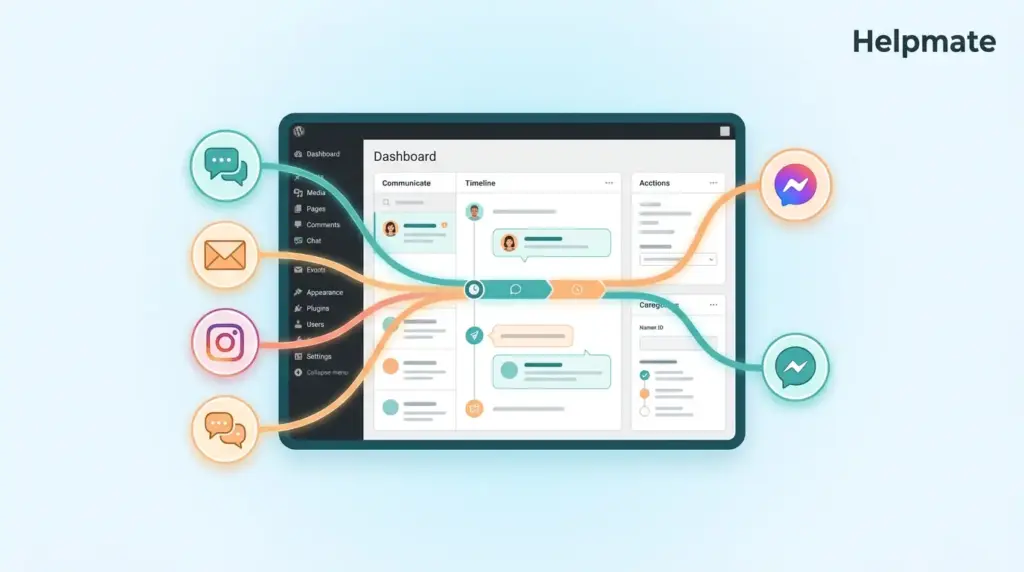
Tracking customer conversations across multiple channels is one of the biggest challenges WordPress businesses face today. When a customer sends a DM on Instagram, then emails later, then returns to your site chat, their history fragments across disconnected tools. This context loss creates friction that damages relationships and reduces conversion rates.
Key Takeaways
• 74% of consumers find it frustrating to repeat themselves across different support interactions (Zendesk, 2026).
• Unified conversation tracking in WordPress requires consolidating chat, social DMs, and email into one accessible timeline.
• Context preservation boosts customer retention by up to 2.1x compared to fragmented support systems (Salesforce, 2025).
• WordPress CRM plugins with built-in conversation history eliminate the need for external tools and data silos.
Here is the reality. 89% of customers get frustrated when they have to repeat their issues to multiple representatives (Microsoft, 2025). For WordPress site owners using separate plugins for live chat, social media, and email support, this frustration is built into the system. The solution is not adding more tools. It is consolidating conversation tracking into a unified system that maintains context automatically.
Why Do WordPress Sites Lose Customer Conversation Context?
74% of consumers find it very frustrating to have to repeat themselves across interactions (Zendesk, 2026). This frustration stems from a fundamental architecture problem. Most WordPress sites use disconnected tools for different communication channels.
The typical setup includes a live chat widget from one vendor, a separate helpdesk for email tickets, native Facebook and Instagram apps for social DMs, and perhaps a contact form plugin that stores submissions in yet another database table. When a customer switches channels, their history stays behind in the previous tool. The support agent sees a blank slate instead of a relationship history.
This fragmentation creates three specific problems. First, response times increase because agents must ask customers to recap previous interactions. Second, customer satisfaction drops because people feel unheard when they must explain the same issue repeatedly. Third, sales opportunities disappear because context about product interests, past purchases, and previous objections never transfers between touchpoints.
WordPress sites are particularly vulnerable to this issue because of the plugin ecosystem. Site owners often assemble their tech stack from multiple vendors, each with its own data storage approach. Without a central customer record that links conversations across these tools, context loss is inevitable.
What Causes Context Loss in Multi-Channel Support?
64% of consumers expect real-time assistance regardless of the channel they use (Salesforce, 2025). Meeting this expectation requires understanding why context disappears in the first place.
The primary cause is data siloing. When your live chat plugin stores conversations in its own database table, your social media management tool stores DMs in a separate cloud service, and your contact forms save entries in WordPress posts, no single view connects these interactions to individual customers. Each channel becomes an isolated island of information.
Another major factor is anonymous browsing. Many WordPress sites fail to connect pre-sale chat conversations to the email addresses customers provide later. When someone chats as a guest then submits a contact form, the two interactions appear as separate records unless the system actively merges them based on email, phone, or other identifiers.
Time delays also destroy context. When a customer messages you on Instagram at 9 PM, then emails at 10 AM the next day, the chronological gap makes it difficult for agents to connect these as related interactions. Without automated threading that groups conversations by customer identity, each message starts a new, isolated ticket.
Finally, staff turnover and shift changes break context chains. When agent A handles a chat on Monday and agent B responds to a follow-up email on Tuesday, the handoff fails unless the system explicitly passes the conversation history forward. Relying on manual notes or memory guarantees information loss.
How Does a Unified Inbox Preserve Conversation History?
Companies with a unified customer view achieve 2.1x higher customer retention rates than those using fragmented systems (Salesforce, 2025). A unified inbox creates this view by centralizing every customer interaction regardless of origin channel.
The technical mechanism is straightforward but powerful. Instead of storing chat messages, social DMs, emails, and form submissions in separate locations, a unified inbox writes all conversations to a single customer record. Each interaction gets tagged with metadata including channel source, timestamp, customer identity, and conversation thread ID.
When a customer contacts you through any channel, the system looks up their unified profile first. Agents see the complete interaction history. chat transcripts, email threads, social media exchanges, purchase history, and any notes previous agents added. This timeline view eliminates the need for customers to repeat themselves because agents already have the full context.
Advanced unified inboxes also preserve context across devices and sessions. If a customer starts a conversation on mobile Instagram, continues via desktop email, and finishes through your website widget, all messages appear in one continuous thread. The customer experiences seamless support while your team maintains complete visibility.
For WordPress specifically, a unified inbox plugin eliminates the need to switch between browser tabs for different platforms. Instead of checking Facebook Business Manager, Instagram DMs, WhatsApp Web, and your live chat dashboard separately, you handle all conversations from your WordPress admin panel. This consolidation saves time and reduces the cognitive load of context switching.
What Are the Best Practices for Tracking Customer Conversations?
82% of customers expect to continue conversations across channels without losing context (Zendesk, 2026). Achieving this requires implementing specific practices that ensure continuity.
First, implement identity stitching. This means connecting anonymous interactions to known customer profiles using identifiers like email addresses, phone numbers, or social media handles. When a customer provides an email in a chat widget, the system should retroactively link that chat session to any existing contact record with the same email.
Second, maintain conversation threading. Each customer issue should generate a persistent thread ID that follows the interaction across channels. Whether the customer sends a follow-up via email, DM, or chat, the system should append it to the existing thread rather than creating a new ticket.
Third, capture metadata at every touchpoint. Store not just the message content but also context like page URL, referral source, UTM parameters, and product pages viewed. This data helps agents understand customer intent even before reading the message.
Fourth, enable internal notes and handoff summaries. When conversations transfer between agents or from bot to human, structured notes should capture the current status, customer sentiment, and next steps. This prevents customers from having to re-explain their situation.
Fifth, implement automated context summaries for AI and human agents. Before an agent opens a conversation, they should see a brief summary of the issue history, previous resolutions attempted, and customer value metrics. This preparation time improves response quality and speed.
How Can WordPress Plugins Maintain Context Across Channels?
73% of customers use multiple channels during their purchase journey (McKinsey, 2025). WordPress plugins that integrate directly with social platforms and communication tools can maintain context by acting as a central hub.
The Helpmate approach demonstrates how this works. Rather than requiring separate logins for Facebook Messenger, Instagram DMs, WhatsApp Business, and live chat, Helpmate brings all these channels into a single WordPress dashboard. Each conversation gets linked to a unified contact record.
Channel integration works through official APIs. Facebook Messenger messages, Instagram DMs, and WhatsApp conversations flow into the same inbox as website chat messages. The plugin identifies customers across these channels using their social media IDs and connects them to email addresses when provided. This creates a persistent identity that survives channel switches.
CRM functionality extends context preservation beyond raw conversation logs. When a contact record includes purchase history, support tickets, and conversation transcripts in one view, agents have comprehensive context for every interaction. Tags and segments allow categorization by issue type, customer value, or relationship stage.
Task management within the conversation tracking system ensures follow-ups never drop. When an agent promises to research an issue and reply tomorrow, creating a linked task with due date maintains accountability. The next agent to engage sees the pending task and can provide continuity even if the original agent is unavailable.
When Should You Switch from Spreadsheets to a CRM?
Businesses using dedicated CRM systems see 29% higher sales productivity than those relying on spreadsheets or email alone (Nucleus Research, 2025). Knowing when to make this transition prevents context loss before it damages customer relationships.
The breaking point arrives when conversation volume exceeds your ability to manually track interactions. If you find yourself searching through email threads to remember what you promised a customer, or asking customers to repeat information you discussed last week, you have outgrown informal tracking methods.
Another signal is channel multiplication. When you start offering support through live chat, social media, and email, spreadsheet tracking becomes impossible. Each channel generates too much data to manually correlate with customer records.
Team growth also necessitates CRM adoption. When multiple people handle customer conversations, shared visibility becomes essential. Without a centralized system, each team member maintains their own notes and memory, creating inconsistent customer experiences.
Finally, consider the cost of lost context. If customers are abandoning purchases because they must re-explain their needs, or if support responses are slow because agents lack background information, a CRM investment pays for itself through retained revenue and efficiency gains.
Frequently Asked Questions
74% of consumers find it very frustrating to have to repeat themselves across different support interactions (Zendesk, 2026). This frustration increases when customers switch between channels and agents lack access to previous conversation history.
Companies with a unified customer view achieve 2.1x higher customer retention rates compared to those using fragmented support systems (Salesforce, 2025). The continuity of experience reduces friction and demonstrates to customers that you value their time.
Yes, plugins like Helpmate integrate with Facebook Messenger, Instagram DMs, and WhatsApp Business API to pull social conversations into your WordPress dashboard. These messages appear alongside website chat and form submissions in unified contact timelines.
Identity stitching is the process of connecting anonymous interactions to known customer profiles using shared identifiers like email addresses or phone numbers. When a customer provides contact details in a chat widget, the system links that session to their existing record, preserving context across previously disconnected interactions.
Small businesses should invest when conversation volume exceeds manual tracking capacity, when offering support across multiple channels, or when team growth requires shared visibility. The productivity gains from organized conversation tracking typically justify costs once you handle more than 20 customer interactions daily.
73% of customers use multiple channels during their purchase journey (McKinsey, 2025). When agents have access to conversation history, they can reference previous product interests, objections, and preferences. This contextual awareness shortens sales cycles and increases close rates by demonstrating attentiveness to customer needs.
Conclusion
Tracking customer conversations without losing context requires moving beyond fragmented tools toward unified systems. The statistics are clear. 74% of customers hate repeating themselves, and companies with unified customer views achieve 2.1x higher retention.
- Audit your current communication channels and identify data silos
- Implement identity stitching to connect anonymous and known interactions
- Choose a WordPress CRM that unifies chat, social, and email in one dashboard
- Establish conversation threading practices that maintain context across channels
- Train your team to review full customer timelines before responding
Ready to stop losing customer context? Start a unified conversation tracking setup and see how a single dashboard for all customer interactions transforms your WordPress support experience.

