
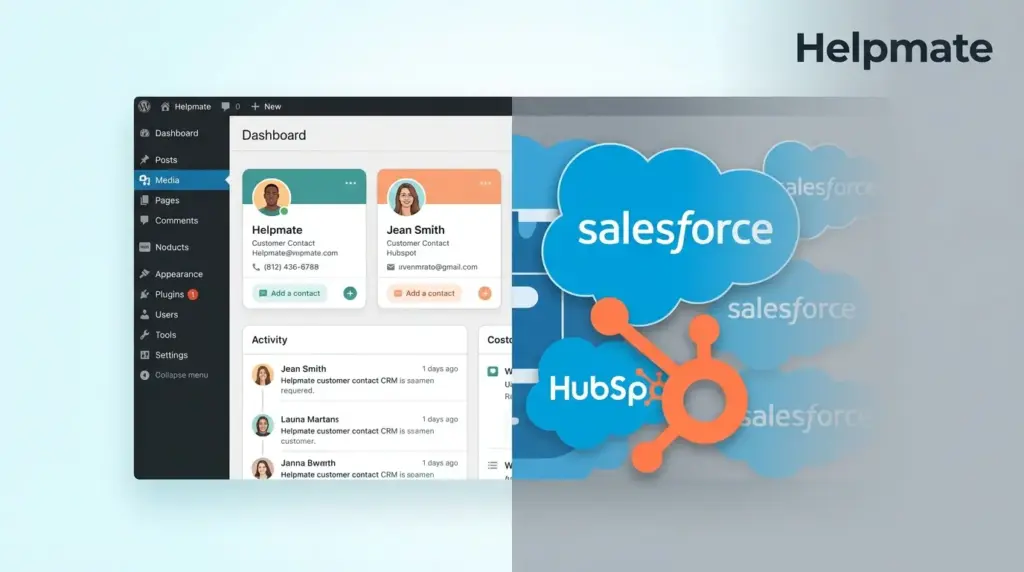
TL;DR: Salesforce controls 20.7% of the global CRM market and HubSpot serves 288,706 customers, yet 50% of businesses with 10 or fewer employees still operate without any CRM (SLT Creative, 2026). For WordPress site owners, the choice between a lightweight embedded CRM like Helpmate and enterprise platforms like HubSpot or Salesforce depends entirely on team size, technical resources, and whether customer conversations happen primarily on your website or across dispersed channels.
Why Most CRM Comparisons Miss the Point for WordPress Users
Traditional CRM comparisons focus on feature checklists and pricing tiers. They rarely address the operational reality of solopreneurs and small teams running WordPress sites. The average CRM adoption rate across industries sits at just 26% (Agile CRM, 2019), and less than 40% of CRM customers achieve end-user adoption rates above 90% (LeSmakers, 2025). These statistics reveal a critical mismatch between enterprise CRM design and small business needs.
WordPress site owners face a unique challenge. Their customer data lives in WooCommerce orders, contact form submissions, live chat conversations, and social media DMs. Enterprise CRMs require manual data migration, complex integrations, and dedicated administrators. For teams of one to five people, this overhead often negates the benefits of sophisticated pipeline management. I’ve seen plenty of agencies struggle with this exact problem—they spend weeks onboarding Salesforce only to abandon it because nobody has time to maintain it.
What Does Salesforce Offer That WordPress CRMs Do Not?
Salesforce generated $41.5 billion in FY2026 revenue and maintains the largest CRM market share at 20.7% (TechnologyChecker, 2026). The platform delivers enterprise‑grade capabilities that smaller solutions cannot match. Advanced AI integration through Einstein Analytics, custom object modeling, and multi‑department workflow orchestration make Salesforce indispensable for large organizations.
Salesforce excels when your business requires complex sales processes with multiple approval stages, territory management, or integration with enterprise resource planning systems. The platform’s AppExchange hosts thousands of third‑party integrations, allowing deep customization for specific industries. For organizations with 100‑plus employees and dedicated Salesforce administrators, the platform’s power justifies its complexity and cost.
However, Salesforce’s strength becomes liability for smaller operations. The platform requires significant onboarding time, regular training, and often dedicated personnel. Implementation costs frequently exceed annual subscription fees. For WordPress site owners primarily selling products or services through their website, Salesforce represents over‑engineering that slows rather than accelerates customer relationships. I’ve watched teams spend six months configuring Salesforce modules that never get used.
How Does HubSpot Compare for Small Business WordPress Sites?
HubSpot ended 2025 with 288,706 paying customers across 135‑plus countries, nearly double Salesforce’s reported 150,000‑plus customer count (ResonateHQ, 2026). This customer volume reflects HubSpot’s successful positioning as the more accessible alternative to Salesforce. With 5.42% of the CRM platform market (6sense, 2026), HubSpot dominates the mid‑market segment.
HubSpot’s free tier attracts WordPress users seeking basic contact management without immediate cost. The platform offers native WordPress plugins for form capture and basic analytics. Marketing automation features, including email sequences and landing page builders, integrate reasonably well with WordPress sites. For businesses prioritizing inbound marketing and content‑driven lead generation, HubSpot provides genuine value.
The limitations emerge as WordPress operations scale. HubSpot’s pricing escalates quickly when you need features like custom reporting, advanced automation, or multiple user seats. The free plan caps at 1,000 contacts, forcing migrations or upgrades just as momentum builds. Additionally, HubSpot exists outside your WordPress admin, creating friction between your website operations and customer management. You end up switching between two dashboards constantly.
When Does a Native WordPress CRM Like Helpmate Make Sense?
Seventy‑one percent of small businesses have adopted CRM systems, with 65% implementing within their first five years (Wave Connect, 2026). Yet the small business CRM software market remains undersized at just $7.18 million globally in 2025 (Market Reports World, 2025). This discrepancy suggests that many small businesses use makeshift solutions rather than dedicated CRM platforms.
Helpmate addresses this gap by embedding CRM functionality directly within WordPress. Unlike HubSpot or Salesforce, Helpmate requires no external dashboards or data synchronization. Customer conversations from your website chatbot, social media DMs, and contact forms automatically populate contact records inside your WordPress admin. This integration eliminates the context‑switching that kills productivity for small teams. It just works.
The platform emphasizes conversation continuity over pipeline complexity. When a customer messages your Facebook page, then emails later, then returns to your website chat, Helpmate maintains a unified conversation thread. This context preservation matters more than advanced forecasting for businesses where owners personally handle customer relationships. Tasks, segments, and basic automation keep operations organized without overwhelming users with features they will never use. I’ve seen solopreneurs who abandoned CRMs entirely because they couldn’t keep up with the complexity.
What Are the Hidden Costs of Enterprise CRMs for WordPress Users?
Small and medium firms are set to grow CRM use at 16.2% annually from 2025 to 2030, faster than large enterprises (Capsule CRM, 2025). This growth reflects increasing recognition that customer relationship management matters for businesses of all sizes. However, adoption rates tell only part of the story. Implementation success rates reveal the true cost of enterprise CRM selection.
HubSpot’s paid plans start at $45 monthly for two users but quickly reach $800‑plus monthly for professional features. Salesforce Essentials begins at $25 per user monthly but scales to $300‑plus for Enterprise editions. Beyond subscription costs, both platforms require integration maintenance, data hygiene protocols, and regular training. For a three‑person WordPress agency, these hidden costs often exceed $10,000 annually. That’s not just money—it’s time.
Time represents the largest hidden cost. Eighty‑one percent of organizations are predicted to use AI‑powered CRM systems in 2025 (SellersCommerce, 2026), but implementing these features requires technical expertise. WordPress site owners often lack the bandwidth to configure complex automation rules or maintain API connections. Native WordPress CRMs eliminate this burden by working within existing WordPress workflows. You’re not learning a new system; you’re just adding functionality where you already work.
How Do Data Ownership and Privacy Compare Across Platforms?
Data sovereignty concerns increasingly influence CRM selection. HubSpot and Salesforce operate as software‑as‑a‑service platforms, storing customer data on their servers under their privacy policies. While both platforms maintain robust security certifications, they retain certain rights to aggregate and analyze customer data for platform improvements and AI training. This wasn’t a concern three years ago, but it’s becoming harder to ignore.
Helpmate stores CRM data within your WordPress database, subject to your hosting provider’s security and your own privacy policy. This architecture ensures complete data ownership and simplifies GDPR compliance for European customers. When customers request data deletion, WordPress administrators control the entire process without submitting tickets to third‑party platforms. For businesses in regulated industries or those serving privacy‑conscious customers, this data residency advantage proves decisive.
Healthcare providers, legal consultants, and financial advisors often face strict data handling requirements. A WordPress‑native CRM keeps sensitive customer conversations within infrastructure they directly control. I’ve had clients ask me about this specifically, and the answer is usually pretty straightforward once you understand the implications.
Which CRM Delivers Better ROI for Solopreneurs and Micro‑Teams?
Return on investment calculations differ dramatically based on team structure. Enterprise CRMs justify costs through sales velocity improvements, forecast accuracy, and team collaboration efficiencies. These metrics matter less when one person handles all customer interactions. For solopreneurs, ROI depends on time saved and customer retention improvements.
Helpmate’s free version available through the WordPress plugin directory provides core CRM functionality without subscription costs. This accessibility aligns with the 50% of businesses with 10 or fewer employees currently operating without CRM systems (SLT Creative, 2026). By removing financial barriers while maintaining essential features, native WordPress CRMs enable earlier CRM adoption that grows with the business. You can start with nothing and add features as you need them.
The emerging trend toward individual CRMs and low‑code solutions reflects this recalculation (SuperAGI, 2025). Entrepreneurs increasingly reject enterprise complexity in favor of tools that match their operational scale. When your website serves as your primary business platform, your CRM should live there too. It just makes sense.
For WordPress site owners ready to explore a CRM that lives where they work, Helpmate – Live, Social & AI Chat with Built‑in CRM offers a starting point that scales without forcing platform migrations.
Frequently Asked Questions
Helpmate replaces HubSpot for businesses prioritizing conversation tracking and contact management over advanced marketing automation. With 71% of small businesses now using CRM systems (Wave Connect, 2026), Helpmate serves the segment needing core functionality without enterprise complexity. Businesses requiring complex sales forecasting or multi‑touch attribution should evaluate whether HubSpot’s advanced tiers justify the cost difference. I’ve seen plenty of companies realize they’re paying for features they never use.
Salesforce offers WordPress integrations through third‑party plugins and API connections, but these require ongoing maintenance and technical configuration. Native WordPress CRMs like Helpmate eliminate integration complexity by operating within WordPress itself. For businesses without dedicated developers, native solutions reduce failure points and ensure data consistency without middleware dependencies. The last agency I worked with spent three months trying to make Salesforce play nice with their WordPress setup.
Fifty percent of businesses with 10 or fewer employees operate without any CRM system, while 91% of companies with 10 or more employees use CRM software (SLT Creative, 2026). This adoption gap reflects the barrier that enterprise CRM complexity creates for smaller operations. The statistic also reveals opportunity, as small businesses implementing CRM within their first five years show stronger growth trajectories than those delaying adoption. The ones who start early tend to stay ahead.
Traditional CRMs organize customer data around deals, tickets, or campaigns. Helpmate organizes around conversation continuity, maintaining context across website chat, social media DMs, and email interactions. For solopreneurs and small teams, this conversation‑centric approach eliminates the data entry burden of traditional CRMs while preserving the relationship history that drives personalized service. It’s not just about tracking—it’s about understanding the customer journey.
HubSpot’s free plan limits contacts to 1,000 and removes advanced features. Paid plans start at $45 monthly for two users but scale rapidly. WordPress CRMs like Helpmate offer free core functionality with optional premium upgrades. Beyond subscription costs, factor in implementation time, training requirements, and integration maintenance. For micro‑businesses, enterprise CRM total cost of ownership often exceeds $10,000 annually versus negligible costs for native solutions. That’s money you could be spending on your business, not your software.
Migration makes sense when you are paying for unused enterprise features, struggling with low team adoption rates, or spending excessive time managing integrations. With less than 40% of CRM customers achieving end‑user adoption above 90% (LeSmakers, 2025), many businesses over‑purchase functionality. Evaluate whether your current CRM supports your actual workflow or forces workflow changes to match the software. Sometimes the answer is simpler than you think.
Key Takeaways: Making Your CRM Decision
- Salesforce dominates enterprise with 20.7% market share but requires dedicated administration that small teams cannot support.
- HubSpot serves 288,706 customers with accessible pricing that escalates quickly as needs grow beyond basic functionality.
- Fifty percent of micro‑businesses operate without CRM due to enterprise complexity, creating opportunity for lightweight WordPress‑native solutions.
- Data ownership, privacy compliance, and workflow integration favor CRMs embedded directly in WordPress for site‑centric businesses.
- Conversation continuity matters more than pipeline complexity for solopreneurs and small teams managing customer relationships personally.
The CRM market offers no universal best solution. Salesforce earns its 20.7% market share among enterprises needing complex orchestration. HubSpot’s 288,706 customers reflect successful mid‑market positioning. For WordPress site owners, however, the question shifts from which CRM is biggest to which CRM fits your operational reality. When your business lives on WordPress, your CRM should live there too.
Ready to keep your CRM where your business lives? Explore Helpmate and start unifying your customer conversations inside WordPress today.

