Contact Form 7 Integration
Map each CF7 form to Helpmate actions and field mappings in integration settings. Submissions become leads, tickets, or Pro-level commerce workflows—without custom glue code for every form.



What This Integration Enables
Lead Capture turns CF7 submissions into structured pipeline intake
List available CF7 forms via Helpmate’s integration endpoints so admins map the correct form without hunting shortcodes.
Tickets route support-ready CF7 submissions to your team
Route successful submissions to Helpmate outcomes such as lead capture or ticket creation, with validation aligned to each action’s required fields.
Custom Fields mapping keeps CF7 payloads usable across workflows
Map CF7 tags to Helpmate payload keys so automations receive clean, predictable data even when authors rename fields.
Contacts stay enriched with validated submission context
Use integration event logs to trace routing and validation decisions when a submission misbehaves, while keeping customer-facing privacy language aligned with your policy.
Appointments & Bookings extend CF7 outcomes into scheduling flows
Start with core actions, then adopt Helpmate Pro actions for appointments, order assistance, and refund workflows when your team is ready.
Why This Contact Form 7 Integration Matters
Stop inbox black holes
Email-only CF7 flows lose context and SLAs. Routing submissions directly into Helpmate means ownership, status, and follow-up live where your team already works.
Faster first-response quality
Structured field mapping reduces back-and-forth. Agents resolve with complete data on the first touch, which improves CSAT and lowers cost per contact.
Automation without developer tax
Marketers and support leads can configure mappings directly in integration settings instead of waiting on custom hooks for every new campaign form.
Features we support
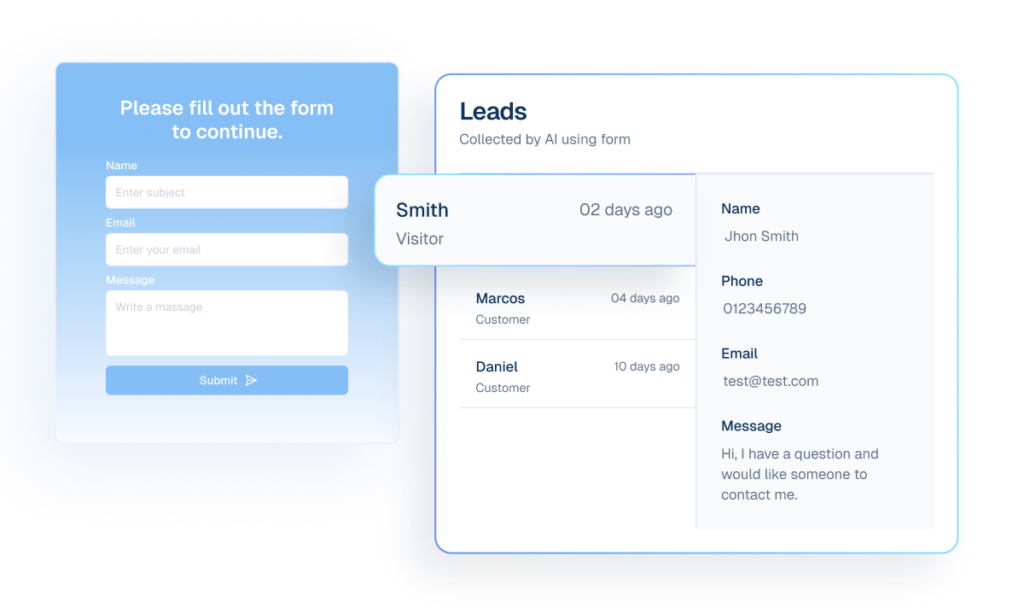
Lead Capture routes CF7 submissions into structured leads
What it Does
Route mapped submissions to `lead_collection` and create CRM-ready lead records.
Business Impact
Turns form traffic into structured pipeline data instead of inbox noise.
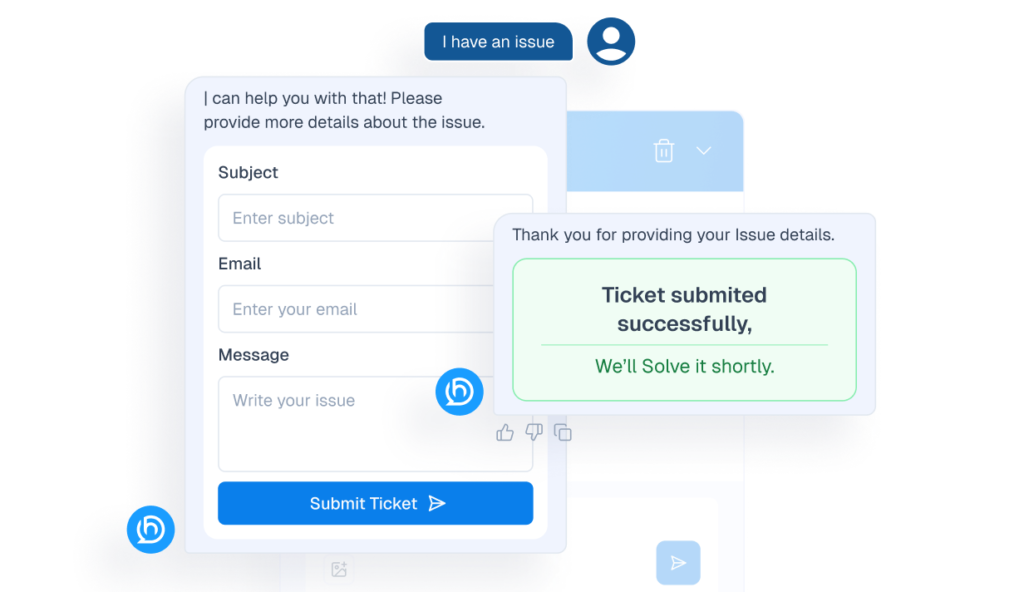
Tickets route CF7 support submissions with validation
What it Does
Route mapped submissions to `ticket_creation` with action-level validation.
Business Impact
Improves support intake quality and shortens triage time.
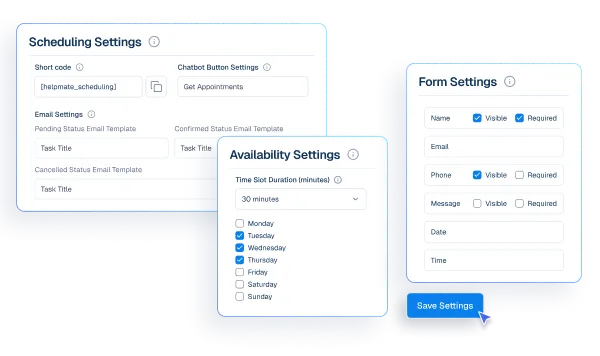
Appointments & Bookings enables CF7 scheduling outcomes
What it Does
Enable `appointment_creation` dispatch through Pro handlers.
Business Impact
Connects form submissions to booking workflows without custom code.
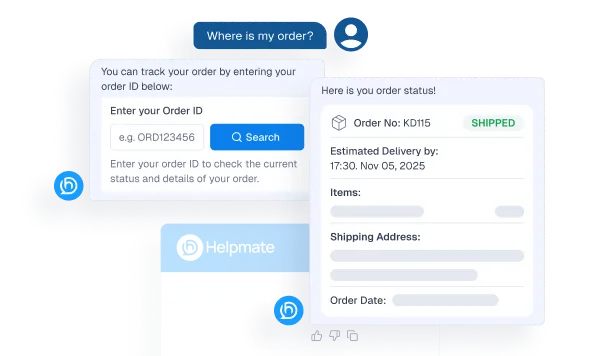
Order Status Tracking supports CF7 post-purchase checks
What it Does
Enable `order_status_checking` dispatch from mapped form data.
Business Impact
Deflects repetitive order-related support requests.
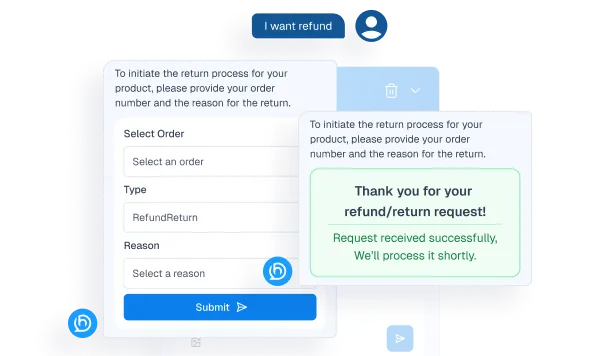
Refund & Return handles CF7 post-purchase resolution
What it Does
Enable `refund_return` dispatch for post-purchase operations.
Business Impact
Streamlines refund workflows and reduces manual escalation overhead.
How Integrations Work
Three simple steps to automate everything.
01
Connect Your Tool
Link any tool from our library in just a few clicks.
Define Automation Rules
Set triggers, conditions, and actions to match your workflow.
02
03
Let AI Handle the Rest
Helpmate AI processes, responds, and optimizes automatically.
User Feedback

Great Chatbot Plugin That Keeps Getting Smarter!

Annoon

Works Amazingly Well After a Bit of Training!

Ritzh A.

Practical, feature-rich AI chatbot for WooCommerce

Kazi S.

Finally, an AI Chatbot That Actually Helps

Adhoy R.
Common Questions from Healthcare Teams
Can patients request appointments through chat?
Yes. Patients can submit appointment requests through any connected channel. These requests are organized in Helpmate for your team to review, confirm, and manage according to your existing scheduling processes.
Can staff take over conversations?
Yes. Staff can seamlessly take over any conversation at any time through the live chat feature with full context visible.
Does Helpmate provide medical advice or diagnosis?
No. Helpmate handles communication and organization only. All clinical decisions remain with your qualified healthcare professionals.
Which channels are supported?
Website chat, Facebook, Instagram, WhatsApp, and more. All messages appear in one unified inbox for your team.
How is patient information managed?
Patient contacts, conversation history, and notes are organized in the built-in CRM. Your team maintains full control over how information is recorded and accessed.

Ready to Stop Running Your Business Alone?
Take The Step That Turns Your WooCommerce Store Into A Self-Running Business.

