Beaver Builder Integration
Once Beaver Builder is active, authors insert Helpmate modules from the module list while editing a layout no shortcode archaeology required.



What This Integration Enables
Appointments & Bookings modules embed scheduling in Beaver layouts
Place Helpmate scheduling experiences inside Beaver rows and columns with the same responsive controls Beaver users expect.
Promo Bar modules power conversion-focused campaign pages
Ship promo banners on campaign landing pages with builder-controlled visibility and spacing.
Why This Beaver Builder Integration Matters
Layout teams should not fight embeds
Pasting fragile embed snippets breaks responsive behavior. Native modules inherit Beaver’s layout rules, reducing QA surprises.
Agencies scale with repeatable modules
Reusable Beaver templates plus Helpmate modules mean you ship the same high-quality conversion stack across many client sites.
Builder choice should not fragment product UX
Customers experience Helpmate-not your internal debate about page builders. Parity across builders keeps UX coherent.
Features we support
Appointments & Bookings modules embed scheduling in Beaver layouts
What it Does
Register Helpmate modules in Beaver Builder’s module list.
Business Impact
Improves editor discoverability and speeds page assembly.
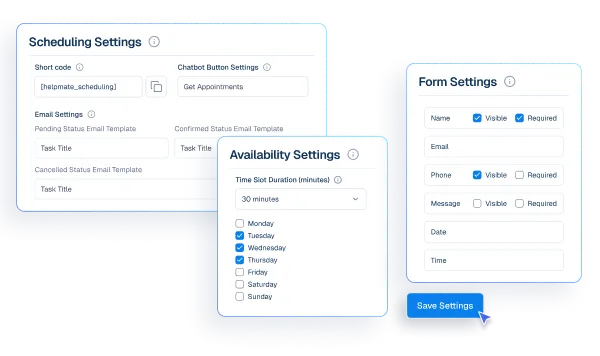
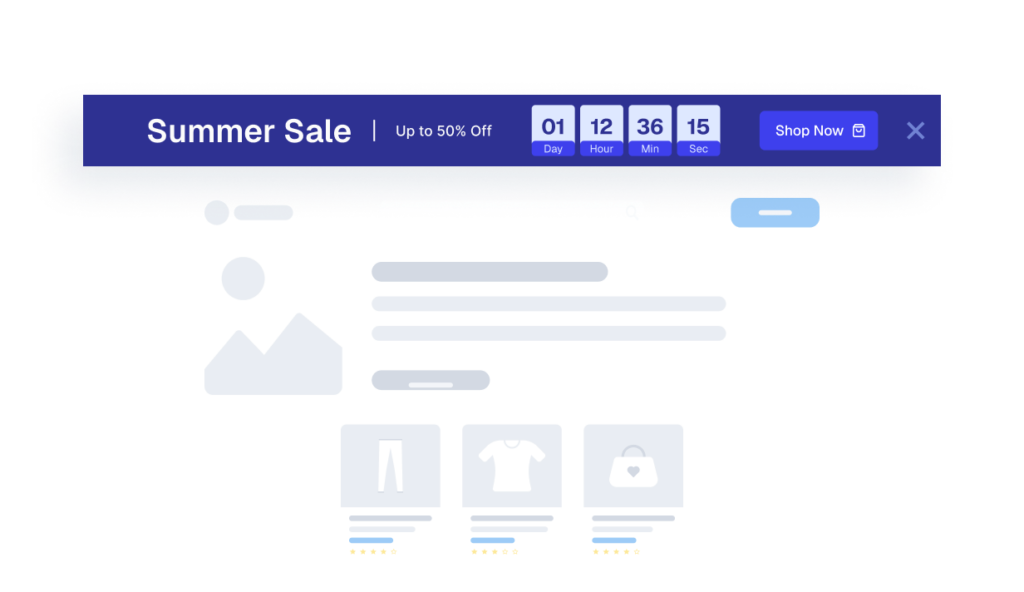
Promo Bar modules drive conversion campaigns in Beaver pages
What it Does
Expose scheduling functionality as a Beaver module.
Business Impact
Improves conversion workflows without custom embeds.
How Integrations Work
Three simple steps to automate everything.
01
Connect Your Tool
Link any tool from our library in just a few clicks.
Define Automation Rules
Set triggers, conditions, and actions to match your workflow.
02
03
Let AI Handle the Rest
Helpmate AI processes, responds, and optimizes automatically.
User Feedback

Great Chatbot Plugin That Keeps Getting Smarter!

Annoon

Works Amazingly Well After a Bit of Training!

Ritzh A.

Practical, feature-rich AI chatbot for WooCommerce

Kazi S.

Finally, an AI Chatbot That Actually Helps

Adhoy R.
Common Questions from Healthcare Teams
Can patients request appointments through chat?
Yes. Patients can submit appointment requests through any connected channel. These requests are organized in Helpmate for your team to review, confirm, and manage according to your existing scheduling processes.
Can staff take over conversations?
Yes. Staff can seamlessly take over any conversation at any time through the live chat feature with full context visible.
Does Helpmate provide medical advice or diagnosis?
No. Helpmate handles communication and organization only. All clinical decisions remain with your qualified healthcare professionals.
Which channels are supported?
Website chat, Facebook, Instagram, WhatsApp, and more. All messages appear in one unified inbox for your team.
How is patient information managed?
Patient contacts, conversation history, and notes are organized in the built-in CRM. Your team maintains full control over how information is recorded and accessed.

Ready to Stop Running Your Business Alone?
Take The Step That Turns Your WooCommerce Store Into A Self-Running Business.

